

Hello,
Please provide us with wp-admin and FTP credentials in Private Content.
Regards,
Jack Richardson

Hello,
We’re sorry but we unable to log in with provided credentials. Please check them.
Regards,
Jack Richardson
Hello,
Please provide us with wp-admin and FTP credentials in Private Content.
Regards,
Jack Richardson
Hello,
You can edit et-registration.php file in your theme folder. (Line 54)
To change title you should edit page and change it’s title.
Regards,
Jack Richardson
Hello,
We have tested in Google Chrome. Did you clear cache in your Chrome browser?
Regards,
Jack Richardson
Hello,
As we can see everything is fine with the page. See picture below:

Please try to clear your browser cache!
Regards,
Jack Richardson
Hello,
We’re glad to hear it.
If you have any questions feel free to contact us!
Regards,
Jack Richardson
Hello,
The problem probably with your email. We’ve checked it with our email address and the mail was delivered successful. Try to use another email address.
Regards,
Jack Richardson
Hello,
As we can see there is no breadcrumbs on the page:
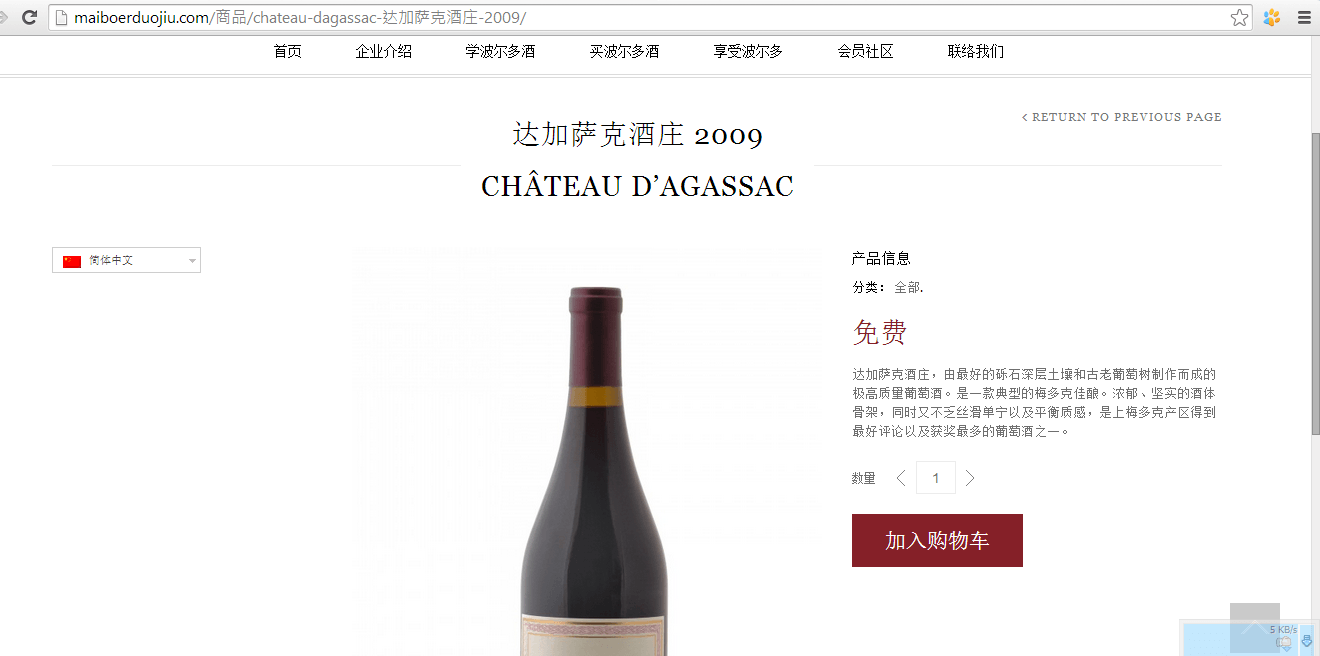
Please try to clear your browser cache.
Regards,
Jack Richardson
Hello,
Please refer to the following topic: https://www.8theme.com/topic/disable-breadcrumbs/
Regards,
Jack Richardson
Hello,
As we can see the issue persist with default theme too. That’s why we recommend you to contact Visual Composer plugin support.
Regards,
Jack Richardson
Hello,
1) To decrease height of navigation bar you have add the following code into the custom.css:
.fixed-header .menu > li > a, .main-nav .menu > li > a {
padding: 5px 5px;
}
2) To change background color of sub-menu add the following code into the custom.css:
.main-nav .menu > li .nav-sublist-dropdown {
  background-color: #F00 !important;
}
and change “#F00” to your desired color.
And to change font-color of sub-menu add this code:
.fixed-header .menu > li.menu-full-width .nav-sublist-dropdown .container > ul > li a, .main-nav .menu > li.menu-full-width .nav-sublist-dropdown .container > ul > li a {
color: #FFF;
}
3) To hide some widget area you can remove all widgets from there and add empty text widget instead.
4) Change background color you can in Theme Options -> Color Scheme. But before this you should change site layout to boxed in Theme Options -> General.
Regards,
Jack Richardson
Hello,
Please read this section about menu set up in our documentation: https://www.8theme.com/demo/docs/legenda/#!/primary_menu.
Regards,
Jack Richardson
Hello,
Please provide us with wp-admin credentials in Private Content.
Regards,
Jack Richardson
Hello,
1) Unfortunately it requires additional customization and is a paid service.
2) Yes, all theme variants are bundled with the one you have purchased.
Regards,
Jack Richardson
You’re welcome!
I’ve corrected provided code in the style.css of child theme.
Regards,
Jack Richardson
Hello,
We’ve made some changes. Please check your site now!
Regards,
Jack Richardson
Hello,
Please provide us with FTP credentials in Private Content.
Regards,
Jack Richardson
Hello,
You’re welcome!
Regards,
Jack Richardson
Hello,
Please add the following code into the custom.css of parent theme or style.css of child theme:
.menu > ul > li > ul, #main-nav > ul > li > ul {
top: 26px;
}
Regards,
Jack Richardson
Hello,
You’re welcome.
If you have any questions don’t hesitate to contact us!
Regards,
Jack Richadrson
Hello,
You had wrong code in your style.css.
It was wrong quote signs in this code: @import url("../legenda/style.css");.
Now it’s fixed, check your site!
Regards,
Jack Richardson
Hello,
Yes, we’re currently working on your problem.
Could you please provide us with FTP credentials as well?
Regards,
Jack Richadrson
Hello,
You’re welcome!
Regards,
Jack Richadrson
Hello,
I’ve fixed the issue. Please check your site now!
Regards,
Jack Richadrson
Hello,
You’re welcome!
If you have any questions feel free to contact us.
Regards,
Jack Richardson
Hello,
To disable breadcrumbs on shop page you can add the following code into the custom.css:
.woocommerce-breadcrumb {
  display: none;
}
To disable breadcrumbs on other pages you can add the following code into the custom.css:
.breadcrumbs {
  display: none;
}
Here is a video tutorial how to create custom.css: https://www.youtube.com/watch?v=Qok2zRedRMY&feature=youtu.be.
Regards,
Jack Richardson
Hello,
Please provide us with FTP access as well.
Regards,
Jack Richardson
Hello,
Please provide us with wp-admin credentials and we’ll help with your problem.
Regards,
Jack Richadrson
Hello,
You’re welcome!
Regards,
Jack Richardson
Hello,
You’re welcome!
Regards,
Jack Richadrson

Free AI store scan · SalesMax
Paste your store address. SalesMax AI shows which upsell moments are missing. No signup.

Free AI speed test · FlashMax
Paste your site address. FlashMax runs Google Lighthouse for phone and desktop, checks Core Web Vitals and lists what to fix. No signup.
 Crypto Mobile AppElementor
(live demo, opens in a new tab)
 Furniture StoreFurniture
(live demo, opens in a new tab)
 Bakery StoreFood & drinks
(live demo, opens in a new tab)
 SpaBusiness
(live demo, opens in a new tab)
 HotelBusiness
(live demo, opens in a new tab)
 Underwear StoreFashion
(live demo, opens in a new tab)
 MarketingBusiness
(live demo, opens in a new tab)
 Makeup StoreBeauty
(live demo, opens in a new tab)
 Minimal StoreFashion
(live demo, opens in a new tab)
 Language CoursesBusiness
(live demo, opens in a new tab)
 Cocktails StoreFood & drinks
(live demo, opens in a new tab)
 Phone ServiceElementor
(live demo, opens in a new tab)
 Digital Marketing AgencyElementor
(live demo, opens in a new tab)
 Real EstateElementor
(live demo, opens in a new tab)
 ArchitectureBusiness
(live demo, opens in a new tab)
 Marseille 03Fashion
(live demo, opens in a new tab)