
Hello,
Please provide us with a site link to check the issue with the text overlapping.
You can use Woocommerce shortcodes as well to show products:
http://docs.woothemes.com/document/woocommerce-shortcodes/
Regards,
Eva Kemp.

Hello,
Please provide us with a site link to check the issue with the text overlapping.
You can use Woocommerce shortcodes as well to show products:
http://docs.woothemes.com/document/woocommerce-shortcodes/
Regards,
Eva Kemp.
Hello,
The links you provided can’t be opened, there is an error “Server not found”.
Have you spelled them correctly?
Regards,
Eva Kemp.
Hello,
You didn’t create .po file with your language prefix as described in our documentation:
https://www.8theme.com/demo/docs/idstore/index.html#!/how_to_translate
Also you didn’t enable custom.css in Theme Options > Custom CSS that is why the code in this file doesn’t work.
Please enable it.
Regards,
Eva Kemp.
Hello,
As I see the issue with slider and product gallery has been fixed.
Do you still need further assistance.
Regards,
Eva Kemp.
Hello,
Please add this code into custom.css file:
.products-grid .product .product-name, .products-grid .product .add-to-container  {
   text-align: center !important;
}
How to create custom.css you can watch in this tutorial.
Regards,
Eva Kemp.
Hello,
What is the password for this account?
Thank you.
Regards,
Eva Kemp.
Hello @Victoria,
Please read our documentation carefully:
https://www.8theme.com/demo/docs/legenda/index.html#!/installation
Please note Woocommerce plugin must be installed before the theme installation.
Thank you.
Regards,
Eva Kemp.
Hello,
Please provide us with a page link where we can see the issue. Also please provide us with wp-admin panel credentials in Private Content.
Thank you.
Regards,
Eva Kemp.
Hello,
Please provide us with a page link where we can see that issue.
Thank you.
Regards,
Eva Kemp.
Hello,
You’re welcome.
Regards,
Eva Kemp.
Hello,
We’re glad you’ve fixed the issue.
Have a nice day.
Regards,
Eva Kemp.
Hello,
You need create footer using static blocks as described in our documentation:
https://www.8theme.com/demo/docs/legenda/index.html#!/footer
You can change image size in Woocommerce > Settings > Products tab and after that regenerate thumbnails with this plugin http://wordpress.org/plugins/regenerate-thumbnails/ as recommended by Woocommerce.
Concerning Wishlist icon please read our documentation:
https://www.8theme.com/demo/docs/legenda/index.html#!/wishlist
Please provide us with FTP credentials to check the issue with the plugins.
Thank you.
Regards,
Eva Kemp.
Hello,
1. If we change Shop title alignment it’ll be changed for all titles on the pages.
We can try to move banner image instead.
2. Unfortunately there is no such option to select how many products to show. Sorry.
3. Concerning the checkout required fields you need contact Woocommerce support team.
4. What design do you wish to change the Checkout page to?
5. You need create footer using static blocks as described in our documentation:
https://www.8theme.com/demo/docs/legenda/index.html#!/footer
6. My Account page is related to Woocommerce configuration. You should ask them concerning your request.
7. Do you want to center the fields names on the Checkout page?
8. To show a product in different colors you need create variable products and add different images for them:
http://docs.woothemes.com/document/product-variations/
Thank you.
Regards,
Eva Kemp.
Hello,
1. Please provide us with FTP credentials. We’ll check this issue.
2. I’ve checked your site and haven’t seen “SET YOUR ACCOUNT MENU” message. Maybe you meant it’s displayed when you’re logged in, didn’t you? Could you please show a screenshot and provide us with wp-admin panel credentials in Private Content?
Thank you.
Regards,
Eva Kemp.
Hello,
As I see the Shop page is displayed as it should be according to the content you created for “Art Shop” page.
Please specify what exactly isn’t correct.
Thank you.
Regards,
Eva Kemp.
Hello,
You’ve provided us with an empty FTP account. There are no site files.
Please give us access to be able to edit the files.
Thank you.
Regards,
Eva Kemp.
Hello,
As you’re using very old theme version – 1.3, updating it to version 2.4.1 may cause some mess on the pages with sections and parallax effect! This is due to changes made in the code and separated visual composer. Therefore, after the upgrade to Legenda version 2.4.1 be ready that you will need to recreate those pages! Please take our apologies for the inconveniences and we’ll be grateful if you treat it with understanding .
Always create a backup of all your files and databases before upgrading, and read instructions carefully on how to update your template properly.
https://www.8theme.com/demo/docs/legenda/index.html#!/upgrade
Also delete wpbakery folder from wp-content/themes/legenda before update!
Thank you.
Regards,
Eva Kemp.
Hello,
Your site is asking for a password.
Please provide us with wp-admin panel credentials to check the issue.
Thank you.
Regards,
Eva Kemp.
Hello @Rubien,
Please provide us with wp-admin panel credentials and a page link where the products are shown.
Thank you.
Regards,
Eva Kemp.
Hello,
You didn’t add Posts Grid element on the Blog page as written in the topic you included:
In this case we recommend you to create a page for your blog and use Posts Grid element in Visual Composer editor. There you need select Teaser (excerpt) for “Content” in Posts Grid settings and add an excerpt with “Read more” link for each post
Please try it.
Thank you.
Regards,
Eva Kemp.
Hello,
Please provide us with FTP credentials in Private Content.
Thank you.
Regards,
Eva Kemp.
Hello,
Please provide us with the correct login details and the site url as we see this page:
http://imgur.com/1ypGOOu
Thank you.
Regards,
Eva Kemp.
Hello,
You’ve been already replied in other topic:
You can change hover color with this code in custom.css file:
.teaser_grid_container .post-thumb .zoom >i {
background-color: your_color_value !important;
}
You can remove “More details” button only in the file wp-content/themes/royal/framework/theme-functions.php (line 2300), delete the code <span>More details</span>, but it will be removed from all sections where you’re using this element. Unfortunately in css 2 buttons can be removed.
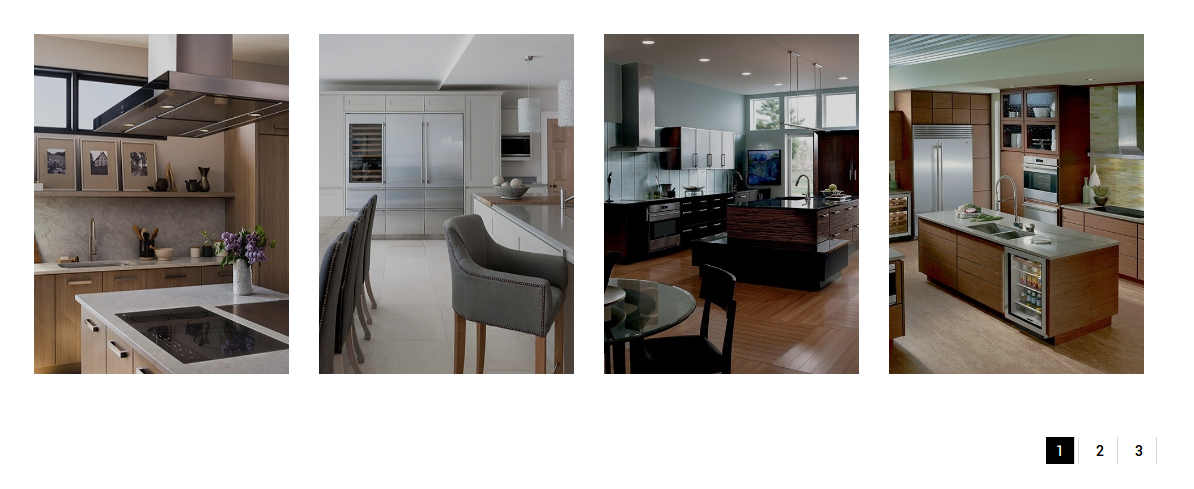
As I see 4 thumbnails are shown.
Regards,
Eva Kemp.
Hello,
Please provide us with wp-admin panel credentials in Private Content.
Thank you.
Regards,
Eva Kemp.
Hello,
Please don’t worry. That notification won’t effect your site work.
This issue will be fixed in the next theme update.
Thank you.
Regards,
Eva Kemp.
Hello,
Fixed header can be enabled in Theme Options > General > Fixed navigation > On.
Regards,
Eva Kemp.
Hello,
Such effect was created in Revolution Slider. You can install Fashion template in Theme Options > Import/Export and view “look book 1” slider how the slide is created.
Thank you.
Regards,
Eva Kemp.
Hello,
Have you made any changes in the original theme files?
Please provide us with FTP credentials in Private Content.
Thank you.
Regards,
Eva Kemp.
Hello,
I’ve installed Venice home page for you.
Please check.
To use the same icons as on our demo you can use Info List element in Visual Composer editor.
Regards,
Eva Kemp.
Hello @RealWisdom,
The problem is caused by one of your plugins.
Please disable them one by one to find out what plugin is causing the issue.
Thank you.
Regards,
Eva Kemp.









