TOP 5 Reasons Your WordPress Online Store Isn’t Converting and How to Fix It
  • August 26

TOP 5 Reasons Your WordPress Online Store Isn’t Converting and How to Fix It

You've built a website that meets your requirements. Analytics tools are set up, SEO strategies and paid advertising campaigns are in place, and visitors are coming in. But there are no conversions or sales. Why aren't your efforts yielding the expected commercial results? Let's explore five common reasons why WordPress online stores struggle with conversions and how to fix them.

Reason 1: Slow Page Load Times

Users tend to leave a website if it takes too long to load. In fact, the likelihood of abandonment increases by 32% when page load time goes from 1 to 3 seconds.

A slow-loading site significantly reduces the chances of making a sale. B2C sites that load in 1 second have a conversion rate 2.5 times higher than those that take 5 seconds.

Site speed also impacts search engine rankings. A slow-loading WordPress store may rank lower in search results, reducing visibility to potential customers.

Common Causes of Slow WordPress Sites and How to Fix Them:

  • Unoptimized images – Compress images without losing quality using plugins like WP Smush or Imagify.
  • Lack of caching – Use caching plugins like WP Rocket or W3 Total Cache to store static versions of pages.
  • Too many plugins – Remove unnecessary plugins and replace heavy ones with lighter alternatives.
  • Low-quality hosting – Inexpensive hosting plans often limit server resources, affecting site performance. Upgrade to a better plan or switch to a reliable hosting provider.
  • Unoptimized code – Minify and combine CSS and JavaScript files using plugins like Autoptimize or WP Super Minify.
  • No Gzip compression – Enable Gzip compression through server settings or use a plugin like Check and Enable GZIP Compression.
  • Outdated PHP version – Upgrade to the latest PHP version while ensuring compatibility with all site components.
  • No lazy loading – Implement lazy loading so that images load only when they appear on the screen.
  • Media files stored on the server – Hosting videos and audio files directly on your site can slow it down. Instead, upload them to external platforms like YouTube or Vimeo and embed them.
  • Unoptimized database – Regularly optimize your database using plugins like WP-Optimize.

By addressing these issues, you can significantly improve your site's loading speed, enhancing user experience and increasing sales.

Reason 2: Non-Responsive Design

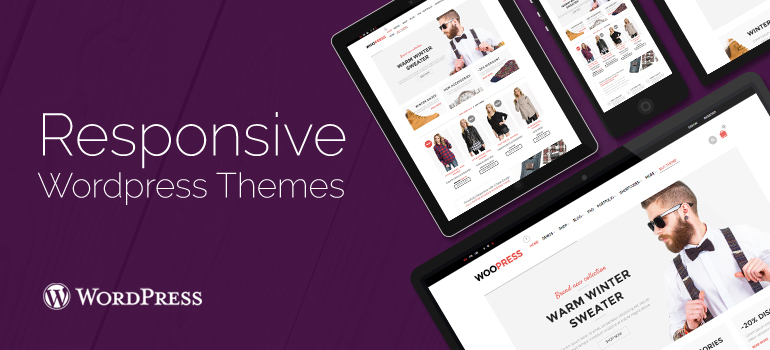
Nearly 60% of internet traffic comes from mobile devices. If your website isn't optimized for mobile users, you're losing a substantial portion of potential customers.

Google prioritizes mobile-friendly websites in search rankings, meaning a lack of responsive design can hurt your visibility and traffic.

Common Mobile Optimization Mistakes and How to Fix Them:

  • Outdated themes – Older themes may not support responsive design. Upgrade to a modern, mobile-friendly theme or choose a new one from the 8Theme catalog.
  • Fixed element sizes – Using fixed widths for images, blocks, and other elements can cause display issues on different devices. Use relative units (such as percentages) and CSS media queries to adjust styles for various screen sizes.
  • Lack of mobile testing – Some developers don't check how a site looks on mobile devices. Regularly test your site on different devices and screen resolutions using real gadgets and emulation tools.
  • Difficult navigation – Multi-level menus or small links can make mobile browsing frustrating. Simplify navigation by using dropdown menus and large, touch-friendly buttons.
  • Hard-to-read text – Small font sizes or ornate typefaces can make reading difficult on small screens. Choose clear, legible fonts and ensure text sizes are mobile-friendly.
  • Cluttered design – Overloading pages with too many elements can overwhelm visitors. Maintain a balance between content and white space to create a clean, user-friendly interface.

By fixing these issues, you'll enhance your brand's credibility and create a more seamless shopping experience—ultimately leading to higher conversion rates.

Reason 3: Complex Navigation and Complicated Ordering Process

A lengthy and complicated checkout process leads to more than 70% of users abandoning the site at this stage. Poor navigation and cluttered forms can reduce conversion rates by up to 200%. If users struggle to find information or are distracted by a confusing design, they may leave the site within 30-40 seconds, unable to understand its structure. Ignoring the importance of usability can result in lost opportunities.

Websites with poor navigation lose users within the first minute, even if they offer unique products. This, in turn, leads to lower conversion rates and reduced sales.

Signs of poor navigation and a complicated ordering process on WordPress sites, and how to fix them:

  • Long forms with unnecessary fields drive customers away. Only include the necessary fields, and use plugins like Contact Form 7 or WPForms to customize your forms. 
  • Requiring users to create an account before making a purchase can turn them away. Allow for “guest” checkout so users can make purchases without creating an account. 
  • Visitors often struggle to find the information or products they need. Create clear, logical menus, add a search function with auto-suggestions, and use breadcrumbs to enhance site navigation. 

By following these tips, you can significantly improve the user experience on your WordPress site, leading to better sales and higher customer satisfaction.

Reason 4: Security Concerns

If users feel a website is insecure, they are less likely to make a purchase. Research shows that 17% of users will leave a site if they perceive it as unsafe. Cyberattacks can result in direct financial losses, including theft of customer data or resources. For example, the average cost of a data breach in 2020 was $3.86 million.

After a security breach, 60% of small businesses go out of business within six months due to loss of customer trust.

Common causes of security issues on WordPress websites and how to address them:

  • Outdated WordPress versions and plugins may have known vulnerabilities. Regularly update WordPress, plugins, and themes to ensure you are protected against these threats. 
  • Weak or publicly available passwords make unauthorized access easier. Use strong, unique passwords that combine uppercase and lowercase letters, numbers, and special characters. 
  • Lack of protection against brute-force attacks increases the risk of hacking. Install plugins like Limit Login Attempts Reloaded to prevent such attacks. 
  • Giving users excessive privileges increases the risk of security breaches. Limit user privileges to the minimum necessary. 

Additionally, installing an SSL certificate will provide a secure connection, increasing customer trust and boosting SEO. Using security plugins like Wordfence or Sucuri will help monitor and protect your site.

By prioritizing the security of your WordPress site, you not only protect customer data but also build trust, which can have a positive impact on your sales.

Reason 5: Weak Content and Poor Product Descriptions

Low-quality, generic content hurts your site's search engine ranking, reducing the visibility of your products to potential customers. If a visitor finds more valuable information about a product or service on a competitor's site, there's a more than 70% chance they won't return to yours.

Common causes of poor-quality content and how to address them:

  • Copying descriptions from manufacturers or competitors without tailoring them for your audience. Create original content that speaks to the needs and interests of your target audience. 
  • Weak descriptions that fail to highlight the benefits and features of the product. Use expert opinions and customer reviews to provide a more comprehensive product overview. 
  • Low-resolution or missing photos. Offer high-quality images of your products from multiple angles. 
  • Lack of a system for collecting and displaying reviews. Encourage customers to leave detailed reviews to build trust and provide more insights for potential buyers. 
  • Content not optimized for SEO. Use relevant keywords to improve your products' visibility in search engines. 

By implementing these strategies, you'll improve the quality of your content, leading to better traffic, higher customer trust, and increased conversions.

Conclusion

If you want your online store to run smoothly, attract customers, and generate consistent sales, selecting a high-quality WordPress theme is crucial. 8Theme solutions offer not just an appealing design, but a comprehensive set of tools for effective business management.

The 8Theme catalog provides complete solutions for websites of any size and scope, from small online shops to large marketplaces. These themes are optimized for fast loading speeds, responsive design, easy navigation, and strong security.

By choosing 8Theme, you'll eliminate common obstacles that hinder sales:

  • Slow loading times? Optimized code and caching support. 
  • Non-responsive design? Full compatibility with mobile devices. 
  • Complicated purchasing process? Intuitive interface. 
  • Security concerns? Regular updates and robust protection against vulnerabilities. 
  • Weak content? Flexible customization options for pages and product designs. 
We would also like to introduce SalesMax plugin designed to increase average order value (AOV), automate promotional campaigns, and deliver comprehensive analytics to help you optimize your sales performance.

With 8Theme, you get a ready-to-use solution that works out of the box, saving you time on tweaks and technical fixes. This means more conversions, more sales, and fewer headaches for business owners.

We're using our own and third-party cookies to improve your experience and our website. Keep on browsing to accept our cookie policy.