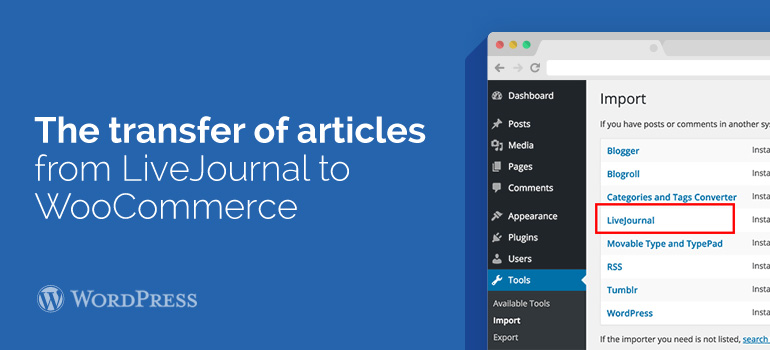
 Please note that this procedure will have to produce for each month separately. Download all the dates of the months go to the administration panel of the blog by WooCommerce themes. In the "Tools" menu (in WordPress 2.7 to the left), select "Import".
On the new page you will see a list of systems that WordPress allows you to import (transfer) data. Click to Continue. On the new page by clicking on "Browse ...", then select the XML-file export LJ and click on "Upload file and import".
The phase of transition of LJ to standalone blogs – you probably need to review the best short description for the longest and "actually" moving to WooCommerce themes. Transferring records from LJ built in WordPress template by default.
Export the posts. To do this, you need to go to the page of exports - http://www.livejournal.com/export.bml, enter the month and year from the archive posts you plan for exports. Select the XML format and click on the "Continue" button. Save the resulting file.
Please note that this procedure will have to produce for each month separately. Download all the dates of the months go to the administration panel of the blog by WooCommerce themes. In the "Tools" menu (in WordPress 2.7 to the left), select "Import".
On the new page you will see a list of systems that WordPress allows you to import (transfer) data. Click to Continue. On the new page by clicking on "Browse ...", then select the XML-file export LJ and click on "Upload file and import".
The phase of transition of LJ to standalone blogs – you probably need to review the best short description for the longest and "actually" moving to WooCommerce themes. Transferring records from LJ built in WordPress template by default.
Export the posts. To do this, you need to go to the page of exports - http://www.livejournal.com/export.bml, enter the month and year from the archive posts you plan for exports. Select the XML format and click on the "Continue" button. Save the resulting file.