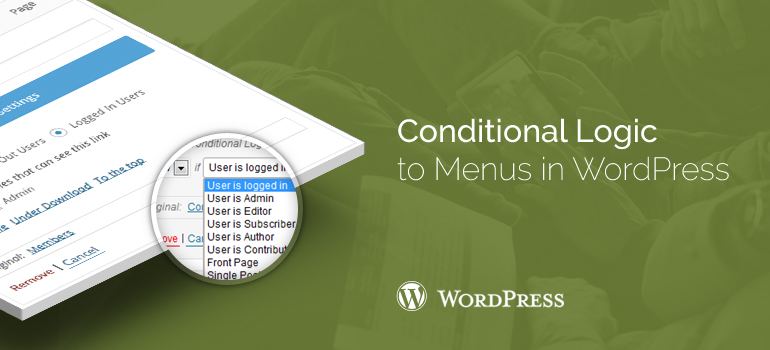
 add_filter( 'if_menu_conditions', 'wpb_new_menu_conditions' );
function wpb_new_menu_conditions( $conditions ) {
$conditions[] = array(
'name' => 'If it is Custom Post Type archive', // name of the condition
'condition' => function($item) { // callback - must return TRUE or FALSE
return is_post_type_archive();}
); return $conditions.
add_filter( 'if_menu_conditions', 'wpb_new_menu_conditions' );
function wpb_new_menu_conditions( $conditions ) {
$conditions[] = array(
'name' => 'If it is Custom Post Type archive', // name of the condition
'condition' => function($item) { // callback - must return TRUE or FALSE
return is_post_type_archive();}
); return $conditions.
 In the next box "Arbitrary links" can be specified as an arbitrary menu link on any website or inner post on the site, asking her name.
The following two sets of "Pages" and "Categories" are identical in their purpose and allow one menu to add how your web pages and headings.
Let us ask our members first menu, which will consist of a single page, one column, and one arbitrary links. To this end, we note the dates of the page and heading in the blocks and click the "Add menu." In the "Custom link" enter the website address or any internal record of the site and also add it to the menu.
In the next box "Arbitrary links" can be specified as an arbitrary menu link on any website or inner post on the site, asking her name.
The following two sets of "Pages" and "Categories" are identical in their purpose and allow one menu to add how your web pages and headings.
Let us ask our members first menu, which will consist of a single page, one column, and one arbitrary links. To this end, we note the dates of the page and heading in the blocks and click the "Add menu." In the "Custom link" enter the website address or any internal record of the site and also add it to the menu.
 When we do this, the panel will create menu’s gray boxes with the names of our page headings and any links. This is the menu items, which, if you deploy them, you can set the link text attribute title, and any link and address of the desired web page in your WordPress theme.
If you have problems with adding conditional logical elements into your WordPress themes let our specialists help you figure out this task instead of you.
When we do this, the panel will create menu’s gray boxes with the names of our page headings and any links. This is the menu items, which, if you deploy them, you can set the link text attribute title, and any link and address of the desired web page in your WordPress theme.
If you have problems with adding conditional logical elements into your WordPress themes let our specialists help you figure out this task instead of you.