Forum Replies Created

Viewing 30 posts - 181 through 210 (of 563 total)
  • Avatar: Libardo
    Libardo
    Participant
    April 29, 2015 at 21:20

    Hi Eva,

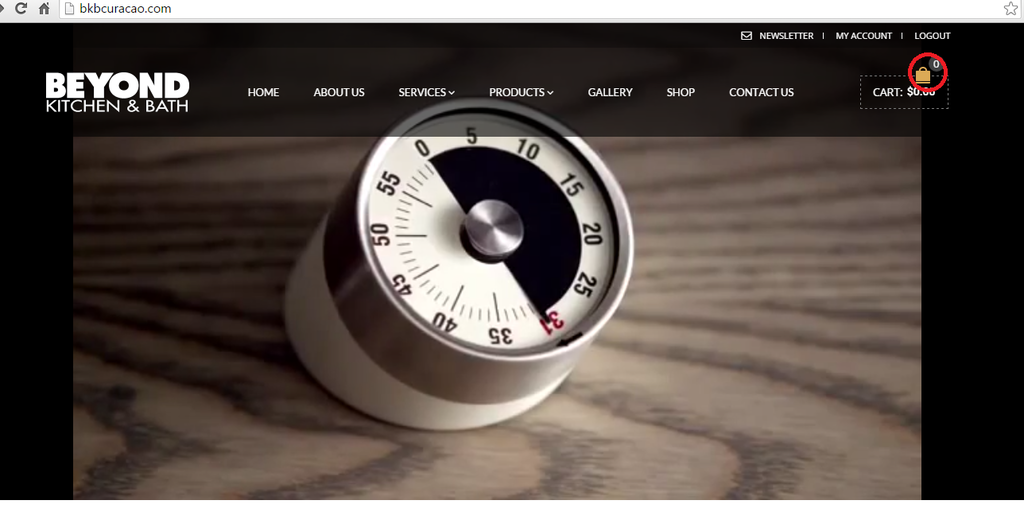
    In addition to my last reply I have clear the cache and still the shopping cart indeed does not show in the other pages. Also can you assist with:

    ITEM 1

    How do I change the color of this shopping cart?

    http://i1340.photobucket.com/albums/o728/LibardoBarreto/3333_zpskdhgwrvn.png

    ITEM 2

    How do I change the shopping cart icon?

    http://i1340.photobucket.com/albums/o728/LibardoBarreto/3333_zpskdhgwrvn.png

    ITEM 3

    How do I change the —— random the shopping cart to something else or change the color?

    http://i1340.photobucket.com/albums/o728/LibardoBarreto/3333_zpskdhgwrvn.png

    Avatar: Libardo
    Libardo
    Participant
    April 29, 2015 at 21:12

    Hi Eva,

    Seems like the shopping cart is only appearing on the HOME Page and the rest of the Pages is not showing this.

    Avatar: Libardo
    Libardo
    Participant
    April 29, 2015 at 20:04

    Hi Eva,

    Are you sure? I am logged in using the same login credentials and can see all the files .. Did you try to refresh your FTP window?

    Avatar: Libardo
    Libardo
    Participant
    April 29, 2015 at 19:31

    Hi Eva,

    Please see in private. Also once you have checked this can you also provide the steps to turn off and turn on the shopping cart?

    Please, contact administrator
    for this information.
    Avatar: Libardo
    Libardo
    Participant
    April 29, 2015 at 17:20

    Hi Eva,

    Seems like the issue still persist. Now when I hover my mouse over the image it will not appear like this:

    http://i1340.photobucket.com/albums/o728/LibardoBarreto/44fdsf_zpshtzgnx2a.png

    However when I click on the image it will show like this :

    http://i1340.photobucket.com/albums/o728/LibardoBarreto/44fdsf_zpshtzgnx2a.png

    http://i1340.photobucket.com/albums/o728/LibardoBarreto/dfsdf_zpskcmgctrz.png

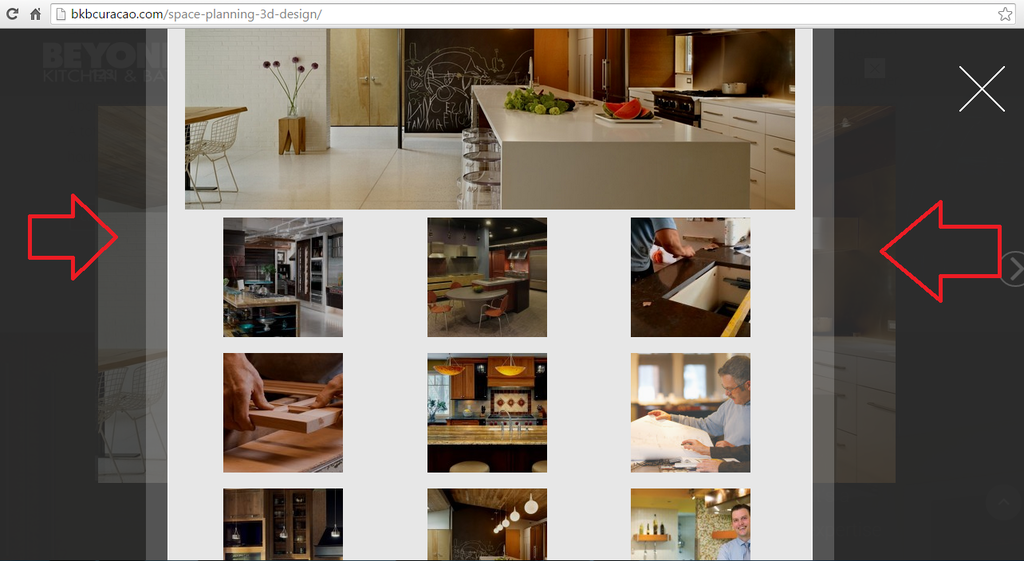
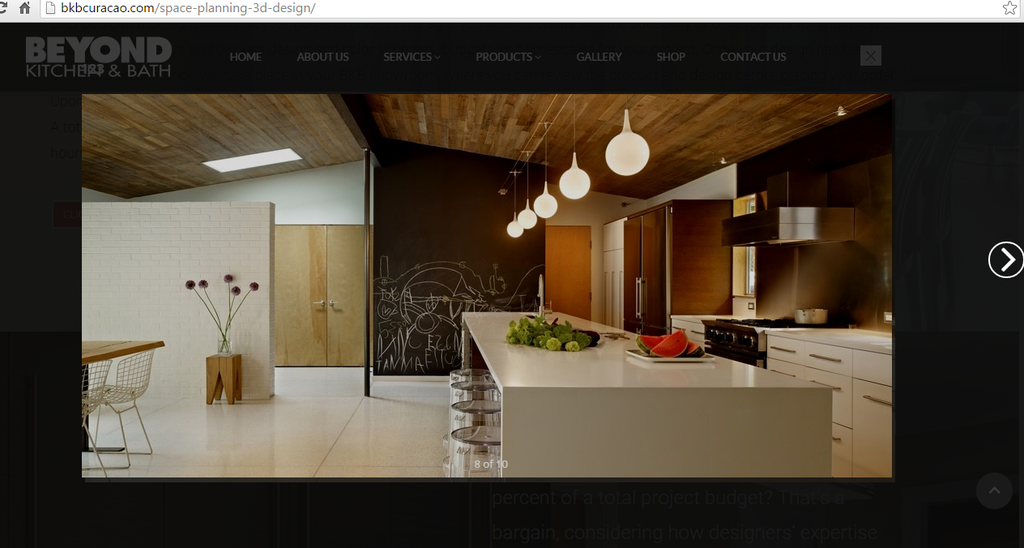
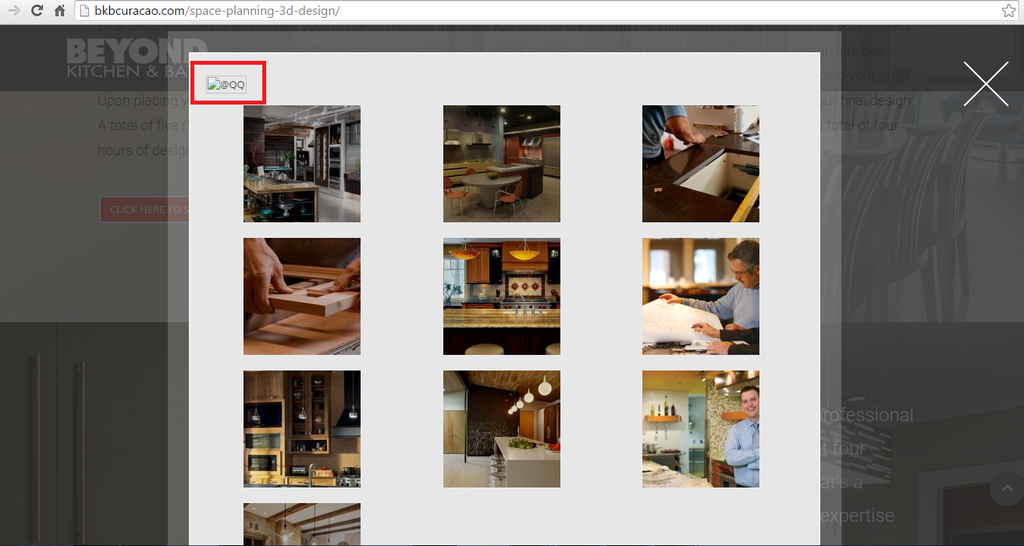
    Is there a way when the client click on the images to NOT show the image in the back of the modal box ? This is also happening when you click on the ( X ) the picture still showing ..

    Avatar: Libardo
    Libardo
    Participant
    April 29, 2015 at 17:16

    Hi Eva,

    Any update on this part? Do you need FTP access?

    Avatar: Libardo
    Libardo
    Participant
    April 29, 2015 at 17:15

    Perfect .. I will check them out

    Avatar: Libardo
    Libardo
    Participant
    April 29, 2015 at 16:23

    Thanks Eva.

    Can you please indicate which one of the codes will be for Desktop , smartphone and tablet?

    Avatar: Libardo
    Libardo
    Participant
    April 29, 2015 at 16:18

    Hi Eva,

    It looks much better now. However there is a issue with this modal box. When you hover your mouse on the images it shows the bigger image which is good. However when you click on the side to close the Modal box or the ” X ” button the image still keeps showing and would need to click again to eliminate this. I have clear the browsing cache so this would not be the case here.

    Can you please check and fix this part?

    http://i1340.photobucket.com/albums/o728/LibardoBarreto/dfsdf_zpskcmgctrz.png

    http://i1340.photobucket.com/albums/o728/LibardoBarreto/44fdsf_zpshtzgnx2a.png

    Avatar: Libardo
    Libardo
    Participant
    April 29, 2015 at 14:51

    Hi Eva,

    Thanks. It looks nice now but is not working as should. When I click on the images I get the following errors :

    http://i1340.photobucket.com/albums/o728/LibardoBarreto/ZR_zpshpyibcav.png

    http://i1340.photobucket.com/albums/o728/LibardoBarreto/4RF_zpsg2cyud0z.png

    Can you correct these?

    Avatar: Libardo
    Libardo
    Participant
    April 29, 2015 at 13:44

    Hi Eva,

    I would like to make the Slider Heigt bigger for smartphones and for tablet. And for desktop would like to keep it as it is for the moment. When you have made the changes can you also provide the steps? Tl

    Thanks..

    Avatar: Libardo
    Libardo
    Participant
    April 29, 2015 at 13:37

    https://www.8theme.com/demo/royal/?page_id=1413

    Click on IMAGE GALLERY button

    Avatar: Libardo
    Libardo
    Participant
    April 28, 2015 at 19:46

    Hi Eva,

    Thanks I will check this code. Additional:

    ITEM 1:

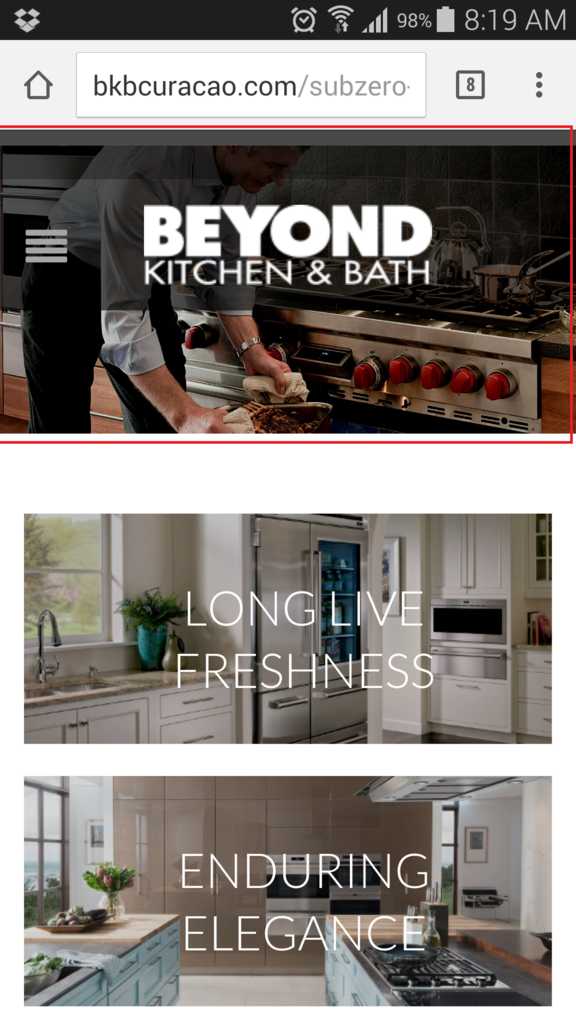
    I would like to know how can I control this part highlighted in red for mobile and tablet? I tried to do this in Revolution Slider Custom Menu or Fixed or Auto Responsive but I can get to have for mobile to drop the picture a bit below but for desktop to keep showing as it is at the moment.

    http://i1340.photobucket.com/albums/o728/LibardoBarreto/Screenshot_2015-04-27-08-19-28_zps81biqk6o.png

    ITEM 2:

    Is there a way to have sort of page open as soon as a client open the website?

    http://i1340.photobucket.com/albums/o728/LibardoBarreto/IMG-20150422-WA0004_zpsbveacfzk.jpg

    Avatar: Libardo
    Libardo
    Participant
    April 28, 2015 at 19:39

    Hi Eva,

    No I havnt changed those. Can you login and have a quick look for this part?

    Avatar: Libardo
    Libardo
    Participant
    April 28, 2015 at 19:21

    Hi Eva,

    Are you saying then that the Royal DEMO is customize to look like this :

    http://i1340.photobucket.com/albums/o728/LibardoBarreto/GG_zpsevrwq0mk.png

    Or has used a plugin to have it look as above? When you say is not possible I wanted to check how the ROYAL DEMO was setup?

    Avatar: Libardo
    Libardo
    Participant
    April 28, 2015 at 16:58

    Thanks Eva. Looks good. However can we have it the same way as this print screen:

    http://i1340.photobucket.com/albums/o728/LibardoBarreto/GG_zpsevrwq0mk.png

    Meaning when I click on the image it will stay in the modal box but will appear a bigger picture above the small ones. For example of the print screen above you click on the small lake picture you will see the big picture above it.

    Avatar: Libardo
    Libardo
    Participant
    April 28, 2015 at 16:55

    Hi Eva,

    I just want to correct this error. The last time I logged in I dont know why this is showing and did not do any changes. But go this error which got me thinking how come?

    If need to remove or repair or change I do don;t know but would like the picture gallery to show as it was before.

    Avatar: Libardo
    Libardo
    Participant
    April 25, 2015 at 00:11

    Hi Eva,

    I will discuss with the team. However I am still missing the part why the shopping cart is missing on the pages. I’ve included the codes for you to check but not received your feedback in this part.

    Avatar: Libardo
    Libardo
    Participant
    April 24, 2015 at 23:35

    Hi Eva,

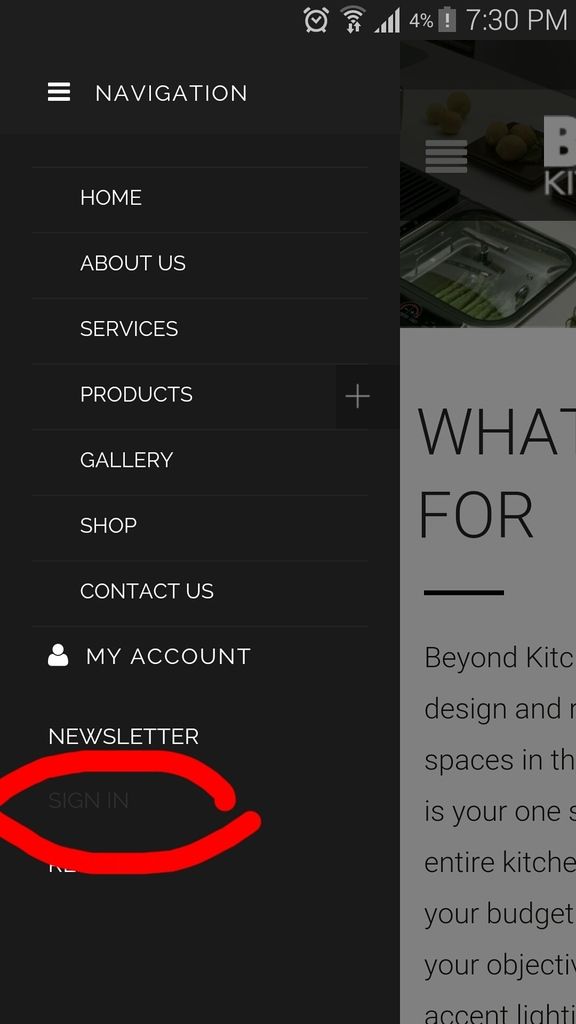
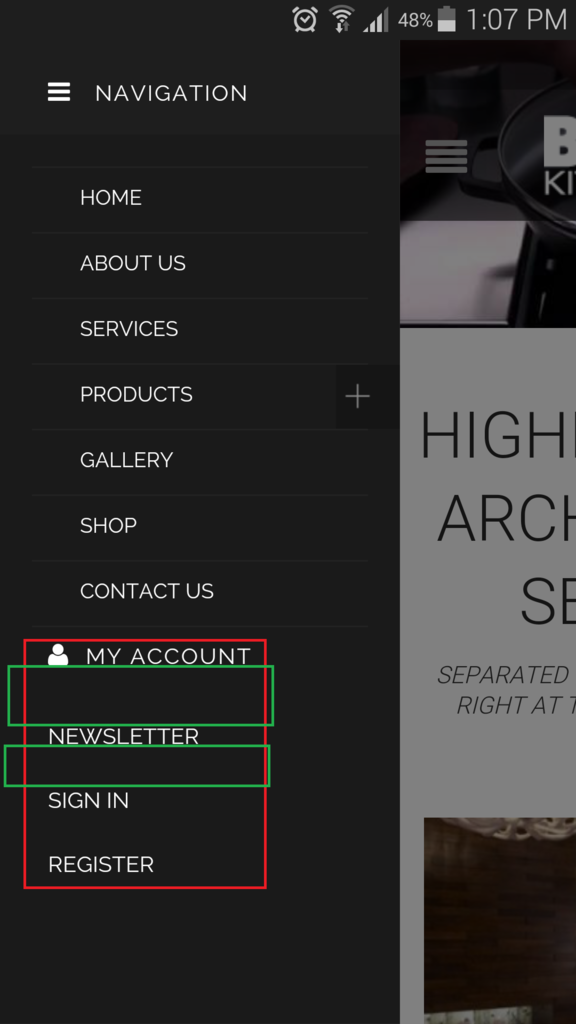
    I would like to move “MY ACCOUNT” SIGN IN ” REGISTER ” NEWSLETTER ” a bit more down.

    Also with respect to ITEM 3 I have included the CSS codes for you to check which of the codes are wrong which is causing for the Prdocuts Menu not to close upon clicking on it. Please check my earlier post befor this one. Can you check the code and indicate which one I will have to exclude or add?

    Avatar: Libardo
    Libardo
    Participant
    April 24, 2015 at 20:15

    Hi Eva,

    Thanks for the information. Now how can I edit the Woocomerce template or how to edit this page like I would like it to be? Where to add then for the codes to take effect? Or is there another way to edit this?

    The reason for asking is due that we are no looking to leave it as it is at the moment.

    Also I hearby provide the codes in the CC which you can see if there is any that is blocking the shopping cart for not displaying

    Please, contact administrator
    for this information.
    Avatar: Libardo
    Libardo
    Participant
    April 24, 2015 at 18:11

    Hi Eva,

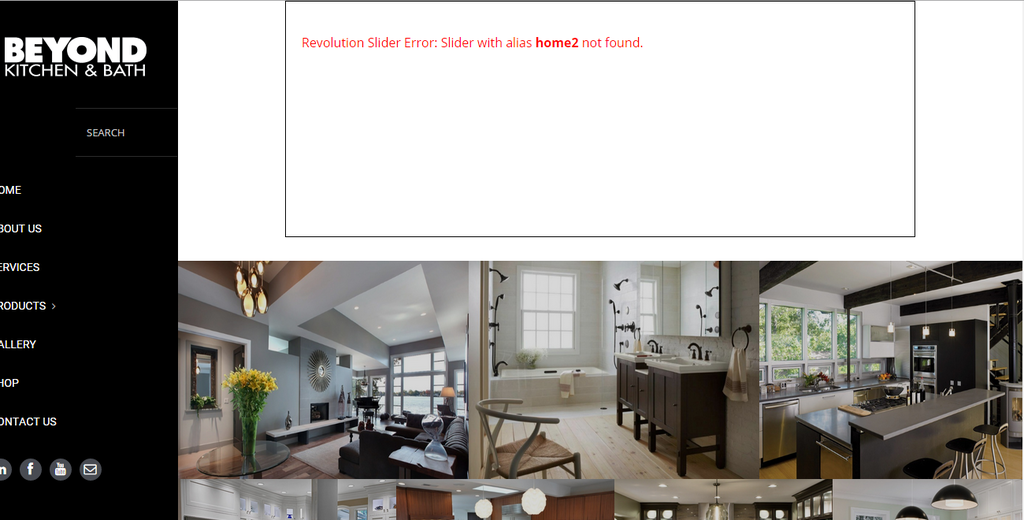
    I agree .. but for this I do not have any Revolution Slider for this page. I am using the Essential Grids which is for the pictures. Remember we worked on this part?

    So My questions is why am I getting this error?

    Can you login and remove this please?

    http://i1340.photobucket.com/albums/o728/LibardoBarreto/rev_zpshf7skhws.png

    Avatar: Libardo
    Libardo
    Participant
    April 24, 2015 at 18:07

    Ok thanks I will check this

    Avatar: Libardo
    Libardo
    Participant
    April 24, 2015 at 18:06

    Ok thanks I will check this

    Avatar: Libardo
    Libardo
    Participant
    April 24, 2015 at 18:06

    Ok thanks I will check this

    Avatar: Libardo
    Libardo
    Participant
    April 24, 2015 at 18:06

    Ok thanks I will check this

    Avatar: Libardo
    Libardo
    Participant
    April 24, 2015 at 18:03

    For ITEM 2 works fine. For ITEM 1 I tried to set it as follow but nothing changed:

    .mobile-nav .links {
    margin-top: 80px !important;
    margin-left: 20px;
    }

    For ITEM 3 I have included the codes that I have at the moment in CSS.

    Please, contact administrator
    for this information.
    Avatar: Libardo
    Libardo
    Participant
    April 24, 2015 at 01:32

    Hi Eva,

    This is the error. Could you please login to have a look into it?

    http://i1340.photobucket.com/albums/o728/LibardoBarreto/JUNK/Screenshot_2015-04-23-18-15-19_zps2wcvvccg.png

    Please, contact administrator
    for this information.
    Avatar: Libardo
    Libardo
    Participant
    April 24, 2015 at 01:26

    Hi Eva,

    Thanks. I also noticed that on mobile when I click on Sign In or Register or My account button nothing happen. Is there any code which I would need to include for this part?

    http://i1340.photobucket.com/albums/o728/LibardoBarreto/JUNK/Screenshot_2015-04-23-19-30-27_zpsaehfpjic_edit_1429834760897.png_zpsrfwskot3.jpeg

    Avatar: Libardo
    Libardo
    Participant
    April 23, 2015 at 22:31

    Good Day Eva,

    Can you please assist with this part. I still showing wrong with this code <br>:

    <h2 style=”text-align: left; font-family: Roboto; font-weight: 300; font-size: 40px; color: #252525; margin-left: -5px;”>WHAT WE STAND FOR</h2>

    <hr class=”divider horizontal-break small” style=”background: #000000; margin: 10px auto; display: inline-block;” />
    <p style=”font-size: 18px; text-align: left; font-family: Roboto; font-weight: 300; color: #1d1818; display: inline-block; margin: 10px auto;”>Beyond Kitchen & Bath (BKB) is a home design and remodeling firm that creates spaces in the home people will love. BKB is your one stop shop to complete your entire kitchen or bathroom project within your budget while meeting or exceeding your objectives. Whether you’re choosing accent lighting for your kitchen, specifying architectural grade fans, or designing a bathroom or kitchen, our designers listen and respond to your desires and goals. If you have your own designer & architect, our showroom is available to facilitate planning meetings and we will gladly collaborate with your entire team to help achieve the best result for all.</p>

    <br>We understand that selecting plumbing fixtures for bathroom or kitchen remodeling projects can be overwhelming. At BKB, we make the process simple and stress-free so you can create the perfect bathroom or kitchen to express your personal style. Whether you have your own architect or designer or if you’re a do-it-yourself person, our flexible services can accommodate whatever is required to get the project done right. From full-scale kitchen and bath renovations to simple storage solutions in the laundry room or home office, BKB delivers best-in-class design concepts, products and services. BKB’s professional design team uses a five-step process called “D-Five” to enhance the client’s ideas with their own expertise in blending style and function. Our products are covered under warranty to ensure that you are 100% satisfied with the quality, workmanship and functionality of any items that we sell and install. Degree holders in architectural drawing, space planning, interior design, construction techniques and computer-aided design, our designers eat, sleep and breathe kitchen and bath design. And, because quality matters both in our process and our products, we are authorized dealers for several of the most prestigious high-quality, bathroom and kitchen product companies in North America & Europe. From new construction to remodeling your century-old historic home, we work closely with you during the entire process. All the way through installation and completion. When it comes to after service, BKB’s products are fully supported by the original manufacturer warranty. Because good partners would do nothing less. Our mind-set is reflected in our commitment to bring a unique sophistication and craftsmanship to your home that will add value and many years of enjoyment. Our Business is to put our clients as our #1 priority and to offer exceptional service and products that will keep you coming back.</br>

    Avatar: Libardo
    Libardo
    Participant
    April 23, 2015 at 19:46

    Hi Eva,

    ITEM 1

    – Is there a way for me to move the text to right,left,down,up?

    http://i1340.photobucket.com/albums/o728/LibardoBarreto/ffe_zpsq8k6lgzo.png

    ITEM 2

    – Is there a way to have the spacing for the menus the same?

    http://i1340.photobucket.com/albums/o728/LibardoBarreto/ffe_zpsq8k6lgzo.png

    ITEM 3

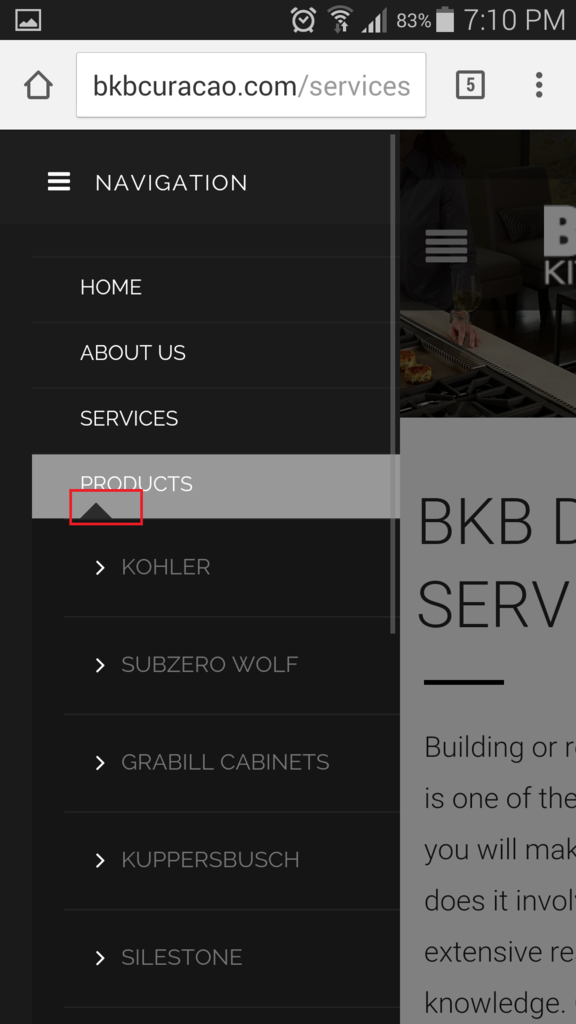
    – I also noticed when I click on the ” + ” sign to open this menu (PRODUCTS) upon close it will not close. Is there a way to add something like a ” – ” for a easy close? When I press on the image in color red it does not close again the menu.

    http://i1340.photobucket.com/albums/o728/LibardoBarreto/ffs_zpso1giy8m7.png

  • 1 2 3 6 7 8 17 18 19
    Viewing 210 results - 181 through 210 (of 563 total)
Viewing 30 posts - 181 through 210 (of 563 total)
We're using our own and third-party cookies to improve your experience and our website. Keep on browsing to accept our cookie policy.