The code mostly worked. The New Black Cart Icon is perfect, but the New Black Search Icon is now placed next to the original gold one, so I have two search icons. Please advise….

The code mostly worked. The New Black Cart Icon is perfect, but the New Black Search Icon is now placed next to the original gold one, so I have two search icons. Please advise….
Any updates? Thanks for your time
I’m not sure. I was told to upload them via FTP into the image folder, so I did. So I am assuming wp-content/themes/royal/images/search_icon.png
wp-content/themes/royal/images/cart_icon.png
Does this help?
Sure. Here are my SFTP Credentials.Thanks
Brian and Eva,
Thanks for the replies, the code you provided doesn’t seem to be working. Am I doing something wrong?
Eva,
Thanks for the reply, the code you provided doesn’t seem to be working. Am I doing something wrong?
Thanks for the response. More specifically, what code do I add to the custom.css file to replace the cart icon, and search icon? I uploaded my image files to the image folder via FTP. My image file names are Cart_icon.png and search_icon.png . Please advise….
Thanks for the response. How do I replace the images once I have the new icons made?
Yes I did. Thanks
Sorry about that. I set you as a subscriber by accident. You now have administration controls. Please advise
Sorry about that. I set you as a subscriber by accident. You now have administration controls. Please advise
It has been 5 days with no response. How was deleting this code suppose to help exactly? Please advise….
This worked, thanks
Is there any other plugin or Visual Composer element that can do what I am trying to accomplish?
Eva,
It has been 14 days and no response to this issue. Please look into this and get back to me
It has been 4 days with no response. Is someone looking into this issue? Thanks
Sure. Here is the photo of the copyrihgt symbol that needs its hover color changed. Thanks
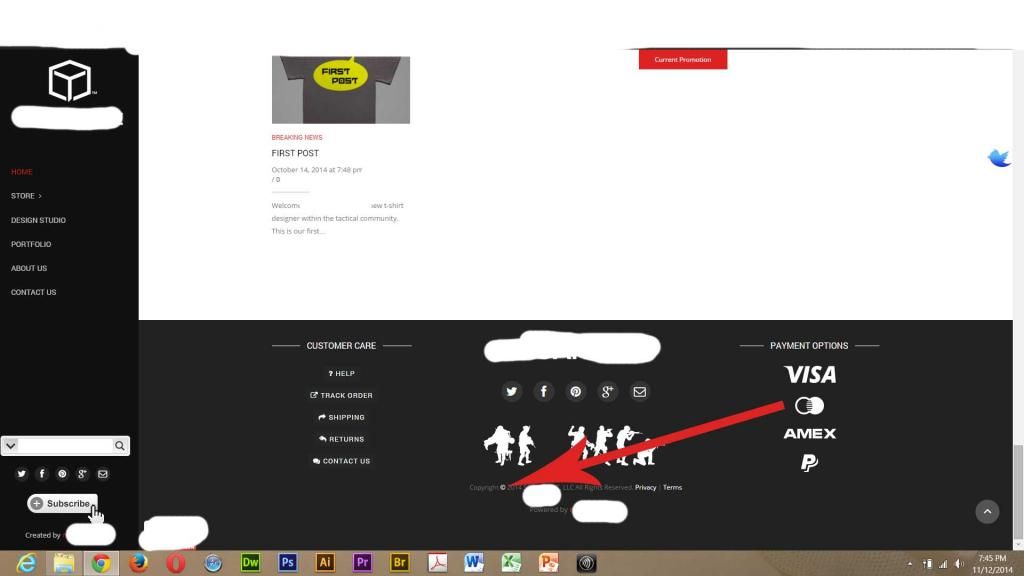
Is there anyway to get the copyright symbol within the footer (static block ‘squaretac footer’) to have he hover color change as well? Thanks.
I don’t think that I ever received an email response for this ticket. Can someone please respond? Thanks
Eva,
Thanks for the reply. That worked, thanks
Any and all of the essential grid post pages. Here are couple links (located in private content below), thanks
That seemed to fix the issue. However, I am unable to turn off the default theme side bar inside the Essential Grid posts page. Please advise
t
Your right! I just deactivated it and the font went back to normal. Thanks
Here is the SFTP log in credentials, thanks
I contacted the plugin developer for my second issue on this ticket, and this is what he had to say (located in private content below). Eva, please pass this on to the people reviewing my ticket for these issues, I hope we can get this resolved. Thanks
I guess I was wrong. I am still having issues with the HTTPS. Please fix the elements and their links in the theme so there is no conflict with HTTPS please. Let me know what you can do? Please refer to the first post in this thread, thanks
Never mind, I think that I fixed it. I ran a special script within .htaccess and wp-config.php that forced HTTPS on all elements and now everything is working.
Please use https:// for log in to my WordPress website now.
Also, I have 29 elements within the theme that are not optimized for https, so I cannot get my SSL padlock in my website to turn green. Can you please change these elements within the them to // instead of http:// so that the elements can except what ever the user is doing, either SLL or not? Elements shown below, please advise
Eva,
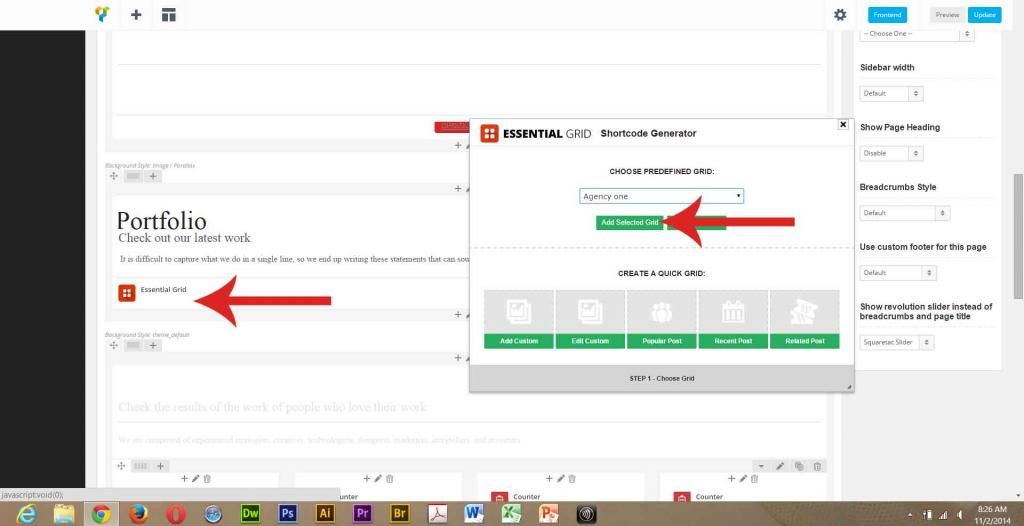
I am not having a problem with the drop down menu, but I am having a problem with “Add Selected Grid” button. When I choose my preferred grid and click on the “Add Selected Grid” button the grid is not added to the page. Please try to do this and get back to me (My hosting provider confirmed the issue and they said that their is some sort of plugin and theme conflict). Please refer to image: