
Hello,
Please provide us with wp-admin panel credentials in Private Content.
Thank you.
Regards,
Eva Kemp.

Hello,
Please provide us with wp-admin panel credentials in Private Content.
Thank you.
Regards,
Eva Kemp.
Hello,
The latest version of Visual Composer is 4.3.4 and it’s placed in the theme package http://themeforest.net/item/royal-multipurpose-wordpress-theme/8611976 in royal/framework/plugins directory.
Please check it.
Regards,
Eva Kemp.
Hello,
You’re welcome.
Regards,
Eva Kemp.
Hello,
Sorry, but we are unable to log in now.
Could you please reset the password?
Regards,
Eva Kemp.
Hello,
When customers register on your site they will be logged in only to their shop account on the site, not to WordPress admin panel.
Please don’t worry.
Thank you.
Regards,
Eva Kemp.
Hello,
We’ve released new Royal version – 1.5.1.
Please update your theme to the latest version.
Thank you.
Regards,
Eva Kemp.
Hello,
To have those links activated you need add this code in custom.css file:
.header-vertical-enable .page-wrapper .top-bar {
    display: inline !important;
}
How to create custom.css you can watch in this tutorial (it’s for Legenda theme but the process is the same).
Regards,
Eva Kemp.
Hello,
Cart icon color can be changed using some image editor as it’s an image wp-content/themes/royal/images/sprite/icons.png
Search icon can be changed via css class in custom.css file:
.fa-search:before {
   color: #F00 !important;
}
Change color value to yours.
How to create custom.css you can watch in this tutorial (it’s for Legenda theme but the process is the same).
For FAQ lists add this code in custom.css:
.toggle-block.bordered .toggle-element > a:before {
   background: #F00 !important;
}
and price color can be changed with this code:
.price {
    color: #000 !important;
}
Thank you.
Regards,
Eva Kemp.
Hello,
Are you installing base demo content or a template version?
As I see your site is working fine.
Please clarify your issue with more details and provide us with FTP credentials as well.
Thank you.
Regards,
Eva Kemp.
Hello,
Sorry for misunderstanding.
You can add [share] shortcode in Text widget and drag it to the “Place in header top bar” widget area.
Thank you.
Regards,
Eva Kemp.
Hello,
I’ve added the following code into custom.css file:
.myaccount_user p {
    color: #000;
    font-family: helvetica !important;
}
.shop_table tr > td.product-name, .shop_table .table > tfoot > tr > th, .shop_table tr > td .amount, .table > tfoot > tr > td {
color: #252525 !important;
text-transform: uppercase !important;
font: 15px/1.42857 "Roboto",Arial,Georgia,sans-serif !important;
}
Please check the page now.
Unfortunately there is no such possibility to add a sidebar with orders.
Regards,
Eva Kemp.
Hello,
The border is there:
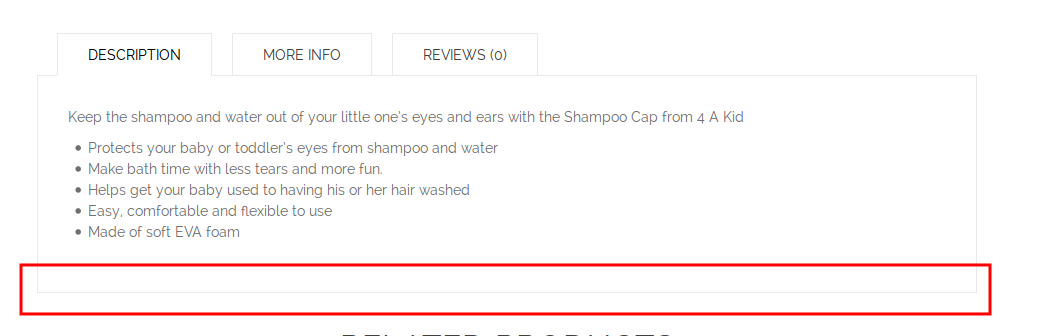
Could you please show a screenshot what you see?
Thank you.
Regards,
Eva Kemp.
Hello,
I’ve edited the first “Shop” title. Please check it.
Concerning the other titles you have padding values in the row settings where the titles placed. Please check them.
Could you please show on a screenshot what footer you need to edit?
Thank you.
Regards,
Eva Kemp.
Hello,
I’ve edited Shop title on the home page again.
Please check if it’s fine now.
Regards,
Eva Kemp.
Hello,
Please provide us with wp-admin panel and FTP credentials in Private Content.
Sorry, but there is no notification for the theme update.
You can check for new versions on the site http://themeforest.net/item/legenda-responsive-multipurpose-wordpress-theme/5888906
Have you made changes in the original files? If you’ve made only style changes in css file you need copy them to custom.css file.
How to create custom.css you can watch in this tutorial
If more files have been edited then you have to create a child theme and copy modified files in there. This way you won’t lose your modifications after the theme update.
Also how to update the theme you can watch at this link.
Thank you.
Regards,
Eva Kemp.
Hello,
That text is related to the plugin “WooCommerce Pre-Orders” that you installed. You need find this text in its files.
Regards,
Eva Kemp.
Hello,
Please provide us with wp-admin panel and FTP credentials in Private Content.
Thank you.
Regards,
Eva Kemp.
Hello,
When entering your site we’re getting the following message:
“We apologize for the inconvenience, but unfortunately this website is currently unavailable.”
Is the access disabled?
Please check it.
Regards,
Eva Kemp.
Hello,
As I see products images are shown:
http://imgur.com/ezxIS3H
Could you pleas clarify your issue?
Thank you.
Regards,
Eva Kemp.
Hello @vasikgreif,
Please check the registration form now.
Regards,
Eva Kemp.
Hello,
You can add other links using Text widget and drag it into “Place in header top bar” widget area in Appearance > Widgets.
Unfortunately there is no possibility to put more menus. You may try to use some plugin to achieve this.
Regards,
Eva Kemp.
Hello,
Unfortunately there is no such possibility.
Sorry.
Regards,
Eva Kemp.
Hello,
You need edit Footer Copyrights and Footer Links widget areas in Appearance > Widgets.
Regards,
Eva Kemp.
Hello,
I’ve added the following code into custom.css file:
a#tab_additional_information {
display: none;
}
The tab is removed.
Regards,
Eva Kemp.
Hello,
Please try to check the chat with default WordPress theme.
Thank you.
Regards,
Eva Kemp.
Hello,
Please clarify. Do you want to stretch the products layout?
Please specify how exactly it should be done.
Thank you.
Regards,
Eva Kemp.
Hello,
Have you edited original theme files?
We recommend you to use child theme not to lose modifications after the theme update.
You won’t lose changes after you switch the theme. You’ll be able to activate the previous theme again.
Regards,
Eva Kemp.
Hello,
Have you changed wp-admin panel credentials?
We’re are unable to log in now.
Please check.
Regards,
Eva Kemp.
Hello,
Sorry for a delay.
We’ve updated Ultimate VC Addons plugin and created a test page with Counter element http://workspace.outrank.sg/test/
It’s working fine.
Please check.
Thank you.
Regards,
Eva Kemp.
Hello @vasikgreif,
Please provide us with FTP credentials in Private Content.
Regards,
Eva Kemp.









