 The biggest advantage of these cards is that people will be able to give links to your content with an indication of the source. If someone re-tweeted your message without links to your Twitter, if new interested users most likely do not subscribe to your Twitter, someone who re-tweeted without reference.
This is often done to reduce the length of the message and thus to ensure retweets own messages. On Twitter Cards, this problem is solved, because you get an increase of confidence in your site with every tweet your article.
The biggest advantage of these cards is that people will be able to give links to your content with an indication of the source. If someone re-tweeted your message without links to your Twitter, if new interested users most likely do not subscribe to your Twitter, someone who re-tweeted without reference.
This is often done to reduce the length of the message and thus to ensure retweets own messages. On Twitter Cards, this problem is solved, because you get an increase of confidence in your site with every tweet your article.
 The next thing you need to do is go to your profile - Users - My Profile. There you will see several fields for Contact Info for your username on Twitter. Enter your user name. If your site has several authors, then allow authors to customize this part of your profile. This method is the simplest.
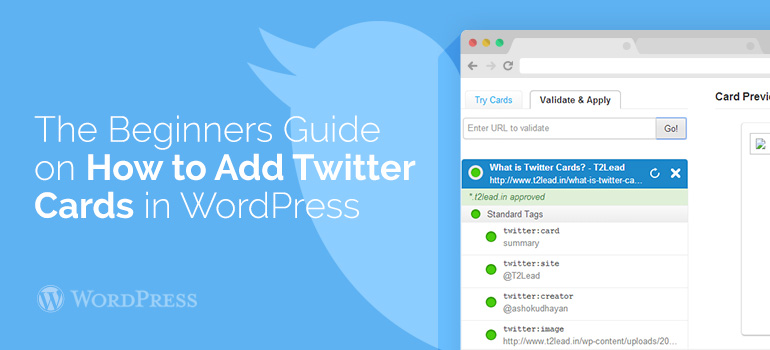
 In this form, you do not have to provide the URL for the Photo Card or URL for Player Card. Simply enter the example URL Summery Card, which contains a sample of any article from your website built with a WordPress template.
If you have any questions about Adding Twitter Cards on a website with WooCommerce theme or WordPress theme, then you can ask them on our forum or via the Technical Support.
In this form, you do not have to provide the URL for the Photo Card or URL for Player Card. Simply enter the example URL Summery Card, which contains a sample of any article from your website built with a WordPress template.
If you have any questions about Adding Twitter Cards on a website with WooCommerce theme or WordPress theme, then you can ask them on our forum or via the Technical Support.