 Moreover, this list can open any user. Just like you can go to any page and see a list of people to respond to other people's posts.
This is another way to find a customer who is dissatisfied with your product, service, and expressed their displeasure by putting "outrageous response" often contact him to find out the problem and to eliminate its negative attitude towards your business.
In this case, click “Invite only admins” can see the pages in front of users. On the page, you can see other people's buttons "Add to Friends".
Moreover, this list can open any user. Just like you can go to any page and see a list of people to respond to other people's posts.
This is another way to find a customer who is dissatisfied with your product, service, and expressed their displeasure by putting "outrageous response" often contact him to find out the problem and to eliminate its negative attitude towards your business.
In this case, click “Invite only admins” can see the pages in front of users. On the page, you can see other people's buttons "Add to Friends".
 In the section "Scope" in the diagram is now displayed instead of the likes on the day - the sum of all responses by day.
It is logical that Facebook will begin to consider what your fans like, funny that they resent, and on the basis of these data will display them more those positions that cause a positive reaction bright.
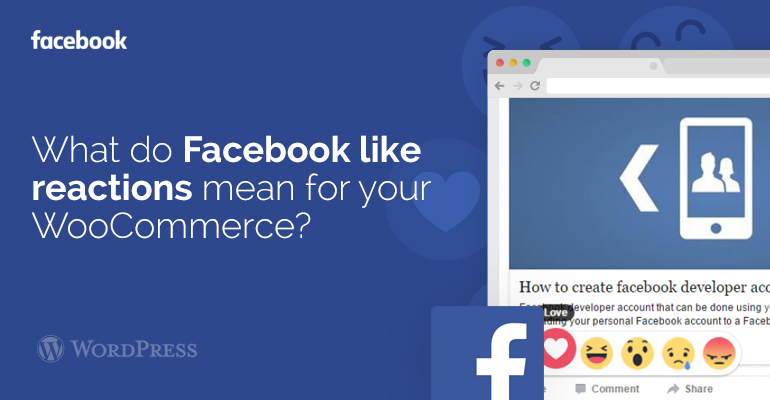
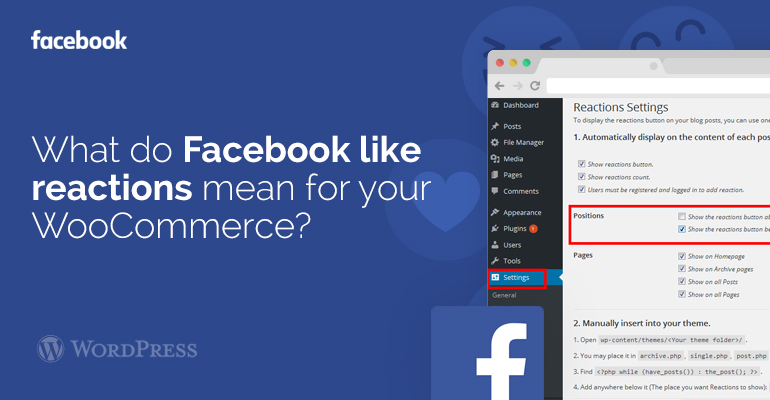
With the DW Reactions module we can include the Facebook like responses. To do that you have to introduce module first from your WooCommerce theme tab, or on the off chance that you do not know how to introduce WordPress module. So once you have introduced the module, you need to install a module, after you initiated the module, go to your settings, There you will see another tab called "responses" click on that to design the module, If you need to show the module on beneath rather than above, So you can set the settings there. Also, you can include the module utilizing the shortcode [reactions]. Presently go to your post there you will see the Reaction button.
If these advices for adding FaceBook like reactions in your WordPress themes and WooCommerce templates are not enough, find other solutions on our forum.
In the section "Scope" in the diagram is now displayed instead of the likes on the day - the sum of all responses by day.
It is logical that Facebook will begin to consider what your fans like, funny that they resent, and on the basis of these data will display them more those positions that cause a positive reaction bright.
With the DW Reactions module we can include the Facebook like responses. To do that you have to introduce module first from your WooCommerce theme tab, or on the off chance that you do not know how to introduce WordPress module. So once you have introduced the module, you need to install a module, after you initiated the module, go to your settings, There you will see another tab called "responses" click on that to design the module, If you need to show the module on beneath rather than above, So you can set the settings there. Also, you can include the module utilizing the shortcode [reactions]. Presently go to your post there you will see the Reaction button.
If these advices for adding FaceBook like reactions in your WordPress themes and WooCommerce templates are not enough, find other solutions on our forum.