It is actually an element in my Footer of mobile. I however, only want to hide it on the homepage footer and nowhere else?
Screenshot: https://prnt.sc/r5mim0

It is actually an element in my Footer of mobile. I however, only want to hide it on the homepage footer and nowhere else?
Screenshot: https://prnt.sc/r5mim0
Thank you. What I will do is use CSS to hide the badge in Footer of Mobile. Please can you help me with this code?
I understand that.
I thought you might just be able ot point me in the right direction. The short codes work perfectly on every other one of my pages, it is just the homepage that they do not work so I was hoping you could provide some help with this?
Perfect, thank you very much 🙂
Perfect, thank you.
Thank you, however it seems that the Wishlist icon is still not showing? Please see – https://prnt.sc/qd16cf
Thank you. I am not sure what I am doing wrong, but I caanot seem to update the WPBakery. Also, the Wishlist icon seems to be a heart on the product picture now.
I have added your IP to the Whitelist, and also FTP details in PCA. Thanks.
Also, WP Bakery does not want to update? It keeps saying I need a license.
Hi there;
I have updated the theme, as well wishlist, etc, and it is still not showing.
I have also asked my service provider to sort out the issue with the access not denied. Please see details in PCA.
Also, please see screenshots of Wishlist settings
https://prnt.sc/qbwcgh
https://prnt.sc/qbwcq6
https://prnt.sc/qbwcyc
No there is no restriction on any IP address that I am aware of? Login details within Private area.
1. For some reason I am getting this message when I try to update WP Bakery? – https://prnt.sc/qa8eex
2. Please see screenshot of Wishlist icon not showing – https://prnt.sc/qa8gnz
Works perfectly, thank you.
Please private area
Sorry PCA = Private Content Area. My sites login details are there.
Thank you. Just to confirm that it is only on Explorer that the Pre-Loader loads and doesn’t load my site. Please see account login in PCA
Thank you
You can see what I mean here: https://prnt.sc/pygcb2
It is for the Fixed message Added to Cart that pops up when you Add product to Basket?
I have cleared the browser. I am now trying from a MAC and it is still giving me the same issues. I am trying to work on a static block and I am having difficulty trying to even open my accordion to work on.
The accordion tab for Care Instructions is also not working on any of my product pages.
Did you have any issues trying to save with WPBakery? Not sure what is happening then. I have tried it on both Chrome and Explorer, as well as used a different computer and it is still giving me the same issue.
Is there a way to add a static block?
Also, how would I add the elements that you have in your demo, like popup Ajax Added to Cart and floating Add to Cart?
Thank you, pease see private area.
Please see screenshot here: https://snipboard.io/st6dRG.jpg
Thank you, I’m not sure what the issue was then.
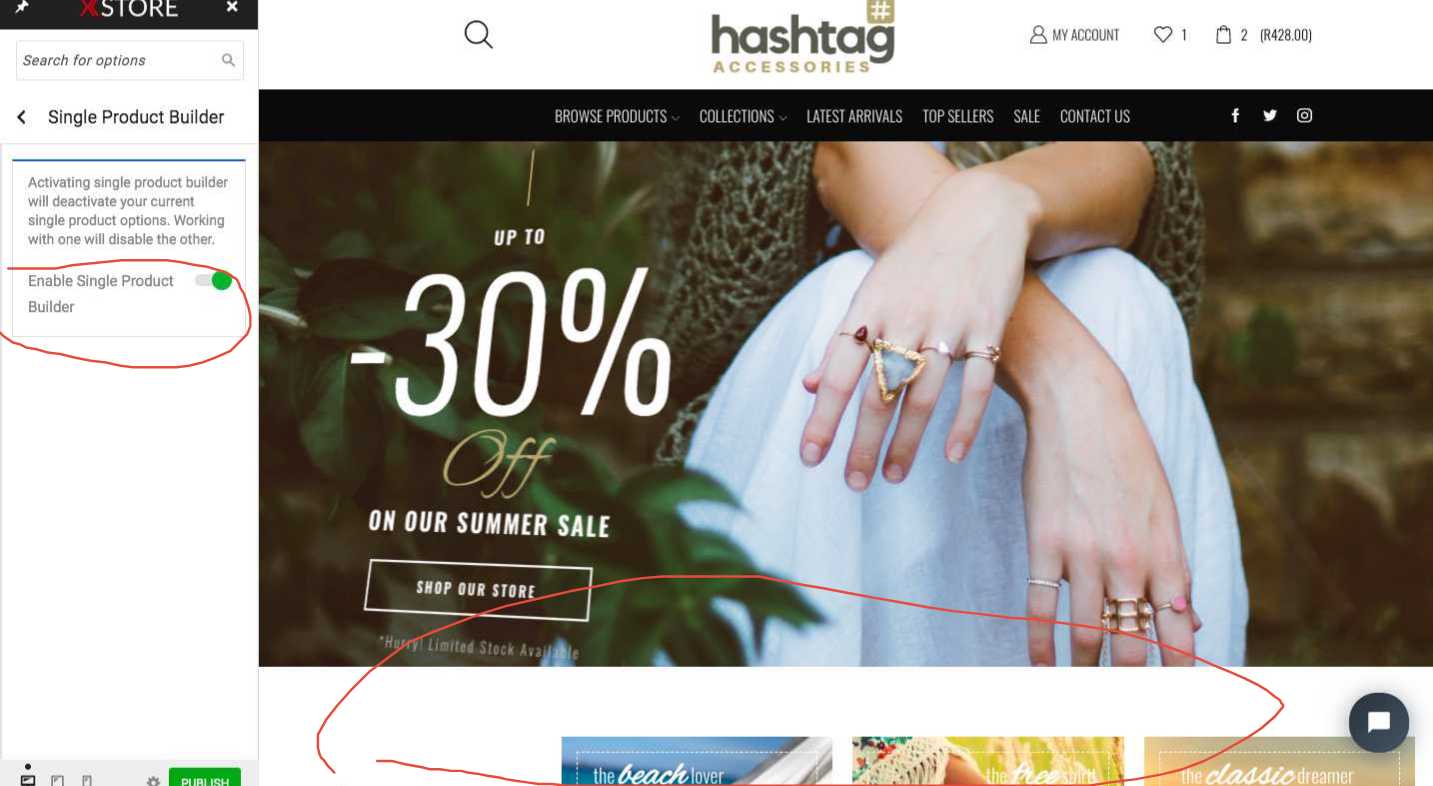
Thank you. I have tried to activate the Product Builder, but it does not bring up the actual builder as per your screenshot?
Apologies, I couldn’t really see the Mobile clip you posted it was too fast. Basically the menu in Mobile bottom part is cut off, I cannot scroll down. Not sure if it’s my phone or what it could possibly be?
Thank yo so much, that is perfect.
Thank you, that worked like a charm 🙂
No problems, please see screenshot here: https://prnt.sc/pp1ivr
It is not showing the actual color swatches like it did before.
The site login info is in PVT area. Thanks.
Works perfectly, thank you so much 🙂
Thank you for your help, it’s much appreciated.
Thank you. I like the way you have your Facebook and Google Login buttons on the Login to this platform with the button only outlined.
2. Could you point me in the right direction to find that custom PHP to add for Google and Instagram?