

Thank you.

Thank you.
Thank you!
Thank you.
Thank you.
Arghhh – I love you guys themes – but i feel like you’ve over complicated this one with – really preffered it the way it was!
Anyways – i have done as you’ve said above – BUT i have the my account icon and i need the actual words (MY ACCOUNT) too – my client insists on this.
I have chosen the style i want and i still cannot see the words “MY ACCOUNT” only the account?!?
thanks!
Hi,
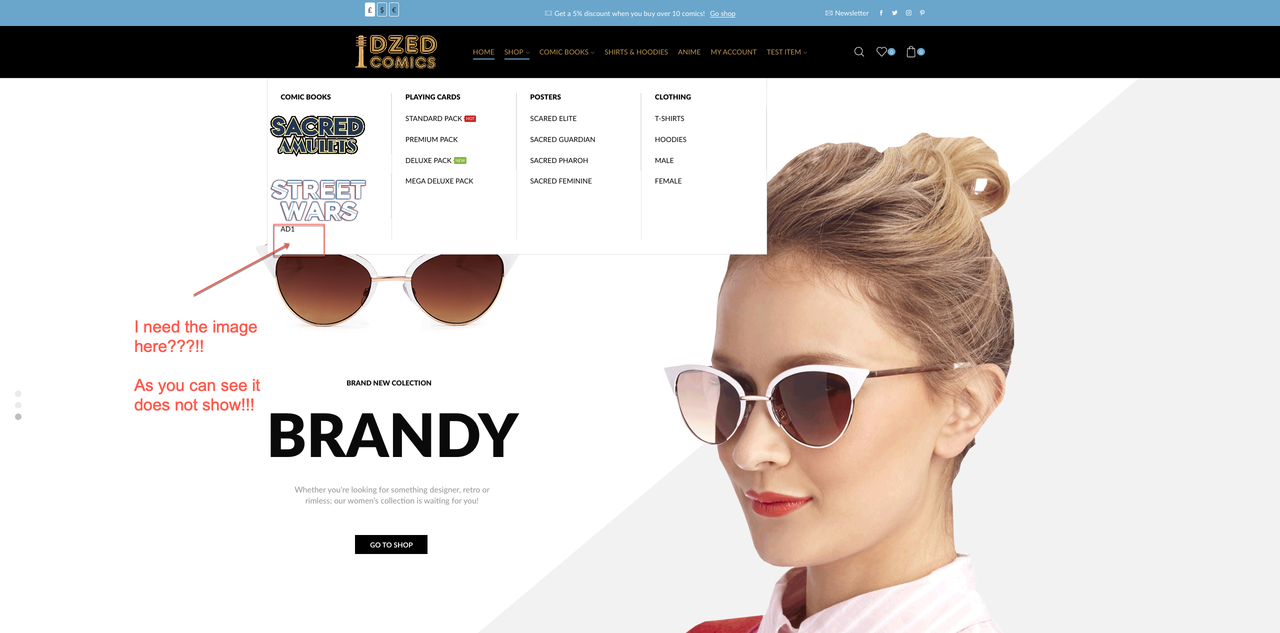
No I dont want the image in another menu item – i need the image in the “shop” menu item underneath that streetwars image.
As you can see from the below i added a static block – but its only showing the name of the static block “AD1” – NOT the actaul image in the static block, hope this explains it:
I am trying to recreate something similar to this:
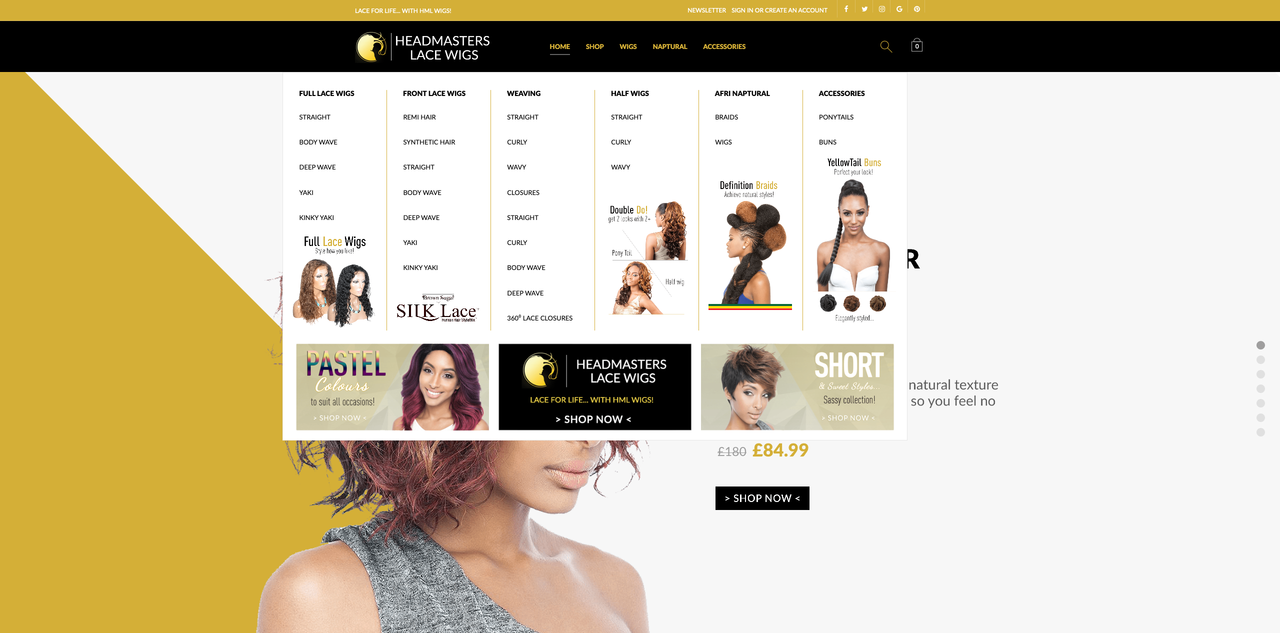
But you changed the way the theme works and have to use workarounds!
the main menu – static block called “Ad1”
Thank you!
Hi nope def cant see it please see the logins in the private area!
Thank you – but i have followed. your instructions and cant see the part that says change text colour???
Thanks – but now my menu and cart are gone!
Perfect!
Thank you!
Hi
thanks that works!
but:
the blue hover lines are now to far away:
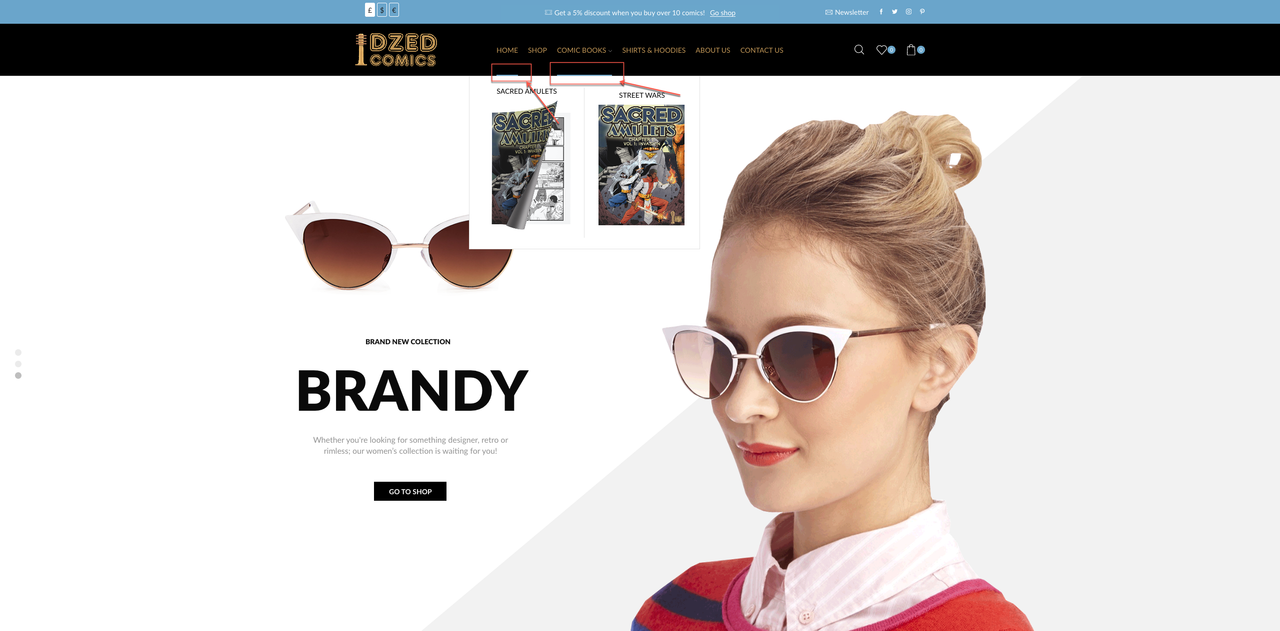
can you help with this pls?
Thank you.
hi pls see:
Thank you!
Thanks!
hi thank you,
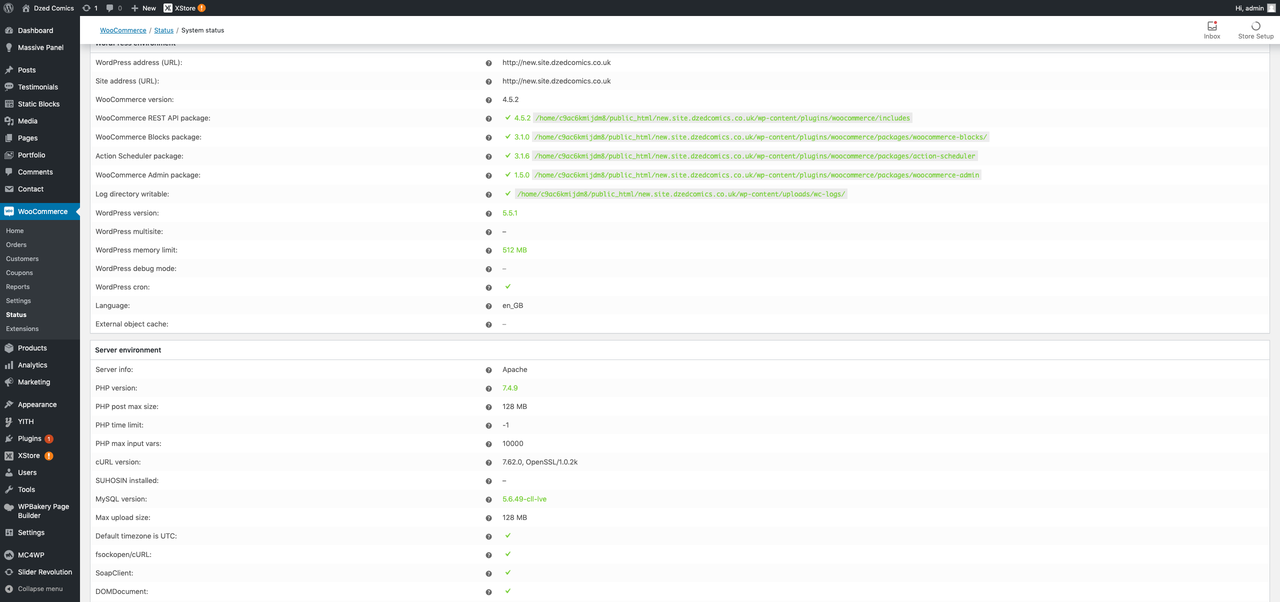
shall i be concerend with this bit of code on the top of my dashboard:
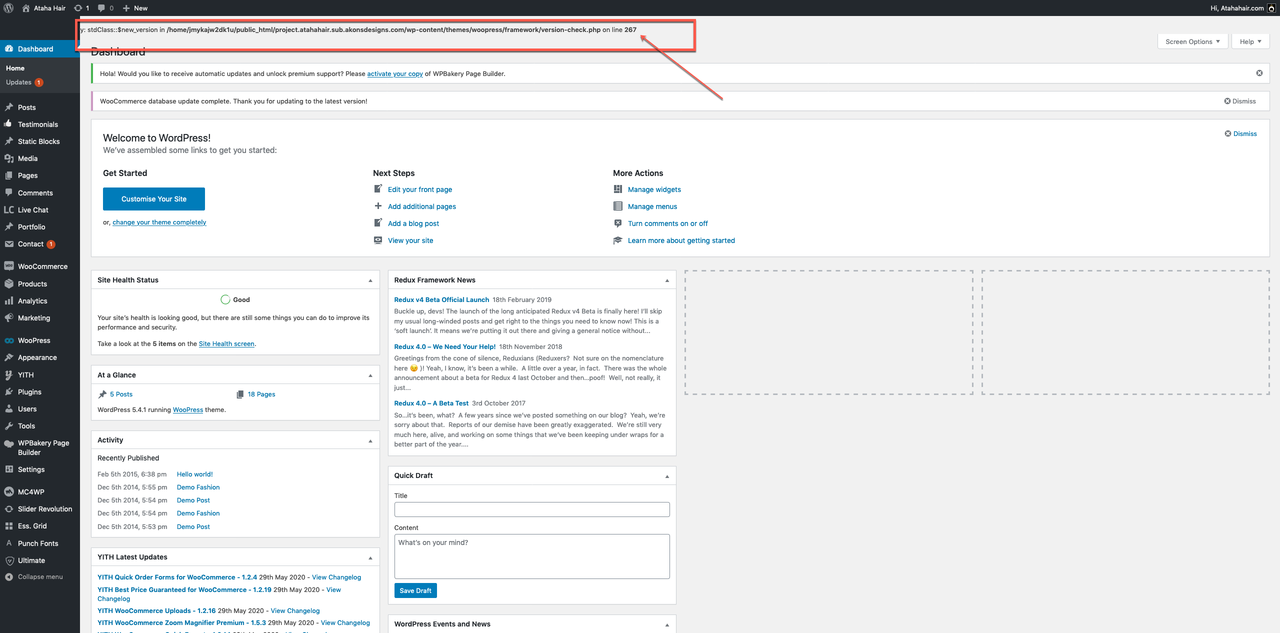
sorry this is in relation to woopress –
Hello,
Take my apologies for the delay.
Check http://project.atahahair.sub.akonsdesigns.com/ now.
Regards
#239158
Hi,
Ok almost there with the menus – i have managed to rebuild it – BUT – some of the menu items do not work – please see this:
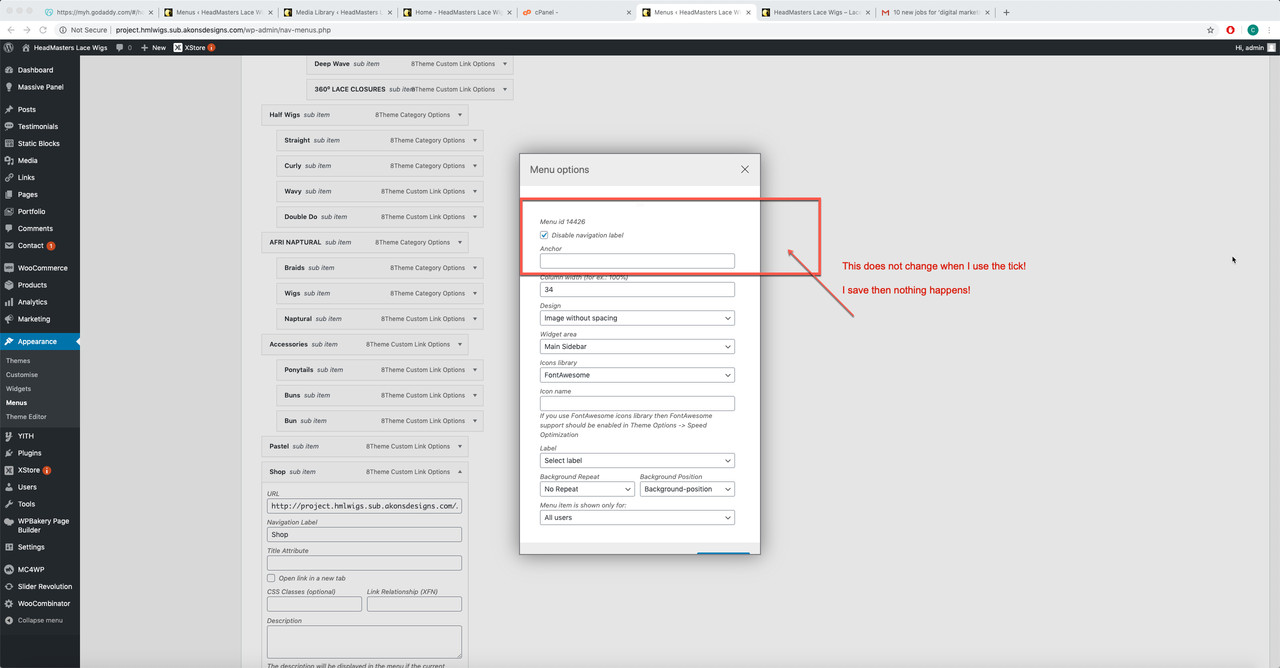
When i click the tick on “disable navigation label” and save – it does not save this and i have recreated the menu from scratch twice – is there some sort of a bug?
Can you please take a look – sorry I know i am bei annoying – I am almost done with this site!
Many thanks!
Hi,
No i did not make any changes to the menus.
Now it seems i will have to learn a new way to rebuild a mega menu – why did you change this – just seems a lot more complicated now!
Hi thanks for this, but there are a few issues:
1. my main header menu does not look like it should with the dropdowns and images – sorry cant get screenshots of when menu is on hover – but its supposed to look like this:
http://project.hmlwigs.sub.dzedcomics.co.uk/
but instead i have this:
http://project.hmlwigs.sub.akonsdesigns.com/
I tried using the head builder -but its so confusing and your demo video is way too fast.
I just want the menu the way it was in:
http://project.hmlwigs.sub.dzedcomics.co.uk/
2. Why did you use the child theme -i never use this for any of my site – will there be complications once i need to update the theme etc?
Hi
I have restored the site and have not updated anything – all plugins have been deactivated -please see the logins in the content area.
Hi I would appreciate a response on how to fix the differences – i’ve clearly demonstrated!
Thanks!
Hi,
I’ve uploaded the site on another domain, please see the difference in front page:
Old site:
http://project.atahahair.sub.akonsdesigns.com/
New site:
http://project.atahahair.sub.dzedcomics.co.uk/
The menus have way more paddings
The categories in the middle has changed
The footer gone
The only thing that really bothers me is the categories in the middle – every thing else i think i can fix!
Just looks like the update has removed a lot of things – If it’s going to be a hassle let me know.
thanks but now its changed the wayother partsof the site looks:
front page
categories
menus
footer
is there a way to rectify these changes, without having to re-build?
OMG! so embarrased! SMH!
Thanks!
Thanks – no rush please let me know when done!
Thank you!
ok all imported!
its a big site and im trying to cut it down for demo purposes!
I have just uploaded the site – i have not updated the plgings as im afraid it will change the site!
the logins i provided are sll still the sa,e – please let me know if you need anything else.
thanks.
ok thank will get back to you!









