Forum Replies Created

Viewing 28 posts - 1 through 28 (of 28 total)
  • Avatar: Pablo_Emilio_Nazario
    Pablo Emilio Nazario
    Participant
    June 3, 2022 at 16:55

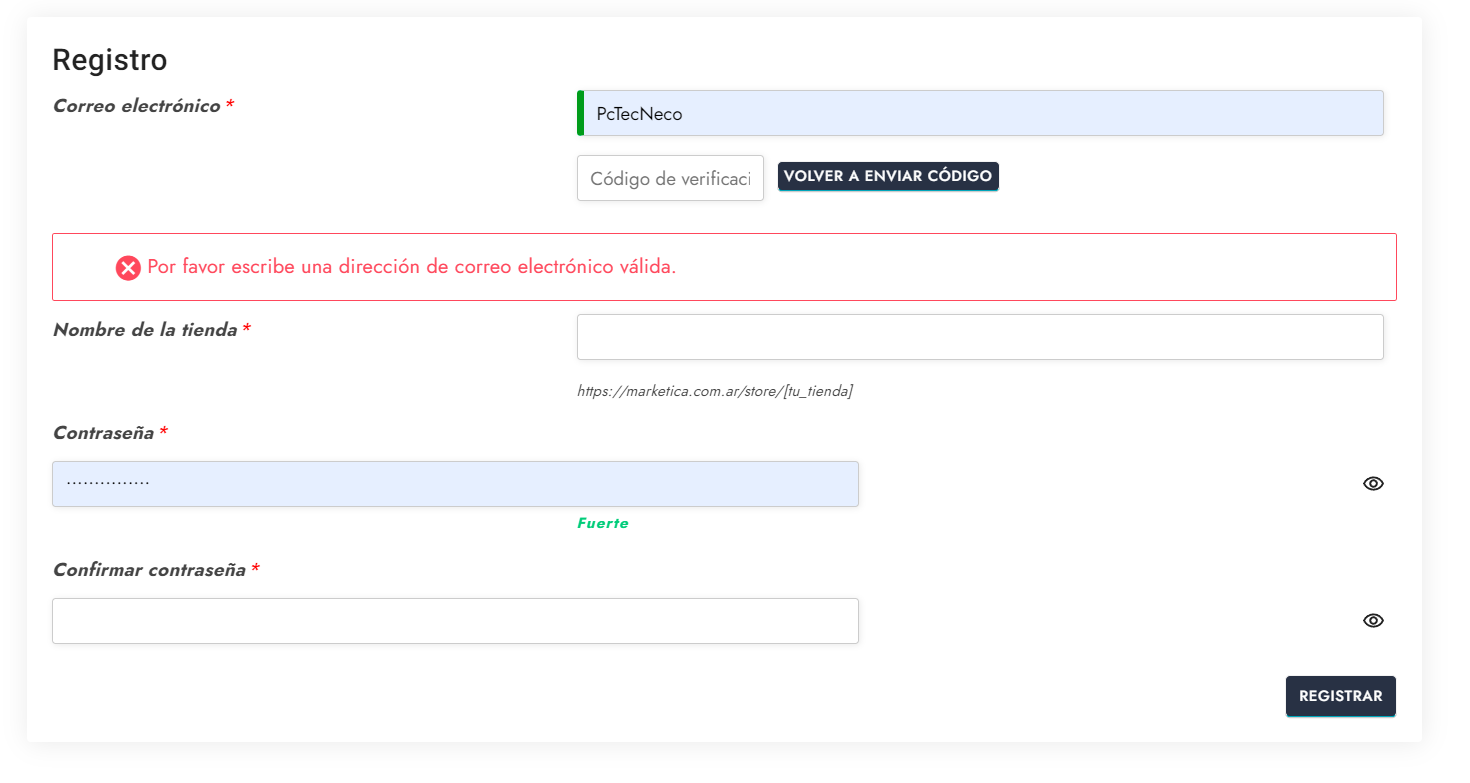
    Hello, how are you? The problem with the icons to see or hide passwords is perfectly solved. Thanks
    Anyway I’m going to have to hire some expert in css and html to improve the style of the wcfm forms because they are horrible.

    –If you give me an email–, I will send you the complete translations of xstore theme and xstore core. some things are better not to translate them. Especially the core plugin. But I think they are 90% ok. Spanish. I hope you find it useful.

    Best regards

    Avatar: Pablo_Emilio_Nazario
    Pablo Emilio Nazario
    Participant
    May 31, 2022 at 14:34

    Hi.

    Yes, it is in the private section of the message. At the end of the message. I sent it again in the private section.

    Please contact administrator
    for this information.
    Avatar: Pablo_Emilio_Nazario
    Pablo Emilio Nazario
    Participant
    May 27, 2022 at 19:43

    Hello. Thanks for the code, it worked perfect!

    Is there any possibility to style the forms of the WCFM multi vendor plugin. They look horrible.

    https://i.gyazo.com/eb20a3074b17dbfd07d42162480a570d.png

    I thought the forms would take the style of the theme but they do not.

    I could see that there was some code somewhere in the Xstore files that refer to Dokan and WCMP.
    Maybe you guys can do something for WCFM in the next update.

    thank you. i close this topic

    Avatar: Pablo_Emilio_Nazario
    Pablo Emilio Nazario
    Participant
    May 17, 2022 at 23:07

    Excelent!.

    Question.

    How can I have more control over the off canvas of the login.

    The idea is to widen it a little so that it shows all the words that now put little dots because they do not enter.
    ( I was looking at the css but I prefer not to mess up )

    Also the letters of “become a seller” are a little small.

    Anyway, what would be the selectors to give a little style to it.

    Thanks.

    Avatar: Pablo_Emilio_Nazario
    Pablo Emilio Nazario
    Participant
    May 11, 2022 at 19:09

    hello!

    I have already deactivated really simple ssl and no problem.

    I continue with the same copy and paste problem that is only solved by closing everything, deleting cookies and reopening. But maybe I can solve it by telling chrome to delete the cookies sent by your server when closing the demo page from where I copy the widgets. I’ll let you know later.

    – question-

    i reduced the default width of the demo because in my country there are a lot of people with notebook screens that are no wider than 1366 px.

    i am using a width of 1200 px in the layout of the site.
    i would like to enlarge the column where the filter widgets are placed in the store (i send screenshot).

    i would not mind if i have to remove some space to the section on the right that shows the product cards. (i send a screenshot of a demo)

    if you could send me css or maybe there is an option to do this without code and I could not find it. Maybe it would be a good idea to implement a little more control at this particular point.

    Thanks!

    Please contact administrator
    for this information.
    Avatar: Pablo_Emilio_Nazario
    Pablo Emilio Nazario
    Participant
    May 9, 2022 at 18:50

    hello.

    the store list view is perfect.
    the preview works ok.

    thank you very much.

    I have ssl contracted on the server. I guess you had to install the really simple ssl plugin for some reason. is it to fix the preview problem of xstore studio?

    Regards!

    Avatar: Pablo_Emilio_Nazario
    Pablo Emilio Nazario
    Participant
    May 7, 2022 at 17:05

    new access data in private

    Problems Info Update:

    Problem with Copy and paste of widgets solved. It seems to be a cookie problem. Thanks.

    only remains the issue of adjusting dimensions of the product chart in list view mode (sent two screenshots LINKS).

    And I send you a screenshot in private of how Xstore Studio freezes when I want to make a preview before inserting a predesigned section.

    Please contact administrator
    for this information.
    Avatar: Pablo_Emilio_Nazario
    Pablo Emilio Nazario
    Participant
    January 27, 2022 at 19:53

    ahhh…I think I understand now! Xstore uses a size of 14px to make the rest of calculations in the typographies!!!
    Used to other themes I thought it is always 16px which is the default average of the browsers.

    Maybe that’s why I set in the theme customizer, in the body typography, 16px and it changes the size of almost everything correctly, except for the main menu that remains at 14px. I think it should take the same size as the rest of the header. Anyway it is very easy to change the size. (I send screenshot in case it’s a mistake)

    I send screenshot of the elementor option that confuses me.

    and another screenshot of the default elementor kit options. it’s quite confusing. I’m used to elementor opening a page with headers and paragraphs and 1 button and letting me see in real time the font and color options before I start adding sections. Can I do something similar with Xstore?

    Thanks!.

    Please contact administrator
    for this information.
    Avatar: Pablo_Emilio_Nazario
    Pablo Emilio Nazario
    Participant
    January 26, 2022 at 19:30

    Hello Olga!.

    Ok, thank you. I read it and came to the same conclusion as the participants. There is no general consensus.

    So, what is your recommendation as an expert on Xstore? em, px?

    My purpose is to make it as responsive as possible so that there are no problems with cell phones.

    Of course I’m going to apply the code you sent me, but I still don’t understand where the 14px value comes from. Looking with the inspector, only when I do the calculation taking h6 as a reference I get almost 14px.
    I just wanted to understand. it’s not important.

    I understand the topic about Elementor. But when I want to define fonts for the pages I make with the builder, it asks me to uncheck the option for elementor to take care of the typography. What should I do? Does it affect in any way the responsive performance of the theme?

    Does the font sizes affect the responsive version in Xstore? Or does xstore handle the mobile version independently?

    Yes, I use yellow pencil. Excellent plugin.

    3) understood.

    4) got it.

    5) my mistake. It is the name of the person who asked the question!

    Thank you!

    Avatar: Pablo_Emilio_Nazario
    Pablo Emilio Nazario
    Participant
    January 25, 2022 at 21:52

    Ok Olga. Clearly I did something wrong so I did the following.

    I’m going to take advantage of the fact that I’m learning how xstore works. It is an incredibly customizable theme, but complex to understand for me.

    I am working on a stage that I made from the main domain, where the niche market 03 demo is installed without modifying. if I see that it is difficult to understand how to customize Xstore, I will use the demo as it was installed. I will just change the logo, menu, links, colors and that’s it.

    Don’t worry, I saved all the css code you sent me.

    I deleted all code, all header, all homepage, typography, I put all the elementor kit that controls typography in “default” mode, h1, h2 etc etc.

    I removed all custom fonts from breadcrumbs. Everything in zero. In elementor updated css files and data, in the Tools section.
    ———————————————————————————-

    1 – in the customizer—> font. Should I use “pixel or em”?

    2 – I can’t change the title size of the store bar widget. the inspector says it inherits the property from “H4”. I set h4 to 1em and it doesn’t take the change. it shows it as 14px. i also deleted chrome history.

    3 – I send a screenshot of Typography—->Heading—- Should there be a “font size” field ?

    4 – Is it correct that changing the typography of the headings also changes the typography of the products in the store?

    5 – I saw that one of the support technician has a spanish name. “leonardo Calderon”. Does he speak spanish? I have a hard time explaining myself in English.

    Thank you!

    Please contact administrator
    for this information.
    Avatar: Pablo_Emilio_Nazario
    Pablo Emilio Nazario
    Participant
    January 24, 2022 at 17:18

    Good morning.

    Thank you very much for the code for the search bar and for checking the other problems.
    The theme customizer works without errors. Great!

    I have already sent a message to the hosting. I have also installed query monitor and wordpress debbug is enabled so it is easier to detect the source of errors. So far, the only ones it shows are related to elementor pro, duplicate queries and a lot of queries. Example: the shop page generates 290 queries. I don’t know if it is a high number, but we will see that later.

    question. I can’t quite understand how to control the typography. What should I configure for elementor to take the changes in font styles (size, weight, family, etc.)?
    From the xstore customizer and using css I was able to define a style for the store font. But when elementor shows me the homepage, it changes the size, spacing between letters, etc, etc. What am I doing wrong.?

    I don’t understand why xstore doesn’t take the changes defined in the typography section of elementor (H1 – H2 – H3, etc etc.}. Elementor pro added a series of “experiments” to its plugin.
    I should disable those that are related to the attempt to minimize the load of css and js code in elementor pro.?

    I would appreciate if you can explain me how is the workflow to define the fonts to use (there are 2 fonts, one for text and another for headers, widgets, etc).

    Thank you.

    Avatar: Pablo_Emilio_Nazario
    Pablo Emilio Nazario
    Participant
    January 21, 2022 at 20:11

    thanks olga

    sorry for that. I repeat them in the private area.

    inside the cpanel, I use “wordpress toolkit” to apply some security measures. you can change whatever you think will affect the theme performance.

    thanks

    Please contact administrator
    for this information.
    Avatar: Pablo_Emilio_Nazario
    Pablo Emilio Nazario
    Participant
    January 21, 2022 at 18:22

    1) Provide us with WP Dashboard access to check your customizer appearance. (done)

    2) It’s because custom styles of the Yellow pencil plugin. Provide us with WP Dashboard access and we’ll check the styles and remove that.

    all the modifications I made to the css code were done with yellow pencil. (in the global section). I deleted part of the demo ccs from the customizer.

    3) There is no option to change the styles by default but it’s possible with the additional customization. Tell me what styles do you want to apply for the search results product title and we’ll send you custom CSS

    The font I am using is roboto. For the search bar I am using a size of 13 pixels. You can set the selector, the font color black, uppercase, letter spacing 0,03em.

    3) Add the below code to Theme Options > Custom CSS
    to make the View all results link fixed

    Ok. But i will wait for you to check the customizer problem. I warn you that the url where I am doing the tests is a stage of the main site. the main site is with previous version of xstore and I just checked that the console does not give errors but the customizer is loading without finishing. there are some security measures applied on the wordpress installations from the server. Also the “cron.php” file is deactivated by recommendation of my hosting.

    anyway, the error appears when I CLEAR THE CACHE OF THE CHROME BROWSER. I would recommend you to do the same before entering the customizer.

    Thank you!

    Please contact administrator
    for this information.
    Avatar: Pablo_Emilio_Nazario
    Pablo Emilio Nazario
    Participant
    January 19, 2022 at 05:17

    YES.., the code you sent me worked perfectly. so we will close this topic.

    THANKS!

    Please contact administrator
    for this information.
    Avatar: Pablo_Emilio_Nazario
    Pablo Emilio Nazario
    Participant
    January 5, 2022 at 10:52

    Hi. I was able to do almost everything.

    on the “store” page i would like to leave more space between the column where the filter widgets are on the left and the products on the right. i couldn’t do it with yellow pencil. can i control the padding?

    The layout is set to 1200px.
    maybe making narrower the filter column in case you can’t increase the padding.

    Please contact administrator
    for this information.
    Avatar: Pablo_Emilio_Nazario
    Pablo Emilio Nazario
    Participant
    January 4, 2022 at 22:30

    I am very sorry.

    I don’t know why the links were not shared. I have already accepted the sharing requests you sent me.

    Avatar: Pablo_Emilio_Nazario
    Pablo Emilio Nazario
    Participant
    January 4, 2022 at 03:48

    hello

    It works and at some point it stops working. i have to save, close everything and log back into wordpress.

    maybe one of the “experiments” that elementor pro has activated by default could be the one that causes the failure?

    anyway, we consider it solved. thanks.

    Avatar: Pablo_Emilio_Nazario
    Pablo Emilio Nazario
    Participant
    December 10, 2021 at 19:14

    Excellent!!…thanks!

    Avatar: Pablo_Emilio_Nazario
    Pablo Emilio Nazario
    Participant
    December 9, 2021 at 17:11

    I am probably expressing myself incorrectly since my native language is Spanish.

    What I need to give to the graphic designer are the psd files of the demo called “marsellie 03”. I can also use it made in figma or adobe XD or Sketch.

    https://xstore.8theme.com/elementor/demos/marseille03/

    In the folders of the “download” section it is not there.

    If you don’t have it available tell me and I’ll look for another way for the designer to test the fonts, colors and logo.

    Thank you.

    Avatar: Pablo_Emilio_Nazario
    Pablo Emilio Nazario
    Participant
    December 8, 2021 at 19:46

    sorry, maybe I can’t find it. could you tell me specifically in which folder of the 9 that I downloaded?

    I can’t find it.

    the demo is this one: https://xstore.8theme.com/elementor/demos/niche-market03/shop/?view_mode=list

    thank you very much.

    Avatar: Pablo_Emilio_Nazario
    Pablo Emilio Nazario
    Participant
    November 10, 2021 at 07:46

    Hi.

    https://gyazo.com/97d5a8dcfdc3a24e76271ad98a671bc1 (error 404 in roadmap link)

    https://gyazo.com/a69aba89a2a7cc9682ff26cc149a3f1f ( arrows)

    https://gyazo.com/fe5509194c64a08425b1c4316bc168ed (widget typography lateral sidebar)

    how do I get control over the arrows of the submenus?
    I want to make them a little thicker, so that they are equal to the first one on the left of the screen.

    where do I activate the megamenu to add pictures or icons in the links?

    i can change the typography of the widgets from elementor? or is it convenient by css on each title tag.
    the h1, h2, etc. I can’t find these details in the documentation. thanks.

    Avatar: Pablo_Emilio_Nazario
    Pablo Emilio Nazario
    Participant
    November 8, 2021 at 15:42

    Hello Olga

    I will be taking screenshots of the forms and the parts where I can’t figure out from where the WCFM plugin takes the style of the theme. We will keep in touch. Very kind of you for your quick response.

    Regards

    Please contact administrator
    for this information.
    Avatar: Pablo_Emilio_Nazario
    Pablo Emilio Nazario
    Participant
    November 5, 2021 at 22:58

    EXCELLENT!

    Thank you for your quick response.

    I see that there are parameters that can not be changed in elementor, only in the theme customizer.

    Am I doing something wrong? …. to give an example. The fonts or colors….

    I have some suggestions about the theme, but I prefer to do it by mail.

    Have a nice day

    Avatar: Pablo_Emilio_Nazario
    Pablo Emilio Nazario
    Participant
    August 20, 2021 at 03:54

    thank you very much!

    I didn’t know that you could add new sections using the “studio” blocks, only at the bottom of the layout and then arrange them using the “navigator” of elementor. issue solved. I’m looking in the questions for an answer about the theme fonts. If I don’t find an answer, I’ll open another topic.

    Avatar: Pablo_Emilio_Nazario
    Pablo Emilio Nazario
    Participant
    December 15, 2020 at 02:19

    ok. understood.
    change of demo. i chose “xfurno”.
    i leave two image links with two questions.
    thank you very much!

    https://prntscr.com/w2t5xi

    https://prntscr.com/w2t3oq

    Please contact administrator
    for this information.
    Avatar: Pablo_Emilio_Nazario
    Pablo Emilio Nazario
    Participant
    December 10, 2020 at 04:15

    Thank you very much for trying to solve my problem.
    After making the notebook layout look very close to what I wanted, I realized that in the mobile version it looks very bad. so I’m going to change the approach.

    questions:

    1- the “default01” demo for elementor, shows in the link “shop” (new), many configuration options. these options are prearranged for that particular demo or you can achieve the same that it shows in any other demo.

    2- when you want to modify options with the single product builder having selected the “cell phone” icon, the spacing changes I make are also reflected in the computer layout. This is normal?. I thought they would work independently.

    3. For the design to be responsive, you should stop using the single product builder? My intention is to show a general layout and a more specific one for categories like “fashion” or “shoes”, which generally need to show other type of information and picture size. My site works as a catalog with the information of each seller.

    4- What would be your advice considering that I have to create a multi-seller site
    with categories as diverse as “Bazaar” and “electronics or fashion”?
    work directly with elementor and some plugins like “crocoblocks”?
    select some xstore demo and make only small changes?
    I prefer to listen to your advice before starting again.

    Thanks for your patience!

    Avatar: Pablo_Emilio_Nazario
    Pablo Emilio Nazario
    Participant
    December 8, 2020 at 19:17

    1) If you use the single product builder – yes. You can add the wishlist element and the compare elements before the product gallery element + simple custom CSS to show it over the image.

    Ok. You could give me the steps to follow and the css? code. Thank you….

    Avatar: Pablo_Emilio_Nazario
    Pablo Emilio Nazario
    Participant
    December 7, 2020 at 06:09

    thanks for the quick response.

    I managed to solve the problem that the custom layout did not show the vendor’s store name.

    1). is there a way to display the heart icon of the “add to favorites” link and the “compare” icon in some corner of the main photo on the single product page?
    on the 14-inch screens of a notebook, all the product information is far below and I’m trying to save space.

    2). I can’t find a way to show the available colors and sizes of a product through swatches, without having to publish a variable product. Doesn’t it exist?
    I also have the problem on the shop page that the alignment is easily lost. I had to remove the swatches and other information so that the product information cards would be aligned.

    I wanted to show you a page that found a good solution for this problem. Notice how the information changes when you hover your cursor over it. Here’s the link.

    https://listado.mercadolibre.com.ar/remeras#D%5BA:remeras%5D

    Thanks!

    Translated with http://www.DeepL.com/Translator (free version)

  • Viewing 28 results - 1 through 28 (of 28 total)
Viewing 28 posts - 1 through 28 (of 28 total)
We're using our own and third-party cookies to improve your experience and our website. Keep on browsing to accept our cookie policy.