Hi,
Thanks for translate text .
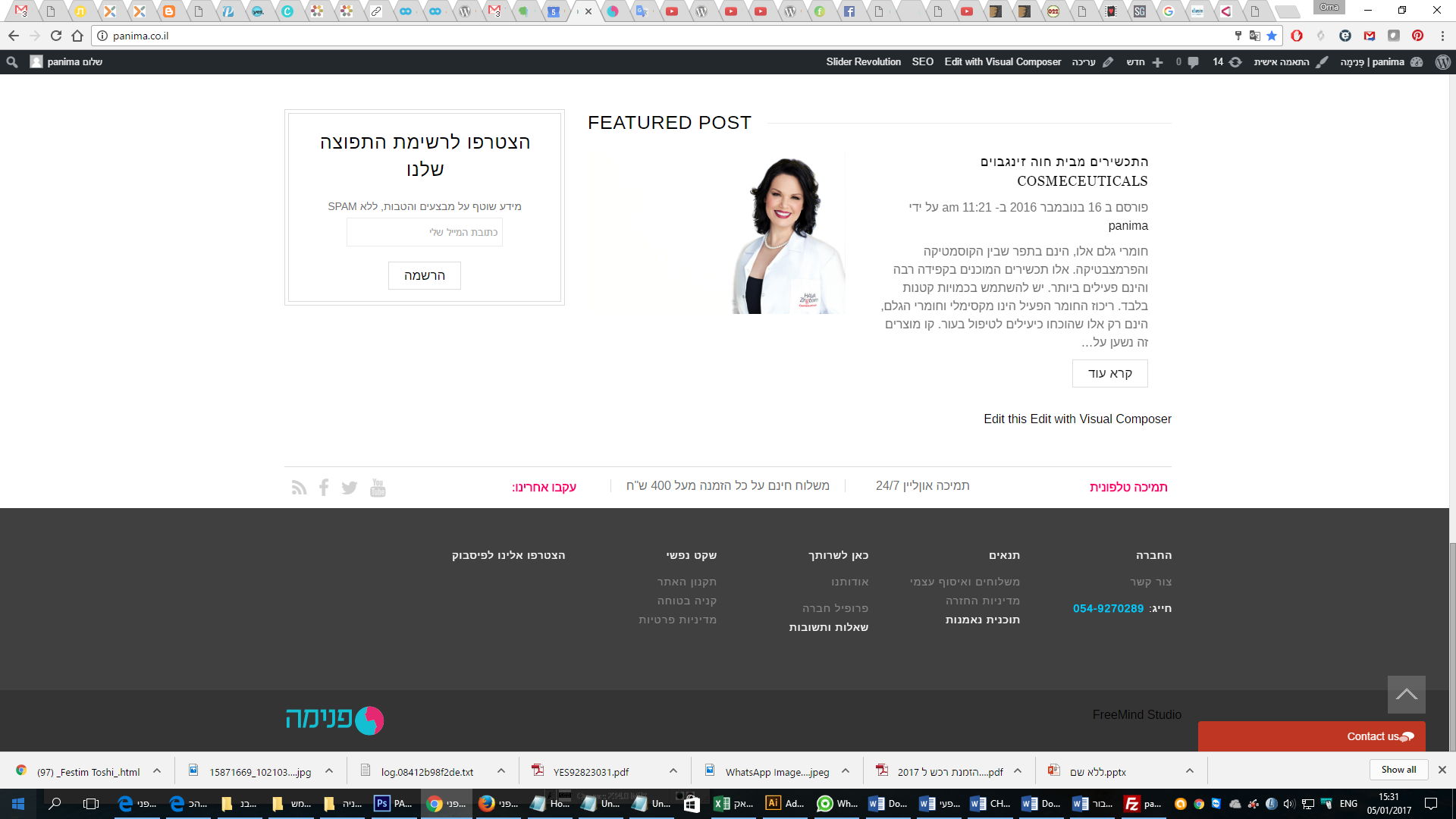
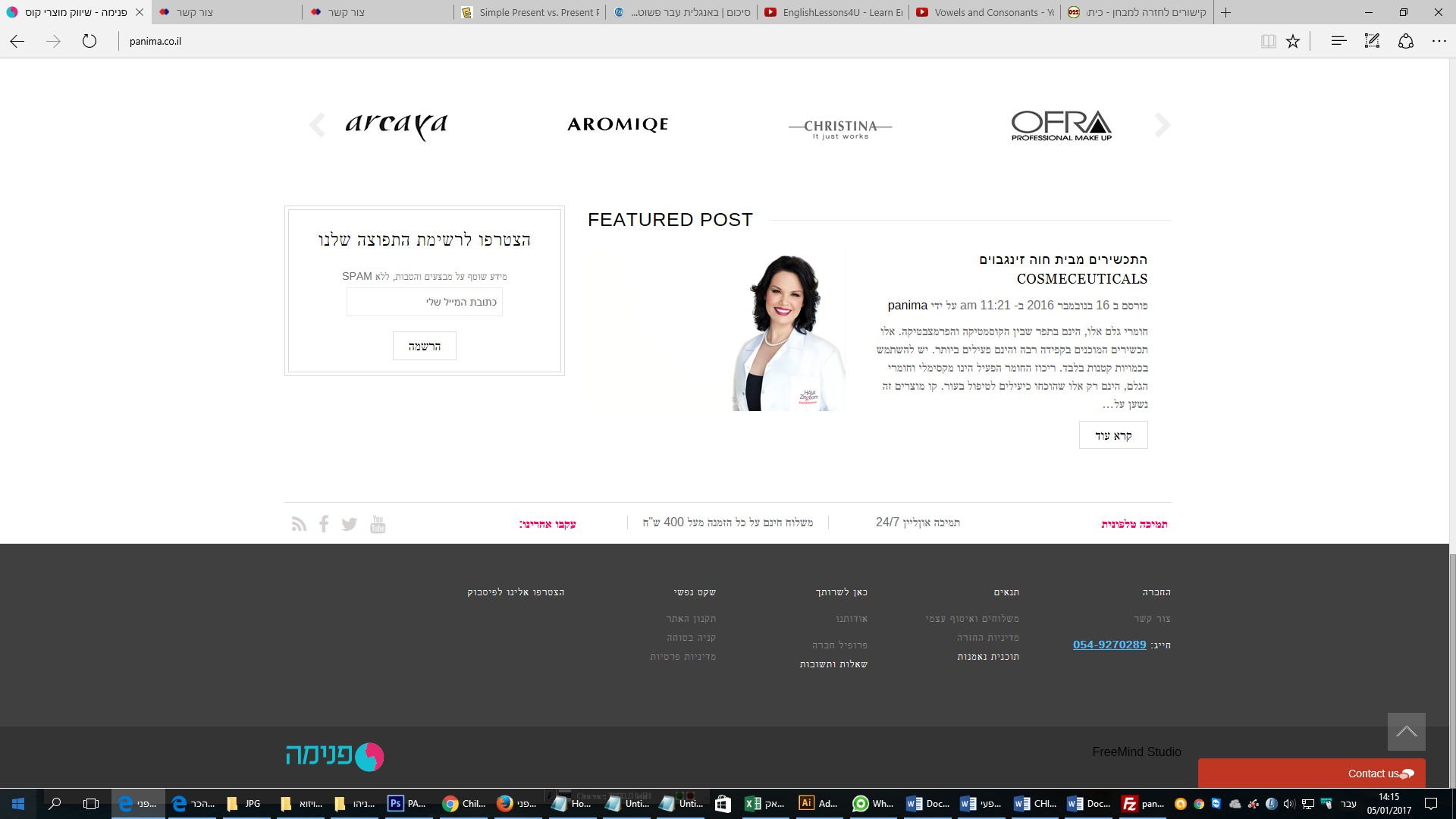
How can I set the text “פוסט נבחר” to the right with the blog text?
I add the new code to Custom css but it didn’t help/
Regard,
Orna

Hi,
Thanks for translate text .
How can I set the text “פוסט נבחר” to the right with the blog text?
I add the new code to Custom css but it didn’t help/
Regard,
Orna
Hi,
I update all (plugins, wordpress, theme) in my site
I add the code on custom.css
but the text still in inglish
What to do?
Regard,
Orna
Hi,
I found the problem.
the element on single product page sidebar efect on the visibility of the page.
when I remove the tags and the brands
the description area got up.
Regard,
Orna
Thanks,
Orna
Hi,
Thanks for the button.
But I add the code in child style.css and nothing changed.
Regard,
Orna
thanks.
Hi,
After I upgrade the :
“Your theme (Legenda Child) contains outdated copies of some WooCommerce template files. These files may need updating to ensure they are compatible with the current version of WooCommerce. You can see which files are affected from the system status page. If in doubt, check with the author of the theme.”
Most of the issue solved.
Please help me just with:
2. On Product page: the Add to Shopping Cart button rose up and product attribute information decreased below
Now – https://snag.gy/JcPegT.jpg
Before – https://snag.gy/6qHceY.jpg
4. Shopping carat: https://snag.gy/zgEIV6.jpg
On Shopping carat page the Sidebar Position is without
I don’t wont to see the category on Shopping carat,
What to do?
How can I move the “סה”כ בעגלת הקניות” to the left side of the page.
Regard,
Orna
Thanks.
Hi,
Version 2.2.5. Automatic upgrade unavailable for this plugin.
What do I need to do?
Regard,
Orna
Hi,
I add the cod and nothing changed.
Regard,
Orna
Hi,
2. thanks it’s working
3. I see that the code in functions.php file in my child theme is sexist
but it’s not working on the site.
What I need to do?
Regard,
Orna
Hi,
I add the cod but I don’t see any changes on Explorer
Regard,
Orna
Hi,
1. look grate, thanks.
2. The widget was missing in Appearance > Widgets > Newsletter area. I’ve re-added it. Please check the page now. – I don’t see any changes not on the site and not on the Widgets aria.
3. I don’t see any changes.
Best regards,
Orna
Now It’s O.k.
Thanks
Orna
Hi,
thing that changed:
1. Where do I delete the EN DE ES FR option?
But I like that it will be in the template for the futures
2. Newsletter sidebar on home page is missing
you help me with it before : https://www.8theme.com/topic/home-page-4/
and it was perfect: https://snag.gy/cmFeYr.jpg
3. In Product page the discreption was under the price button
https://snag.gy/UdyTL6.jpg
What do I need to add that all will be back in place as it was?
Regard,
Orna
Hi Jake,
Thanks for your help, I appreciate it (:
1. I steel see that the newsletter is missing and see instead the right menu
https://snag.gy/Hg3pJC.jpg
4. Is o.k. now so I didn’t remove the cod
Regard,
Orna
Hi,
On my Theme Options > General >
I don’t see any
footer demo blocks > Off.
https://snag.gy/eFCX40.jpg
How can I re-add some my widgets?
Regard,
Orna
Hi,
I change by FTP the child exactly as appears on https://codex.wordpress.org/Child_Themes
and it look O.K. but there are some issue that are not perfect:
can not see really well
Product page:
1. See other products not seen on the page product.
https://snag.gy/IgokH9.jpg
https://snag.gy/MXZS4W.jpg looks now
2. RTL – Product Page
Originally visibility – https://snag.gy/vkIUyH.jpg
On Child: buttons, price, quantity, icons of social networks have moved to the left
https://snag.gy/MDKx4j.jpg
Homepage:
1. FEATURED POST: The newsletter disappears and instead appears menu of categories, brands, Recent Posts, archive …
In child – https://snag.gy/7ATtXq.jpg
Originally visibility – https://snag.gy/7h9duG.jpg
2. Footer – completely changed
In child – https://snag.gy/pziZnC.jpg
Originally visibility – https://snag.gy/7h9duG.jpg
3. Pages, blog and posts – a problem whit RTL view
The store’s pages must display properly
In child – https://snag.gy/glHjix.jpg | https://snag.gy/gr4l5J.jpg | https://snag.gy/yBJp62.jpg | https://snag.gy/qr2Ci7.jpg seems Btziild
Originally visibility – https://snag.gy/Ld7pBM.jpg
4. Header – word wishlist and heart icon jumped slightly up
https://snag.gy/HM0YIh.jpg
I’ll be grateful to know what I need To add to child folder that it will work perfect
Regard,
Orna
Hi,
My site sits on storage does not allow more than one IP to work on the site,
what can be done?
Also, I changed the font, to google Hebrew font and everything looks great
https://snag.gy/vY9lSi.jpg
Except for Explorer visibility gets an entirely different font
https://snag.gy/k9lCv1.jpg
I would appreciate your help,
Orna
Hi
Thanks for the quick answer (:
How can I know were exactly start my special code for the element I want to modify in style.css?
I’m working on my site over then year (:
Regard,
Orna
Thank You Very Mach (:
Hi,
Do you have IP to give them?
No
I don’t know how to do it
Best regards,
Orna
Hi,
I get in my hosting by Tranzila
Best regards,
Orna
Thank you very mach.
Orna
Hi,
1. My Question was not if Child theme will fix the translation issue
I have all ready made the changes from English to Hebrew
The Question was if I create the child theme, my changes with POEdit file will be destroyed or will be o.k.?
and if not what do I need to do?
2. I think on /httpdocs/wp-content/languages
file: he_IL.po
Best Regards,
Orna
Yes (:
Best regards,
Orna
Hi,
1. If I’ll create a child theme, does all the changes I made in this issue (POEdit file) will work?
Do I need to copy some php to the child theme folder?
2. I will be happy if you can help me with previous issue on this topic (you ask for my FTP login details, I add in private).
A. I like to translate the word Postcode / ZIP * on my store
https://snag.gy/y2qaYm.jpg
But I don’t find the word on the POEdit file
B. I translate the word ORDER TOTAL to סך כל ההזמנה
but on screen I don’t see the translation
https://snag.gy/9k6D2r.jpg
Best Regards,
Orna
Hi,
I just get into the Theme Option > Typography and choose there the hebrew fonts that I like,
After I choose one on https://fonts.google.com/
Regard,
Orna
Thanks,
Every thing are good.
Regards,
Orna