Forum Replies Created

Viewing 21 posts - 1 through 21 (of 21 total)
  • Avatar: microw007
    microw007
    Participant
    March 8, 2023 at 19:27

    Hello,

    When I imported another design it loaded all the sample product pages formatted just like the example or demo. Now you telling me it doesn’t import all the demo content, just part of it??? Why did I buy the template if not for the look and feel of the demo? This cuts down on my work and why I did it.

    What does this mean – “Therefore, you will need to modify the Menu items or links in the dropdown from Appearance >> Menu according to your needs.”?

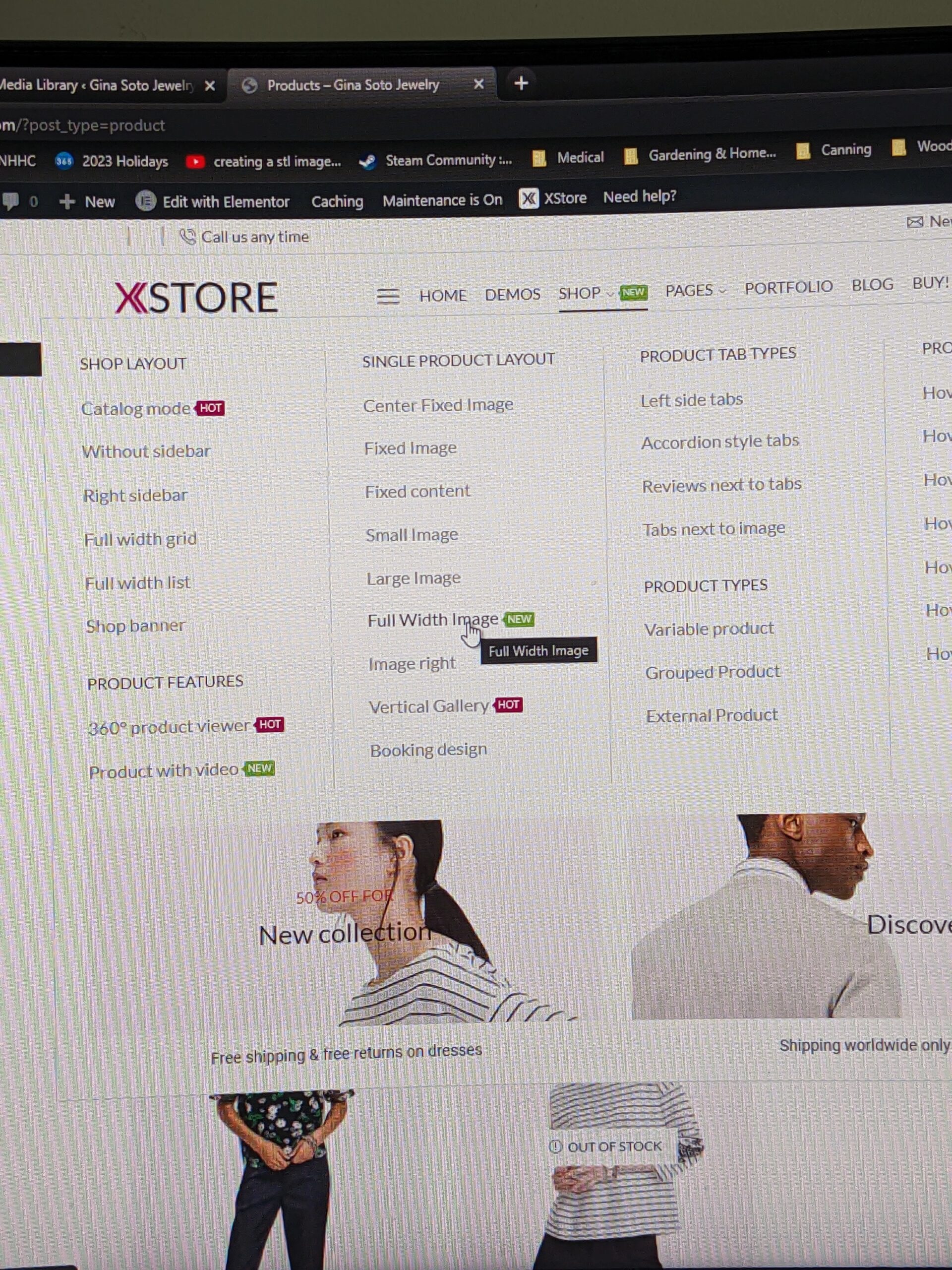
    I need to know how or where to edit the drop down menu’s. I got to appearance and menu and it doesn’t show any of the links. Is the main menu a mega menu?

    If I go into pages and click on edit with elementor it brings up the about us page with content. How do I get that linked to the menu again? That’s where my problem lies. I menu isn’t linked to any of the content…
    Avatar: microw007
    microw007
    Participant
    March 7, 2023 at 21:18

    Hello, I see the information is uploaded but the links are not working now and I haven’t touched anything. When I click on the menu item –

    menu item

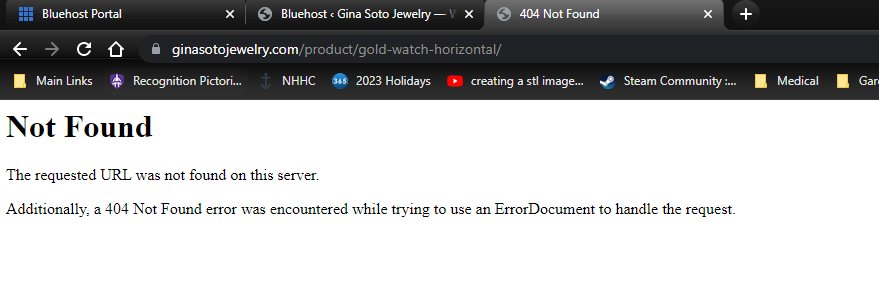
    I get a standard 404 page –

    404 page

    I need this page to use as a standard for all product pages.

    I’m having problems with demo content either not being there or links not working and the structure not being there. Thank you for your help in advance.

    Avatar: microw007
    microw007
    Participant
    March 4, 2023 at 19:27

    Hello Tony,

    I’ve reset the site for the 4th time now and want the classic layout, as stated before after a reset the template data I have is corrupted. I’m assuming from not being updated before purchase. There is a fresh activated Xstore loaded.

    I would like the classic layout loaded with all demo content and if you can show me where to change site tag or name in the browser tabs for the name of the site. Tabs in Browser

    Please contact administrator
    for this information.
    Avatar: microw007
    microw007
    Participant
    March 3, 2023 at 07:54

    Hello, as stated before the template isn’t loading correctly. Demo content is missing and the formatting of the pages for different page layouts isn’t loading.

    I reset the site as with previous xstore in the past and started with a fresh WordPress installation that’s up to date with a clean database. I then upload the template and the information isn’t there. I need the demo image placeholders and product page layouts so I can finish this site.

    I also need to change the site title in the tab of the browser so it doesn’t say – (Home minimal-fashion – Gina Soto Jewelry.com)

    Please contact administrator
    for this information.
    Avatar: microw007
    microw007
    Participant
    November 24, 2022 at 03:28

    Sorry about the reply but I put the site live and I have a redundant menu at the bottom of the site, I can’t find it. How do I make it go away?

    Avatar: microw007
    microw007
    Participant
    November 22, 2022 at 23:54

    Perfect! Thanks for the help and have a great day.

    Avatar: microw007
    microw007
    Participant
    October 7, 2022 at 21:37

    The other problem is with the color of the (blog buttons). Their not inheriting the properties of regular buttons from anywhere their a puke green color… The blog button color should be – #08ff00 with text – #008289 and then swap colors when hovered over. The shadow color should be – #004047.

    Where do I set the blog buttons colors?

    Avatar: microw007
    microw007
    Participant
    October 7, 2022 at 21:19

    This was the first problem and it’s with the alignment of the buttons not the color. Top picture shows justified-center and I want it justified-left. I would also like the ( -OR- ) removed as well. Where do I do that? I went into the connect block and changed it to vertical but when I click on justification it’s still centered.

    Avatar: microw007
    microw007
    Participant
    October 7, 2022 at 00:29

    Also having problems with buttons and hover colors in the style and color section of the customization tab. Some colors work but only when I enter customization section do they show up. The button color should be – #08ff00 with text – #008289 and then swap when hovered over with a shadow color of – #004047. When I go in this is what you see –

    When I come out I see this weird green color. How do I make the colors I entered stay? This is happening in the blog section. I’ve got most of the buttons fixed so far.

    Avatar: microw007
    microw007
    Participant
    October 6, 2022 at 22:49

    Your help was perfect and I have buttons changed!

    The product pages as pictured has the buttons for “Google Pay” and “Add to Cart” to the right of “4 in stock (can be backordered)”. I don’t see how to realign the buttons to the left and move the “4 in stock (can be backordered)” below it.

    Avatar: microw007
    microw007
    Participant
    August 23, 2022 at 20:51

    I’m not sure if I should start a new thread but, I have an update issue on another XStore 8Theme I downloaded for a different domain. I’ve installed and activated the theme but I’m getting this error – (An error occurred while updating XStore: The package could not be installed. PCLZIP_ERR_BAD_FORMAT (-10) : Unable to find End of Central Dir Record signature). I can’t get it to update the theme.

    Please contact administrator
    for this information.
    Avatar: microw007
    microw007
    Participant
    June 28, 2022 at 21:05

    Thank You, that helped tremendously! I’ve got that but went into the shop side bar and tried to put categories and nothing shows up after I save it. There’s a sidebar, right? If not, how do I show the categories without someone having to click on filters? Thanks ahead of time! Do I have to pick another shop layout to get the sidebar?

    Avatar: microw007
    microw007
    Participant
    June 27, 2022 at 21:20

    I’m having issues with the woocommerce section of the site, I think. I haven’t configured the shopping cart. Still working on the site but, when I go into to look at the store it only shows me one page of products. No next button for the next 8 products. Could you take a look at it please? Or point me in the direction to fix it?

    Please contact administrator
    for this information.
    Avatar: microw007
    microw007
    Participant
    March 16, 2022 at 22:40

    Hi Rose, I’m at it again and I’ve loaded another store but as with other people it’s not letting me update the xstore plugin. It’s keeps resetting to – “need to update”, when I leave the plugin page. I’ve cleared cache and it still pops up. I still have two more sites after this one. So, could you help me out? I looked in the forums and there’s talk about it but as I said above no solutions posted yet.

    The site is listed in the private content area…

    Please contact administrator
    for this information.
    Avatar: microw007
    microw007
    Participant
    March 16, 2022 at 20:08

    Hi Rose, that was weird, but it works now thank you. I believe that’s it for now, thanks again for all the help!

    Avatar: microw007
    microw007
    Participant
    March 15, 2022 at 00:50

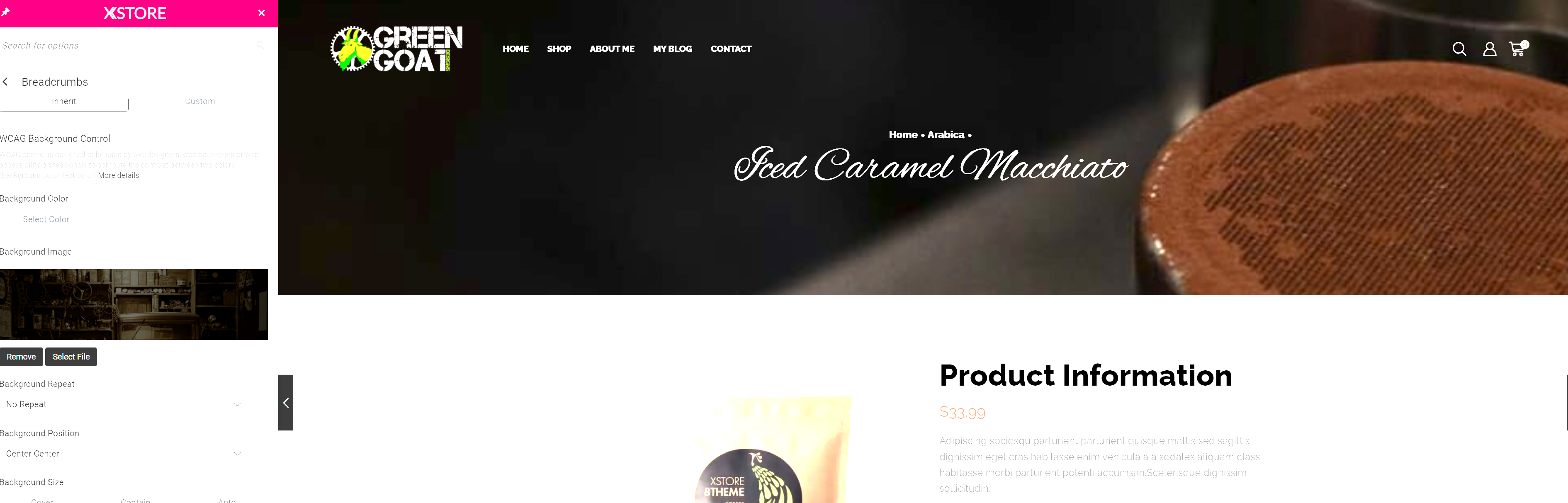
    Hi Rose, hope you doing well. I went through and changed this area, and it shows the image but not on the pages. Even after I dump the cache and everything. Referring to 3 you named above… See in the image below and yes, I updated and published all changes.

    3/ Theme Options > WooCommerce > Single Product Builder > Breadcrumbs

    Avatar: microw007
    microw007
    Participant
    March 9, 2022 at 09:26

    Hi Rose,

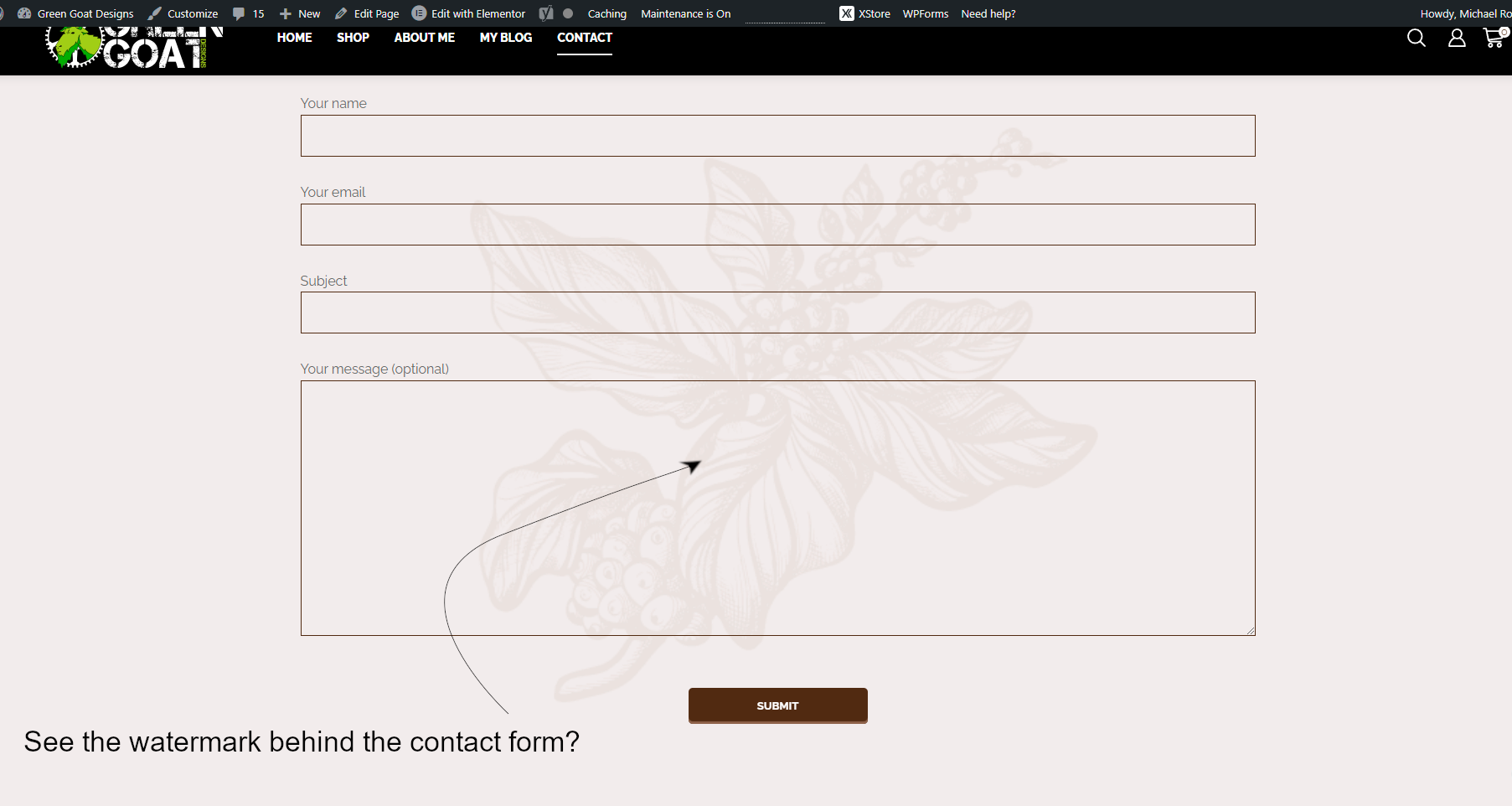
    1) Image attached shows contact page and watermark in background, where do I change it or remove it.
    Contact Page

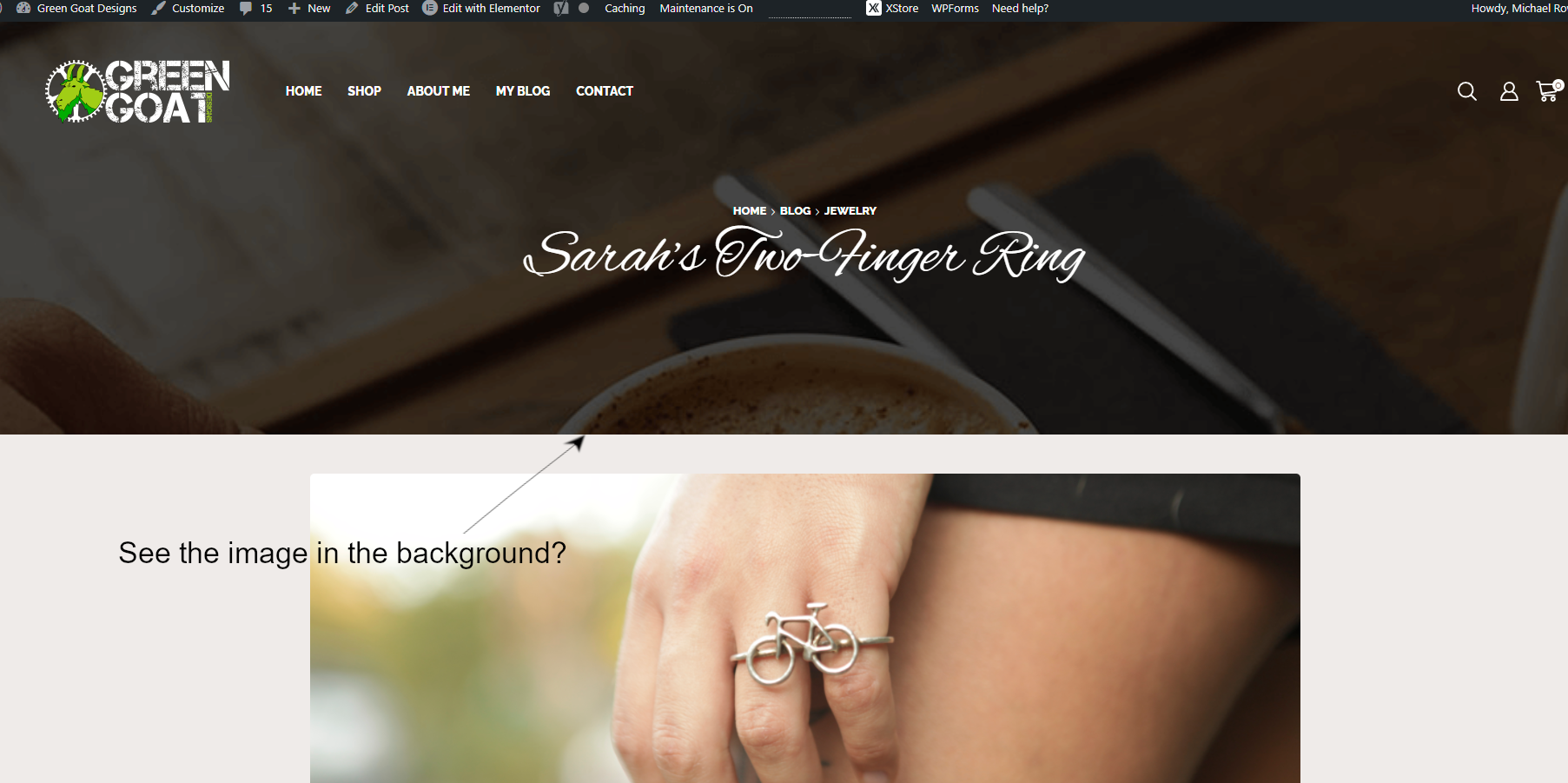
    2) Image attached shows individual post pages, how do I change the image show in picture.
    Post Page

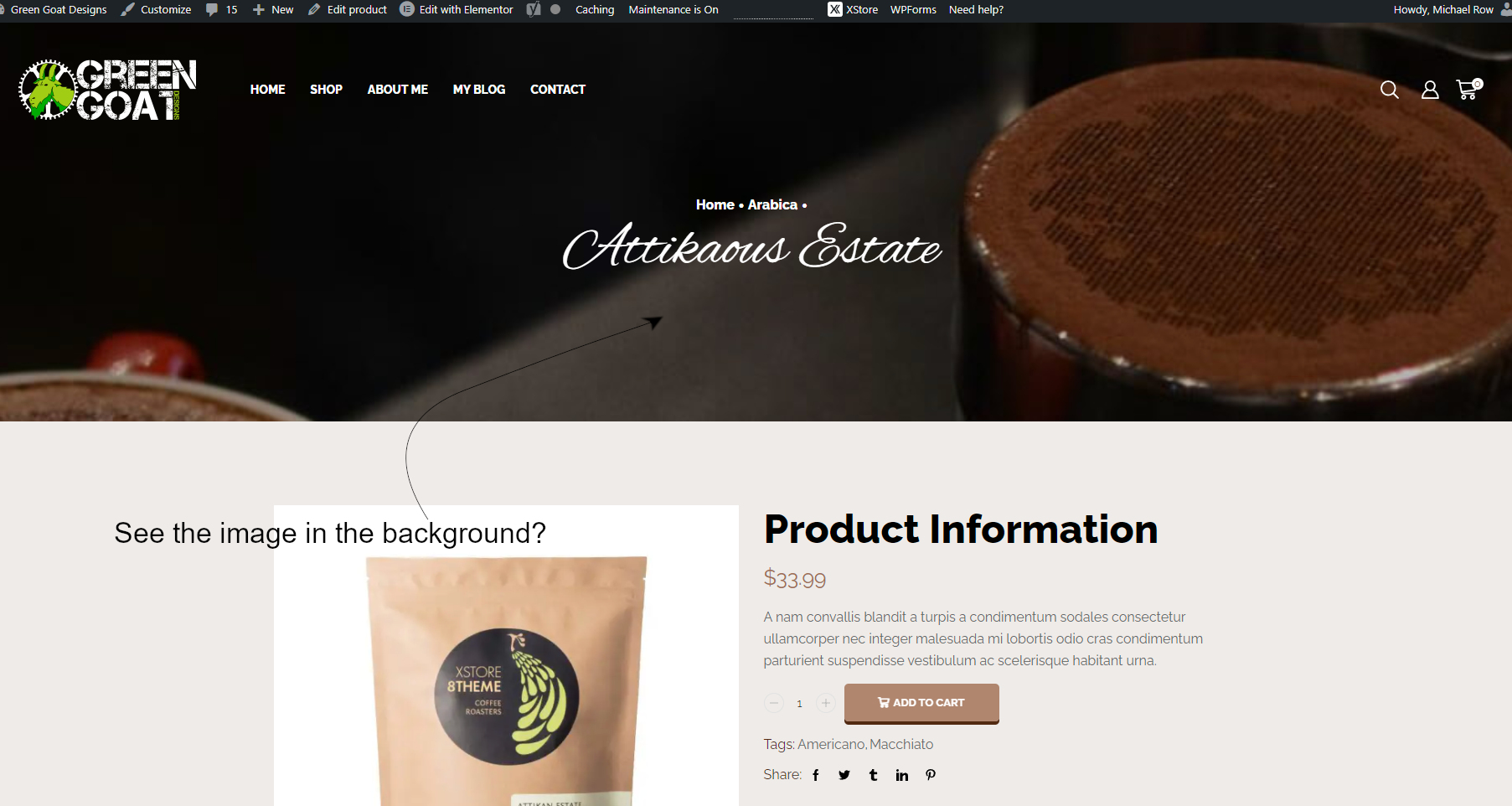
    3) Image attached shows individual product pages, how do I change the image show in picture.
    Individual Products

    I can’t find the default for these or the images, could you direct me to where I can change these? Thanks again for all your help in advance.

    Avatar: microw007
    microw007
    Participant
    March 8, 2022 at 02:44

    Hello Rose, sorry to bother you again but I’m not able to find where to change a couple more things and I hope you don’t mind helping me out.

    I’ve got the contact for working but there’s a watermark behind the form and I can’t find where to change. I look in the style and in elementor but I’m not seeing it.

    Then there are the top images on the individual “post” and “product” pages. I’ve got the shop page and the blog page but can’t find the reply page when you click on an item or post.

    Last and final is the top image on the about me page. I went into the slider editor and the individual page editor in elementor and can’t find it anywhere!

    Avatar: microw007
    microw007
    Participant
    March 5, 2022 at 20:50

    Hell Rose,

    Again, I feel stupid. White text on white background and I couldn’t see it. Everything is going great if I have more issues I will scour the FAQs, if nothing I’ll contact support again. Thank for all you help!

    Avatar: microw007
    microw007
    Participant
    March 3, 2022 at 21:56

    Hello Rose, thanks again for the reply, it really cleared things up. I however still can’t edit the header block 372. I click on the edit with elementor and there’s no way to edit the (free shipping on orders) area. Everything else works great now and I understand about the headers.

    One last question – When I go into xstore to view and make changes it shows them but when I go out to wordpress and look at it after clearing the cache it’s still the same. The free shipping is still there and the xstore logo is still on the sticky smart menu even after I’ve changed it! Why is that? I’ve been doing this for over 25 years, and I know how to clear cache in my browser and in wordpress, it doesn’t make a difference…

    I can edit and make multiple headers but those are taking changes when I go to the pages that I’ve designated them for. Thanks for your help in advance, I really appreciate it.

    Avatar: microw007
    microw007
    Participant
    March 2, 2022 at 22:06

    Okay, your email was helpful in doing the homepage so I could edit stuff.

    I still can’t however edit through xstore or elementor. I can’t change images or placement in either the header or footer. I watch the videos and follow but some things change, and others don’t.

    Take for instance, I see the little cog and the tab at the bottom of the site for the footer. But I click it, and nothing happens. Then I went into the static block to edit the footer. I edit all the blocks and then update. It shows the changes in the block editing section, but it doesn’t change anything when it’s previewed. Or on the site in general.

    I’m also having trouble seeing images in the blocks editing window. There blank placeholders. I can highlight them and edit but it still doesn’t show anything. Some areas of the template I can see images and others I can’t, it’s frustrating.

    I would like to finish this site and move to the next but if it’s not going to work, I’m not sure what to do.

    Please contact administrator
    for this information.
  • Viewing 21 results - 1 through 21 (of 21 total)
Viewing 21 posts - 1 through 21 (of 21 total)
We're using our own and third-party cookies to improve your experience and our website. Keep on browsing to accept our cookie policy.