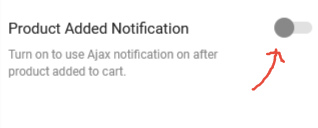
Solved by myself… once again, it’s a save setting into the grid editor of

Solved by myself… once again, it’s a save setting into the grid editor of
Also, I believe it would be very convenient for us, your customers, to be able to manage the licenses on our own. By greatly facilitating management.
Please consider my request. I don’t think that would be a huge job on your part, you seem to already have the data.
See private plz.
If i give you all my licenses, are we able to see witch one is used and other one not?
Ha! 😀
Thanks!
Tell me Rose. I asked the question a year ago. I don’t know if you finally realized that. To know which license is associated with which website. I have several licenses and I admit that sometimes I have probably used the same license for two or even three websites and some licenses are not used at all. I know I buy one license per project though. So my question is always the same: Is it possible to see, in our management here, which license is associated with which website?
Like this
Hello Rose,
Long time no talk! 😉
Yes, it’s solved. So, tell me, if I encounter the problem again, what should I do? What did you do to fix it? This way, I will avoid disturbing you unnecessarily.
Thanks a lot!
Sorry to bother… it’s possible to remove this https://xstore.8theme.com/demos/2/artmaxy/wp-content/uploads/sites/23/2019/06/spot.png?id=138 every where, in one operation? if not, how to remove this on product page?
Also, i dont see lines on top of painters and sizes.
Hello!
To avoid that situation https://prnt.sc/yz77i6 , where can we change the switching to mobile mode?
Thanks!
Well.. they were already desactivated. So, you activated Optimize to test?
All plugins are desactivated now, except those who xstore need.
I have cleaned the database.
I will work on this and let you know if i need more help from you. I think a can handle it by myself.
Thanks
When not connected : https://prnt.sc/yqy582
When connected : https://prnt.sc/yqyb1o
It’s not the same header. This is strange!
Well that is not solved yet… my mistake.
When we are connected, we dont have the same header of when we are not.
More, all items are not shown when we are not connected. Only when we are connected, we can see items.
Do you have suggestion?
😉
Yes! It works like a charm! Thank you for this!
Tell me, if the problem comes back with another website, what manipulations should I do, in order to avoid you having to answer the same question a second time.
Wish you a great day!
Hello,
I come to the news. Did you find a solution?
Thank you so much!
Btw, when i use the wordpress by default theme, it works.
https://wp-cafe.ca/product/wordpress-un-lait/ and all products relative pages.
Chrome, Edge & Firefox.
Hi,
Nice, but that dont work on my way.
Asked to 3 other persons outside my house and the problem is still there. No redirection to the cart. The product is added, but the redirection still no work.
I dont know why it’s working on your side, but the problem is not solved at this time.
Thanks
Louis
cleared, tested on 3 differents computer here, and with my cellphone (with and without wifi) still not redirected Rose.
Thank you.
Nope. Still not redirected to the cart after a product were added.
I just have a green notice on top right corner said that the product were added.
info
Hi Rose!
Hope you are well?
So, you talking about that option : https://snipboard.io/anAMdp.jpg As you can see, it’s off.
Or maybe i’m wrong? In Woo setup, i turned ajax add to cart off too. And redirect to cart is clicked : https://snipboard.io/0MhVZ4.jpg
I’m out of idea… Hope you can help.
Louis
I renamed the file…
I update the theme with cpanel files. So, the problem is mine.. not yours. I’m sorry to bother.
Cheers!
Hey.. strange, i have the latest version… just uploaded a minute ago.
What can i do?
Thank you!
Wish you a great day Olga!
Solved! Thanks!
I’ll use poedit instead. I’ll let you know.
I got this warning error : Erreur : Translation set not known in XStore Core
So simple when it’s you!
Thanks a lot Rose! Case close!