Good Day,
Any update on this ticket?
Thanks..

Good Day,
Any update on this ticket?
Thanks..
Hi Jack,
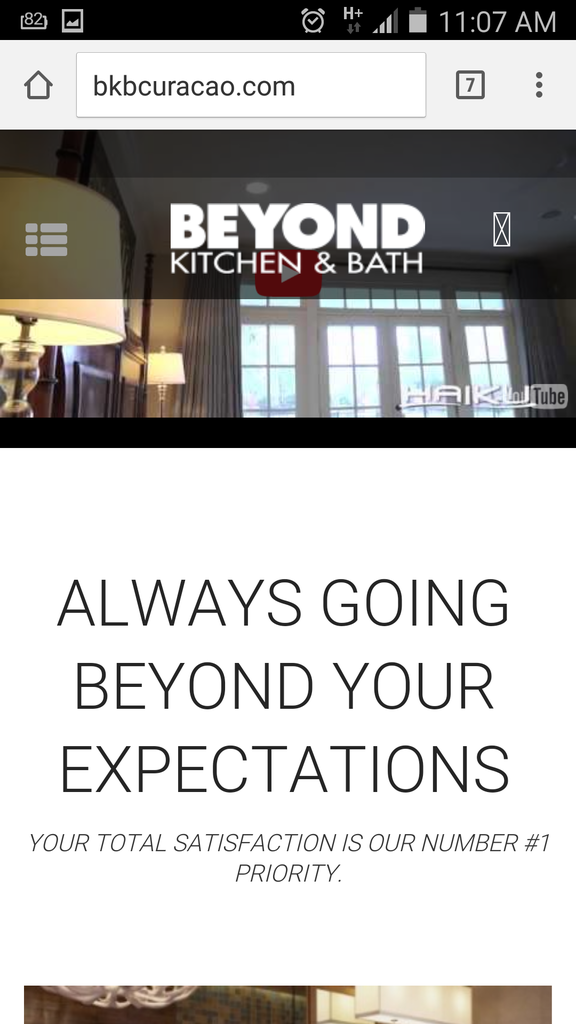
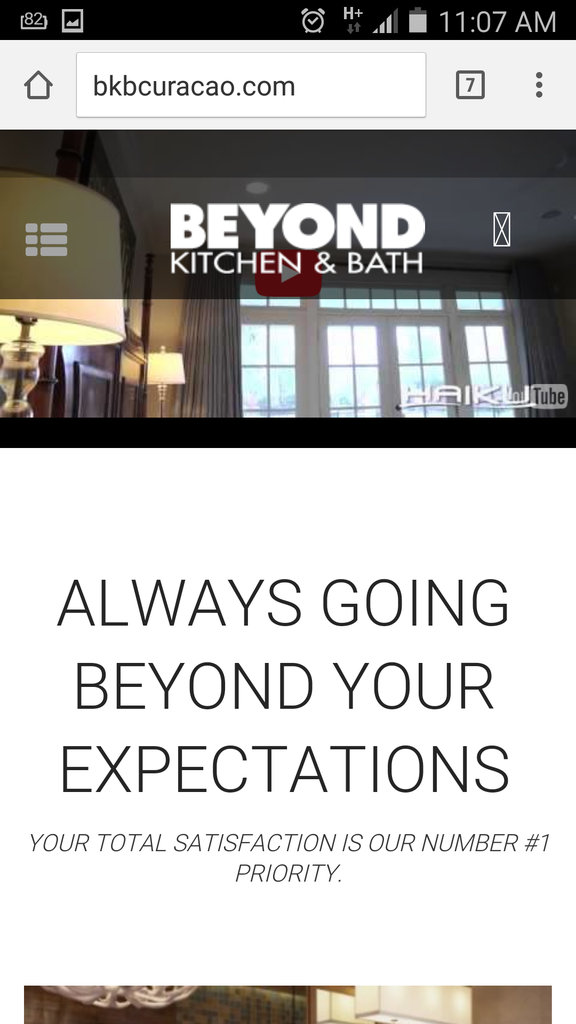
The code works indeed as should. However we would not want to shorter the video Height but would like for the video to show in the space fully cover without showing the black bars. Is this possible?
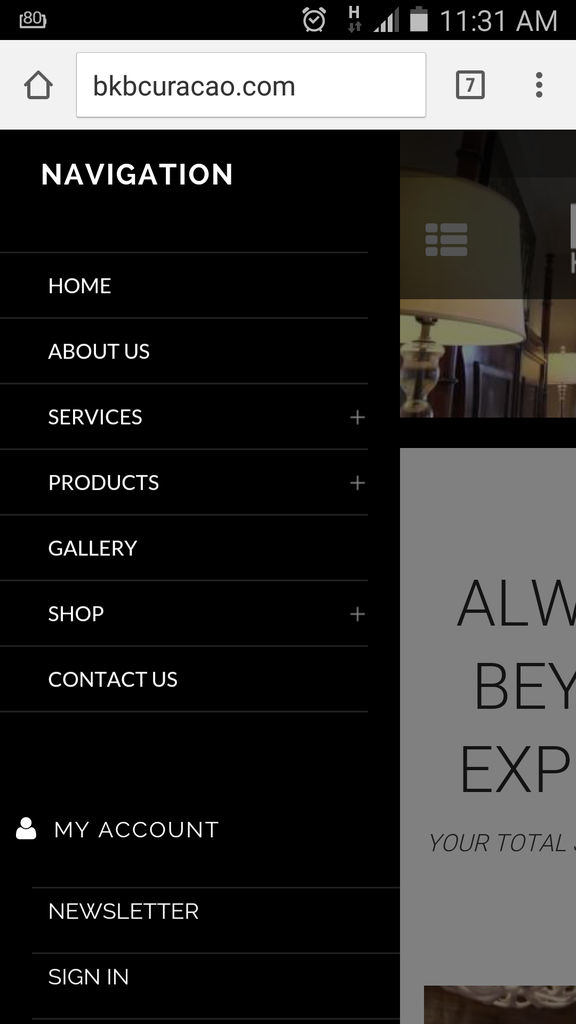
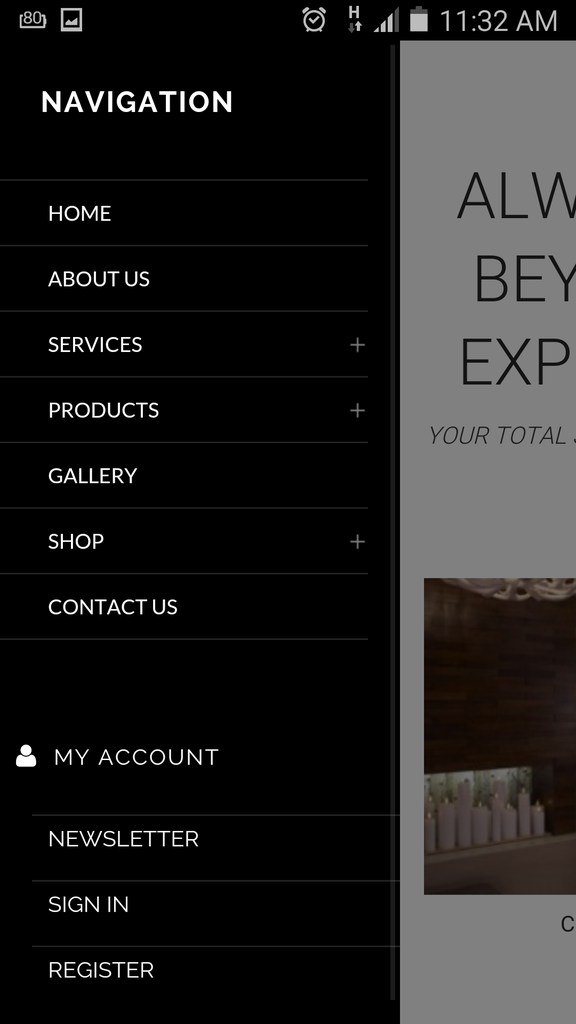
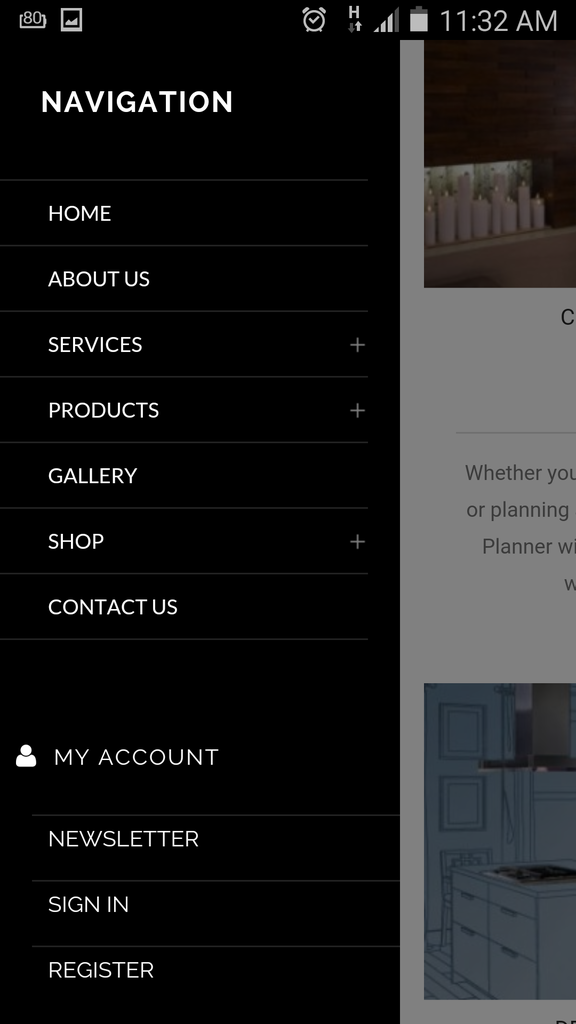
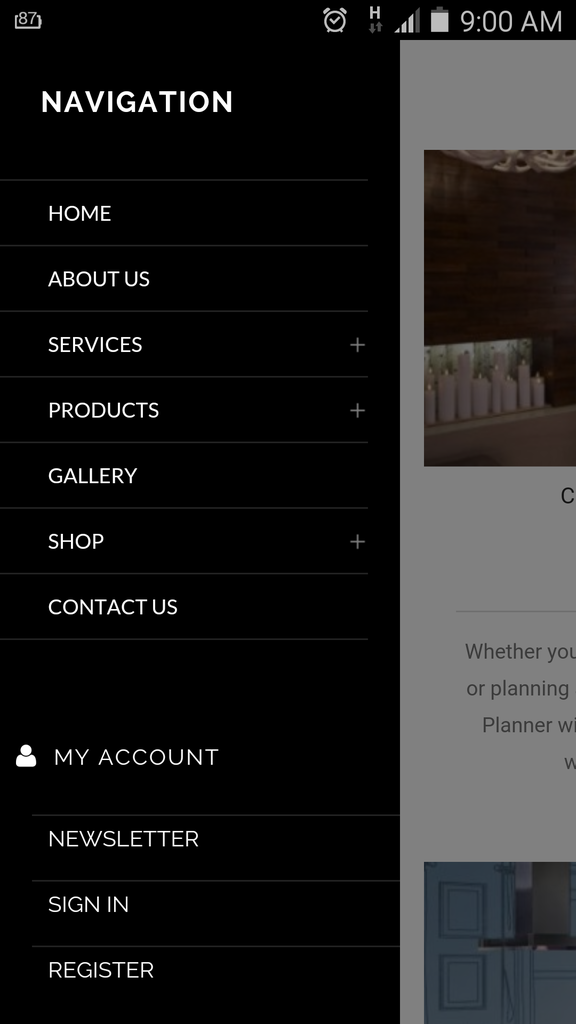
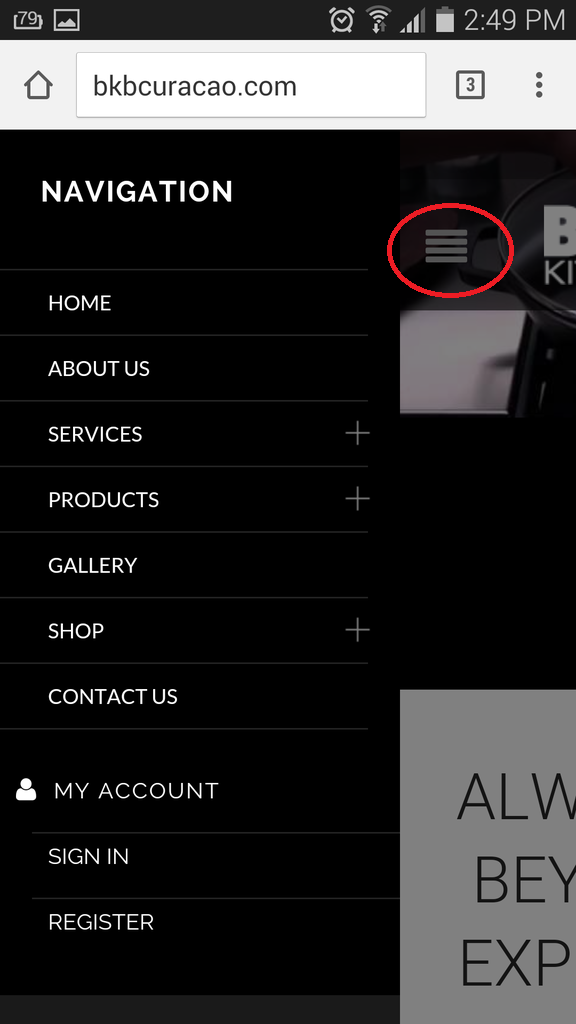
Also the Menu Icon does show when you click and when the menu is open. However the problem is when you scroll down and then click on the menu you dont see it again. Please check print screen shot below:
Please check and correct this.
Hi Eva,
Thanks .. Where shall I paste this code? In style.css?
Hi Jack,
The code works indeed as should. However we would not want to shorter the video Height but would like for the video to show in the space fully cover without showing the black bars. Is this possible?
Hi Eva,
I checked the response for Point 1, 4 , 5 ,6 but non where in the line you mentioned. However I scroll down and notice these and made only the ” email ” to ” e-mail “. After I made the change in the Child Theme then clear cache in my browser but dont see the change take effect. Can you check this?
1./4. To change the text for registration form you need edit the file wp-content/themes/royal/framework/theme-functions.php (find the section “! Registration Form”), line 1275.
5. “Username or email” text can be changed in the same file in line 931.
6. To edit those labels open the file wp-content/themes/royal/woocommerce/myaccount/form-login.php (lines 29, 74).
================================================================================================
For pint # 7 I also checked but where not in the line you mentioned. However I am unable to find the ” Name and Surname * “. I would like to change this to ” Full Name * “. The same is for ” Website * ” I would like to change this to ” Telephone * “.
7. To edit contact form open the file wp-content/themes/royal/framework/shortcodes.php (find the section “! Contact form” in line 212) and edit the labels.
================================================================================================
In addition can you also change the ” email ” to ” e-mail ” below? I would also like to make the button light grey and then dark grey after hover mouse over the button.
http://i1340.photobucket.com/albums/o728/LibardoBarreto/335_zps6xmx53ml.png
================================================================================================
Also I tried to use this code for Shopping Cart but is not display good.
.cart-bag .ico-sum::before {
content: “\e116” !important;
font-family: FontAwesome;
font-size: 30px !important;
color: #a5a5a5;
top: -18px !important;
left: -20px !important;
border-color: transparent !important;
}
I got the code from here : http://glyphicons.bootstrapcheatsheets.com/
Also the color does not seems to change using the code above. Please let me know which code to add into the code to change the color.
Hi Eva,
I checked the response for Point 1, 4 , 5 ,6 but non where in the line you mentioned. However I scroll down and notice these and made only the ” email ” to ” e-mail “. After I made the change in the Child Theme then clear cache in my browser but dont see the change take effect. Can you check this?
1./4. To change the text for registration form you need edit the file wp-content/themes/royal/framework/theme-functions.php (find the section “! Registration Form”), line 1275.
5. “Username or email” text can be changed in the same file in line 931.
6. To edit those labels open the file wp-content/themes/royal/woocommerce/myaccount/form-login.php (lines 29, 74).
================================================================================================
For pint # 7 I also checked but where not in the line you mentioned. However I am unable to find the ” Name and Surname * “. I would like to change this to ” Full Name * “. The same is for ” Website * ” I would like to change this to ” Telephone * “.
7. To edit contact form open the file wp-content/themes/royal/framework/shortcodes.php (find the section “! Contact form” in line 212) and edit the labels.
================================================================================================
In addition can you also change the ” email ” to ” e-mail ” below? I would also like to make the button light grey and then dark grey after hover mouse over the button.
http://i1340.photobucket.com/albums/o728/LibardoBarreto/335_zps6xmx53ml.png
Hi Eva,
Could you please send me the code to move from left or right or center the BKB White Logo? I would like to know for Desktop, Mobile and Tablet
Thank you..
Ok .. so I manage to change the icon but when clicking on it does not show anything to illustrate how to close or go back from the menu to home page:
Can there be something which illustrates like a button to click to close the menu?
Also I am pending on the question below:
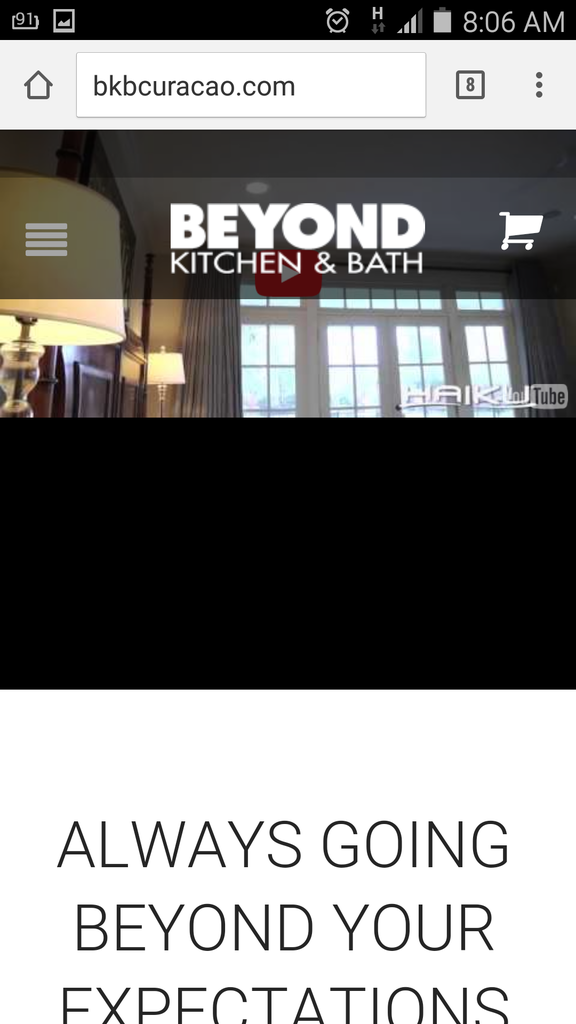
I have another question .. how do I stretch the video image to show without the black bars on the Mobile/Tablet? Currently when open the website on a mobile or tablet I see the black bars under the video which we would like for the video to show completely and that the clients can have the option to click on the Youtube icon to Play the video.
Thanks Jack.
I have another question .. how do I stretch the video image to show without the black bars on the Mobile/Tablet? Currently when open the website on a mobile or tablet I see the black bars under the video which we would like for the video to show completely and that the clients can have the option to click on the Youtube icon to Play the video.
Also I tried to add and (clear browser cache) the code to style.css but still the menu icon does not change. I’ve add the following into the style.css:
.menu-icon::before {
content: “.menu-icon:before {
content: “.fa-bars”;
font-size: 26px;
color: #a5a5a5;
font-family: FontAwesome;
}” !important;
}
Thanks Jack.
I have another question .. how do I stretch the video image to show without the black bars on the Mobile/Tablet? Currently when open the website on a mobile or tablet I see the black bars under the video which we would like for the video to show completely and that the clients can have the option to click on the Youtube icon to Play the video.
Good Day Eva,
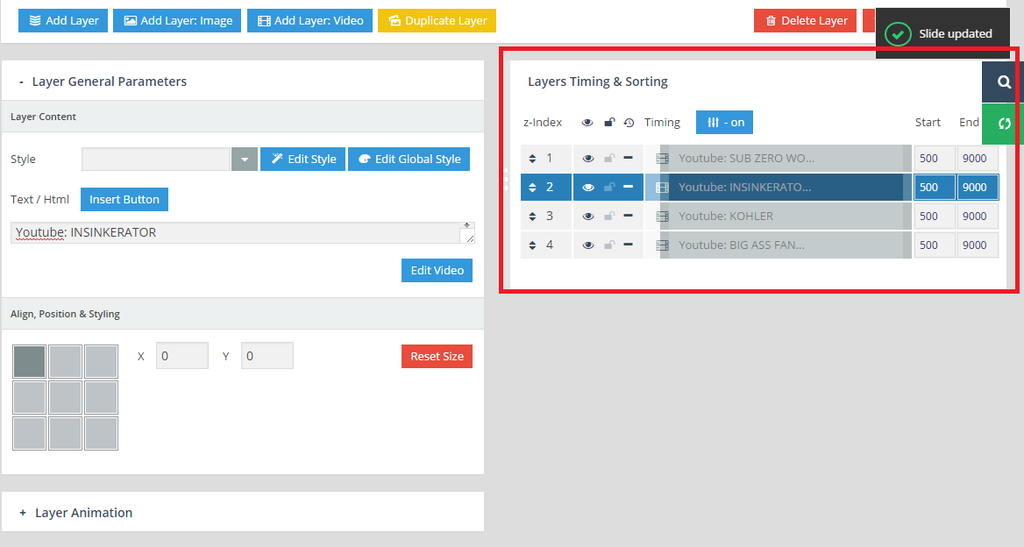
I seem to have some problem with the play of each video. I tried to change the seconds or the bars switch them up and bottom but still the video does not loop or play after each other. Can you please login and check the Home Slide in Revolution Slider menu?
http://i1340.photobucket.com/albums/o728/LibardoBarreto/VIDEO_zpsvbb6rggx.png
Thanks Jack. Normally which code can be use for this? For example is it a font awesome code or a different code that is used for the existing icon? Or maybe can direct me to a website where I see all the poasible codes/icons which can used?
Thanks Eva. Is there a code also to let me change the icon to a different icon?
=================
PENDING POINTS
=================
Hi Eva,
With respect to Point # 1./4./7. I would not like to change the colors but the text. I am just illustrating with colors what I would like to change.
Kindly let me know how to achieve point 1 , 4, 5, 6 and 7. Also for the space-planning-3d-design page please try to click randomly true all the pictures. You will notice that the problem is still there. This we had it before and you have fixed it. But after the upgrade was done this seems to be the problem again.
You can check https://www.8theme.com/topic/space-planning-3d-design/ for the part of the Planning & Design page
====================================================================================================
NEW POINT # 1
=================
Hi Eva,
How do I change the shopping icon to something else? For example if we would like to check how this icon looks what needs to be replaced or edit?
http://fortawesome.github.io/Font-Awesome/icon/cart-arrow-down/
The code for the color is good. I was able to change the color:
.cart-bag .ico-sum::before {
color: red !important;
}
Note:
Also in case none of the icons is what we are looking for .. what code needs to be replaced for us to change back to the old icon and change this icon color if we would like?
====================================================================================================
NEW POINT # 2
=================
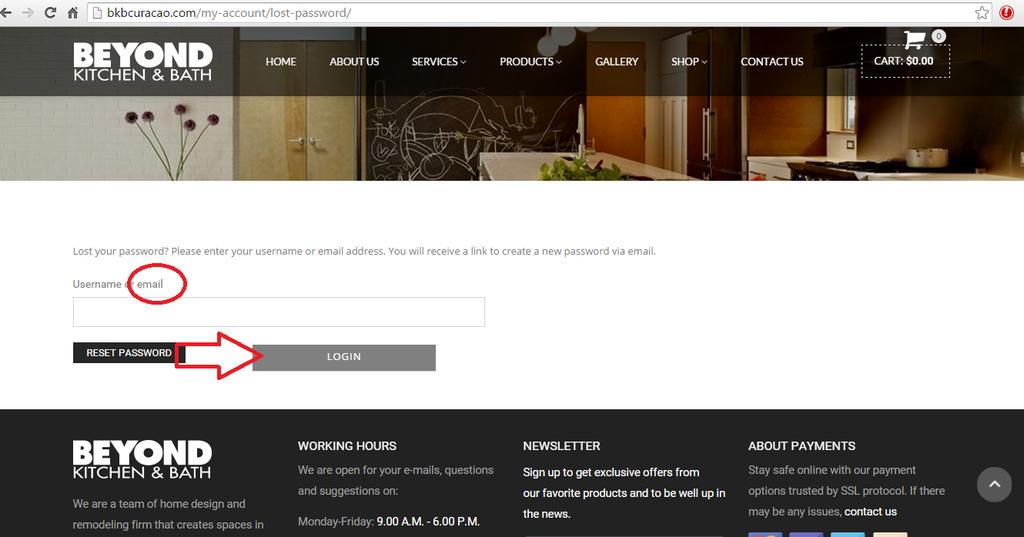
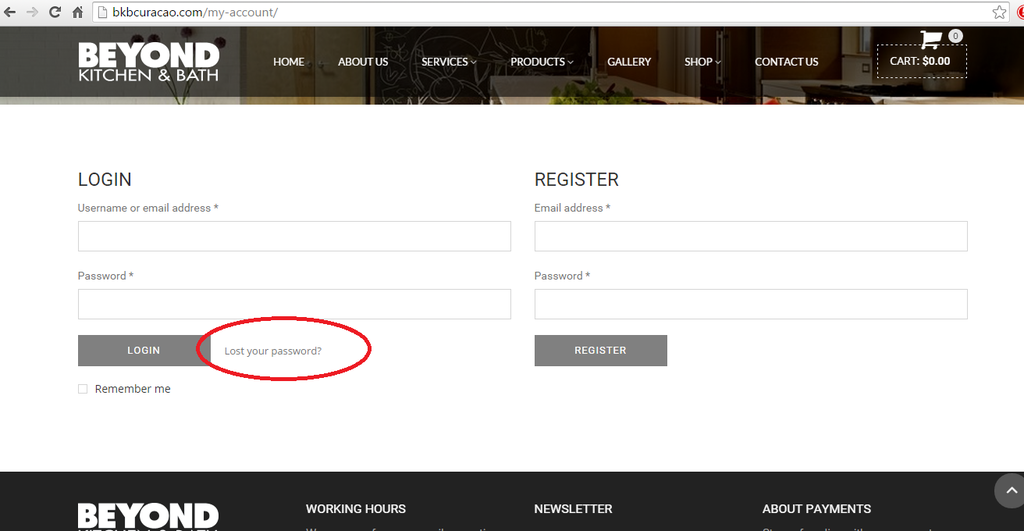
When I click on Lost Password nothing happen. Is there a way to let the user request their password or rest the password?
http://i1340.photobucket.com/albums/o728/LibardoBarreto/45_zpsukyuueea.png
====================================================================================================
Good Day Eva,
Which code do I need to use to change the icon in colored red below? Or which file to put a copy in our child theme folder and include which code?
Please let me know..
Hi Eva,
I’ve include the following code:
<script type=”text/javascript”>
jQuery(‘document’).ready(function($){
$(‘img’).parent(‘a[title]’).removeAttr(‘title’);
});
</script>
But still the tags are showing. I’ve exclude the code and add a copy of footer.php in Child Theme folder for you to have a look into it for me.
Also how can I add like a number of page at the bottom of the page next to the right picture which illustrate to go to Page # 2 for example to see more Gallery Posts?
Thanks..
Hi Eva,
You can check https://www.8theme.com/topic/space-planning-3d-design/ for the part of the Planning & Design page
Hi Eva,
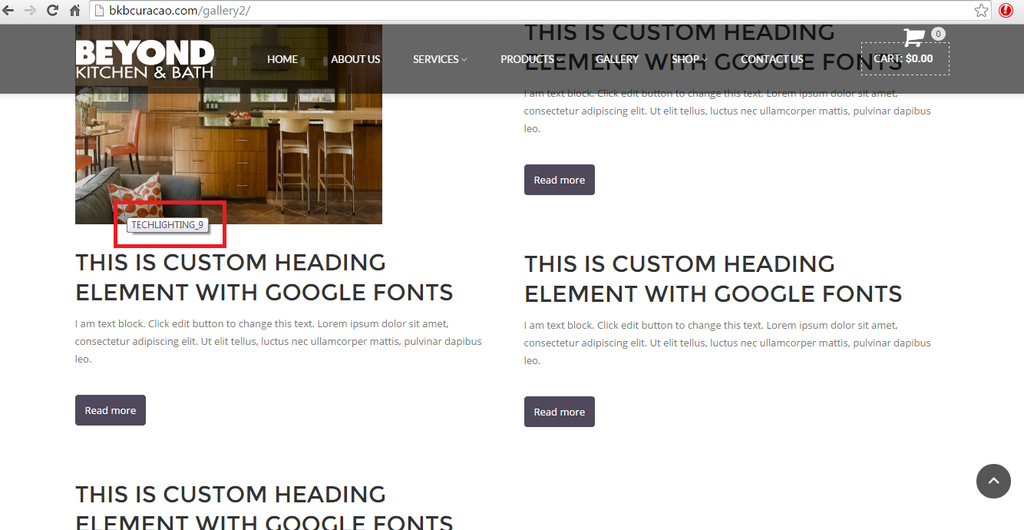
I am having some problem when click on Read More it direct back to the same page. Can you check for me why? This is for the Gallery Page
Also when hover my mouse over the image I want to eliminate the text colored in red:
http://i1340.photobucket.com/albums/o728/LibardoBarreto/XXX_zpshdognvsx.png
Hi Eva,
1./4./7. Sorry, but there is no possibility to set different colors for different labels. Only one color can be set for all texts.
I would not like to change the colors but the text. I am just illustrating with colors what I would like to change.
Kindly let me know how to achieve point 1 , 4, 5, 6 and 7. Also for the space-planning-3d-design page please try to click randomly true all the pictures. You will notice that the problem is still there. This we had it before and you have fixed it. But after the upgrade was done this seems to be the problem again.
Hi Eva,
Also how do I change the shopping icon to something else? For example if we would like to check how this icon looks what needs to be replaced or edit?
http://fortawesome.github.io/Font-Awesome/icon/cart-arrow-down/
The code for the color is good. I was able to change the color:
.cart-bag .ico-sum::before {
color: red !important;
}
Note:
Also in case none of the icons is what we are looking for .. what code needs to be replaced for us to change back to the old icon and change this icon color if we would like?
Hi Eva,
Also how do I change the shopping icon to something else? For example if we would like to check how this icon looks what needs to be replaced or edit?
http://fortawesome.github.io/Font-Awesome/icon/cart-arrow-down/
The code for the color is good. I was able to change the color:
.cart-bag .ico-sum::before {
color: red !important;
}
Note:
Also in case none of the icons is what we are looking for .. what code needs to be replaced for us to change back to the old icon and change this icon color if we would like?
Good Day Eva,
I have some request below which I would like to incorporate in our Child Theme. Can you please let me know how do I achieve the following or add the codes into the respective files and confirm the codes?
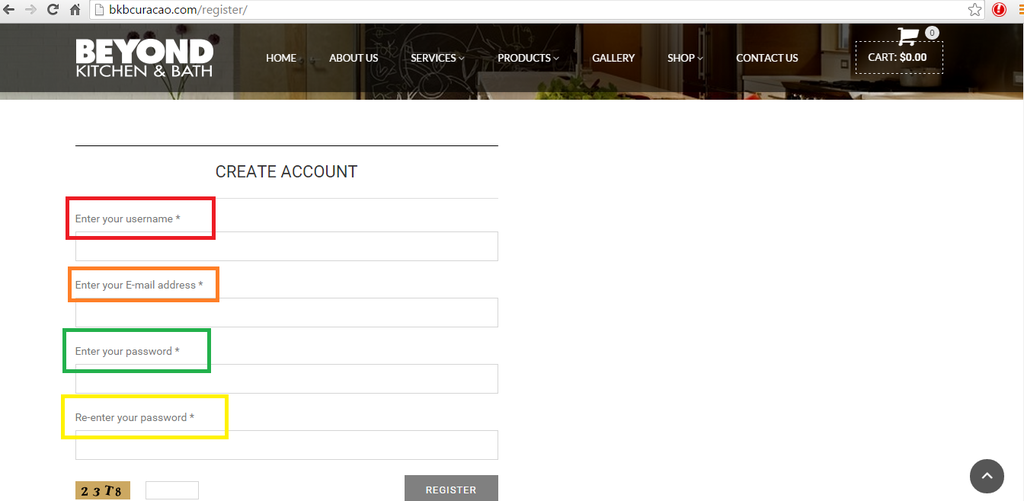
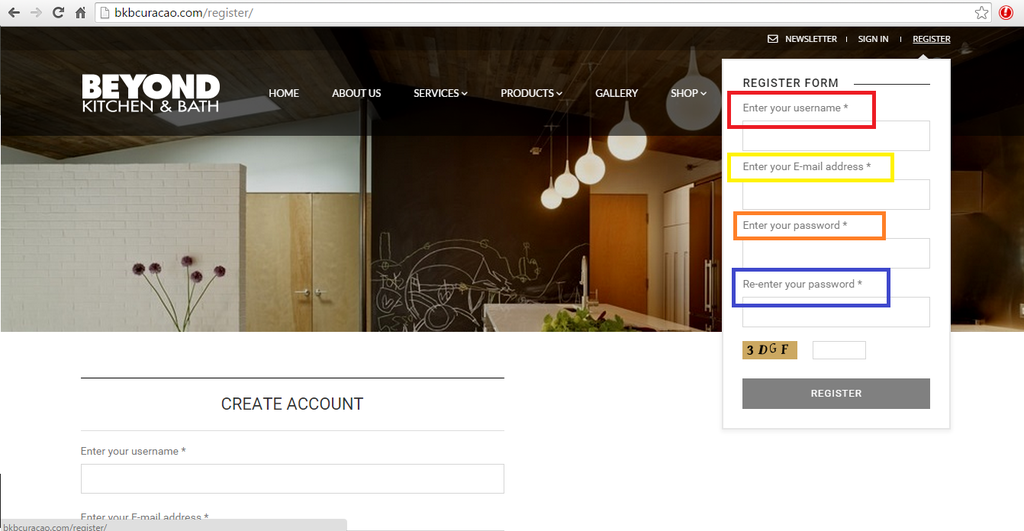
1.) http://i1340.photobucket.com/albums/o728/LibardoBarreto/SSS_zpsewbxuvrq.png
Color Red : Text needs to be ” Enter Your Username ”
Color Orange : Text needs to be ” Enter Your E-Mail Address ”
Color Green : Text needs to be ” Enter Your Password ”
Color Yellow : Text needs to be ” Re-Enter Your Password ”
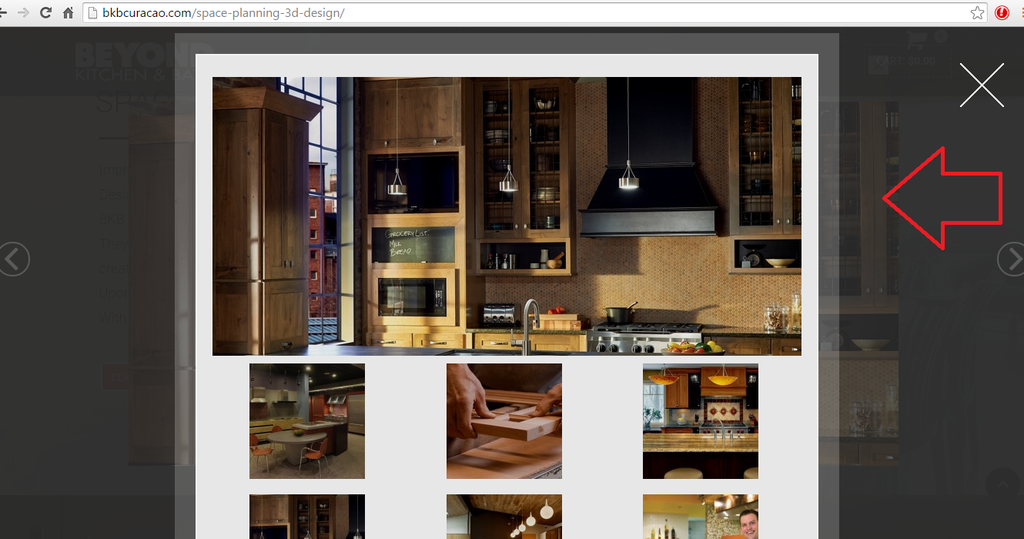
2.) http://i1340.photobucket.com/albums/o728/LibardoBarreto/vvv_zps3xqavo6a.png
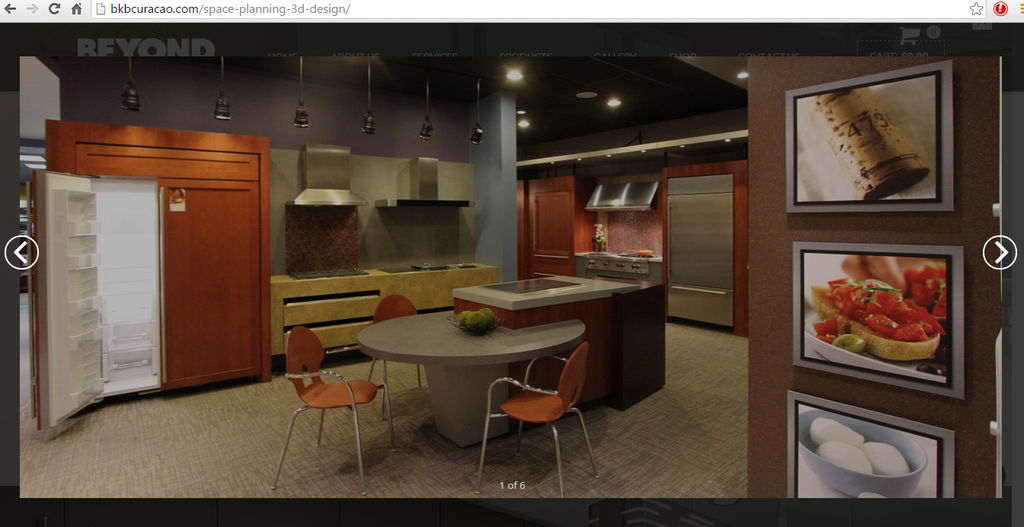
The same issue we had before is showing once more that when I click on the projects image it shows in the background and when I close with the button ” X ” it still there:
http://i1340.photobucket.com/albums/o728/LibardoBarreto/CVVVB_zps6mdnus6f.png
3.) http://i1340.photobucket.com/albums/o728/LibardoBarreto/CVVG_zpsrsn5xxrl.png
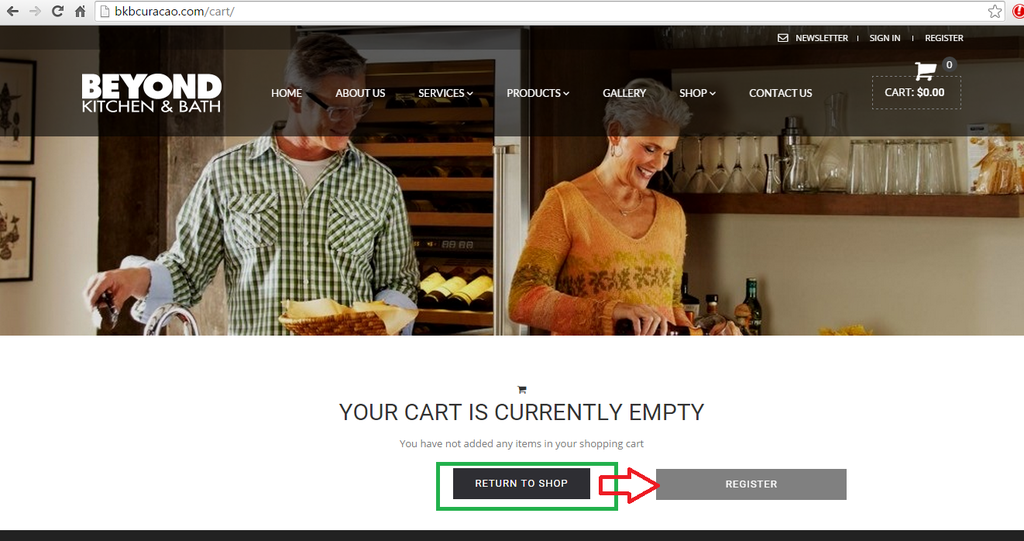
Can you change the dark into the light color? Once hover the mouse over the button we would like
to show the darker color
4.) http://i1340.photobucket.com/albums/o728/LibardoBarreto/BB_zpsjgxlm2tl.png
Color Red : Text needs to be ” Enter Your Username ”
Color Yellow : Text needs to be ” Enter Your E-Mail Address ”
Color Orange : Text needs to be ” Enter Your Password ”
Color Blue : Text needs to be ” Re-Enter Your Password ”
5.) http://i1340.photobucket.com/albums/o728/LibardoBarreto/CC_zpsydjyoy0d.png
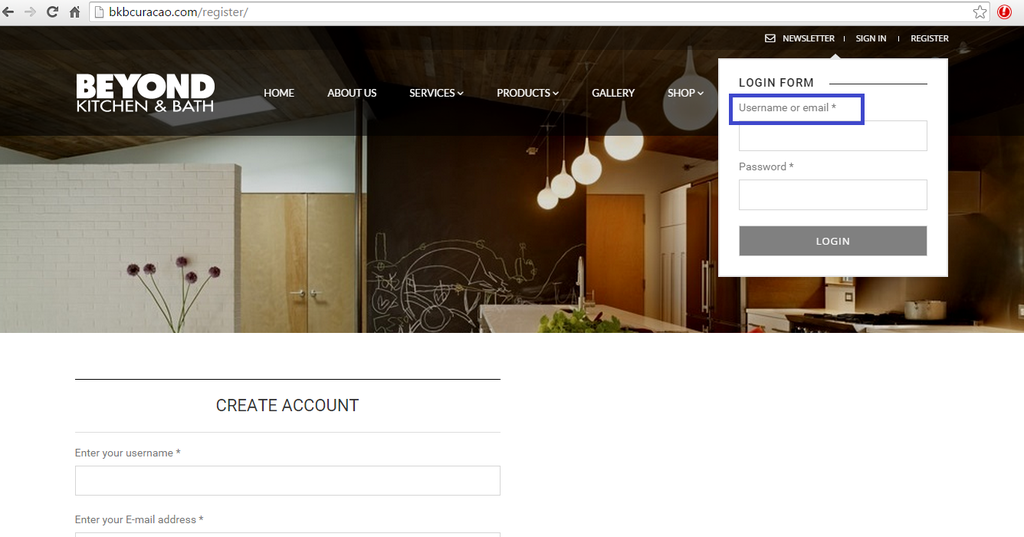
Color Blue : Text needs to be ” Username or E-Mail ”
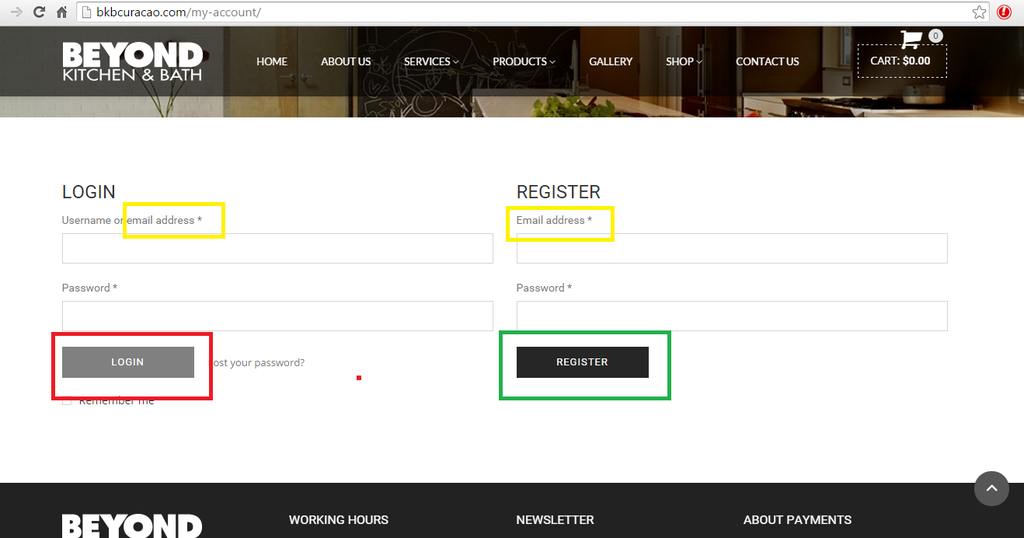
6.) http://i1340.photobucket.com/albums/o728/LibardoBarreto/RR_zpsikppiqjo.png
Color Yellow : Text needs to be ” E-Mail Address ”
Color Dark Grey : Needs to be Light Grey and when hover mouse needs to show dark grey
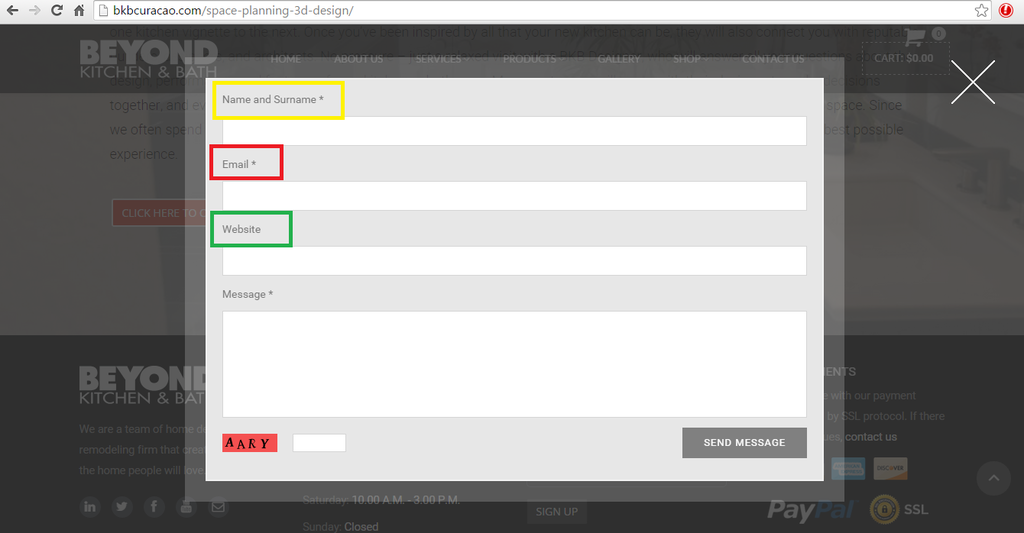
7.) http://i1340.photobucket.com/albums/o728/LibardoBarreto/56Y_zpswqjam8iv.png
Color Yellow : Text needs to be ” Name and Surname ”
Color Red : Text needs to be ” E-Mail Address ”
Color Green : Text needs to be ” Telephone ”
Hi Eva,
I checked this on IE and Google Chrome it shows the same. I’m using Samsung Galaxy S5 and Apple 4th Gener.. Safari browser. It shows on both that the problem is there ..
Hi Eva,
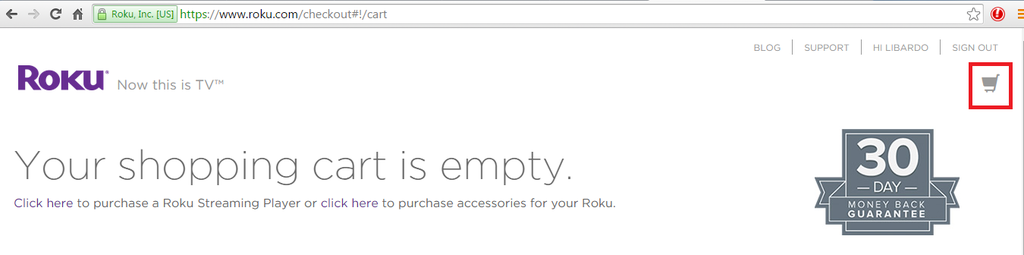
Thanks. I’ve just checked and noticed that the shopping cart is not like the one of Roku website :((
Is it possible to have the shopping cart just like the same as Roku?
Also is there a way I can change the color at all times for something different?
Thanks Eva … and welcome back :D:D:D:D fiewww
I will check and let you know.
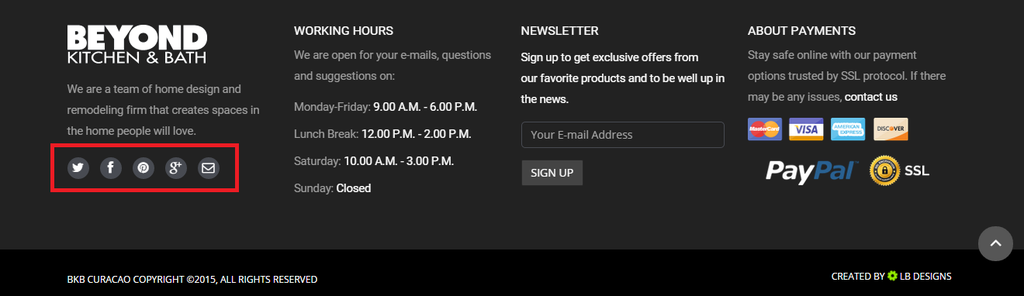
Hi Eva,
I believe after we done the Theme update the social icons were also updated and the links where eliminated.
http://i1340.photobucket.com/albums/o728/LibardoBarreto/SOCIAL_zpsh8w1jnuv.png
Can you add to the Child Theme folder the necessary CSS codes for the following:
Facebook needs to link to : https://www.facebook.com/CuracaoBKB
Twitter needs to link to :https://twitter.com/bkbcuracao
Youtube needs to link to : https://www.youtube.com/channel/UCQdfUZZx3mOKWCjH0yRBKzg
Google Plus needs to link to : https://plus.google.com/b/111868212816836744092/111868212816836744092/videos?pageId=111868212816836744092
E-Mail needs to link to : http://bkbcuracao.com/contact-us/
Good Day,
I normally get options from Eva. In this case no options where presented?? Please check this ticket history and you will notice that the icon was already once changed by Eva. So this IS possible to change. Please check internally once more before provide answers. This is just a shopping cart icon nothing difficult..
Good Day Jack,
We never spoke before but nice to meet you. I have been testing the Royal Theme for some time already. The issue addressed above I am experiencing on different ISP providers and also on my and partner mobile. Both Samsung latest browser updatesand OS. So this is something you will have to look into it. Normally Eva would check this and fix right away. If you see all the history of this ticket it all relates to changes etc.. You may also check my other tickets which you can notice that Eva is the one who helps with these. Please check one more with Eva or internally for this issue. This is not something of mobile or browser or internet!
Good Day,
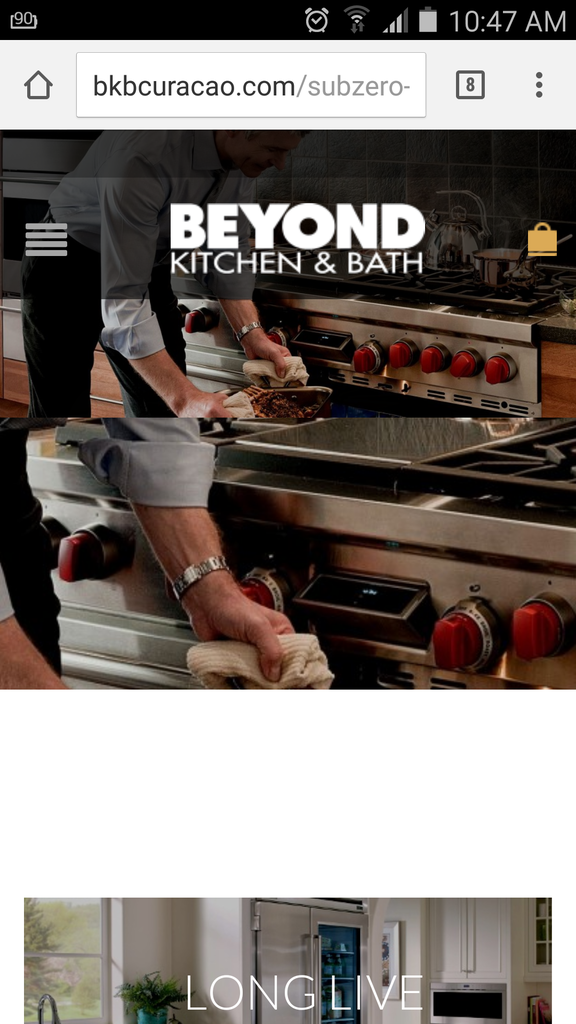
I have a problem when sliding the picture on my mobile the picture split and shows as follow:
Can you please correct this issue?
Good Day,
Is it possible to change the current shopping cart icon to the one of Roku website? Also is there a way to leave it as option for me to change the color whenever needed?
http://i1340.photobucket.com/albums/o728/LibardoBarreto/CRT_zpsamz8pffz.png
http://i1340.photobucket.com/albums/o728/LibardoBarreto/CART_zpsmhygiepp.png