Forum Replies Created

Viewing 23 posts - 541 through 563 (of 563 total)
  • Avatar: Libardo
    Libardo
    Participant
    October 22, 2014 at 16:06

    Hi,

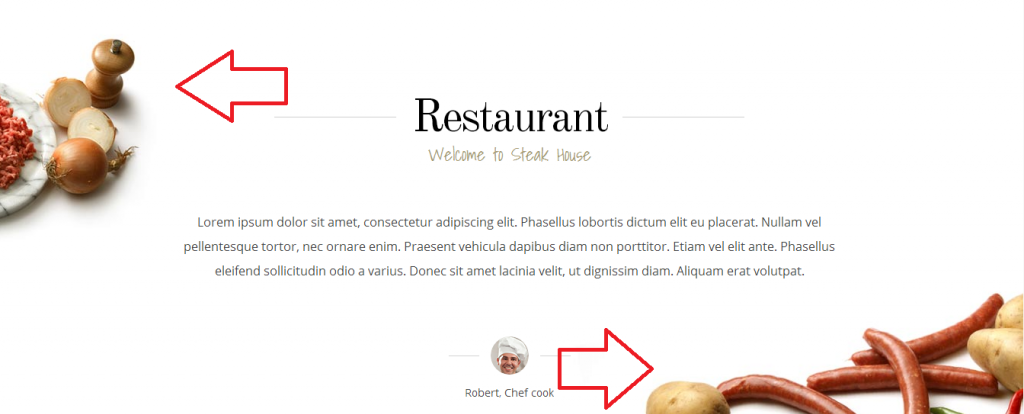
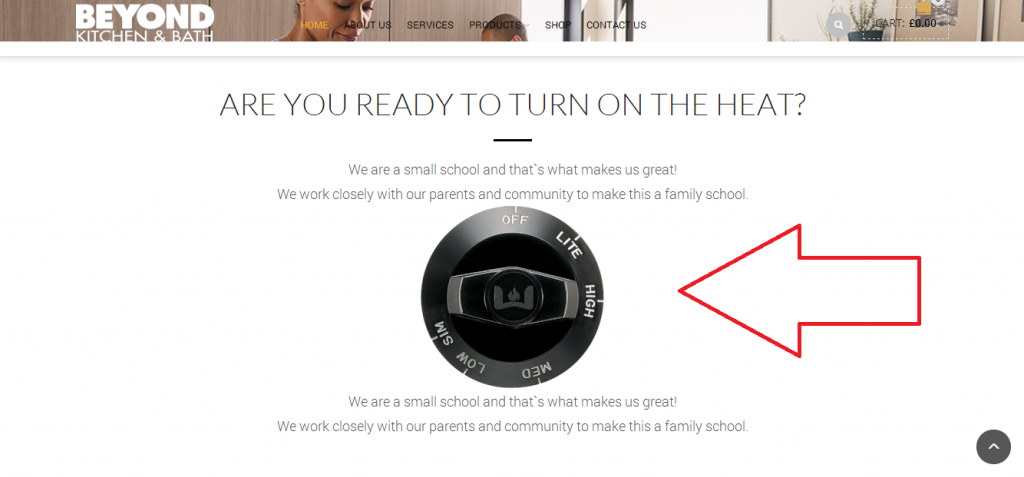
    Sorry to not be so clear. Ok so what I would like is for the “Oven Button” to be just like this website (http://www.gavick.com/demo/wordpress/steakhouse/). Her is where you see the sausage and pizza image align to right and left. http://i1340.photobucket.com/albums/o728/LibardoBarreto/JUNK/3rdf_zps023f87ee.png

    The page of mine is as follow:
    http://bkbcuracao.com/soon/subzero-wolf/

    I would like for the Oven button can be the same as above (sausage and pizza)
    http://i1340.photobucket.com/albums/o728/LibardoBarreto/JUNK/rwerwer_zpsa0f96779.png

    Avatar: Libardo
    Libardo
    Participant
    October 22, 2014 at 15:59

    I tried it with Google Chrome Version 31.0.1650.63 / Internet Explorer which shows the black bar.

    Avatar: Libardo
    Libardo
    Participant
    October 22, 2014 at 15:56

    Thanks Robert will check this.

    Avatar: Libardo
    Libardo
    Participant
    October 22, 2014 at 13:27

    Hi Eva,

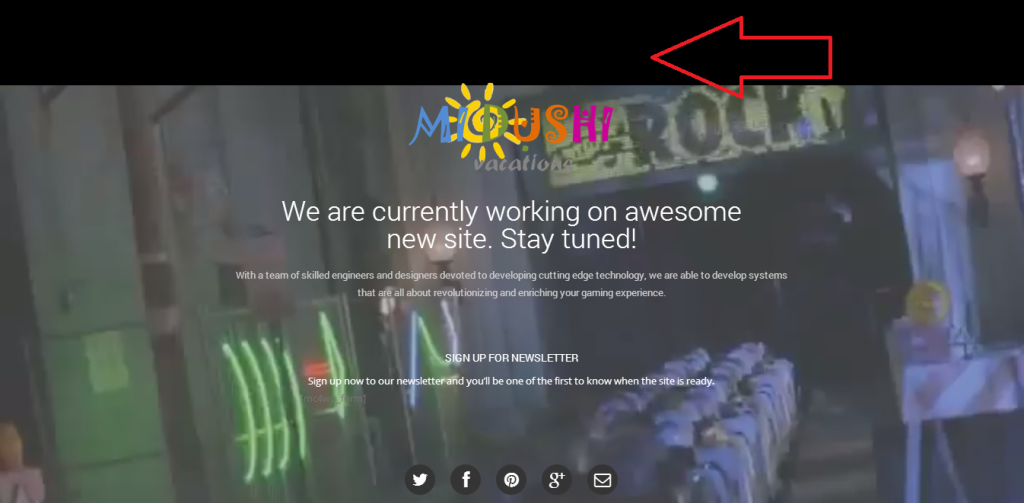
    Yes you where correct ;-). I have set it as public and now is showing. Also this is the black bar I was telling about:

    http://i1340.photobucket.com/albums/o728/LibardoBarreto/JUNK/BAR_zps40170f1f.png

    I also noticed in some browser the video is not full width. Is there a way to always have it full width? I tried it with Chrome Version 31.0.1650.63 which shows the black bar.

    Is it also possible to add this type of CSS code in the custom.css file? This way I can set a layer in front of the video to make the text in color white more visible.

    #transy{
    width: 100%;
    height: 100%;
    float: left;
    background: #19242A;
    opacity: 0.8;
    filter: alpha(opacity=80);
    position: absolute;
    z-index: -1;
    }

    Avatar: Libardo
    Libardo
    Participant
    October 22, 2014 at 13:20

    Hi Eva,

    Please go ahead. I have just grant you more rights. The website is http://www.bkbcuracao.com

    Avatar: Libardo
    Libardo
    Participant
    October 22, 2014 at 13:18

    Hi Eva,

    Please go ahead. I have just grant you more rights.

    Avatar: Libardo
    Libardo
    Participant
    October 22, 2014 at 13:18

    Hi Eva,

    Where you able to check this case#? Just checking …

    Thanks.

    Avatar: Libardo
    Libardo
    Participant
    October 22, 2014 at 13:17

    Hi Eva,

    Sure. Please go ahead. I have just grant you more rights.

    Only one thing is that when you click on play it is not full width anymore. Have you noticed this? Also is there a way to Auto Play? At the end of the video it shows some other Youtube videos when normal after a video ends when viewing it on Youtube self. Can this be removed or skipped and for the video to rewind automatically? Also some browsers like IE and Chrome the music plays and I have the music option Mute in Revolution Slider. Is there another way to Mute it?

    One last thing is the Youtube icon showing on the right bottom. IS there a way to disable this?

    Thanks so much Eva. Really appreciate your time and help so far. Keep up the good Work 😉

    Avatar: Libardo
    Libardo
    Participant
    October 22, 2014 at 13:13

    Hi Eva,

    Sure. Please go ahead. I have just grant you more rights.

    Avatar: Libardo
    Libardo
    Participant
    October 21, 2014 at 21:16

    Here you go:

    Please, contact administrator
    for this information.
    Avatar: Libardo
    Libardo
    Participant
    October 21, 2014 at 21:15

    Here you go :

    Please, contact administrator
    for this information.
    Avatar: Libardo
    Libardo
    Participant
    October 21, 2014 at 21:07

    Here you go :

    Please, contact administrator
    for this information.
    Avatar: Libardo
    Libardo
    Participant
    October 21, 2014 at 21:04

    Check Private

    Please, contact administrator
    for this information.
    Avatar: Libardo
    Libardo
    Participant
    October 21, 2014 at 16:51

    Hi Robert,

    Yes I did but still no luck.

    Avatar: Libardo
    Libardo
    Participant
    October 21, 2014 at 16:14

    Hi Robert,

    I dont thin a third part plugin will help here. If you see the video again you will noticed that there is a problem or a bug with the theme when it comwes to video. The video should show full screen whitout problema right?

    The theme somehow cannot support such video, if the theme has a bug I would appreciate you addreaa thia but not a third party. This way I know if I put a video or leave it behind.

    Looking forward to your reply.

    Avatar: Libardo
    Libardo
    Participant
    October 21, 2014 at 14:30

    Hi Eva,

    Ok so I tried this but it did not work. Here is what I would like to accomplish.. This website has a perfect example when you open and scroll down ( http://www.gavick.com/demo/wordpress/steakhouse/ ) you will see the pizza image and on the side the sausage image on your left hand:

    http://s1340.photobucket.com/user/LibardoBarreto/media/JUNK/gfdg_zps6d38c90a.png.html

    The same way the text and the images looks I would like to have the same way.

    Please, contact administrator
    for this information.
    Avatar: Libardo
    Libardo
    Participant
    October 21, 2014 at 14:04

    Hi Eva,

    I just tried this code :

    .menu-main-container {
    margin-left: 50px;
    }

    But it does not move to the left or right. I have paste this code in the custom.css
    Any other code we can use?

    Thanks..

    Please, contact administrator
    for this information.
    Avatar: Libardo
    Libardo
    Participant
    October 21, 2014 at 14:02

    Hi Eva,

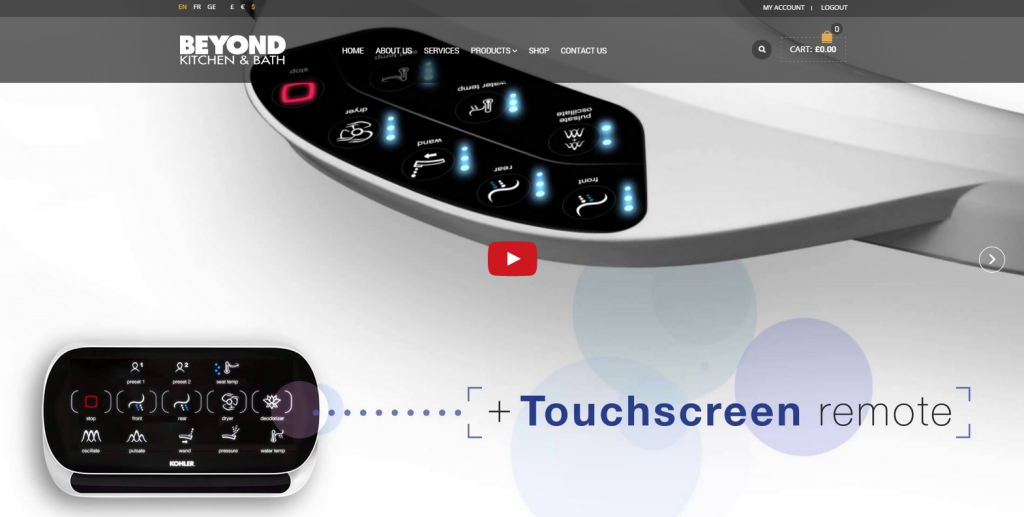
    Thanks for the support so far. Ok so when I scroll down with the menu you will have the Fixed Header. This Fixed Header I would like it to be the same as the “Header(This is when you open the website you will see it)”. At the moment when I scroll down (obviously you will see the fixed header) it does not look the same as the Header.

    My focus is to have it the same as the Header. Is this possible?

    Please, contact administrator
    for this information.
    Avatar: Libardo
    Libardo
    Participant
    October 21, 2014 at 14:00

    Ok let me explain a bit more .. I think there is a bug issue with the theme on the video input. If you see my pictures below you will noticed that the video will not start automatically and meanwhile I have ALL the option checked in the Revolution Slider which indicates that it should start auto and loop and mute etc… Non of these are being triggered. The other problem is that before the video starts you will need to press on it to “Play”. The part is that when you press the “Play” button the video as can see below does not stay Full Screen Wide even though I use the option to “Force” as informed before. Can you check what is the problem or what can be done via css codes?

    http://i1340.photobucket.com/albums/o728/LibardoBarreto/JUNK/3444_zps192e7ba5.png

    http://i1340.photobucket.com/albums/o728/LibardoBarreto/JUNK/Untitled_zps9ad10caa.png

    Please, contact administrator
    for this information.
    Avatar: Libardo
    Libardo
    Participant
    October 21, 2014 at 13:56

    Good Day Eva,

    Ok let me explain .. If you go on to my website (www.midushivacations.com) you will noticed that the video is not properly fit in the window page of your screen/browser. when you scroll down you will notice that there will be a black bar on top. Also I have follow the instructions prior to report this case. Another question I had was how can I add a “Pattern” or “Mask” like this website http://www.501secur.com that covers the image and also make the text visible a bit more?

    Please, contact administrator
    for this information.
    Avatar: Libardo
    Libardo
    Participant
    October 21, 2014 at 00:25

    Hi Eva,

    Thanks for the feedback. It works ;-). However the only thing I am missing when I scroll down the website is the two black bars. 1st top black bar and the 2nd black-transparent black bar.

    I have illustrate this via print screens when I scroll down and when I open the website:

    http://i1340.photobucket.com/albums/o728/LibardoBarreto/JUNK/dfgdfg_zpse579b7eb.png

    http://i1340.photobucket.com/albums/o728/LibardoBarreto/JUNK/afdf_zpse883b2ee.png

    Please, contact administrator
    for this information.
    Avatar: Libardo
    Libardo
    Participant
    October 20, 2014 at 18:30

    Ok now is showing a better view how its looking. So I want to have a black layer on top of the video which still shows all the text visible. Is there a way to do this via CSS or any option?

    Also I’m pending on the mailchimp option. How do I use this?

    Thanks Eva.

    Please, contact administrator
    for this information.
    Avatar: Libardo
    Libardo
    Participant
    October 20, 2014 at 18:00

    Hi Eva,

    Please check once more. What I would like to accomplish is that I want a video background, sosial media icons, the top text can stay, and the news letter which clients can subscribe to know when the website will be launched. The Timer I want to remove.

    This is the text which I would like to stay.

    (We are currently working on awesome
    new site. Stay tuned!

    With a team of skilled engineers and designers devoted to developing cutting edge technology, we are able to develop systems that are all about revolutionizing and enriching your gaming experience.).

    Please, contact administrator
    for this information.
  • 1 2 3 17 18 19
    Viewing 563 results - 541 through 563 (of 563 total)
Viewing 23 posts - 541 through 563 (of 563 total)
We're using our own and third-party cookies to improve your experience and our website. Keep on browsing to accept our cookie policy.