Forum Replies Created

Viewing 30 posts - 511 through 540 (of 563 total)
  • Avatar: Libardo
    Libardo
    Participant
    October 24, 2014 at 03:33

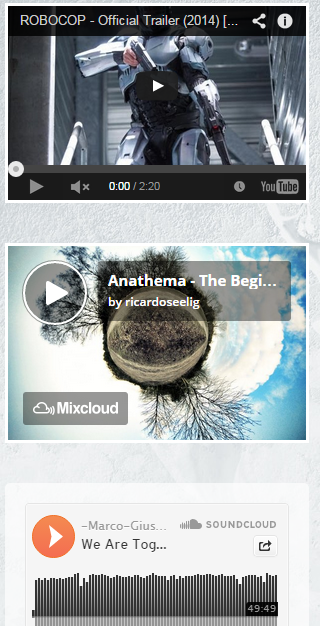
    I think I know the frame border code :

    <iframe width=”298″ height=”194″ src=”//www.youtube.com/embed/INmtQXUXez8″ frameborder=”0″ allowfullscreen></iframe>

    But where to paste it in the theme to have it looks like :

    http://i1340.photobucket.com/albums/o728/LibardoBarreto/JUNK/ertert_zpsf70b6bda.png

    Please, contact administrator
    for this information.
    Avatar: Libardo
    Libardo
    Participant
    October 24, 2014 at 02:38

    Ok thanks I will check this with the developers.

    Avatar: Libardo
    Libardo
    Participant
    October 24, 2014 at 02:37

    Hi Eva,

    Could you please let me know which file you need? I can send it to you .. IS there a video file in the theme folder? I have requested for FTP credentials in the meantime for you ..

    Avatar: Libardo
    Libardo
    Participant
    October 24, 2014 at 02:35

    Thanks Eva

    Avatar: Libardo
    Libardo
    Participant
    October 23, 2014 at 22:13

    Hi Support,

    When removing this value, it gives me a syntax error.

    Any other advice / solution?

    Regards,

    Avatar: Libardo
    Libardo
    Participant
    October 23, 2014 at 21:51

    Hi Support,

    Sorry for the inconvenience.
    I will send this when received.

    To talk about: bkbcuracao.com/soon
    If you go to that site and scroll to the footer you can send an e-mail link on your left hand. Click on that, and you will receive the following screen:

    http://tinypic.com/r/k2fpk6/8

    How can I change the “HOME” in e-mail subject?

    Kind regards,

    Avatar: Libardo
    Libardo
    Participant
    October 23, 2014 at 21:37

    Hi Support,

    Find below the credentials

    Please, contact administrator
    for this information.
    Avatar: Libardo
    Libardo
    Participant
    October 23, 2014 at 21:29

    Hi Support,

    You can see the image here:
    http://tinypic.com/r/23rshtj/8

    When clicking on the most right position image it will open an Outlook Composer, with the subject pre-filled.

    I want to change this pre-filled subject.

    Cheers,

    Avatar: Libardo
    Libardo
    Participant
    October 23, 2014 at 21:18

    Hi Robert,

    I indeed did that but somehow I’m not receiving the testmails..
    Any other option?

    Cheers,

    Avatar: Libardo
    Libardo
    Participant
    October 23, 2014 at 19:58

    Hi Support,

    Please kindly get back to me on this as soon as you have a chance.
    Thanks..

    Avatar: Libardo
    Libardo
    Participant
    October 23, 2014 at 19:57

    Hi Support,

    Please kindly get back to me on this as soon as you have a chance.
    Thanks..

    Avatar: Libardo
    Libardo
    Participant
    October 23, 2014 at 15:46

    Hi,

    Where do you adapt the mail address where this contact form will send the submitted message?

    Cheers,

    Avatar: Libardo
    Libardo
    Participant
    October 23, 2014 at 13:59

    Thanks .. Eva.

    In this case this code will move all the divider to the right or can I pick which one to move to the right?
    Please let me know ..

    Avatar: Libardo
    Libardo
    Participant
    October 23, 2014 at 13:20

    Hi Eva,

    Yes, please.

    Avatar: Libardo
    Libardo
    Participant
    October 23, 2014 at 13:10

    Hi Eva,

    Please kindly get back to me on this as soon as you have a chance.
    Thanks..

    Avatar: Libardo
    Libardo
    Participant
    October 23, 2014 at 13:10

    Hi Eva,

    Please kindly get back to me on this as soon as you have a chance.
    Thanks..

    Avatar: Libardo
    Libardo
    Participant
    October 23, 2014 at 04:53

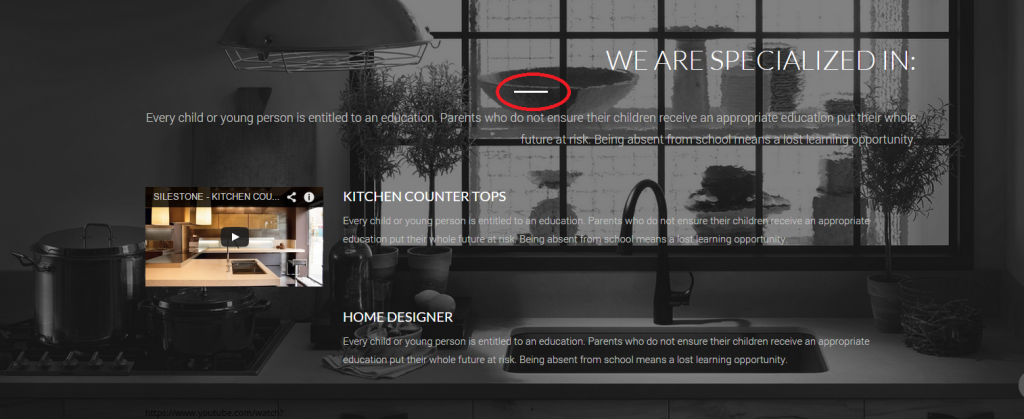
    Also is there a way that I can move the breaker to right or left?

    The code I am using is :

    <h1 style=”color: #ffffff; font-size: 40px; font-family: Lato, sans-serif; font-weight: 300; text-align: right;”>WE ARE SPECIALIZED IN:</h1>

    <hr class=”divider break” style=”background: #FFFFFF;” />
    <p style=”color: #c4c4c4; font-size: 18px; font-family: Roboto; font-weight: 300; padding-bottom: 25px; text-align: right;”>Every child or young person is entitled to an education. Parents who do not ensure their children receive an appropriate education put their whole future at risk. Being absent from school means a lost learning opportunity.</p>

    http://i1340.photobucket.com/albums/o728/LibardoBarreto/JUNK/vfbfh_zps61cf2818.png

    website: http://www.bkbcuracao.com

    Avatar: Libardo
    Libardo
    Participant
    October 23, 2014 at 00:59

    Hi Support,

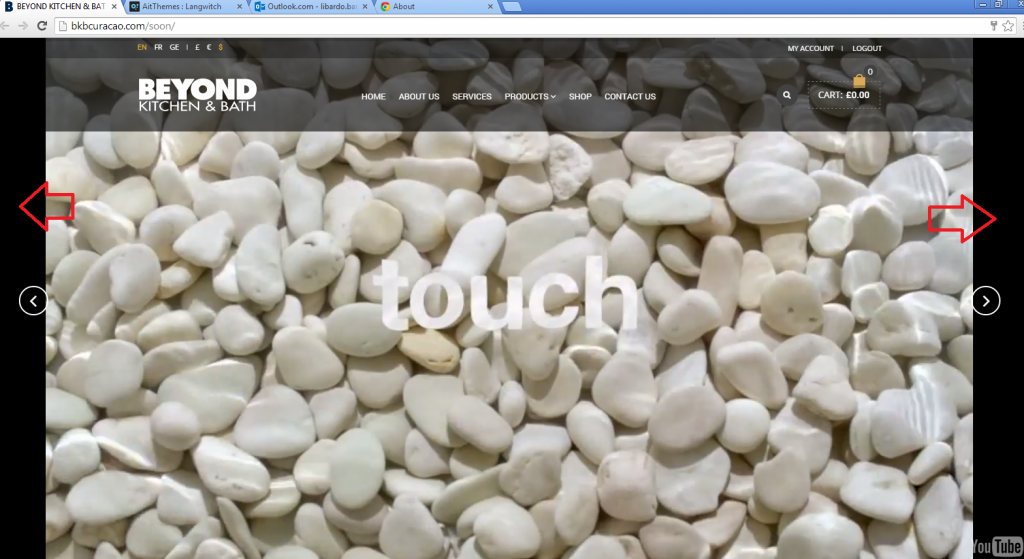
    Could you be clear to what of browser you are using which is indicating that the video is looking Good as it should?? I have updated all my browser now ONE more time and still the same issue here. I truly dont understand why is keep pointing at the browser meanwhile Cache is cleared and also the browsers are updated and still the same problem below:

    http://i1340.photobucket.com/albums/o728/LibardoBarreto/JUNK/jbnb_zps0b8664fd.png

    http://i1340.photobucket.com/albums/o728/LibardoBarreto/JUNK/kjgkjg_zps6056967c.png

    Also is a ON and OFF situation. When I open the website in Google Chrome/IE/Firefox the sound starts to play and when I open it once more the sound is OFF. What seems to be the problem? I tried this after I did the upgrade. Another point is that the video still dont start automatically when you open the website as the main page. What can be done to fix this? At the End of the video will be the same thing that it does not LOOP automatically. I truly dont think this is my browser or any other browser but the theme has a Bug in it that needs to be looked into it. Please forward this request to your developers to check this please.

    Can I kindly get response ( STEP by STEP ) of each questions above? Sometimes we skip and get lost again with the same questions asked.

    Avatar: Libardo
    Libardo
    Participant
    October 23, 2014 at 00:52

    Hi Support,

    I believe there is another person in my conversation???


    @commersant19
    ,

    Avatar: Libardo
    Libardo
    Participant
    October 22, 2014 at 18:52

    Hi Eva,

    It is the landing page. As i’m using a one page theme..

    Please, contact administrator
    for this information.
    Avatar: Libardo
    Libardo
    Participant
    October 22, 2014 at 17:14

    Hi Eva,

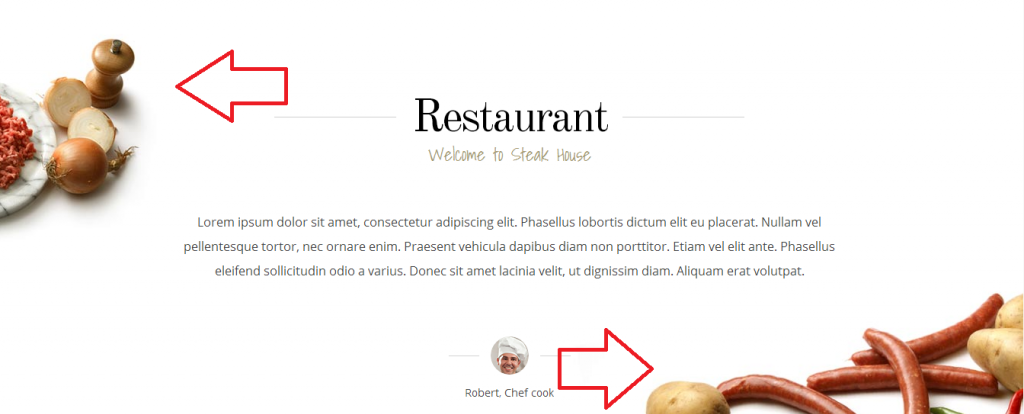
    This style 1/3+1/3+1/3 I also try and is very simple to do :). But what I want is to have the images this same way:

    http://i1340.photobucket.com/albums/o728/LibardoBarreto/JUNK/3rdf_zps023f87ee.png

    The images looks like some parts are hidden in the side of your window. Just right click and save the sausage and pizza image and you will noticed that the image looks wider as it shows on the site : http://www.gavick.com/demo/wordpress/steakhouse/

    What I want is that the images goes full align to the right and left. So there is no extra space between the browser width and the image. I have color the space in red :

    http://i1340.photobucket.com/albums/o728/LibardoBarreto/JUNK/dfsdf_zps79eac1f6.png

    Avatar: Libardo
    Libardo
    Participant
    October 22, 2014 at 17:02

    Or maybe:

    div {
    width: 200px;
    height: 200px;
    display: block;
    position: relative;
    }

    div::after {
    content: “”;
    background: url(image.jpg);
    opacity: 0.5;
    top: 0;
    left: 0;
    bottom: 0;
    right: 0;
    position: absolute;
    z-index: -1;
    }

    Avatar: Libardo
    Libardo
    Participant
    October 22, 2014 at 17:00

    Hi Support,

    Thanks for the quick reply.
    Unfortunately you do not have that. Will it be in your future update?

    Because I can not do this, I have to remove the text stating: Set your main menu in Appearance > Menus
    How can I do this?
    And then how can I move the logo to the center instead of left?
    I am using the one page Lawyer theme.

    Cheers,

    Avatar: Libardo
    Libardo
    Participant
    October 22, 2014 at 16:59

    Thanks Robert but the text does not look visible for customers read it properly. Which is why I would like to add a opacity code. Is there any other way we can do so please? A few hints below maybe?

    img {
    opacity: 0.4;
    filter: alpha(opacity=40); /* For IE8 and earlier */
    }

    img:hover {
    opacity: 1.0;
    filter: alpha(opacity=100); /* For IE8 and earlier */
    }

    img {
    opacity: 0.4;
    filter: alpha(opacity=40); /* For IE8 and earlier */
    }

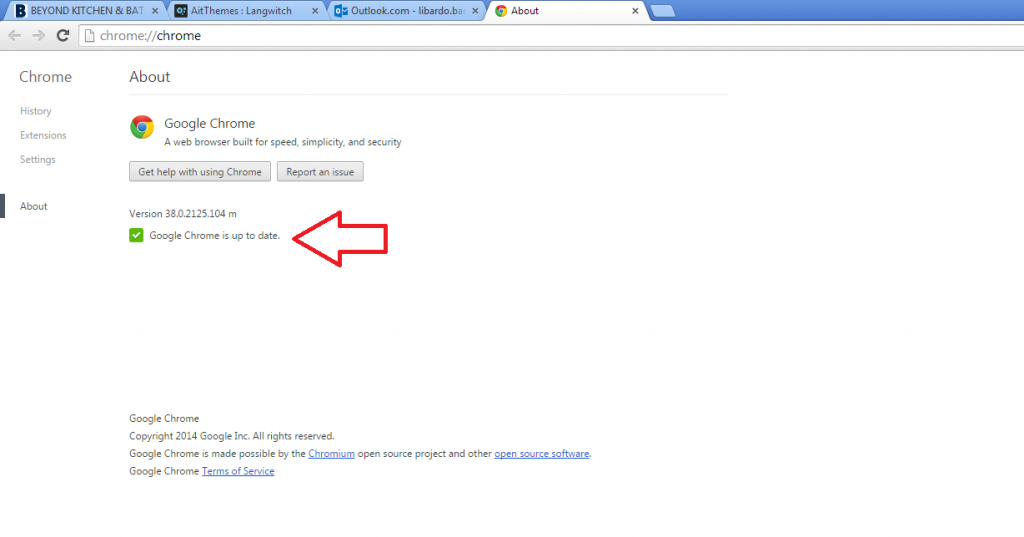
    Also I have update the Google Chrome to the latest version (Version 38.0.2125.104 m) and still see the same problem here. http://i1340.photobucket.com/albums/o728/LibardoBarreto/JUNK/BAR_zps40170f1f.png

    I tried also in Firefox and Internet Explorer is the same on my end.

    Avatar: Libardo
    Libardo
    Participant
    October 22, 2014 at 16:56

    Ok just posted a ticket.

    Avatar: Libardo
    Libardo
    Participant
    October 22, 2014 at 16:42

    Hi Eva,

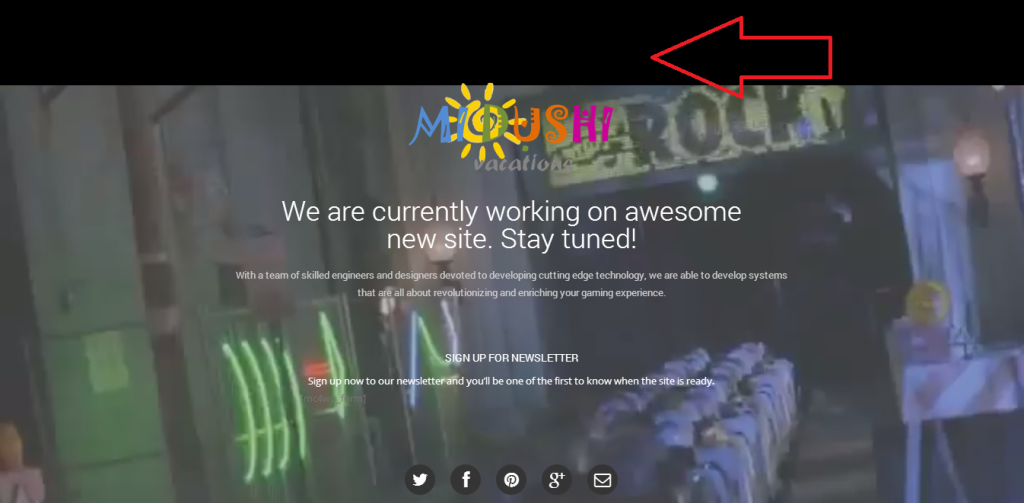
    Ok there is some progress :). I just cleared the Cache of my browser and do see that video starts and end with a Loop. I also see there is no more Audio. This is Good. Ok now we still have the same here:

    http://s1340.photobucket.com/user/LibardoBarreto/media/JUNK/black_zpsec0e3f87.png.html

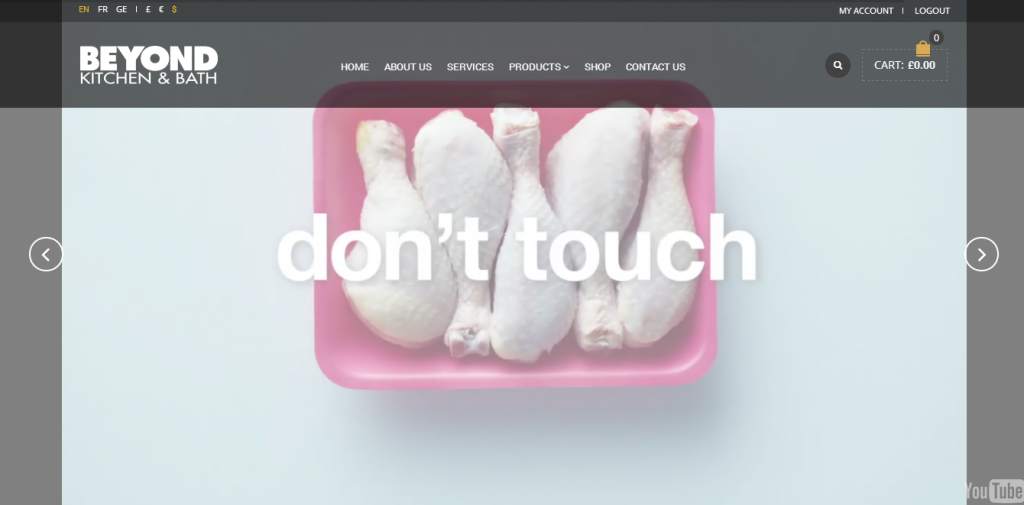
    And also noticed that when I scroll down and up again the video turns into a white background transparent in front of it. Can this be removed? http://i1340.photobucket.com/albums/o728/LibardoBarreto/JUNK/dsfsdf_zps0746839e.png

    Avatar: Libardo
    Libardo
    Participant
    October 22, 2014 at 16:35

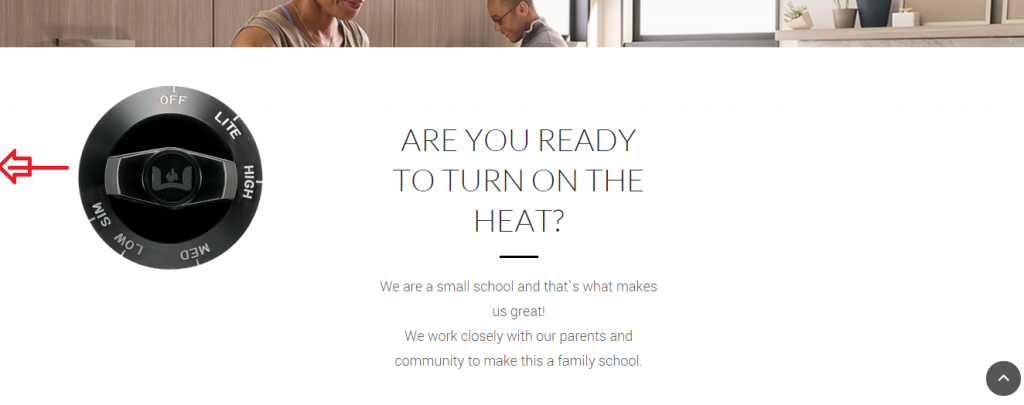
    Hello,

    I would like for the image to move to the left and the text stays central. The aim is to have another image to right just like the sample I’ve provided : http://i1340.photobucket.com/albums/o728/LibardoBarreto/JUNK/3rdf_zps023f87ee.png

    Avatar: Libardo
    Libardo
    Participant
    October 22, 2014 at 16:34

    Hi Robert,

    I tried this code but it does not help:

    #transy{
    width: 100%;
    height: 100%;
    float: left;
    background: #19242A;
    opacity: 0.8;
    filter: alpha(opacity=80);
    position: absolute;
    z-index: -1;
    }

    Is there another code?

    Also I have update the Google Chrome to the latest version (Version 38.0.2125.104 m) and still see the same problem here. http://i1340.photobucket.com/albums/o728/LibardoBarreto/JUNK/BAR_zps40170f1f.png

    I tried also in Firefox and Internet Explorer is the same on my end.

    Avatar: Libardo
    Libardo
    Participant
    October 22, 2014 at 16:17

    Hi Robert,

    Support is GOOD :):) keep it up .. the menu looks good now. So I can move the menu from right to left using this code?

    .menu-main-container {

    margin-left: 50px;

    }

    .tbs {

    padding-left:40px;

    }

    Also How do I manage My Account page? OR how do I edit it to make it a different look and style?

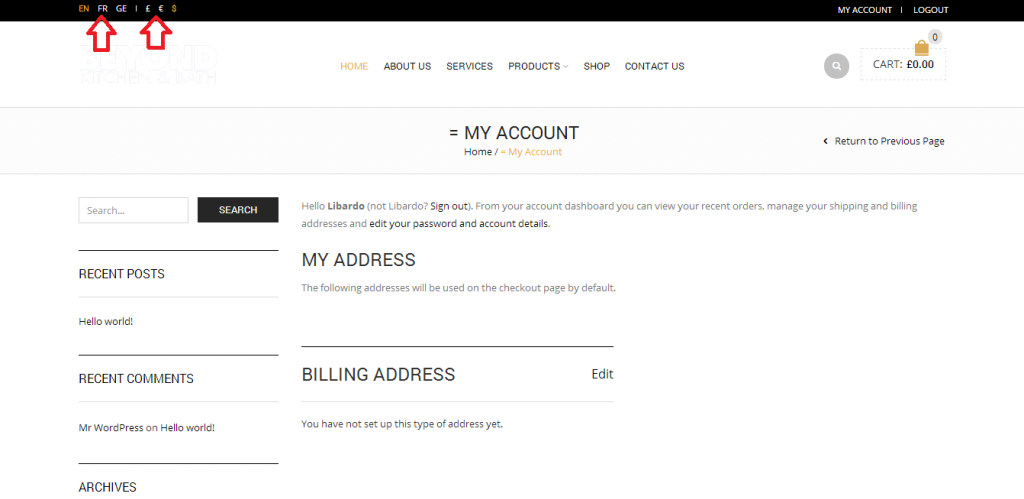
    http://i1340.photobucket.com/albums/o728/LibardoBarreto/JUNK/fsdfs_zps6ee324f7.png

    Also is there anyway I can take control of the language and currencies options? Is this linked to Woocommerce or WMPL Labguage plugin? Does this theme includes the WPML Language plugin? If so can I have a copy of it?

    Avatar: Libardo
    Libardo
    Participant
    October 22, 2014 at 16:13

    Hi Eva,

    Thanks for the feedback.

    The video still does not AutoPlay when I open the website and does not Loop Automatically after it is finished. Also the black side bar is still visible when I click on Play from start.

    http://i1340.photobucket.com/albums/o728/LibardoBarreto/JUNK/black_zpsec0e3f87.png

    I also noticed that when I scroll down and up again the video turns into a white background transparent in front of it. Can this be removed? http://i1340.photobucket.com/albums/o728/LibardoBarreto/JUNK/dsfsdf_zps0746839e.png

  • 1 2 3 17 18 19
    Viewing 540 results - 511 through 540 (of 563 total)
Viewing 30 posts - 511 through 540 (of 563 total)
We're using our own and third-party cookies to improve your experience and our website. Keep on browsing to accept our cookie policy.