IS it possible to have the same fonts/spacing as this header menu page?

IS it possible to have the same fonts/spacing as this header menu page?
Thanks Eva. The clear cache works. Sometimes it gets very frustrated when you cannot access your website and you have a deadline. Maybe I dont express it but I appreciate your Help and your dedication.
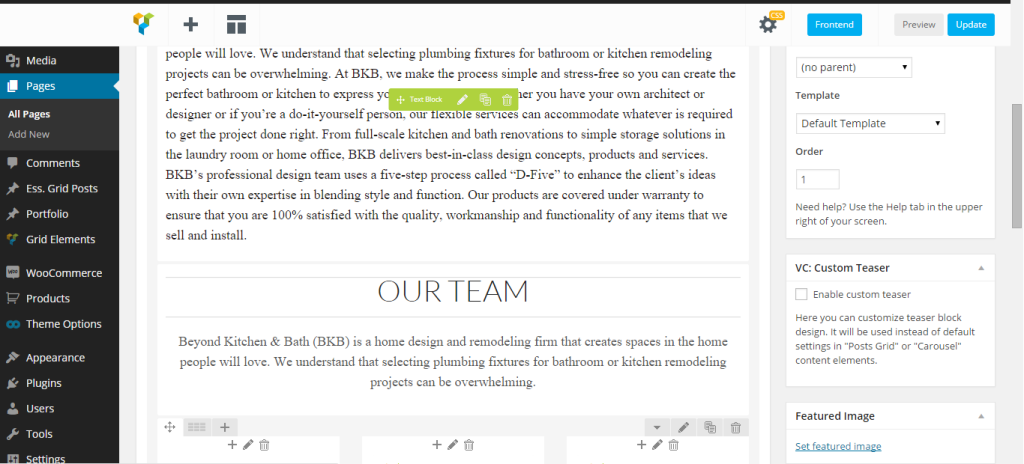
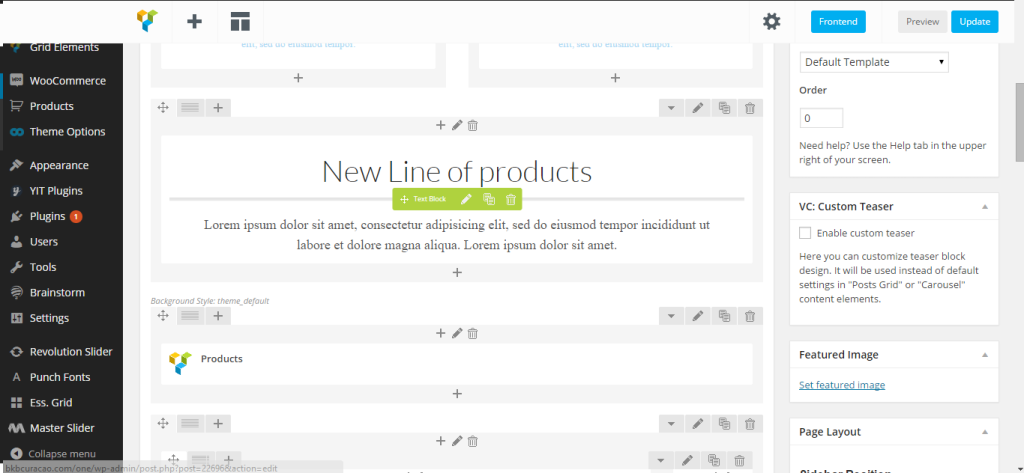
To Give a CLEAR example I am having this print screen at the moment:
http://i1340.photobucket.com/albums/o728/LibardoBarreto/vcxvxcv_zpsdwrywdow.png
However it used to be like this:
http://i1340.photobucket.com/albums/o728/LibardoBarreto/fsdfsdf_zpsdfqmv5z5.png
I believe in the print screen shot you can Clearly see what can be the problem here … The edit options and also the Visual Options are not showing as should. Can you check this out? FTP credentials/WP Credentials are open and 8theme does have access to this.
I also want to add that when I try to add a new text I still get the same message ( I am text block. Click edit button to change this text. Lorem ipsum dolor sit amet, consectetur adipiscing elit. Ut elit tellus, luctus nec ullamcorper mattis, pulvinar dapibus leo.) Can you look DEEPER to see what is the problem Eva? I am not stating something to just saying. IT is happening to all my pages!!!
CAN somebody have a look into this for me???
Hi Eva,
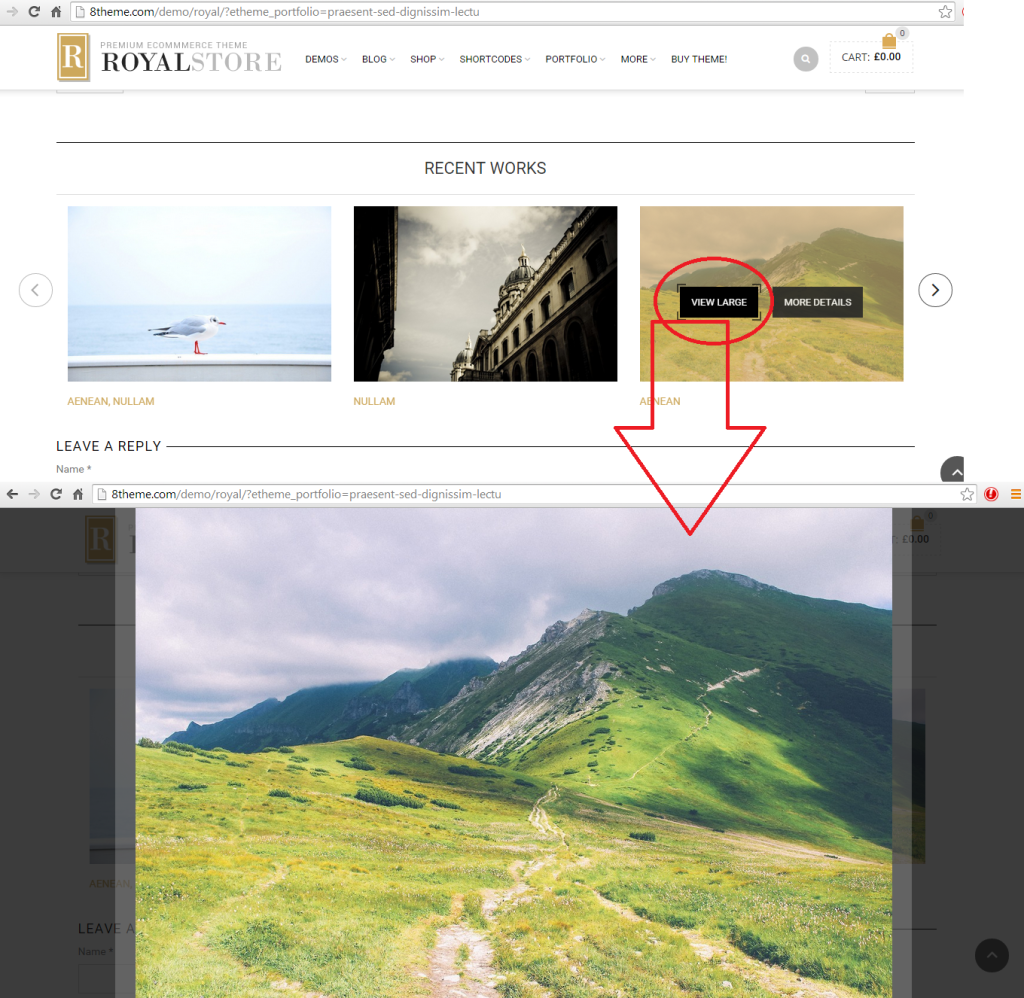
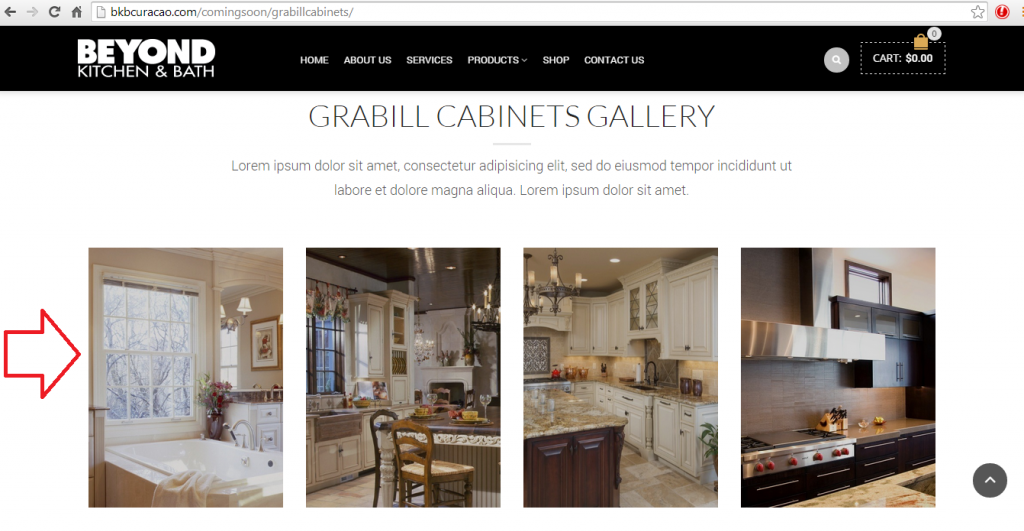
Since I don’t have the option to add the images as should, is there a way to leave the image as a standalone? For example I would like the image to stay as is without the option to ” View Large or More Details ” IS this possible?
http://i1340.photobucket.com/albums/o728/LibardoBarreto/Untitled_zpsrrr9faih.png
Hi Eva,
Can you look into this issue for me? I really need to start moving with the website … Nothing can be edit accordingly. I have like limited access to the site, however I do see I am the administrator.
What has happen to the website recently? No editing can be done right now .. I am on HOLD at the moment.
Hi Eva,
That is correct. All pages or all text or all content that I would like to edit in the website I cannot access. For instance If I click on edit a text I get the following message ( I am text block. Click edit button to change this text. Lorem ipsum dolor sit amet, consectetur adipiscing elit. Ut elit tellus, luctus nec ullamcorper mattis, pulvinar dapibus leo.)
Hello Eva,
May I ask of your team has locked anything on my website? Currently I cannot edit or upload non of the pictures on the website. If I give a example I am trying to edit a part of a page on my website and getting the following message(See in private).
Ok Eva. I will then have compromise with what we have. However can you do a test for me with the same Height/Width like the image below:
http://i1340.photobucket.com/albums/o728/LibardoBarreto/Untitled_zpsrrr9faih.png
I also would like 4 images shown and the left/right arrow to scroll true the images like I have it setup at the moment for all the other products pages.
WP/FTP Login credentials can be find in this same ticket in early private replies.
Hi Eva,
Where you able to make the changes using the old plugin you have on file? If not I have a copy of the old plugin before I updated the website with the latest version.
Please let me know ..
Hi Eva,
It looks good. I will monitor and inform in case of anything ..
Hi Eva,
Then can i suggest for you to install the old version of this plug in, in which the view large option is available?
Can you switch to the old plug in version do a test for me to see in the same page created by Brian Johnson?
Good Day Brian Johnson,
I appreciate what you presented. But this is NOT what I need or want. As stated since the beginning of this ticket I want something like this :
Where you see ” More Details ” it should be ” View Large “. After click the ” View Large ” Button the image should present bigger like the other print screen shots taken from 8theme website below:
http://i1340.photobucket.com/albums/o728/LibardoBarreto/Untitled_zpsrrr9faih.png
http://i1340.photobucket.com/albums/o728/LibardoBarreto/44444_zpsc69ooxyy.png
http://i1340.photobucket.com/albums/o728/LibardoBarreto/44444_zpsc69ooxyy.png
P.S We are going back and forth back and forth PLEASE read the post and the client request and adjust accordingly. Sooner or later you guys will go home and will have to wait again till Monday to proceed and chances are the whole week working on this ticket. Can you image the frustration of the client? Right now I have 10:55 A.M you can be 6 hours difference.
Hope this helps and to clarify this request to make it as the client wish. Thank you in advance Brian /Eva/Robert.
This was already provided in my early posts.. see in private
Thanks Robert. It worked. Can you also update the wordpress theme to the latest version?
This way I can rest assure that it will not bring problems again ..
Please let me know once done
Please try as follows. in private
Hello,
Please see private. I will await on your confirmation.
This will delay the website to launch. is anybody understanding me? Website Launch
Hello can someone assist with the visual composer????? I need the image in the post slider to have the option to open bigger as the photo above. Everytime someone reply i need to wait 24 hours to get another respond. And when i look which version is the visual composer. I need action takennnnnn… this is not support. I need to this this asap. I believe this is a simple change and i will di the rest in the other pages. If you take the iniative to see the website you will know what i am talking about instead of asking the versio of the plugins… common 8theme.
Hi Eva,
I believe its better you login and see the Visual Composer. The image is still showing Wrong. I need this fix ASAP… Please check ASAP. After this I will change all the other pages … Need this fix plss…
Hi Eva,
——>>>>> What version of Visual Composer plugin are you using?
I am using the latest Visual Composer you have on your website for download. ( https://www.8theme.com/download-plugins/ )
Hi Eva,
Which of the Full Width Grids I need to use to accomplish this :
http://i1340.photobucket.com/albums/o728/LibardoBarreto/grid_zps2ffmblwb.png
Or maybe you can insert a sample into the Services Page ( http://bkbcuracao.com/comingsoon/services/ ) and I will proceed from there,,
Good Day,
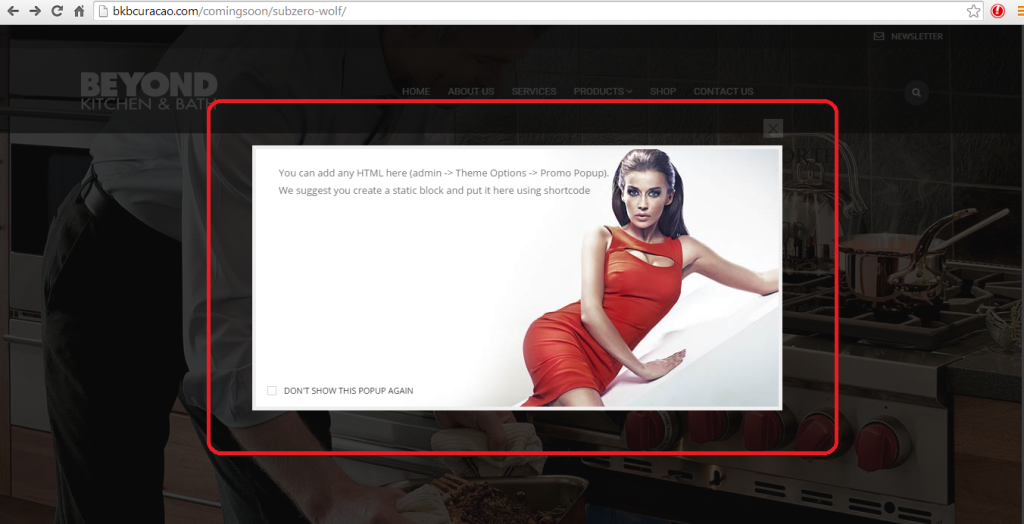
At the moment I have the following when I activate the news letter option.
http://i1340.photobucket.com/albums/o728/LibardoBarreto/44444_zps9ftmtqke.png
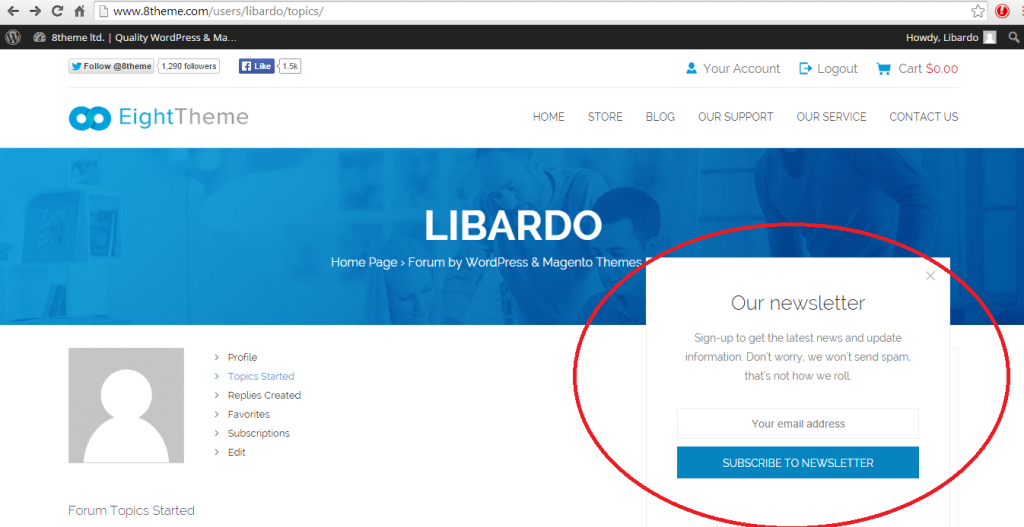
However how can I change it like the one below?
http://i1340.photobucket.com/albums/o728/LibardoBarreto/555555_zpssfk8phtx.png
=====================================================================================
As a future option which I like to use how to activate this one?
http://i1340.photobucket.com/albums/o728/LibardoBarreto/3333_zpsgknhdy70.png
=====================================================================================
Also for the search option, since there is no bar at the end of the micro glass how can I include when I user hover there mouse over the search button that it will look like this :
http://i1340.photobucket.com/albums/o728/LibardoBarreto/66767_zpsxgic7lhu.png
Hi Eva,
Now that I checked … I have the post slider and the option to link to bigger image is set. But still the image is showing as this :
http://i1340.photobucket.com/albums/o728/LibardoBarreto/JUNK/asdasd_zps4c1044fc.png
Please take a look at : http://bkbcuracao.com/comingsoon/kohler/ and scroll all to the bottom in order to see the Post Slider.
Hi Robert Hall,
Thanks I have watched this video already however is there a easy way to create or edit the footer? I love the same concept as the image below, however I would only like to add my pictures in the Flickr widget and also logo, company information etc… Arent’s these already in place as standard which is already visible at the moment?
Thanks Eva.
I am looking for the Post Slider but cannot find this. Can you do a test for me on the Kohler Page ( http://bkbcuracao.com/comingsoon/kohler/ ) and I will copy the same to the other pages?
Hi Eva,
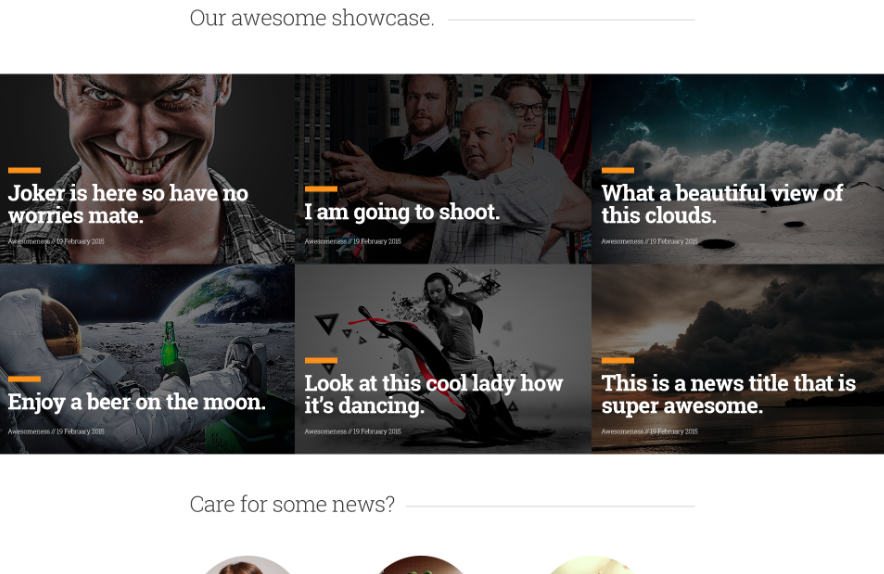
I know I would need to use Essential Grid, but which one of the templates is the one as the image above?
Hi Support,
Just checking if there is any update before end of day …
Thanks..
Hi Support,
Just checking if there is any update before end of day …
Thanks..