Any updates?

Any updates?
The problem is everywhere when you start the word with the symbol “И”
Try to make a post and or product starting with “И”
Example : Искам да направя изпитание на сайта
Yea sure, well, there is on many places, for example when i transferred the website everything looked good, something happened and now a blog post with slug istinskata-cherna-havajska-sol-morska has no title, but when try to edit the name to : “Истинската черна хавайса сол морска” in the blog post itself it the И is becoming as symbol but when i check all the blog posts it is still as (no title) that’s why i think i have to convert to utf-8. And its shown on many places, blog posts products etc.
Sure!
I can provide credentials for the cPanel as well, if its easier for you?
Yes of course, because of the fact your team didn’t respond super fast I’ve restored a backed up version of the website in order to show my header again and forgot to recreate your credentials. I apologies for that inconvenience. In many pages there are symbols instead of Cyrillic letters but I’m going to give you one or two so its easier for you to find
The thing is that it is showing only word starting with the letter “И”(i) the character И(i) as symbol:
https://gourmanic.bg/blog/
https://gourmanic.bg/istinskata-cherna-havajska-sol-morska/
If you need I can provide you ftp credentials as well
Perfect, super fast response, ultra fast solution 5 Star support as always.
It would be perfect for me if you explain what you’ve done in case to fix it by myself next time and not to bother you but if you have work it is not necessary.
Once again thanks a lot!
Its the same, providing the info:
Thank you for the fast response i don’t really care which of the both menus are activated, this menu that you have activated is actually better looking 🙂
The topic is resolved and I really appreciate your help!
Ok I understand that with variations it is not possible.
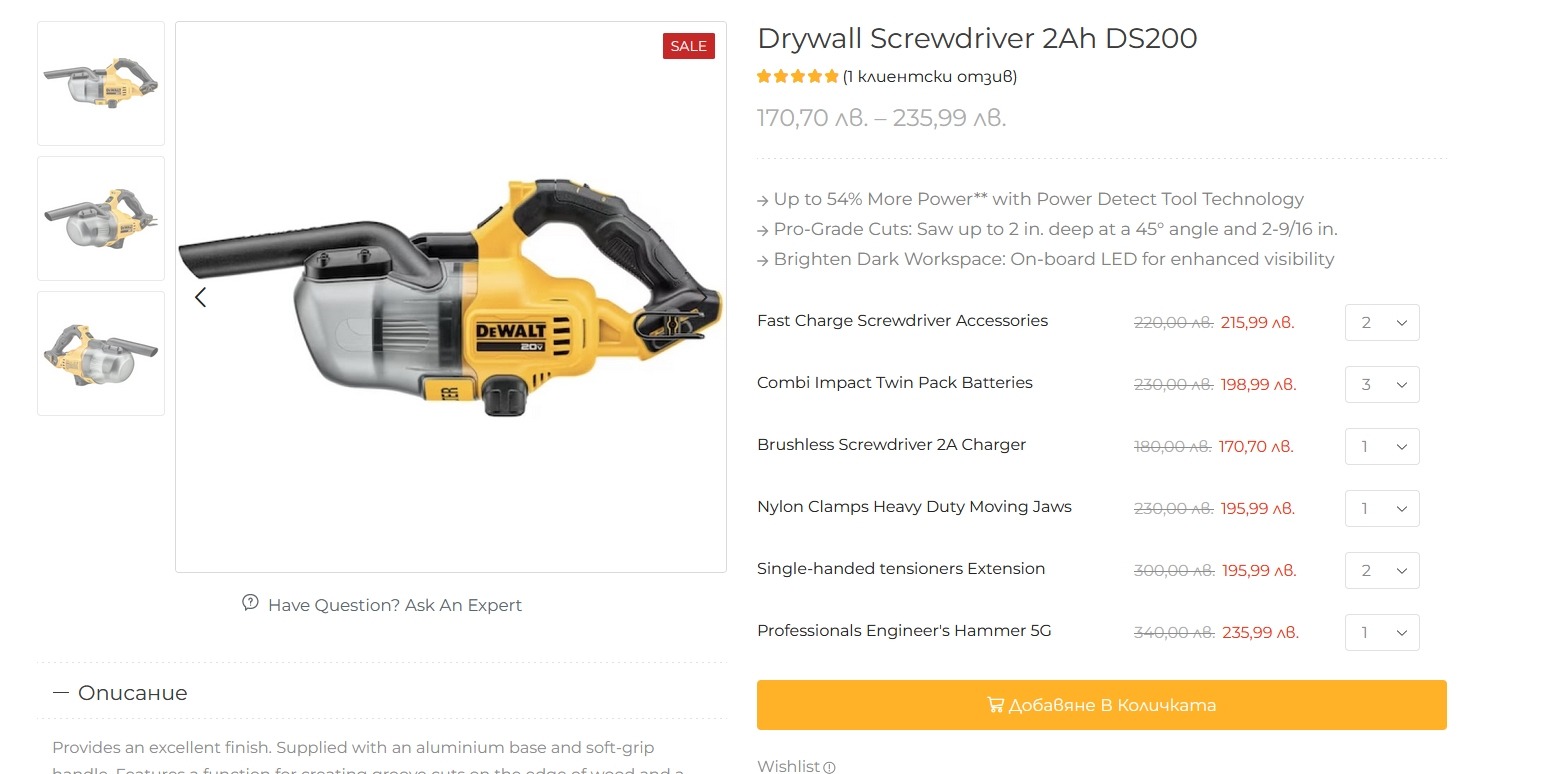
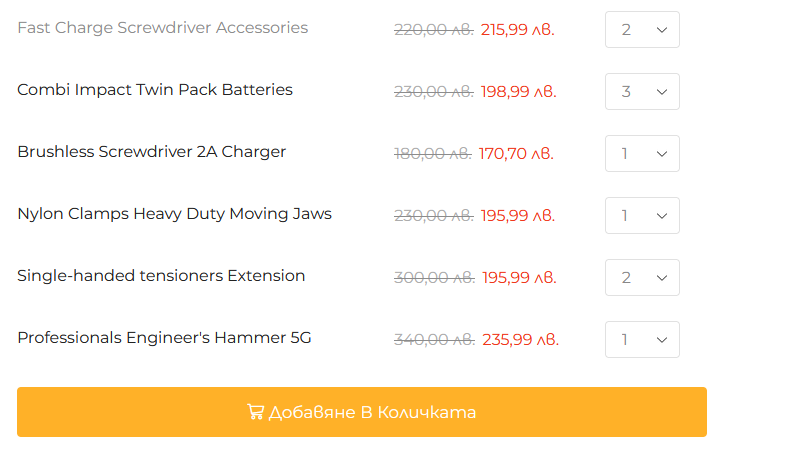
Is it possible to edit the shop grid for grouped products to show the same table as it shows in the single product template of a grouped product.
When I open an grouped product it shows a table of the child products.
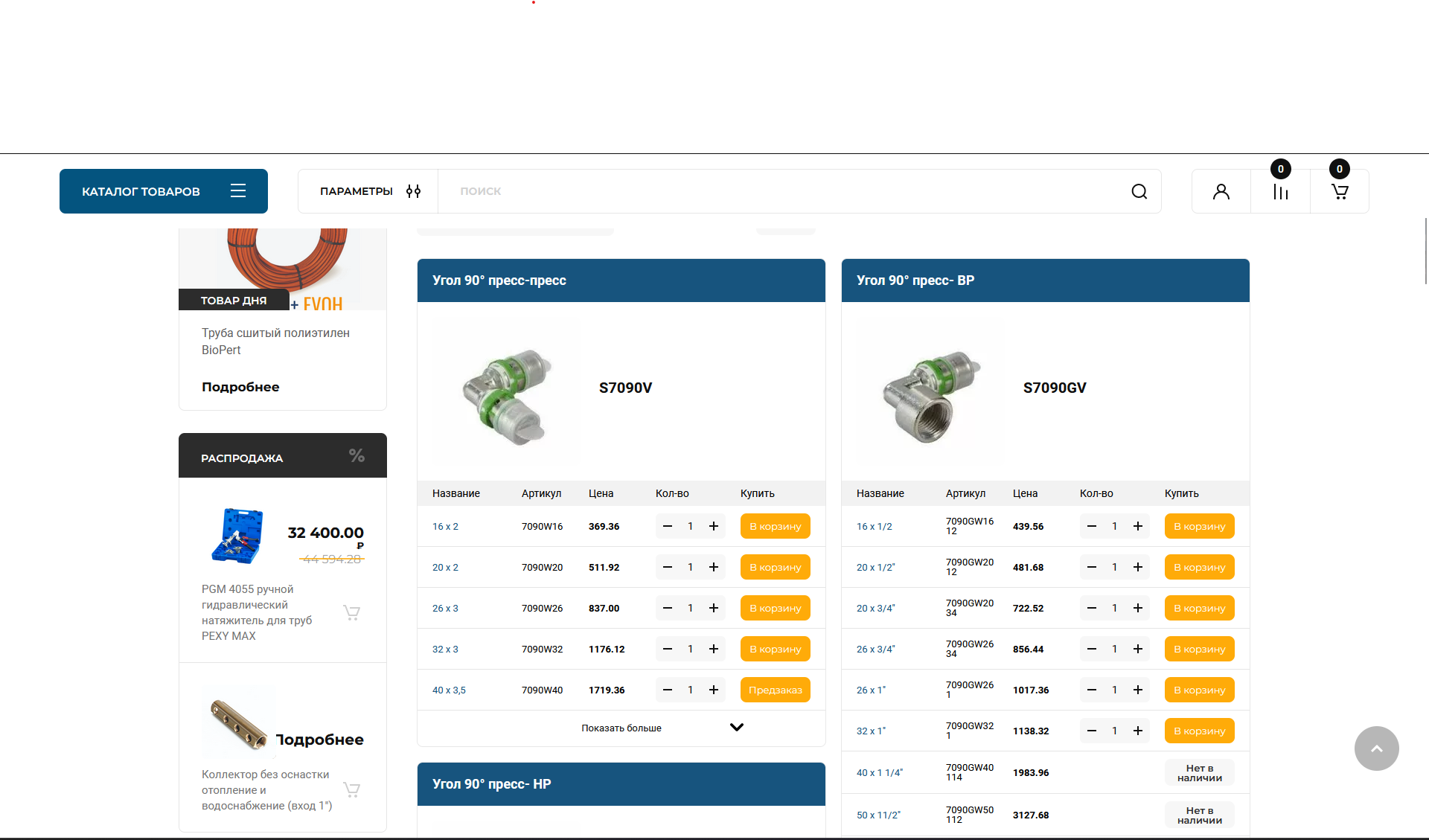
I want this table in the shop grid under every grouped product.
Im providing picture of the table provided in your theme on grouped products:
https://shop.majorico.com/wp-content/uploads/2023/10/Screenshot-2023-10-20-170251.png
https://shop.majorico.com/wp-content/uploads/2023/10/Screenshot-2023-10-20-170229.png
If i can manage to show this table on the shop grid, for sure it will give the same outcome as he desired. Showing the end goal:
https://shop.majorico.com/wp-content/uploads/2023/10/Screenshot-2.png
Well, when you asked me to check the error log i realized that there was an issue with the php limit and fixed the problem. I’m sorry for the inconvenience.
I’m providing addition admin information
hello, I’ve contacted my hosting provider and told them about the ftp connection failure. They’ve told me that they have fixed the problem can you try to connect as well. Also I have provided credentials for admin login to the website. Please check it out because i really don’t think i can handle this problem by myself.
Ok im sending you a video and ftp access as well admin access to the website.
Thank you very much for the fast response! <3
Best theme support!
The problem is that it is showing only when admin is logged in.
I cleared all the cache, even disabled the cache plugin for a while, cleared all the browser cache, tried to check the website from different device that hasn’t opened the website before but when u are not logged in as an administrator it is showing only the first picture as a slider 1 and slider 2 it is now changing to second picture. I can see the animation for changing from slider 1 to slider 2 but the picture is not changing.
Thank you for the answer!
I had to add additional code to functions so woocommerce can show first the products on sale and after that to select the option from Appearance > Customize > WooCommerce > Product Catalog > Default Product Sorting > choose Sales. For other users that want to have this option this is the function:
add_filter( 'woocommerce_get_catalog_ordering_args', 'wcs_get_catalog_ordering_args' );
function wcs_get_catalog_ordering_args( $args ) {
    $orderby_value = isset( $_GET['orderby'] ) ? woocommerce_clean( $_GET['orderby'] ) : apply_filters( 'woocommerce_default_catalog_orderby', get_option( 'woocommerce_default_catalog_orderby' ) );

    if ( 'on_sale' == $orderby_value ) {
        $args['orderby'] = 'meta_value_num';
        $args['order'] = 'DESC';
        $args['meta_key'] = '_sale_price';
    }
    return $args;
}

add_filter( 'woocommerce_default_catalog_orderby_options', 'wcs_catalog_orderby' );
add_filter( 'woocommerce_catalog_orderby', 'wcs_catalog_orderby' );
function wcs_catalog_orderby( $sortby ) {
    $sortby['on_sale'] = 'Sales';
    return $sortby;
}works perfectly thank you very much! 5 star support!
For example the category: https://estetiko.bg/product-category/kuhnya/kuhnenski-smesiteli/standartni-smesiteli/
The filter is filtering the products by attribute, and the attribute slug is proizhod
i’ve mistaken the website url it is https://staging1.estetiko.bg/wordpress/