Hello when I click on for example dress in green or red and size L and M. A dress in green should appear. only the selected attribute price appears but does not change

Hello when I click on for example dress in green or red and size L and M. A dress in green should appear. only the selected attribute price appears but does not change
Hello Rose, How are doing?
page urls: And only one page, the thank you page! I just wanted to replicate the carousel already created on the home page of the site on the thank you page !
Hello Rose, I did exactly as the explanation on the Elementor website left. save and import from Elementor library, it even worked but with the page layout in default, but in default it shows the header and footer on the page thanks where it doesn’t fit! if I change the layout of the page to template for page builders then the carousel does not work!
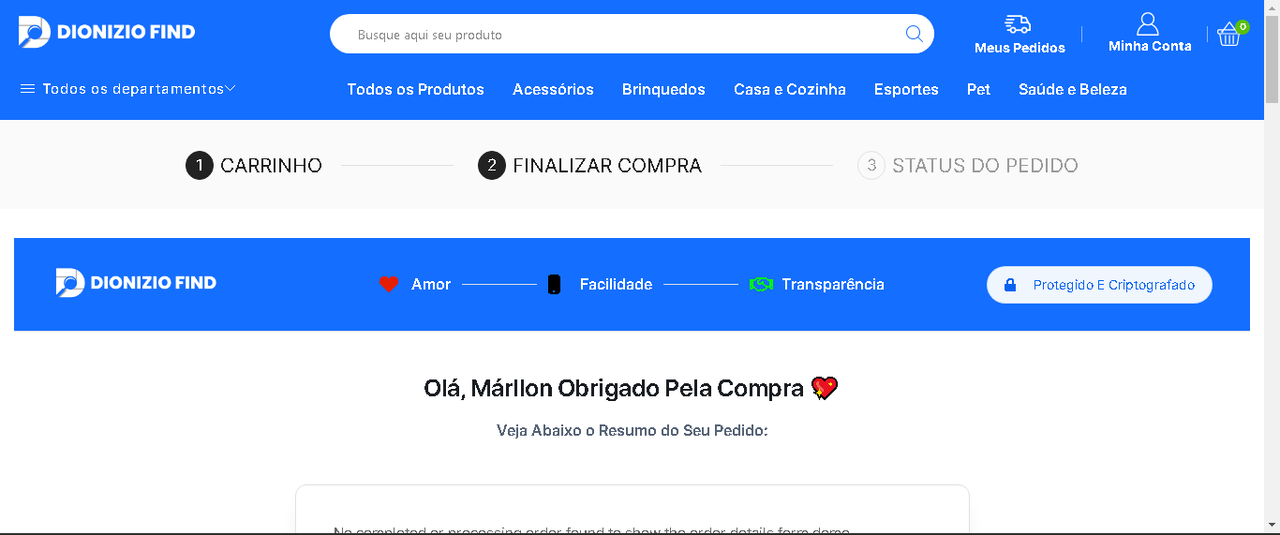
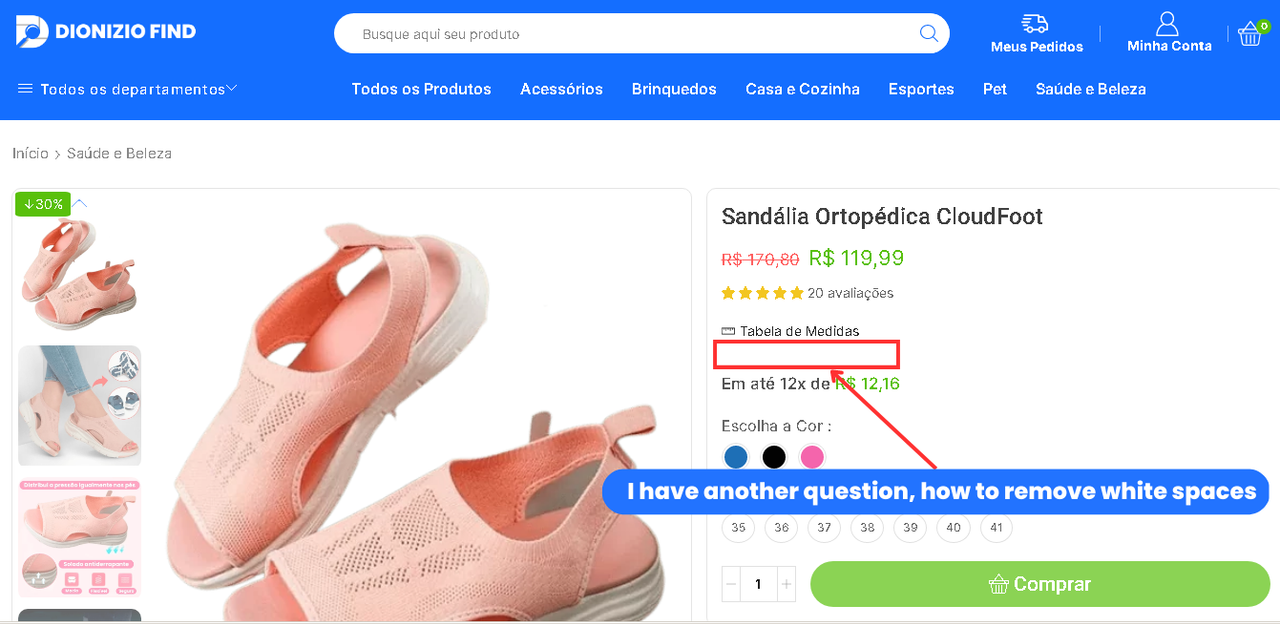
hello thank you. that worked I have another question, how to remove white spaces
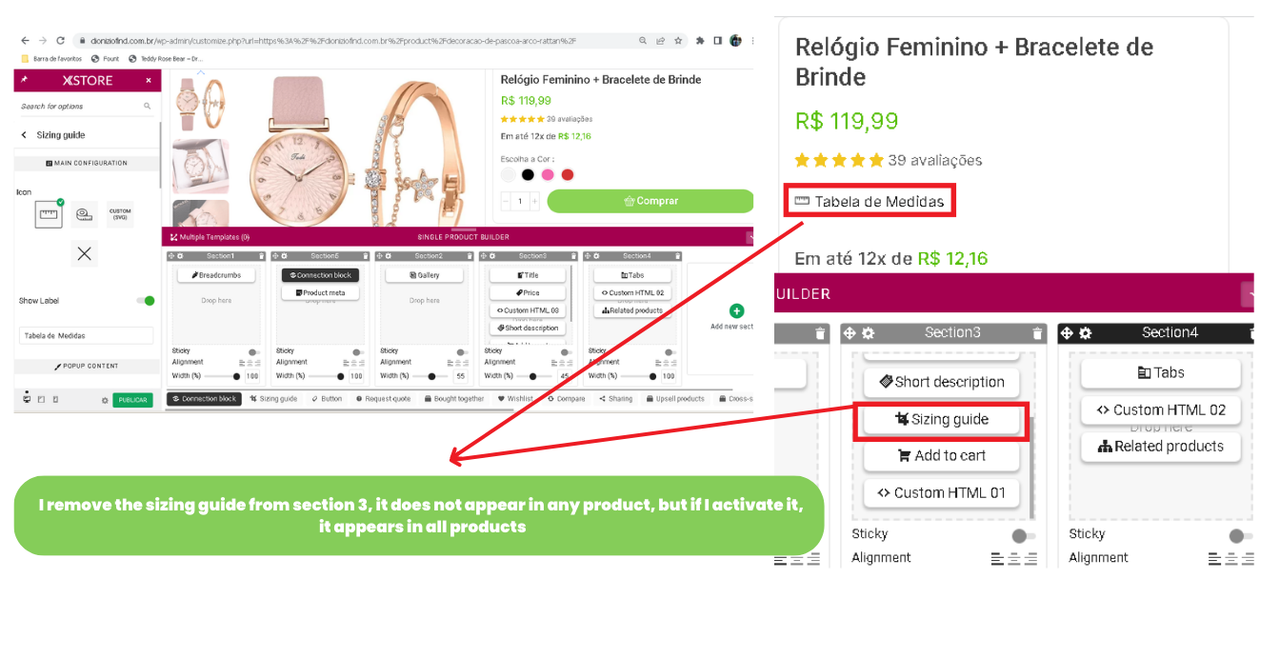
I remove the sizing guide from section 3, it does not appear in any product, but if I activate it, it appears in all products
i tried the second method, adding the poup and the image, but it didn’t work
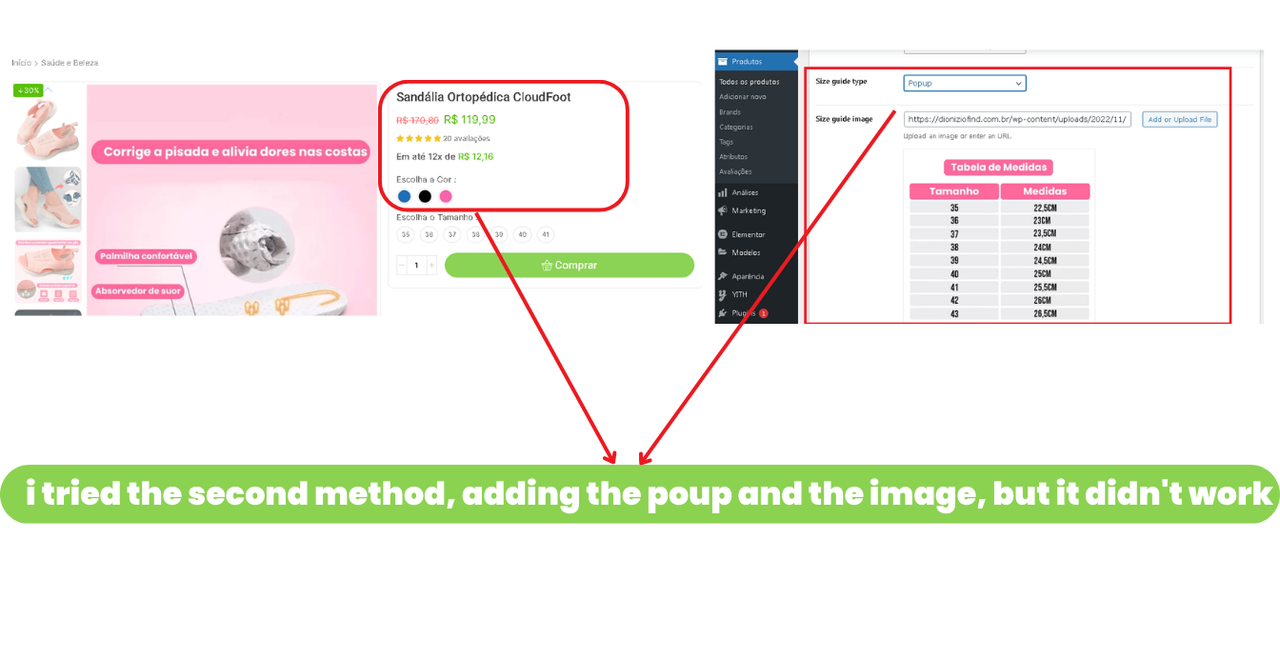
the problem is, it will now appear on all products on the site. It is possible to make it appear only in products that contain measures !
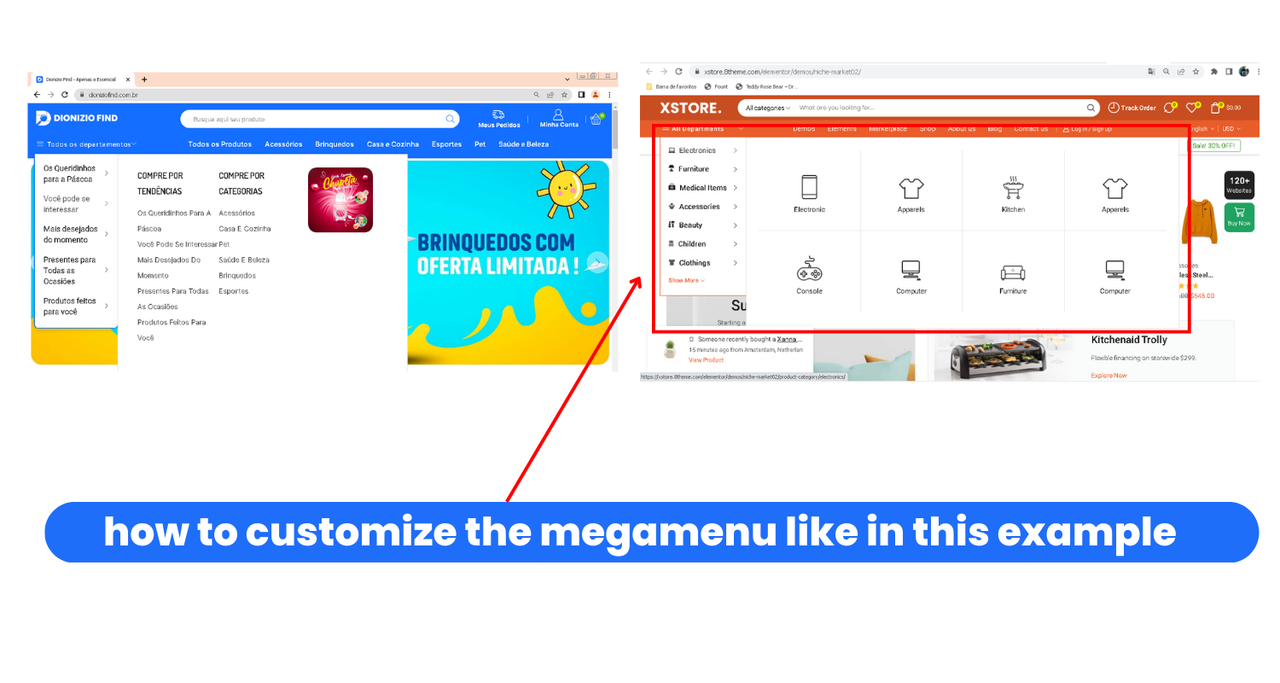
hello, how are doing ? I follow your step by step but I can’t customize the megamenu as in the example 🙁
hello. Thank you Very Much
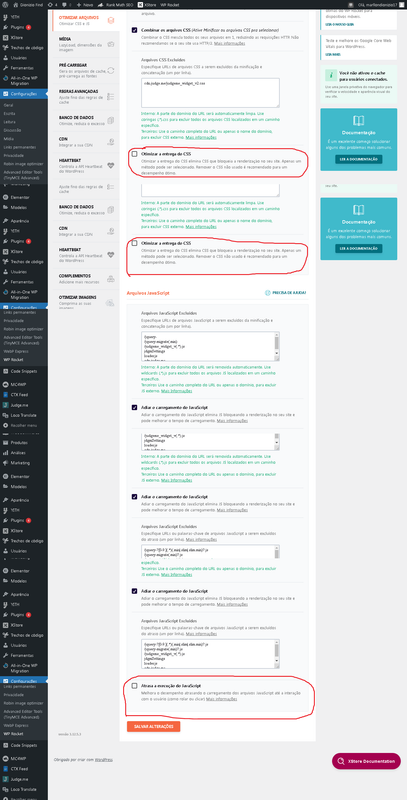
Sorry I use the wp rocket plugin and I can’t understand your explanation.
and second option, I did not find Performance > Page Cache > Advanced > Reject Cookies. I didn’t find this redirect
Hi there, I’m just having a problem right now. when I click on the bar and accept the gpdr cookies, when I enter another page the bar reappears again
I can prove it to you, when you enter the site, you go to inspect and enter the mobile. why 90% of traffic is mobile. you will see some banners with a different color than the store’s green, a bug over the names of the carrousel titles, the dark social network icons
hello, how are doing?
It is not active, because I deactivated it! because if I activate it, it shows the old site settings, breaks the discount price in percentage,
hello, how are doing ? the option to optimize css delivery breaks the site too
yes please, I needed you to activate these options in wp rocket. The problem is that if you check the site it breaks. but these options optimize the site from grade C to A in GtMetrix and page speed. my site is very slow, I’m losing a lot of traffic!
Thank You
thank you ver much 🙂
my site does not use any cdn! 🙁
Thank you very much Rose, good work and good rest. Thank you always for helping me
Okay, thank you. I’ve read it on the forums and everthing, but i can’t translate it. only those words didn’t work.
I got a good idea. I went to loco translate and changed the up to to what I wanted it worked out great thanks to God
Thank you for your help
in some products of the category the percentage is right. but in others this text “UP TO” appears before the percentage. I think in terms of the topic itself, something to go to the woocommerce phd as you mentioned above!
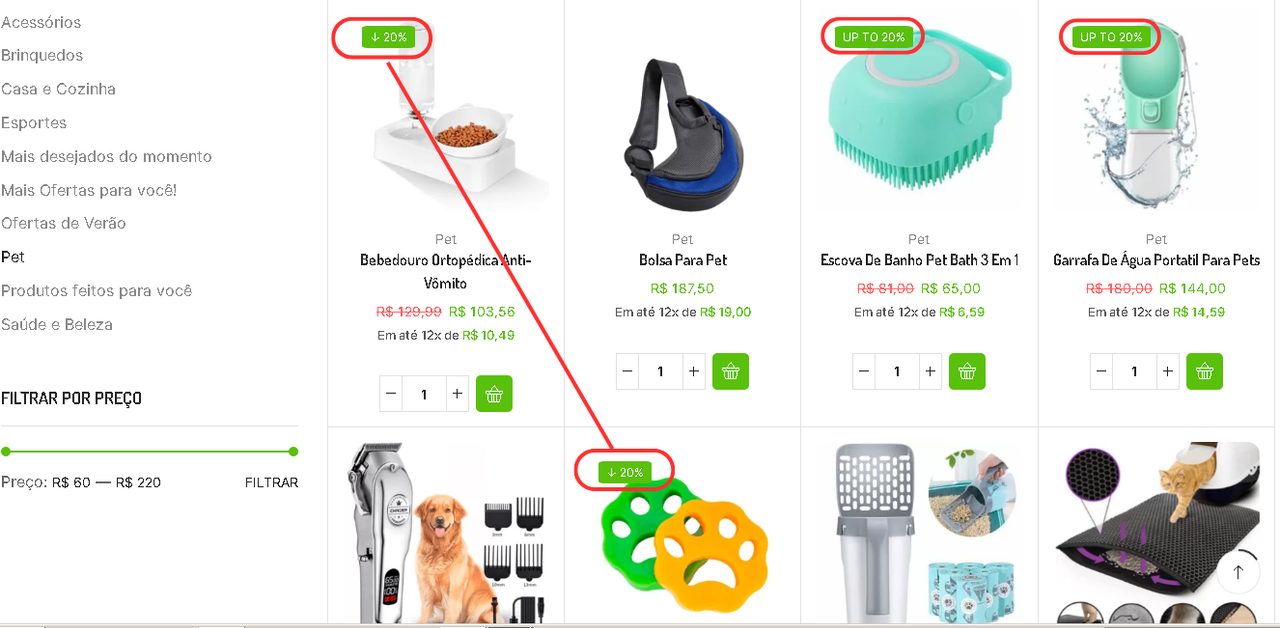
because in the categories it shows the right percentage. but in the carousel this text “UP TO” appears before the percentage
thank you very much, have a good job
thank you very much, have a good job
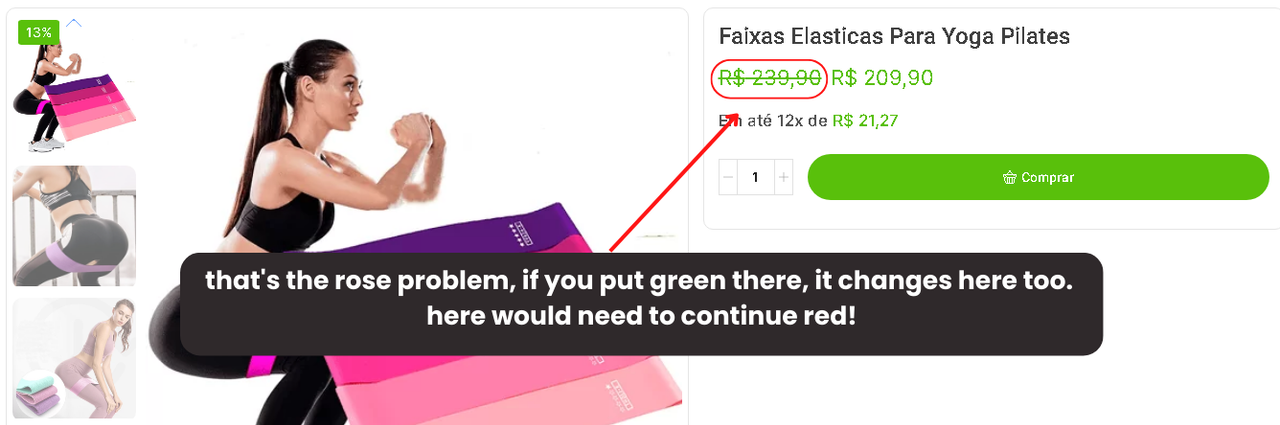
that’s the rose problem, if you put green there, it changes here too. here would need to continue red!
hello, how are doing ?
delete store and put the word categoria
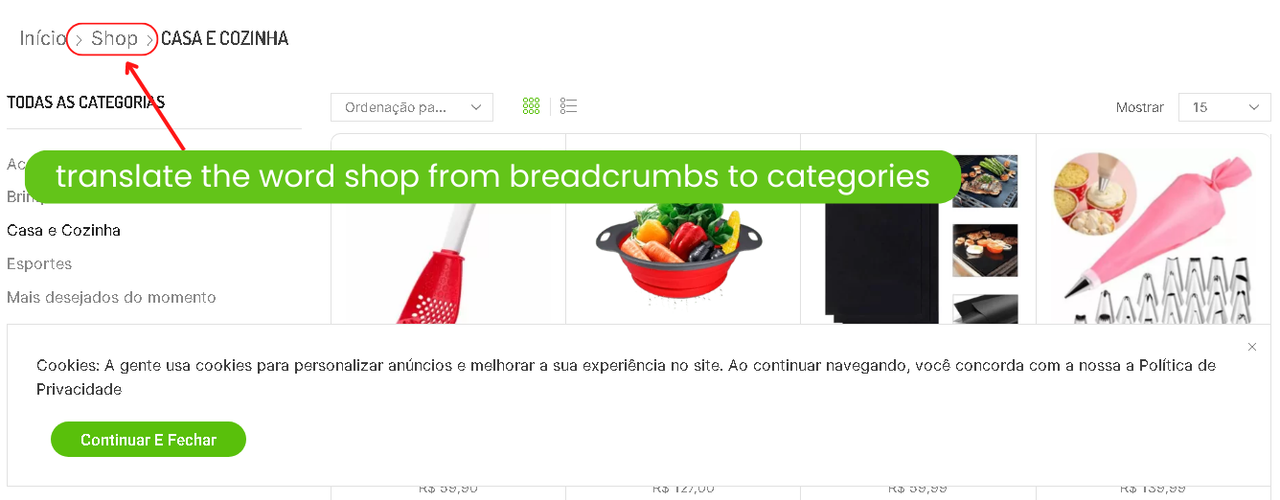
can you help me to fix and translate the word shop from breadcrumbs