Forum Replies Created

Viewing 9 posts - 1 through 9 (of 9 total)
  • Avatar: Brad
    Brad
    Participant

    Seems to be working fine today… maybe the last update fixed it

    Avatar: Brad
    Brad
    Participant

    Hello!

    Thanks for the help with that!

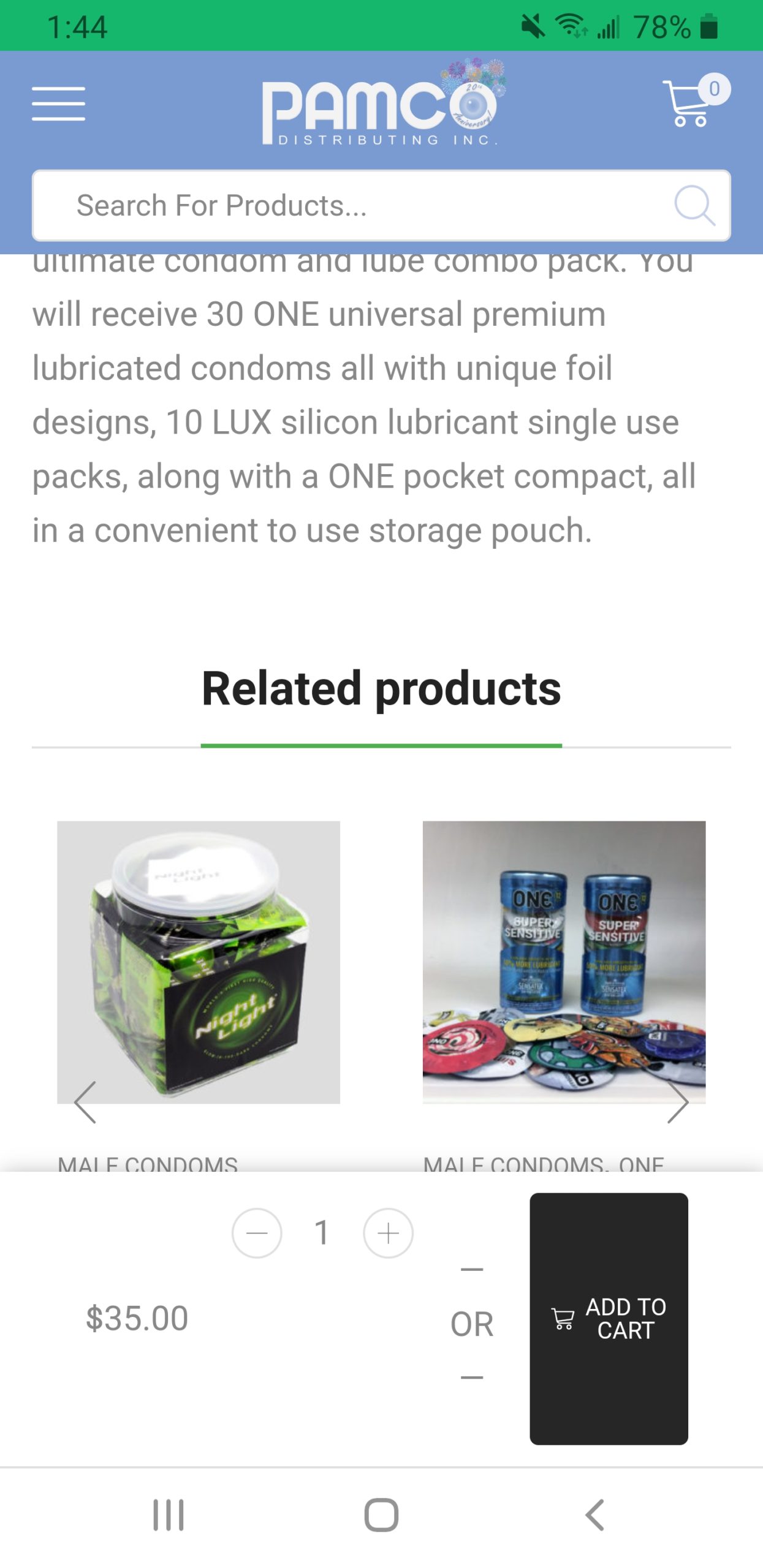
    Still need help fixing the products pages. Do you see what I mean by the sticky Add To Cart section that comes up when you scroll down any product page on mobile? Here is another screenshot Product Page Add to Cart Sticky Section
    Avatar: Brad
    Brad
    Participant

    Hello,

    Thanks for the help! the first 2 worked, as for the 3rd one, I get that on mobile on every product page. The first screenshot is when you scroll down on the product page and the add to cart section has a sticky scroll effect and appears at the bottom. In the second screenshot, this is just how all product pages look on my phone. The add to cart section always has that strange black line in it.

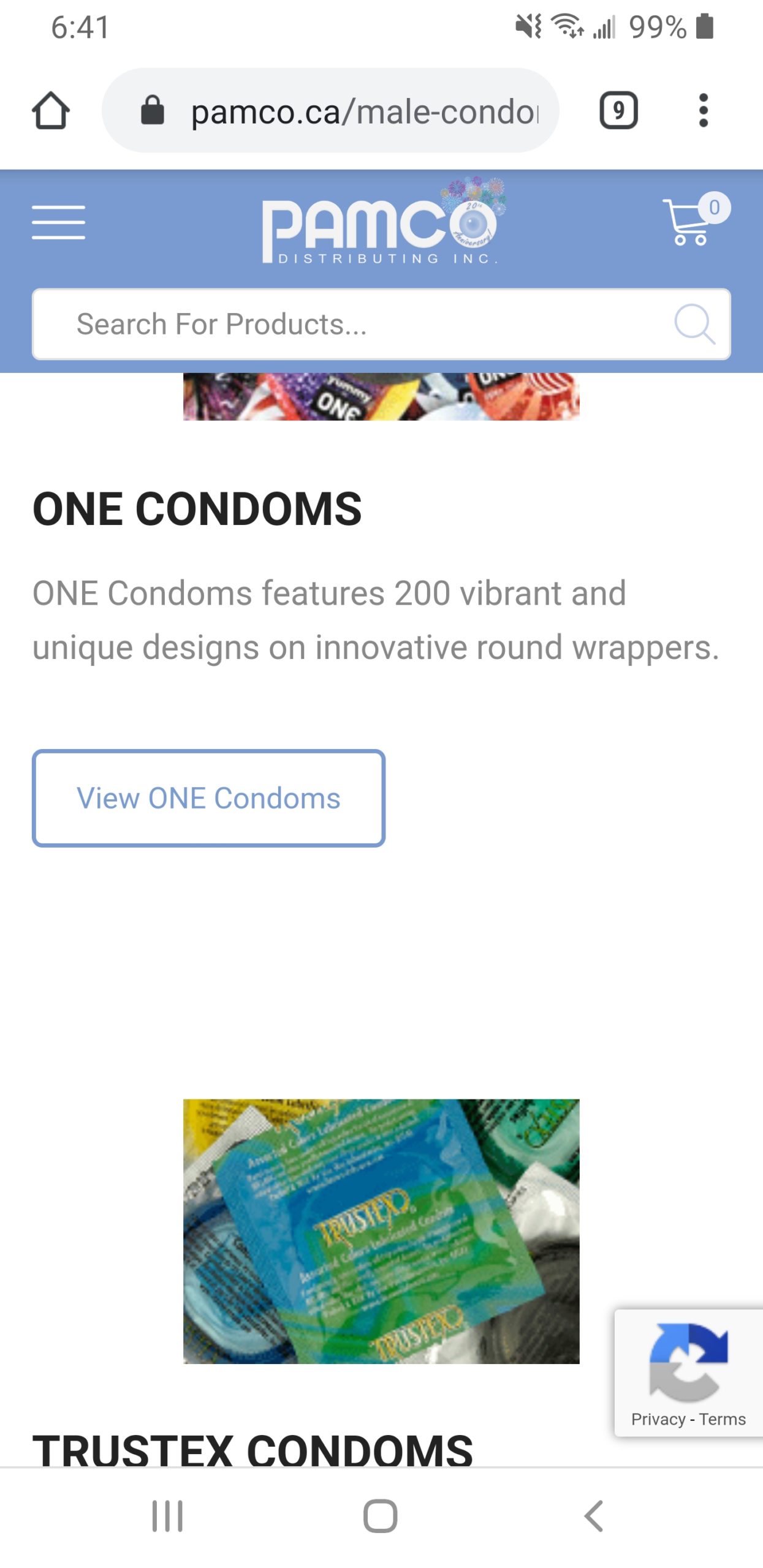
    I also found another formatting issue on mobile, on this page https://pamco.ca/male-condoms/ some of the elements have different alignments that look good on desktop but not on mobile. Is it possible to have everything center aligned on mobile? Please see the screenshot attached
    Element alignment on mobile

    Avatar: Brad
    Brad
    Participant

    This worked great, thanks!

    The other areas I’m having trouble with on mobile are:

    1) the very top header bar that has a carousel text area, but the text doesn’t fit on mobile

    2) there is a “banner with mask” element near the bottom of the page that says “Pamco Introduces The FC2″… but the image is now behind the text, making it hard to read, and the “VIEW PRODUCT” button’s margins are different and the text isn’t centered within the button.

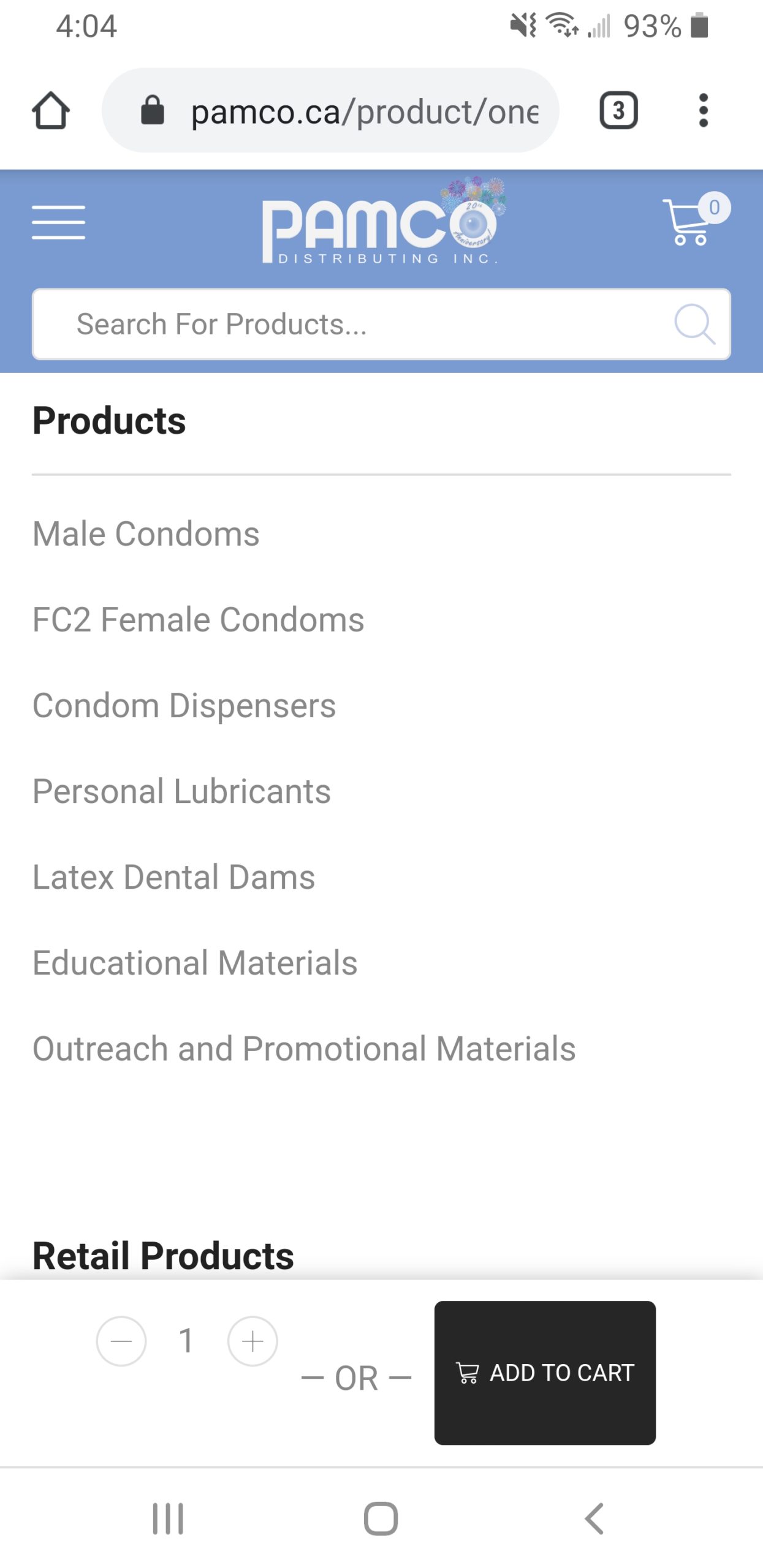
    3) the add to cart button on the product pages when you scroll below the product has some of it’s elements not centered properly. The part that says – 1 + – is not centered with the – OR – Add to Cart.
    Add to cart area at bottom of product page

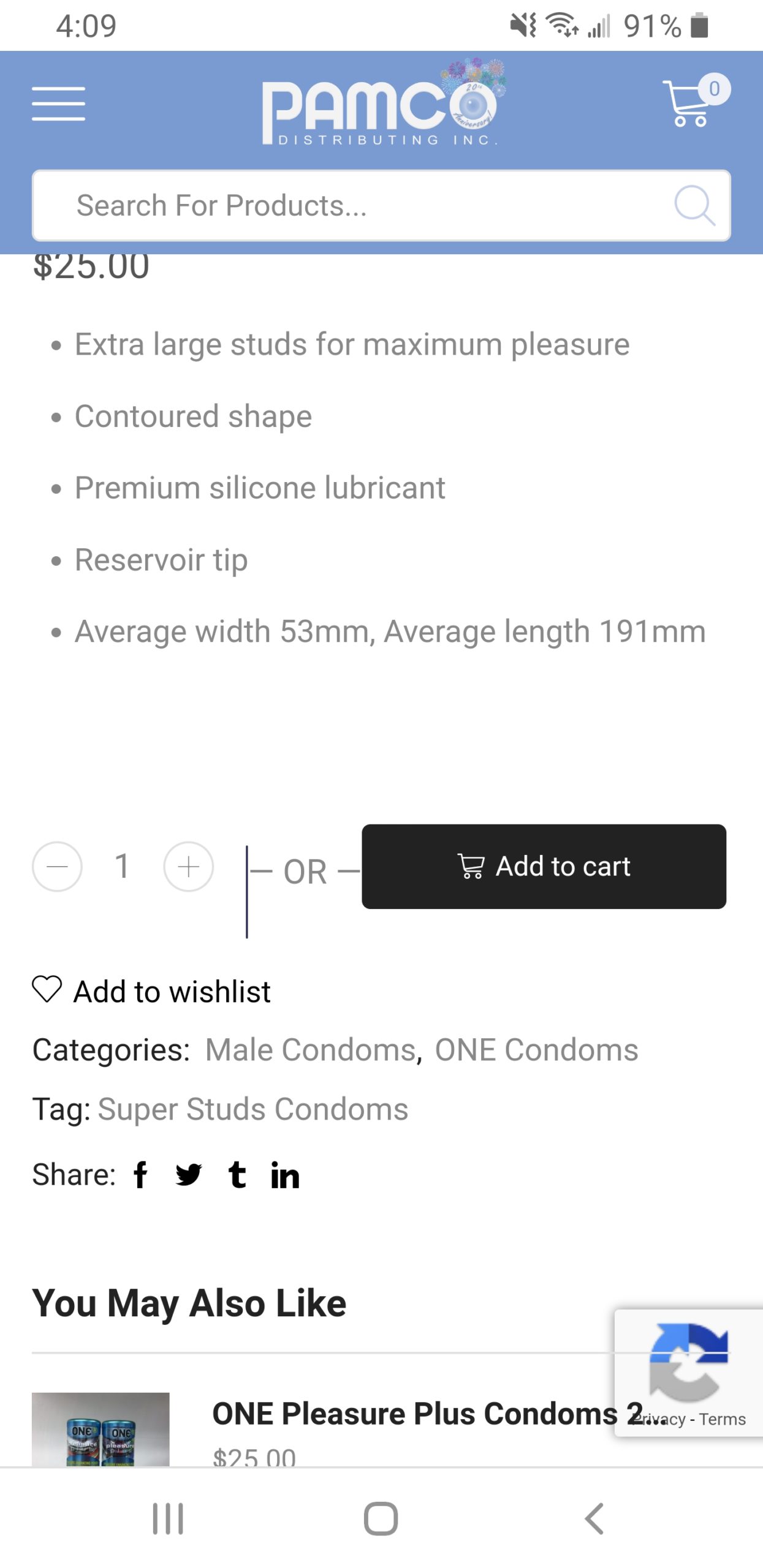
    This add to cart section also doesn’t look good at the top of the product page either. There is a strange black line in there.
    Add to cart area at top of product page

    Avatar: Brad
    Brad
    Participant

    Sorry I didn’t want to download the program, I will explain in private content area

    Please contact administrator
    for this information.
    Avatar: Brad
    Brad
    Participant

    Yes it only happens sometimes. But if the customers can’t see the products 33% of the time, that’s still an issue.

    Avatar: Brad
    Brad
    Participant

    That kind of worked.. except now the top half of the first sentence and the bottom half of the last sentence are cut off.

    Avatar: Brad
    Brad
    Participant

    Nevermind, I got it. Thank you!

    Avatar: Brad
    Brad
    Participant

    Yes, I have changed it there. But it doesn’t change on the live site. I’ve cleared my cache as well, and it still remains green.

Viewing 9 posts - 1 through 9 (of 9 total)

Free AI store scan · SalesMax

Is your store missing upsells?

Paste your store address. SalesMax AI shows which upsell moments are missing. No signup.

Free AI speed test · FlashMax

How fast is your website?

Paste your site address. FlashMax runs Google Lighthouse for phone and desktop, checks Core Web Vitals and lists what to fix. No signup.

We're using our own and third-party cookies to improve your experience and our website. Keep on browsing to accept our cookie policy.