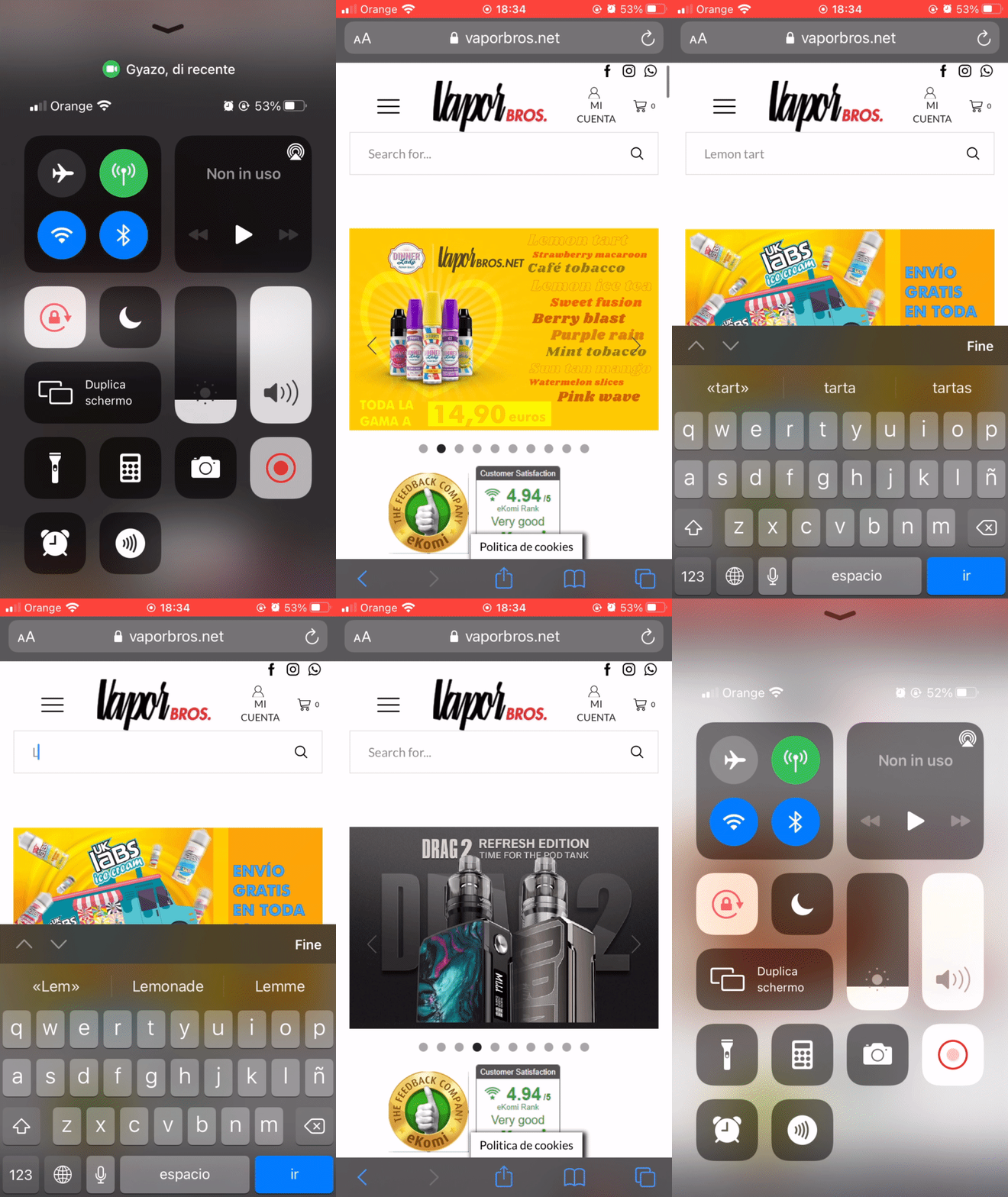
I can’t do it. No translation appears next to the word, when I select it nothing happens. Depends on what?
I attach screencaputre
https://gyazo.com/5bb6ed9287ede3dffa3eb3d33a3bb06f
Ok, perfect.
Thank you
I can’t do it. No translation appears next to the word, when I select it nothing happens. Depends on what?
I attach screencaputre
https://gyazo.com/5bb6ed9287ede3dffa3eb3d33a3bb06f
Private content area
Good morning,
I followed the instructions with Loco Translate but the problem remains:
https://gyazo.com/17acdb58bfeb5836a82c9f719c36a0a3
https://gyazo.com/24df38eaa375b6eab52eed9e8b8588d6
I’ve been waiting a while but the chain is waiting and won’t let me save the changes
How can I solve?
Thanks
Perfect,
Thank you!
Perfect,
the update done and the circle has disappeared on the mobile too. Thanks a lot, always available and super efficient!
Thanks
Regards
There aren’t any upgrade. The dashboard show me that the 7.4 it’s the last version.
I also went to the “theme” section and to the part of all the xstore features but I didn’t find any updates to do
https://gyazo.com/1fad741bb4af866a3f5a71d20ba20b31
Thanks
Ok on the browser it has disappeared. On the mobile with Safari it remained.
My question is: will all my customers who opened the site when there was the white circle will all have to clear their browser caches to not see it again?
Or will it soon update for everyone? Because some have written to me that they continue to see it and on the mobile the circle takes up almost the entire page and they can’t buy anything.
I’ve tried this before but nothing happens.
It stay there
Perfect,
thank you.
Regards
https://i.gyazo.com/a0455476970cf2debe480d7f33428752.gif
I send you problem log. The bar shows no preview and when I try to click the menu does not open
The problem is still present. I have tried with 4 phones and the menu keeps getting stuck and the search bar doesn’t give you the preview. All this only on Safari.
The problems remain.
Regards
Hello,
Now everything works correctly.
I thank you for your help and assistance.
Thanks
Regards
Hello,
I wrote what was requested in a private area.
Thanks
Regards
Hello,
the problem continues to exist.
My e-commerce is unusable, with damage to the image as well as economic.
Can you update me on the matter?
Hello,
I tried to play around with the menu. initially it seems fast but just a few clicks and it stops and no longer works properly.
Regards
Hello!
I cleaned the caches and saw that things got better. It is still a little slow. Only after you move it a little does it stop!
Hello,
it’s the same, nothing has changed.
the menu does not work
Regards
Hello,
I wrote what was requested in the private area.
Thanks
Regards
Hello,
this is the link with the screenshot of the problem:
https://gyazo.com/b86b97e408e4fddc1c969fa11249713b
In the video you can clearly see the locked menu, I’m trying to move the menu with my finger to no avail.
At this point I think it’s an iPhone display problem because I’m looking at the problem with different iPhones.
You are watching with the android and it works but the iphone view has problems.
How can we solve it?
I published the requested things in the private area. Can you see it?
Thanks
Yes, I have an iPhone and I can’t disable the Revolution Slider plug-in because I am using it and I need it.
I have disabled Revolution Slider only on the mobile phone but the problem continues.
I tried to do this but nothing changes.
The mobile menu does not work, does not scroll down with your finger, is slow and does not work properly.
Can you help me? Most of my users use their mobile phone to open the site and so this menu is useless.
Thanks
Regards
Hello,
I created the menu for the mobile but it is slow and freezes. It does not flow down. Here is the link of my site to show you the error.
https://vaporbros.net/#
Regards
Hello,
this menu is very nice. How do I create two windows as in your example link with “menu” and next “categories” on mobile menu?
Thanks
Regards
I can’t active Storefront theme because I’ve already applied the changes to the xstore theme and I don’t want to lose them!
The theme set my permalinks with date and name: https://vaporbros.net/2020/05/30/pagina-ejemplo/ but before it has a different settings. I’m afraid it’s not enough to change the permalink structure as it was before but that is a more complicated procedure (htaccess etc.).
What do you think i should do? Just change the permalink structure from the wordpress settings or do I have to perform a particular procedure?
Thank you

Free AI store scan · SalesMax
Paste your store address. SalesMax AI shows which upsell moments are missing. No signup.

Free AI speed test · FlashMax
Paste your site address. FlashMax runs Google Lighthouse for phone and desktop, checks Core Web Vitals and lists what to fix. No signup.
 Marseille 01Fashion
(live demo, opens in a new tab)
 Grocery MarketFood & drinks
(live demo, opens in a new tab)
 MedicalWPBakery
(live demo, opens in a new tab)
 Cosmetics StoreBeauty
(live demo, opens in a new tab)
 Online CoursesElementor
(live demo, opens in a new tab)
 Cocktails StoreFood & drinks
(live demo, opens in a new tab)
 Handmade artisansElementor
(live demo, opens in a new tab)
 Pet ShopPets
(live demo, opens in a new tab)
 Coffee StoreFood & drinks
(live demo, opens in a new tab)
 Baby ShopToys & games
(live demo, opens in a new tab)
 Business 02Elementor
(live demo, opens in a new tab)
 Phone ServiceElementor
(live demo, opens in a new tab)
 UnderwearFashion
(live demo, opens in a new tab)
 Handmade StoreBeauty
(live demo, opens in a new tab)
 CorporateBusiness
(live demo, opens in a new tab)
 SunglassesFashion
(live demo, opens in a new tab)