Mobile Version - by Libardo - on WordPress WooCommerce support

This topic has 104 replies, 5 voices, and was last updated 10 years, 4 months ago ago by Eva Kemp

  • Avatar: Libardo
    Libardo
    Participant
    May 15, 2015 at 23:48

    Good Day Eva,

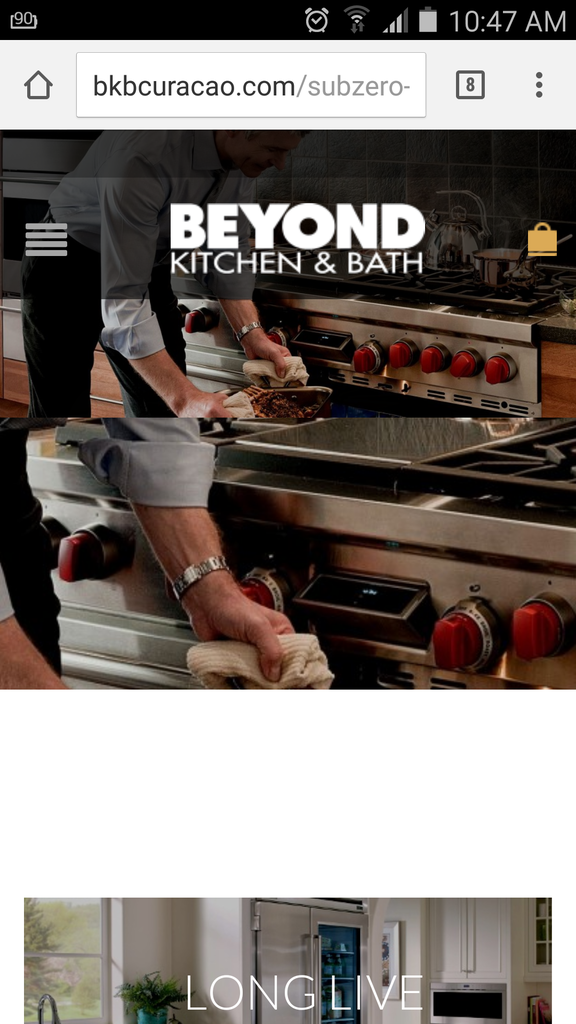
    I noticed on our website the image is not showing as the cone of 8theme website. On our website is showing like this:

    http://i1340.photobucket.com/albums/o728/LibardoBarreto/Screenshot_2015-05-15-18-36-25_zps6o91vhen.png

    And on the 8theme website is showing like this:

    http://i1340.photobucket.com/albums/o728/LibardoBarreto/Screenshot_2015-05-14-11-26-29_zpsjbt9iicy.png

    IS there a way to adapt mobile and tablet to show as the 8theme website? You can see at the 8theme website is adapt as the Mobile version or Tablet version.

    Let me know ..

    Avatar: Libardo
    Libardo
    Participant
    May 16, 2015 at 00:31

    Hi Eva,

    In my addition to my reply of #64261 I hereby would like to ask a few additional questions:

    ITEM A:

    IS there a way to change the text in the red color?

    http://i1340.photobucket.com/albums/o728/LibardoBarreto/Screenshot_2015-05-15-19-07-45_zpswiylyvag.png

    http://i1340.photobucket.com/albums/o728/LibardoBarreto/Screenshot_2015-05-15-19-08-16_zpssfhtpqxp.png

    ITEM B:

    IS there a way to have the lines colored in red below and above the text ( CREATE ACCOUNT ) for the Login / Register / My Account page?

    http://i1340.photobucket.com/albums/o728/LibardoBarreto/Screenshot_2015-05-15-19-08-16_zpssfhtpqxp.png

    Avatar: Eva
    Eva Kemp
    Participant
    May 16, 2015 at 10:25

    Hello,

    Please provide us with pages links you’d like to modify.

    Thank you.
    Regards,
    Eva Kemp.

    Avatar: Libardo
    Libardo
    Participant
    May 16, 2015 at 20:30

    Hi Eva,

    Before we jump to the next question can you check #64264?

    Avatar: Eva
    Eva Kemp
    Participant
    May 18, 2015 at 08:22

    Hello,

    1. The forms on “Sign In” page are related to Woocommerce and you can edit them in the file wp-content/themes/royal/woocommerce/myaccount/form-login.php.

    2. The Register page is created by our team and you can edit it in the file wp-content/themes/royal/et-registration.php .

    Regards,
    Eva Kemp.

    Avatar: Libardo
    Libardo
    Participant
    May 18, 2015 at 22:49

    Hi Eva,

    Before we jump to the next question can you check #64261?

    Avatar: Eva
    Eva Kemp
    Participant
    May 19, 2015 at 08:43

    Hello,

    Now I can’t access wp-admin panel. When I log in the page is redirected to My Account page.
    Please give me access to wp-admin panel.

    Thank you.
    Regards,
    Eva Kemp.

    Avatar: Libardo
    Libardo
    Participant
    May 19, 2015 at 13:16

    Hi Eva,

    Please try again.

    Avatar: Eva
    Eva Kemp
    Participant
    May 19, 2015 at 13:45

    Hello,

    Try to upload image for background with original dimensions 1800px × 1125px and then check it.

    Regards,
    Eva Kemp.

    Avatar: Libardo
    Libardo
    Participant
    May 19, 2015 at 15:55

    Hi Eva,

    Are you referring to make the image dimension of this one to 1800px × 1125px and then check again on the Mobile? Or something else?

    http://i1340.photobucket.com/albums/o728/LibardoBarreto/Screenshot_2015-05-15-18-36-25_zps6o91vhen.png

    Avatar: Libardo
    Libardo
    Participant
    May 19, 2015 at 16:04

    Isn’t there any other way for this? To adjust all the screen shots would be very much to do so. Unless you know something online that can have a quick turn around for all the images to be stretched keeping the same good quality?

    Avatar: Eva
    Eva Kemp
    Participant
    May 19, 2015 at 16:06

    Hello,

    Yes, create that image with dimensions 1800px × 1125px and re-add it for background in the row settings.

    Regards,
    Eva Kemp.

    Avatar: Libardo
    Libardo
    Participant
    June 8, 2015 at 16:15

    Good Day Eva,

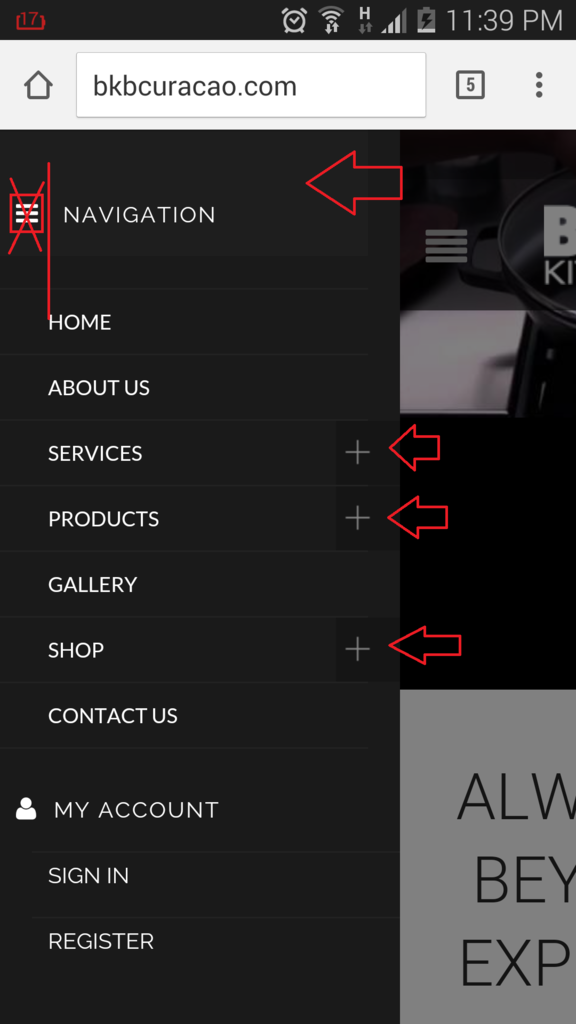
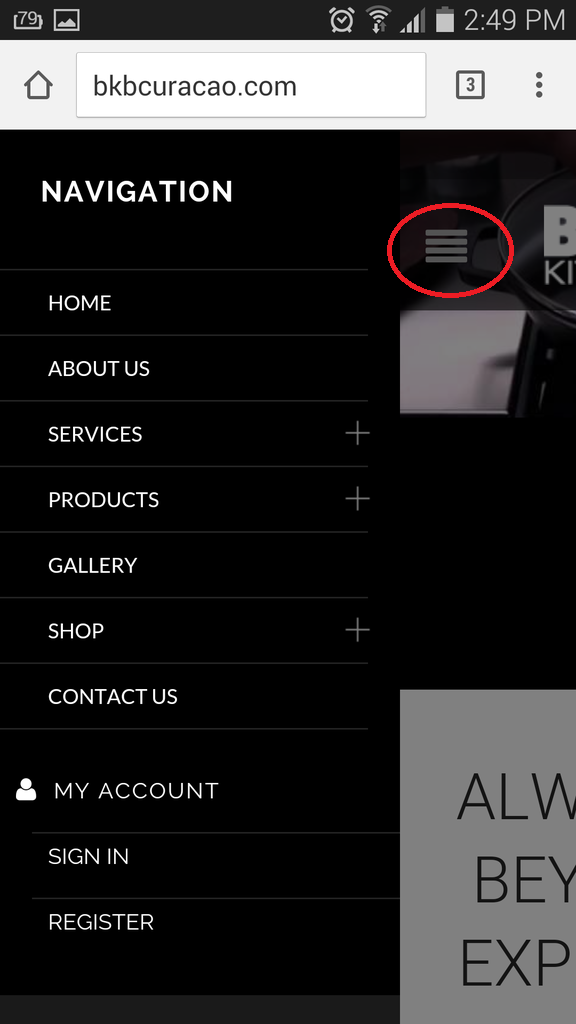
    Option 1.) At the moment our menu looks like this and we would like to know how to remove the 3 stripes menu and replace with a X sign. This because when click on the 3 stripes at the moment it does not have a function. On the other hand we would like to change the colors in the + sign field. Also We would like to make the Navigation text a bit more bigger and the Navigation field color something else..

    http://i1340.photobucket.com/albums/o728/LibardoBarreto/ASSD_zps92thgqy3.png

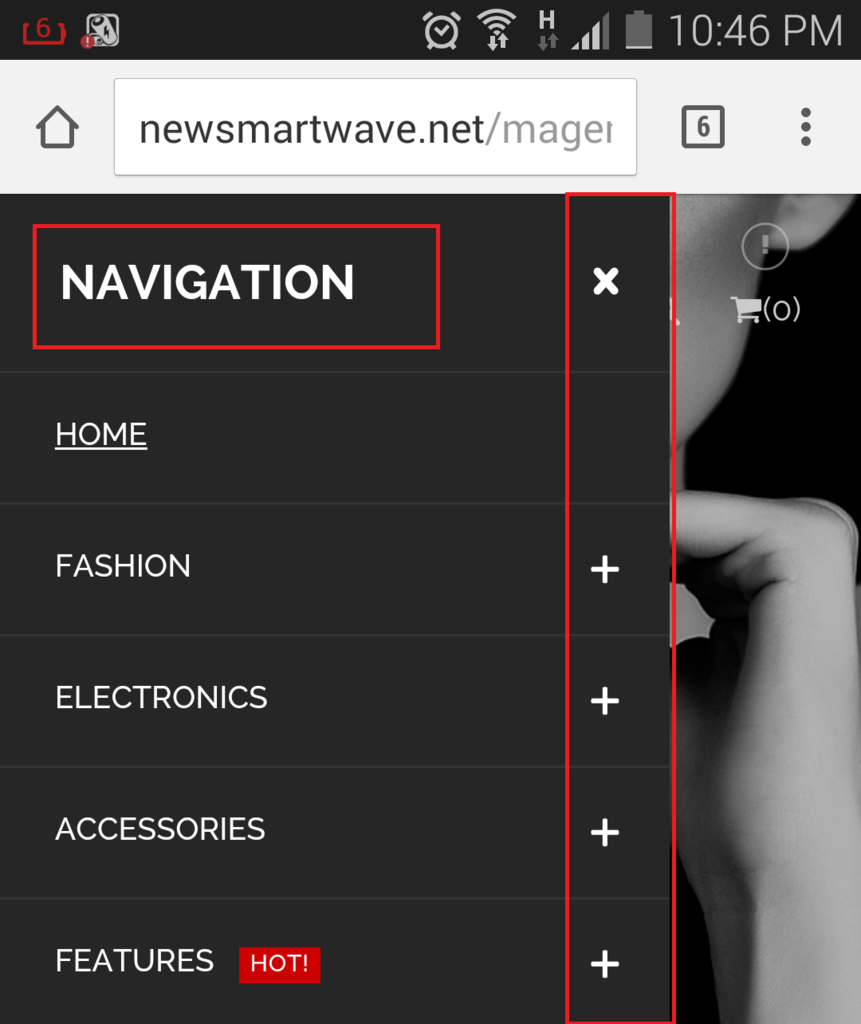
    We would like to make it similar as this one:

    http://i1340.photobucket.com/albums/o728/LibardoBarreto/XXZ_zpsqc9bpg0q.png

    Everything is one color and the Navigation text is bigger and the + sign field has the same color as the rest of the menu. Is there also a way to turn the menu the other side? Instead of open Left to open Right?

    Avatar: Eva
    Eva Kemp
    Participant
    June 8, 2015 at 18:12

    Hello,

    1. Please add this code in custom.css file:

    @media (max-width: 480px) {.fa-bars::before {
     display: none !important;
    }}
    .mobile-nav-heading.close-mobile-nav {
        font-size: 18px !important;
        background-color: grey !important;
        font-weight: bold !important;
    }

    To change color of “+” icons you need edit the file wp-content/themes/royal/images/small-plus.png as they are loaded from it.

    2. Unfortunately there is no such possibility to move mobile menu section to the right. Sorry.

    Regards,
    Eva Kemp.

    Avatar: Libardo
    Libardo
    Participant
    June 8, 2015 at 20:46

    Thanks Eva. I add the code but not able to change the colors of the black field which the + sign is in and also the grey/black field which the Navigation text is in. Can you provide another text?

    I’m using this code at the moment:

    @media (max-width: 480px) {.fa-bars::before {
    display: none !important;
    }}

    .mobile-nav-heading.close-mobile-nav {
    font-size: 18px !important;
    background-color: 151515 !important;
    font-weight: bold !important;

    http://i1340.photobucket.com/albums/o728/LibardoBarreto/ASSD_zps92thgqy3.png

    Avatar: Eva
    Eva Kemp
    Participant
    June 9, 2015 at 08:48

    Hello,

    Did you change wp-admin login details?
    We can’t log in to wp-admin panel.
    Please give us correct credentials.

    Thank you.
    Regards,
    Eva Kemp.

    Avatar: Libardo
    Libardo
    Participant
    June 9, 2015 at 13:50

    Please try again with the same login credentials.

    Avatar: Eva
    Eva Kemp
    Participant
    June 9, 2015 at 15:02

    Hello,

    Are you talking about the site http://bkbcuracao.com ?
    I’ve logged in but don’t see the code in custom.css file that I provided you with in the previous post.

    Regards,
    Eva Kemp.

    Avatar: Libardo
    Libardo
    Participant
    June 10, 2015 at 13:42

    Hi Eva,

    That is the correct URL. Indeed I have removed the code and you can now proceed.
    I would like to have the full menu the same color (Black) just like this one:

    http://i1340.photobucket.com/albums/o728/LibardoBarreto/Screenshot_2015-06-09-23-27-00_zpsr1dbwwii.png

    If possible the ” X ” sign next to the Navigation text would be appreciated.

    P.S Lets have this one fix for today.

    Thank you in advance.

    Avatar: Eva
    Eva Kemp
    Participant
    June 10, 2015 at 18:20

    Hello,

    I’ve added this code in custom.css file:

    @media (max-width: 480px) {.fa-bars::before {
     display: none !important;
    }}
    .mobile-nav-heading.close-mobile-nav {
        font-size: 18px !important;
        background-color: black !important;
        font-weight: bold !important;
    }
    .mobile-nav {
     background-color: black !important;
    }
    
    .mobile-nav li .open-child {
     background-color: black !important;
    }

    Please check mobile menu now.

    Concerning the “X” icon, it requires additional customization and as you can see it’s absent on our Royal demo site.

    Regards,
    Eva Kemp.

    Avatar: Libardo
    Libardo
    Participant
    June 10, 2015 at 20:05

    Hi Eva,

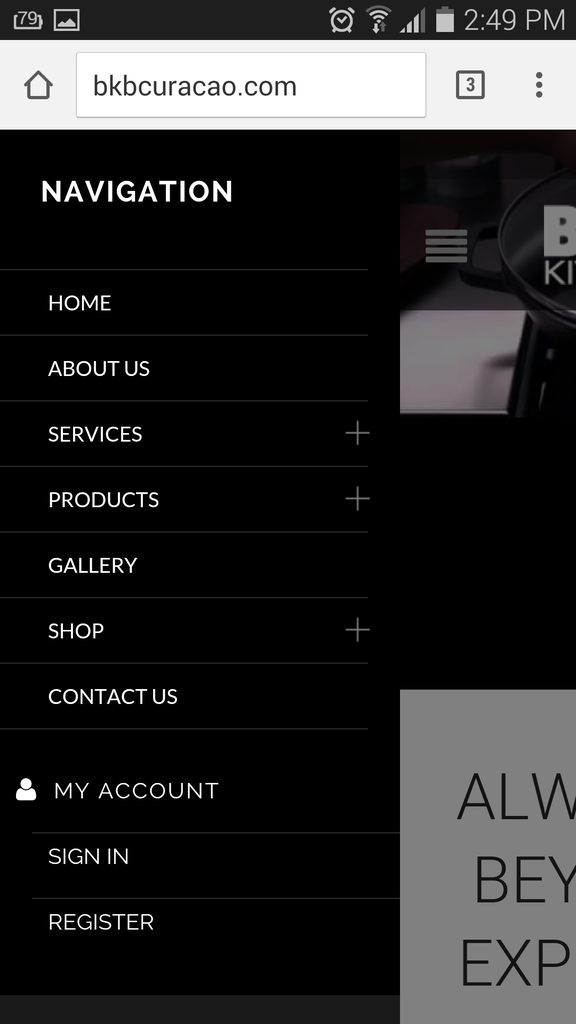
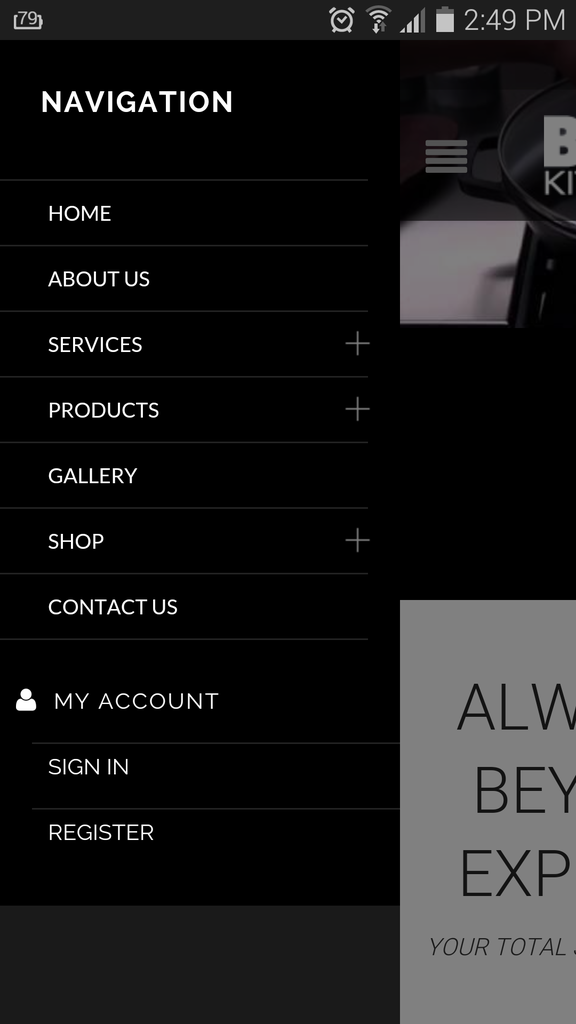
    The menu looks fine now with the black color all over. Now I have a different problem after applying the code. Below the menu there is a grey bar:

    http://i1340.photobucket.com/albums/o728/LibardoBarreto/Screenshot_2015-06-10-14-49-33_zpszpx7twjo.png

    http://i1340.photobucket.com/albums/o728/LibardoBarreto/Screenshot_2015-06-10-14-49-24_zpscrkbzhnt.png

    Also when exit the menu and scrolling I get this :

    http://i1340.photobucket.com/albums/o728/LibardoBarreto/Screenshot_2015-06-10-14-49-52_zpskfasjtmm.png

    Can you check this part?

    Avatar: Eva
    Eva Kemp
    Participant
    June 10, 2015 at 20:58

    Hello,

    Please add this code in custom.css file:

    .st-menu-open .mobile-menu-block > .mobile-menu-block.st-menu {
        background-color: black !important;
    }

    I closed the menu and didn’t see any issues on the site. Are you checking home page? Do you mean the content is cut when you close mobile menu?

    Regards,
    Eva Kemp.

    Avatar: Libardo
    Libardo
    Participant
    July 20, 2015 at 17:48

    Good Day,

    I have a problem when sliding the picture on my mobile the picture split and shows as follow:

    http://i1340.photobucket.com/albums/o728/LibardoBarreto/Screenshot_2015-07-19-10-47-17_zpszfudpjce.png

    Can you please correct this issue?

    Please, contact administrator
    for this information.
    Avatar: Jack Richardson
    Jack Richardson
    Support staff
    July 20, 2015 at 18:04

    Hello,

    I’ve checked your site and haven’t see any issues, see the screenshot
    http://storage4.static.itmages.com/i/15/0720/h_1437411827_8343896_aafc2eb2d2.png

    Please try to check it with other Internet provider.
    Best regards,
    Jack Richardson.

    Avatar: Libardo
    Libardo
    Participant
    July 20, 2015 at 19:12

    Good Day Jack,

    We never spoke before but nice to meet you. I have been testing the Royal Theme for some time already. The issue addressed above I am experiencing on different ISP providers and also on my and partner mobile. Both Samsung latest browser updatesand OS. So this is something you will have to look into it. Normally Eva would check this and fix right away. If you see all the history of this ticket it all relates to changes etc.. You may also check my other tickets which you can notice that Eva is the one who helps with these. Please check one more with Eva or internally for this issue. This is not something of mobile or browser or internet!

    Avatar: Eva
    Eva Kemp
    Participant
    July 21, 2015 at 08:41

    Hello,

    I checked your site and didn’t see any issues with the slider too. Please view the screenshot:
    http://storage4.static.itmages.com/i/15/0721/h_1437464136_8398205_2000553e11.png
    Could you please check it in another browser?
    Does it persist on all mobile devices?

    Regards,
    Eva Kemp.

    Avatar: Libardo
    Libardo
    Participant
    July 21, 2015 at 13:52

    Hi Eva,

    I checked this on IE and Google Chrome it shows the same. I’m using Samsung Galaxy S5 and Apple 4th Gener.. Safari browser. It shows on both that the problem is there ..

    Avatar: Libardo
    Libardo
    Participant
    July 21, 2015 at 19:40

    Good Day Eva,

    Which code do I need to use to change the icon in colored red below? Or which file to put a copy in our child theme folder and include which code?

    Please let me know..

    http://i1340.photobucket.com/albums/o728/LibardoBarreto/Screenshot_2015-06-10-14-49-33_zpsdhgpez2o.png

    Avatar: Eva
    Eva Kemp
    Participant
    July 22, 2015 at 10:40

    Hello,

    Please use this code in child style.css:

    .menu-icon::before {
       color: red !important;
    }

    Regards,
    Eva Kemp.

    Avatar: Libardo
    Libardo
    Participant
    July 22, 2015 at 11:26

    Thanks Eva. Is there a code also to let me change the icon to a different icon?

  • 1 2 3 4
    Viewing 90 results - 61 through 90 (of 104 total)

You must be logged in to reply to this topic.Log in/Sign up

We're using our own and third-party cookies to improve your experience and our website. Keep on browsing to accept our cookie policy.