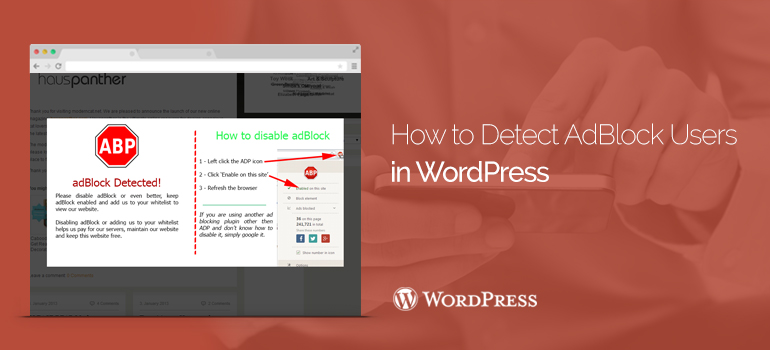

 You can either edit the shortcodes with the plugin the Sample Shortcode, or create your own shortcode. On the editing screen, you can see the Name field to the shortcode. Below are two text fields. The first will be output if Adblock was not detected in the user's browser. For testing, we recommend that you add something short in this field, for example: No Ad Blocker is detected. Then we will be able to place their advertisements here or leave it blank.
The next field is displayed in the event that the plugin has found that the user has installed the program ad blocking. Defaulted message indicates that the plug-in is successfully found AdBlock. You can change it by specifying your own message.
You can either edit the shortcodes with the plugin the Sample Shortcode, or create your own shortcode. On the editing screen, you can see the Name field to the shortcode. Below are two text fields. The first will be output if Adblock was not detected in the user's browser. For testing, we recommend that you add something short in this field, for example: No Ad Blocker is detected. Then we will be able to place their advertisements here or leave it blank.
The next field is displayed in the event that the plugin has found that the user has installed the program ad blocking. Defaulted message indicates that the plug-in is successfully found AdBlock. You can change it by specifying your own message.
 The plugin comes with the basic styling for both text fields. If this interferes with your styling theme, you can disable it in the section Content Auto-Styling. Just light the box next to -Disable.You will need to click the Save Shortcode, to save the settings. Now that you have created a shortcode, it's time to add it to the theme. The plugin comes with a built-in widget that you can easily add to the theme. Go to the widgets and simply drag it to the sidebar.
Done. Now you can view how many users with AdBlock visit your websites on WordPress themes. If you do not have AdBlock, then in that case you will see a message or advertisement, added in the «no AdBlock» to the shortcode.
The plugin comes with the basic styling for both text fields. If this interferes with your styling theme, you can disable it in the section Content Auto-Styling. Just light the box next to -Disable.You will need to click the Save Shortcode, to save the settings. Now that you have created a shortcode, it's time to add it to the theme. The plugin comes with a built-in widget that you can easily add to the theme. Go to the widgets and simply drag it to the sidebar.
Done. Now you can view how many users with AdBlock visit your websites on WordPress themes. If you do not have AdBlock, then in that case you will see a message or advertisement, added in the «no AdBlock» to the shortcode.