Forum Replies Created

Viewing 30 posts - 61 through 90 (of 303 total)
  • Avatar: Orna Ohayon
    Orna Ohayon
    Participant
    August 14, 2018 at 13:43

    Hello Olga,

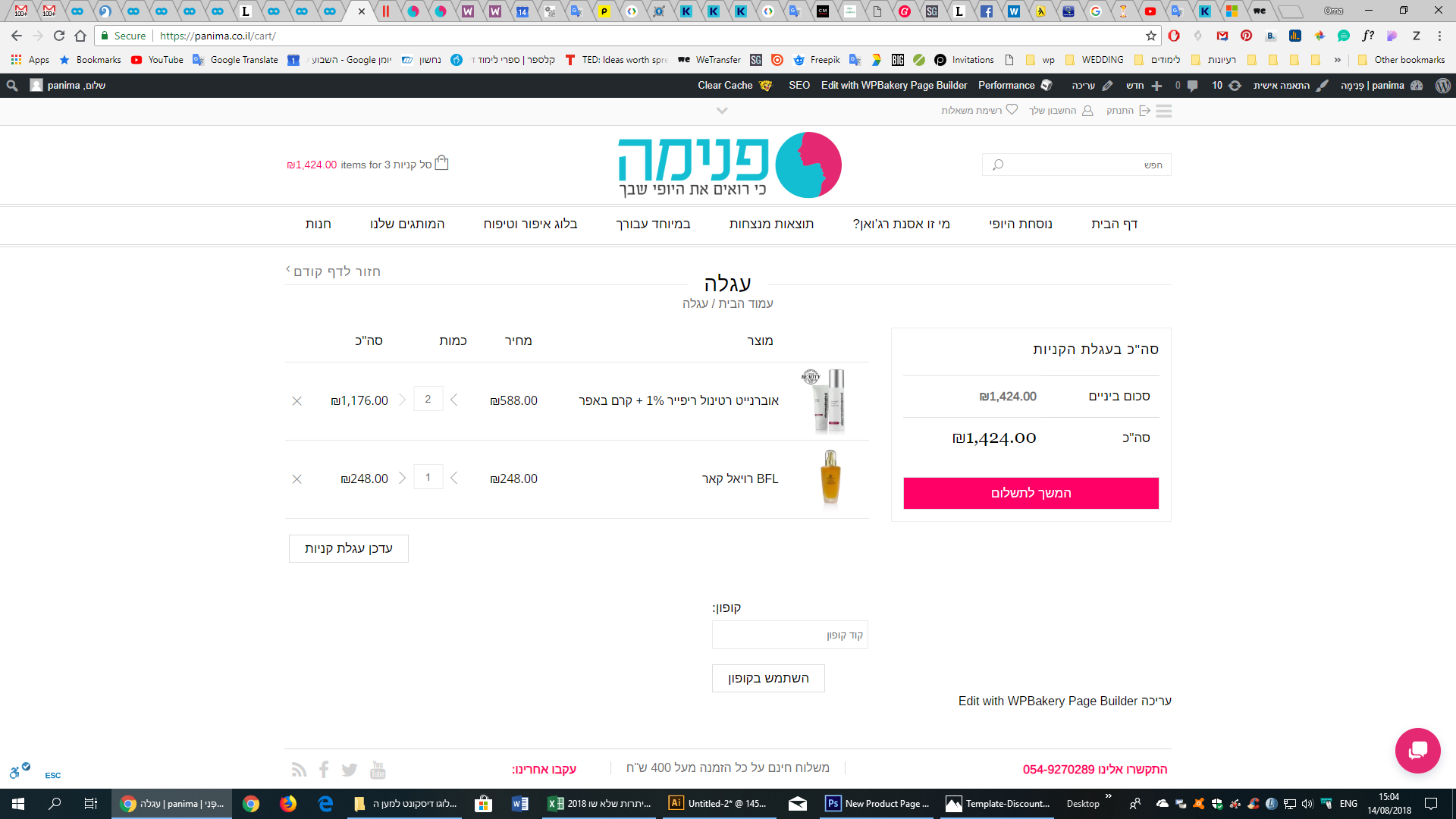
    1. shopping cart – add quantity in the product :
    the arrow need to be make mirror look
    https://snag.gy/WfCA7M.jpg

    2. see on Privet

    3. I change same text and most of them changed, but the word Cart and Update shopping cart didn’t changed: https://snag.gy/GV031W.jpg
    https://snag.gy/EM2Pzw.jpg
    https://snag.gy/ri1owz.jpg

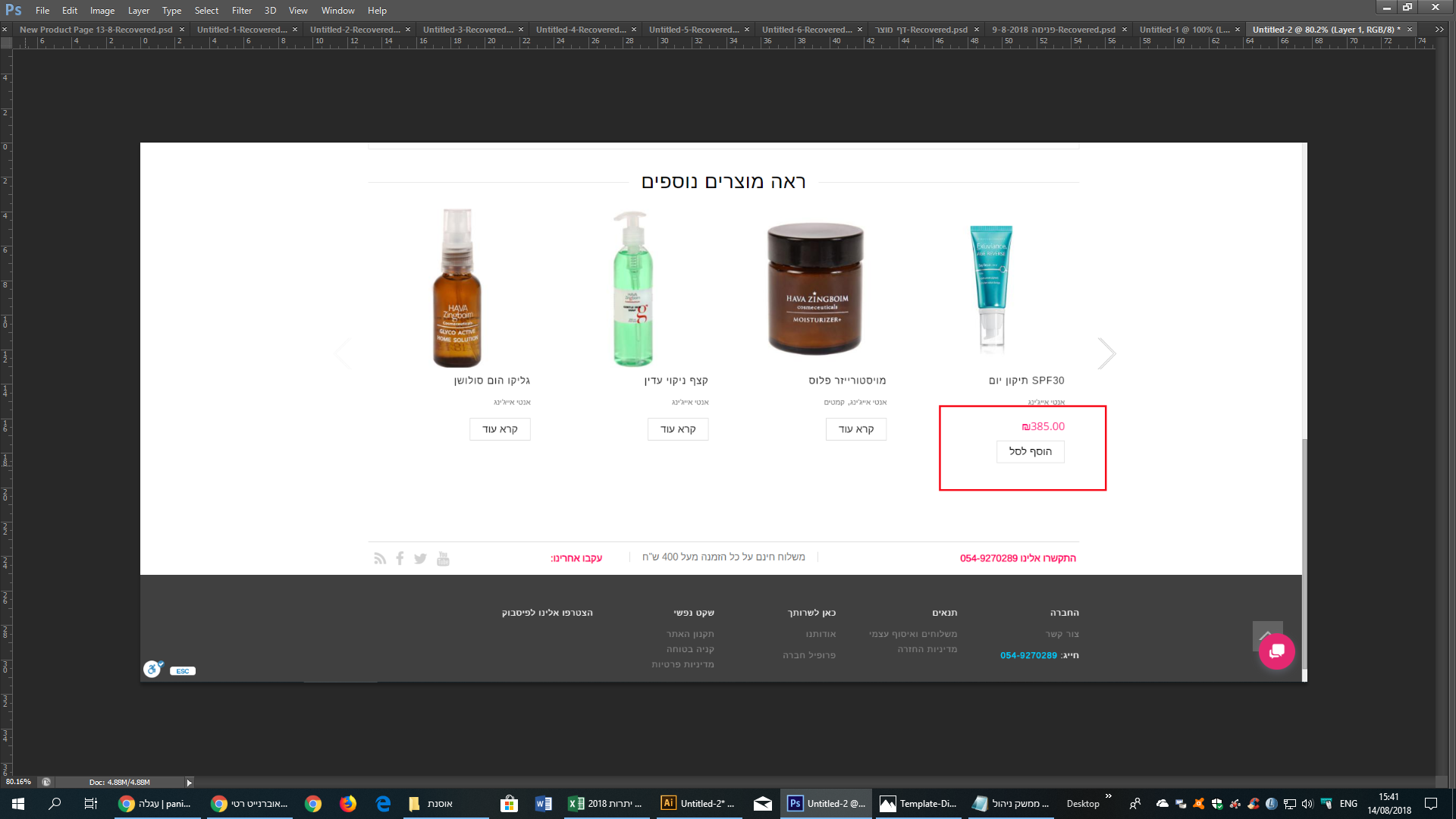
    4. on the See more products
    The buttons add to cart
    need to be the same color #ff0066
    https://snag.gy/5EHRTA.jpg

    Best Regards
    Orna

    Please, contact administrator
    for this information.
    Avatar: Orna Ohayon
    Orna Ohayon
    Participant
    August 13, 2018 at 20:26

    1) Where to put the following code?

    2) My FTP access-send in Privet

    3) Where do I change the caption
    From: Shopping Cart to My Shopping Basket
    From: Update Shopping Cart to Update My Shopping Basket
    https://panima.co.il/cart/

    4) All the buttons of : Add to Basket (הוספה לסל הקניות),
    include on the See more products
    need to be the same color #ff0066

    Best Regards
    Orna

    Please, contact administrator
    for this information.
    Avatar: Orna Ohayon
    Orna Ohayon
    Participant
    July 31, 2018 at 09:51

    Hello Rose,
    They need to be exactly the same?
    If not, How can I understand what to change?

    Regards
    Orna

    Avatar: Orna Ohayon
    Orna Ohayon
    Participant
    July 30, 2018 at 23:03

    Hello,

    Sorry Rose,
    I don’t understand which file I need to compere?

    Best Regards
    Orna

    Avatar: Orna Ohayon
    Orna Ohayon
    Participant
    July 26, 2018 at 09:56

    Thank you very mach!

    Avatar: Orna Ohayon
    Orna Ohayon
    Participant
    July 26, 2018 at 09:19

    Thank you very much!

    Avatar: Orna Ohayon
    Orna Ohayon
    Participant
    July 26, 2018 at 08:26

    Many Thanks.

    Avatar: Orna Ohayon
    Orna Ohayon
    Participant
    July 26, 2018 at 08:08

    Hello,

    But before I make the sync to Loco>Plugins WooCommerce woocommerce-he_IL.po
    There was noting translated there…

    Regards

    Avatar: Orna Ohayon
    Orna Ohayon
    Participant
    July 25, 2018 at 13:09

    Hello,

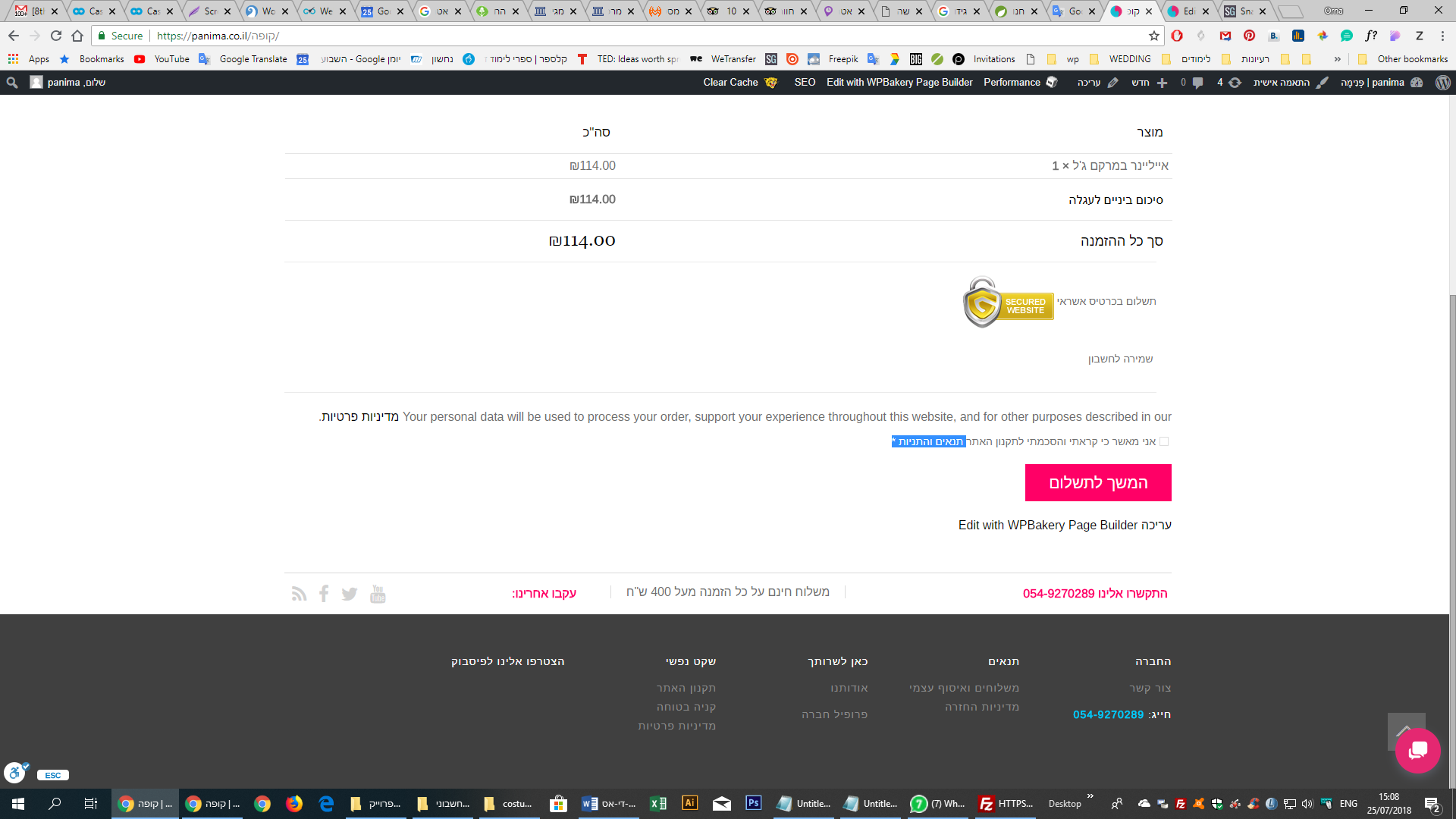
    The Blue in screenshot

    A. Where do I change the link and text : ” תנאים והתניות” – https://snag.gy/qfdPGW.jpg
    to: “תקנון האתר”
    in link: https://panima.co.il/regulations/

    B. Where do I change “Your personal data will be used to process your order, support your experience throughout this website, and for other purposes described in our” to Hebrew?
    https://snag.gy/qcsEfY.jpg

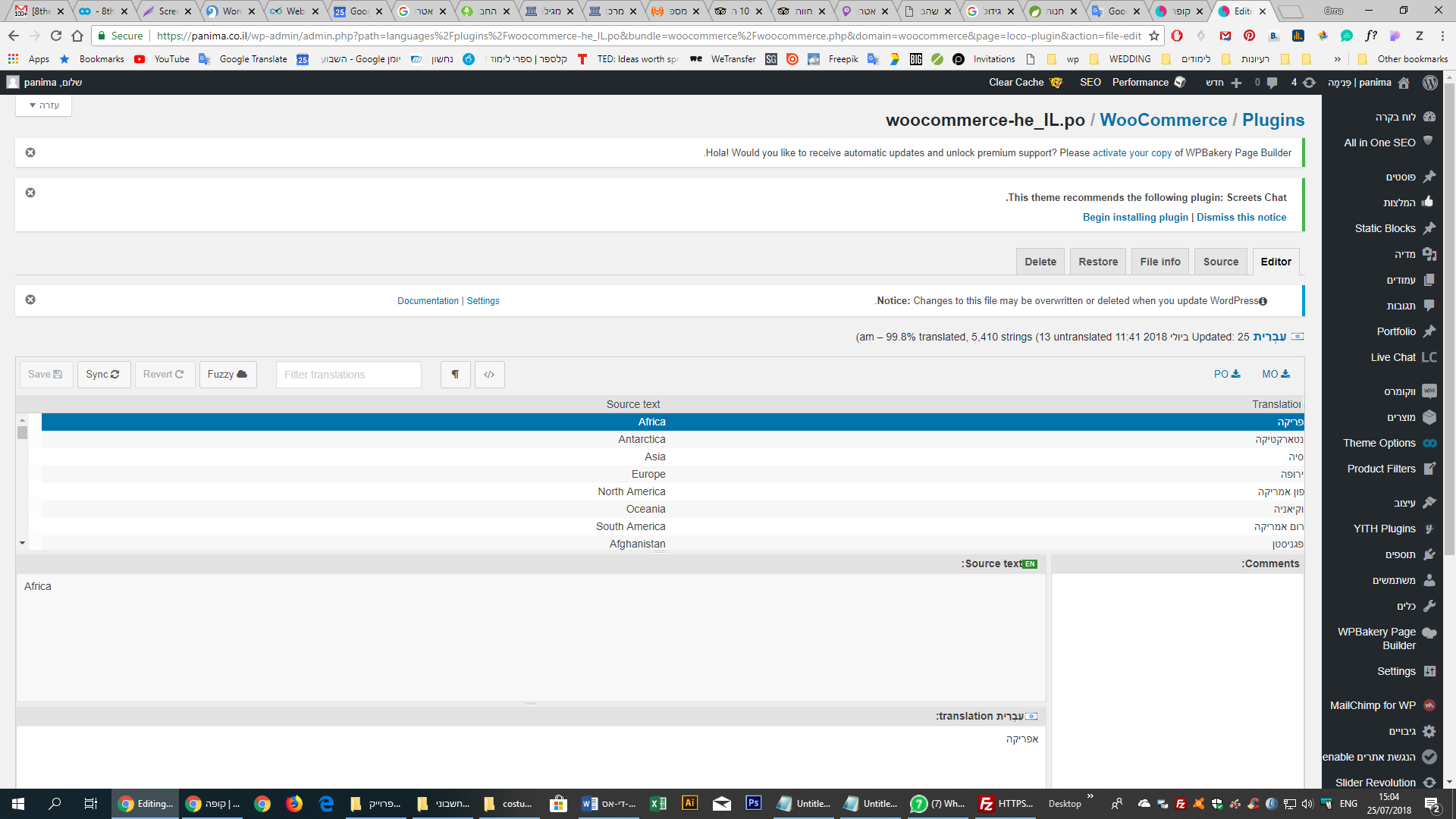
    C. Why after I make sync to Loco>Plugins WooCommerce woocommerce-he_IL.po
    https://snag.gy/m9n2yX.jpg
    I can’t make save to his translation?

    Best Regards
    Orna

    Avatar: Orna Ohayon
    Orna Ohayon
    Participant
    July 25, 2018 at 12:48

    Hello,

    Thanks,

    A. Where do I change the link and text : ” תנאים והתניות”
    to: “תקנון האתר”
    in link: https://panima.co.il/regulations/

    B. Where do I change “Your personal data will be used to process your order, support your experience throughout this website, and for other purposes described in our” to Hebrew?

    C. Why after I make sync to Loco>Plugins WooCommerce woocommerce-he_IL.po
    https://snag.gy/m9n2yX.jpg
    I can’t make save to his translation?

    Best Regards
    Orna

    Avatar: Orna Ohayon
    Orna Ohayon
    Participant
    July 25, 2018 at 12:39

    Magnificent. Thank you!!!

    Avatar: Orna Ohayon
    Orna Ohayon
    Participant
    July 24, 2018 at 21:53

    Hello,

    Unfortunately I see that this issue came back even I didn’t touch the plugin that you put.
    https://snag.gy/x0y13S.jpg

    Please your kind Help,
    Orna

    Avatar: Orna Ohayon
    Orna Ohayon
    Participant
    July 24, 2018 at 19:24

    Hello,

    I have the same situation with chosen post: https://snag.gy/X4PEYo.jpg

    also on the Blog images: https://panima.co.il/blog/

    Is there a why to put cod for all the linked images?

    Best Regards
    Orna

    Avatar: Orna Ohayon
    Orna Ohayon
    Participant
    July 23, 2018 at 15:00

    Hello,

    you mean for the client?

    Regards

    Avatar: Orna Ohayon
    Orna Ohayon
    Participant
    July 23, 2018 at 14:12

    Thanks Rose,

    I need to translate all the text there?
    I see that the most of the text belong to the system…

    Regards

    Avatar: Orna Ohayon
    Orna Ohayon
    Participant
    July 23, 2018 at 13:32

    Great,

    But where did you get to make the translation?

    are you working on the dashboard?
    Where exactly?

    Regards

    Avatar: Orna Ohayon
    Orna Ohayon
    Participant
    July 22, 2018 at 14:25

    Hello,

    Does the W3 Total cache need to solve the rate of
    Combine external JavaScript
    Combine external CSS

    If it’s not work with the Responsive
    Can you advice for something else?

    Does the W3 Total cache helping only for SEO?

    Best Regards
    Orna

    Avatar: Orna Ohayon
    Orna Ohayon
    Participant
    July 22, 2018 at 13:38

    Hello,

    I don’t have legenda-en_Us.po
    I have only https://snag.gy/xi21uw.jpg
    https://snag.gy/3L7KHo.jpg

    I have to say that I already use po edit to translation
    but I didn’t fined the “BILLING REQUIRED” FILD

    What to do?

    Best Regards
    Orna

    Avatar: Orna Ohayon
    Orna Ohayon
    Participant
    July 19, 2018 at 20:32

    Hello,

    I think it changed again after you delete the cache plugin

    It’s o.k. now as you say (:
    Many thanks

    Avatar: Orna Ohayon
    Orna Ohayon
    Participant
    July 19, 2018 at 14:55

    Hello olga,

    I didn’t add yet any plugin in thous 3 days
    however yesterday you have installed cache plugin
    https://www.8theme.com/topic/combine-external-css/

    Please your help!

    Avatar: Orna Ohayon
    Orna Ohayon
    Participant
    July 19, 2018 at 14:48

    Hello,

    Did you get out the plugin?
    the risolts changed back to F
    14 Combine external CSS

    Regards

    Avatar: Orna Ohayon
    Orna Ohayon
    Participant
    July 19, 2018 at 14:46

    Hello Olga,

    I did it but the rank sow me now
    72 Remove query strings from static resources

    https://snag.gy/MVbpxe.jpg

    Avatar: Orna Ohayon
    Orna Ohayon
    Participant
    July 19, 2018 at 14:16

    Thanks allot.

    Avatar: Orna Ohayon
    Orna Ohayon
    Participant
    July 19, 2018 at 12:37

    Hello Rose,

    How can I contact whit woocommerce support?
    It’s connected to the team
    I add my mail but it didn’t work out

    https://snag.gy/6etnjH.jpg

    Regards

    Avatar: Orna Ohayon
    Orna Ohayon
    Participant
    July 19, 2018 at 10:12

    Thanks allot
    Orna

    Avatar: Orna Ohayon
    Orna Ohayon
    Participant
    July 18, 2018 at 22:39

    Many Thanks and Best Regards
    Orna

    Avatar: Orna Ohayon
    Orna Ohayon
    Participant
    July 18, 2018 at 21:56

    Hello Olga

    Just for understand it right
    If the status is green, so it’s o.k.?

    Regards

    Avatar: Orna Ohayon
    Orna Ohayon
    Participant
    July 18, 2018 at 21:38

    Hello,

    Do you mean something like

    WP Fastest Cache
    The simplest and fastest WP Cache system

    Regards

    Avatar: Orna Ohayon
    Orna Ohayon
    Participant
    July 18, 2018 at 21:33

    Hello,

    I need to add it on functions.php in the cPanel?

    Regards

    Avatar: Orna Ohayon
    Orna Ohayon
    Participant
    July 17, 2018 at 09:21

    So Sorry for my fullness (:

    I need to get your screen shoot to understand that I didn’t add the brand bellow the category on the menu…
    I think that I remove them in the past

    So, I add them back and every thing is o.k.

    Many Thanks
    Orna

  • 1 2 3 4 9 10 11
    Viewing 90 results - 61 through 90 (of 303 total)
Viewing 30 posts - 61 through 90 (of 303 total)
We're using our own and third-party cookies to improve your experience and our website. Keep on browsing to accept our cookie policy.