Forum Replies Created

Viewing 30 posts - 31 through 60 (of 84 total)
  • Avatar: Nico313
    Nico313
    Participant
    February 2, 2018 at 13:59

    Hi, Sure.

    On hover, the image Change :
    – First image do not show alt informations.
    – Second image (.hide-image) shows alt informations.

    For SEO, we nned to have a maximum of image with alt attribute filled

    You can see an exemple on the following link.

    Regards.

    Please, contact administrator
    for this information.
    Avatar: Nico313
    Nico313
    Participant
    February 2, 2018 at 12:42

    Hi,

    Not Work. What change ?
    "if ( $hoverImg == '' ) $hoverImg = '<img src=' . $hoverUrl . ' alt />';" ?

    Regards.

    Avatar: Nico313
    Nico313
    Participant
    January 11, 2018 at 17:11

    Hello,

    You are right.

    Thank you very much.

    Have a Good Evening.

    Regards

    Avatar: Nico313
    Nico313
    Participant
    January 11, 2018 at 14:40

    OK, Thank you Rose.

    Avatar: Nico313
    Nico313
    Participant
    January 11, 2018 at 12:18

    Thank you Rose. It’s work fine when i log in but it’s not work if i’m not log in.

    Please inform us.

    Regards.

    Avatar: Nico313
    Nico313
    Participant
    January 11, 2018 at 11:28

    Hello,

    Same Issue for us. Could you please send us new files ? And tell which files have been modified ?

    Best regards

    Please, contact administrator
    for this information.
    Avatar: Nico313
    Nico313
    Participant
    August 25, 2017 at 16:08

    Thank you very much,

    Could you please tell me what you have done to fix this myself in next times ?

    Best regards.

    Avatar: Nico313
    Nico313
    Participant
    August 25, 2017 at 15:52

    Ok.

    thank you

    Please, contact administrator
    for this information.
    Avatar: Nico313
    Nico313
    Participant
    August 25, 2017 at 14:33

    Hello,

    I give an access. It works with others theme. Please take a look.

    Regards

    Please, contact administrator
    for this information.
    Avatar: Nico313
    Nico313
    Participant
    August 4, 2017 at 14:17

    You will find the export file to my localhost configuration.

    Please, contact administrator
    for this information.
    Avatar: Nico313
    Nico313
    Participant
    August 4, 2017 at 13:28

    Hello,

    I’ve restore my website to Legenda 3.1 & WC 2.6.14.

    I work in localhost to resolve this issue.

    Could you help me ?
    Regards

    Avatar: Nico313
    Nico313
    Participant
    February 24, 2017 at 13:51

    Yes BrownLeopard, it works fine for me.`/**
    * DEBUG BLURRY IMAGE in single product page
    */
    function custom_product_large_thumbnail_size() {
    return ‘shop_large’;
    }
    add_filter(‘single_product_large_thumbnail_size’, ‘custom_product_large_thumbnail_size’);`

    P.S little mistake on quotes : ‘ => ‘

    Avatar: Nico313
    Nico313
    Participant
    February 24, 2017 at 11:02

    Solution :
    add the following code in your functions.php file in legenda folder :

    /**
    * DEBUG BLURRY IMAGE in single product page
    */
    function custom_product_large_thumbnail_size() {
    return ‘shop_large’;
    }
    add_filter(‘single_product_large_thumbnail_size’, ‘custom_product_large_thumbnail_size’);

    Avatar: Nico313
    Nico313
    Participant
    February 24, 2017 at 10:30

    The problem is in the size of image that is in 300×300 with css width 100%. The
    forced enlargement make the picture blurry.

    So we need to display the original image.

    How fix this ?

    Thank you

    Avatar: Nico313
    Nico313
    Participant
    February 24, 2017 at 10:17

    Hello,

    Same Issue. Product Images very blurry.

    Please Help.

    Regards.

    Please, contact administrator
    for this information.
    Avatar: Nico313
    Nico313
    Participant
    January 2, 2017 at 18:43

    Resolve :

    Replace Ligne 12 à15 of file single.php in legenda folder :

    <?php if ($page_heading != ‘disable’ && ($page_slider == ‘no_slider’ || $page_slider == ”)): ?>
    <div class=”page-heading bc-type-<?php etheme_option(‘breadcrumb_type’); ?>”>
    <?php et_page_heading(); ?>
    <?php endif ?>

    BY

    <?php if ($page_heading != ‘disable’ && ($page_slider == ‘no_slider’ || $page_slider == ”)): ?>
    <?php et_page_heading(); ?>
    <?php endif ?>

    Avatar: Nico313
    Nico313
    Participant
    January 2, 2017 at 15:50

    I show you this issue with staticblocks but there is the same on blog post page.

    Regards

    Avatar: Nico313
    Nico313
    Participant
    February 5, 2016 at 09:40

    Hello,

    Yes it is solved. Thank you.

    Regards.

    Avatar: Nico313
    Nico313
    Participant
    February 3, 2016 at 09:17

    Hello,

    To resolve this : add custom css :

    .woocommerce-variation-add-to-cart button.button:disabled[disabled]{cursor: not-allowed; opacity: .4;}

    Best regards

    Avatar: Nico313
    Nico313
    Participant
    February 2, 2016 at 21:19

    Hello,

    No they show something more : if no options selected :
    – “add to cart” button has a transparency
    – the cursor change onmouseover.

    It is very important to display an information to inform users that options are missing.

    How to have the same thing ?

    Regards

    Avatar: Nico313
    Nico313
    Participant
    July 2, 2015 at 16:32

    Hello,

    Thank you for your answer.

    Best regards

    Avatar: Nico313
    Nico313
    Participant
    July 2, 2015 at 16:31

    Hello,

    Thank you to have check this, i don’t have mobile device.

    But if a user resizing browser windows it will see that problem. How can i solve it ? It work properly in others browsers. I think there is a css which are not working.

    Could you help me please ?

    Regards.

    Avatar: Nico313
    Nico313
    Participant
    July 1, 2015 at 22:32

    Hello,

    Alt attribute on single product page still missing.

    Could you update in the next version please.

    Regards

    Avatar: Nico313
    Nico313
    Participant
    June 2, 2015 at 13:18

    Hello,

    Could you say something about this please ?

    Our SEO Manager ask to do something.

    Regards.

    Avatar: Nico313
    Nico313
    Participant
    April 30, 2015 at 17:47

    Hello,

    Could you tell me something about this issue ?

    Regards.

    Avatar: Nico313
    Nico313
    Participant
    April 23, 2015 at 15:35

    Screen shot Armoireplus

    Regards

    Avatar: Nico313
    Nico313
    Participant
    April 23, 2015 at 15:11

    Yes it works.

    Thanks

    Regards

    Avatar: Nico313
    Nico313
    Participant
    March 10, 2015 at 14:21

    Hello,

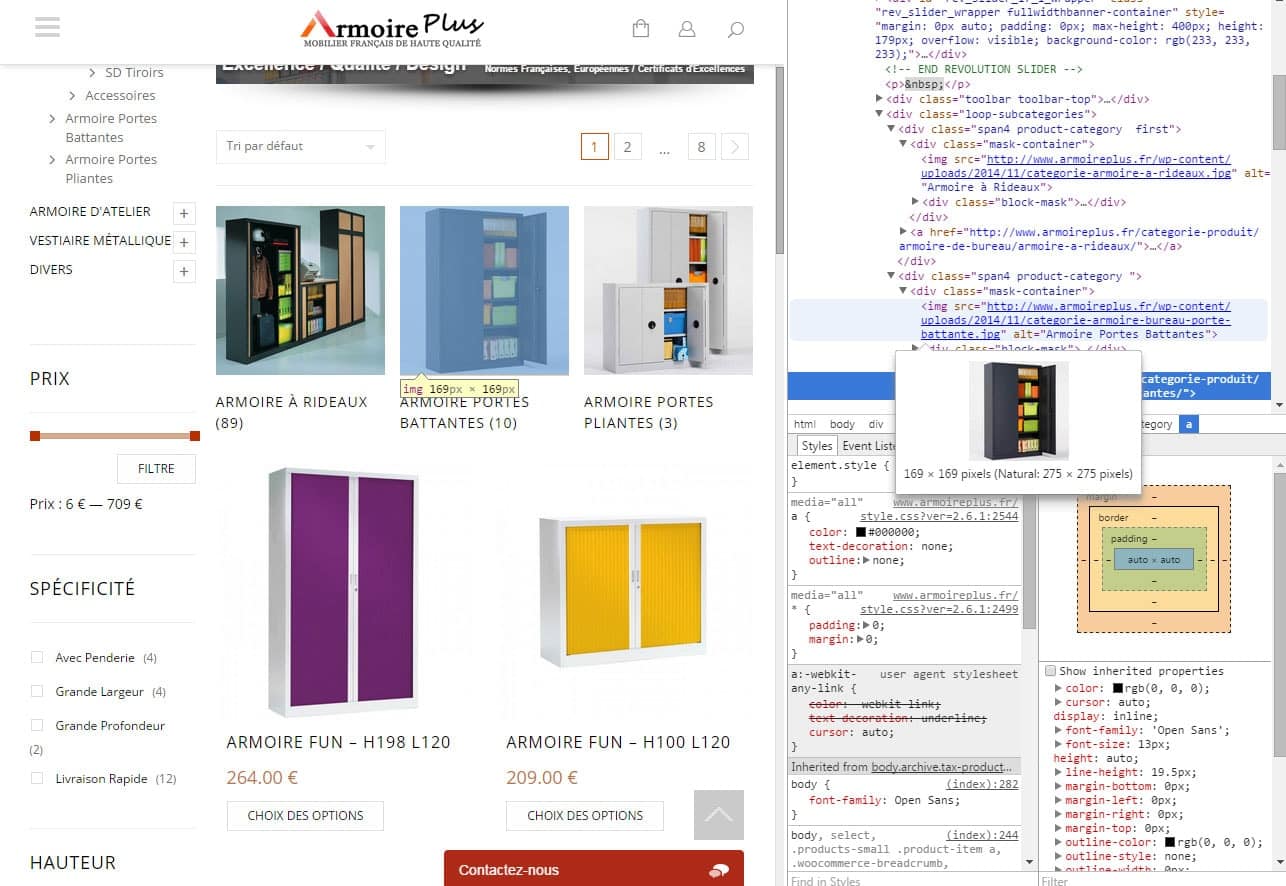
    another thing : For image category : i have the same ALT that Category name. Please fix it. It will be better for SEO.

    Image category

    Best regards.

    Avatar: Nico313
    Nico313
    Participant
    March 4, 2015 at 15:58

    Hello,

    I’ve found. Sorry.

    Best regards.

    Avatar: Nico313
    Nico313
    Participant
    March 4, 2015 at 15:54

    Hello,

    I have read this. I can put an image without problem.

    But make like the menu in image is not possible.

    Regards

  • 1 2 3
    Viewing 60 results - 31 through 60 (of 84 total)
Viewing 30 posts - 31 through 60 (of 84 total)
We're using our own and third-party cookies to improve your experience and our website. Keep on browsing to accept our cookie policy.