

Wow ! What a fix !
Thank you for the support!
Best

Wow ! What a fix !
Thank you for the support!
Best
Hello i have tried all what you say !
Why i have no issue with PAGES and PRODUCTS but just with STATIC BLOCKS ?
Hello, sorry but there is no fix at all…
it was working just for the first 2 static block but not for the third.
https://www.weisz.fr/blog/
Screenshots Backend and frontend render :
https://1drv.ms/f/s!Aif1PELO0ACsuOsD_lNcKtSt0jzVyw?e=7QZR4L
Also i can tell you again there is a bug because if you update any static block it will break again the CSS in all other static block.
Example :
I had to update the static block for the footer, then the first 2 static block are now broken.
You just have to check live it’s broken again.
Best,
Richard
Hello,
I have tested with different devices on different network and YES there is a bug with STATIC BLOCKS.
Here you have all the screenshots for 3 static blocks examples where the render in browser is not the render awaited.
https://www.weisz.fr/categorie-produit/les-fenetres-ou-porte-fenetres/
Screenshots Backend and frontend render :
https://1drv.ms/f/s!Aif1PELO0ACsuOsBnnG5W_RQbcc5pA?e=sWtgKb
https://www.weisz.fr/categorie-produit/portes-dentree/
Screenshots Backend and frontend render :
https://1drv.ms/f/s!Aif1PELO0ACsuOp_ZJxWVKyGY7bGSA?e=IBoTeJ
https://www.weisz.fr/blog/
Screenshots Backend and frontend render :
https://1drv.ms/f/s!Aif1PELO0ACsuOsD_lNcKtSt0jzVyw?e=7QZR4L
Thank you for the fix.
Best,
Richard
I’m not able to record a video but i think the screenshot is very clear.
On my android phone the issue is the same with EDGE or CHROME.
On my laptop with dev tools this is the same on EDGE or CHROME.
All browsers are the latest versions.
Have you tried both links i gave you ? What do you see ?
https://www.weisz.fr/staticblocks/categorie-fenetre/
https://www.weisz.fr/staticblocks/porte-dentree/
Best,
Richard
Done with the same results.
I have already tested out all what you said … i l have also tested with no cache plugin, ect ect…
The fact is that issue appear only with STATICK BLOCK post type… and only in mobile render…
https://www.weisz.fr/staticblocks/categorie-fenetre/
https://www.weisz.fr/staticblocks/porte-dentree/
Hello,
i have the same issue on my mobile phone > i don’t get what you have recorded.
Same issue here also https://www.weisz.fr/categorie-produit/portes-dentree/
i’m using edge on desktop and mobile.
I always test my website on private window with no cache.
Thx
But why not an update of the theme because of the lack to not have a H1 title for blog posts by default.
Hello,
thank you but i was going to do the same for all my clients using the same template.
My question is why you do not modify in the theme directly.
Best
U know have the credentials.
Thx
Hello,
here is the link of a sigle post :
https://www.adux-regions.fr/azerion-france-reconnue-pour-ses-performances-drive-to-store/
https://1drv.ms/u/s!Aif1PELO0ACst65t-n_bdaWY-HD7lA?e=peX7HE
Thx
Best
Hey, be sure i like your work ok !
Whatever you think there is no need to suggest a H1 for the blog post title because it’s a basic in the world wide web…
No H1 = poor SEO ranking
Best,
keep up the good work.
Hello,
thx but it’s ok i understand how to make the change but i have to do that on all the websites using your theme…
Most over for all your customers it should be really cool to add it in the theme by default…
A page with no H1 it’s a dead page.
Best
Thx, but why not adding the fix in the theme updates ?
Best,
Richard
Thats not the issue i have reported.
Go here and check the header :
https://www.adp-enseignes.com/fiche/nos-realisations-pour-faguo/
in that page i use a specific PRODUCT TEMPLATE from the product builder feature instead of the default PRODUCT TEMPLATE here with no issue
https://www.adp-enseignes.com/fiche/la-bache-avec-oeillets/
Just compare the header on both URL
Thx.
Best
Hello,
you now have the credentials
No multiple header in use and cache totally deleted and cache plugin deactivated to be sure but same issue.
The site is live in production server (no test server)
Best,
Richard
Thx.
Best
Perfect.
Thx
Ouch too much code for me 🙂
It was just a question … but why not a condition like that :
if YITH_Woocompare is ON in related product section then add the css code i have added or another css code according the style template set for displaying products.
I do not know very much in coding :p
Best,
I’m not very skilled as you.
But why not a php fix for that bug in new theme release ?
Thx for the attributs issue but can i select the attributs i want to compare ?
I though there was another way to fix the bux.
Your css not good for me.
For me the correct working css is that one :
.related-products .content-product .compare + .compare {
display: none !important;
}
thx
best
Well i have installed WPML even i don’t need it just to configure the main language and it’s work now.
CLOSE TOPIC
I have tried it and i don’t like – i do prefer the other because it’s a pop-up and not a page.
Also i didn’t saw attributs in your built-in Compare.
the compare button show up 2 times in Related products
Hello that bug is still present in the latest release of the theme.
How to fix it by myself ?
Can you check it out.
You have all the access in the first message.
Thx
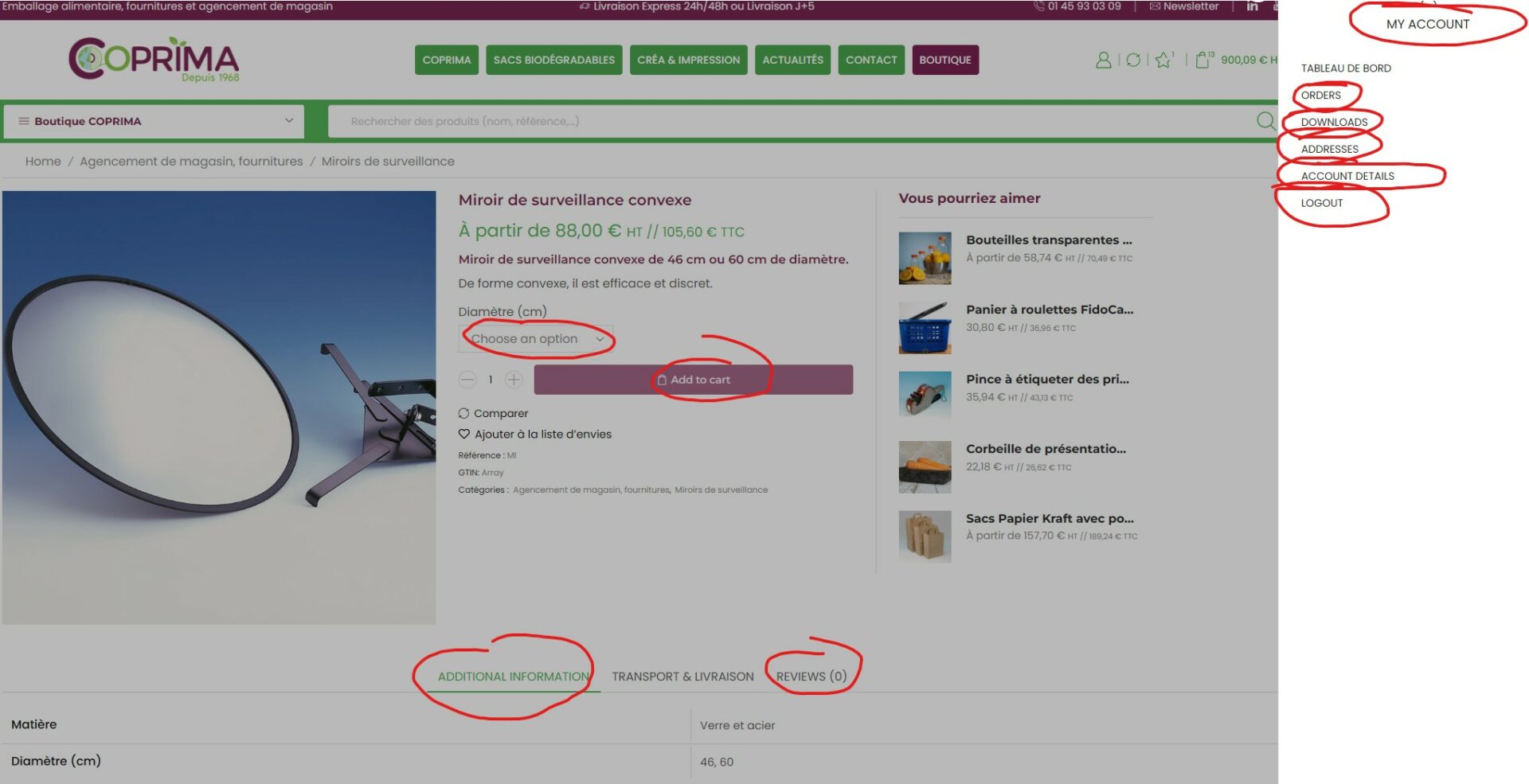
Some examples of not translated strings
`
Already tested and it’s the same… not working anymore.
That’s great thx.
But what about custom design for COMPARE button works only for product page and not for other cases like related products or category pages ?
Best









