Forum Replies Created

Viewing 30 posts - 421 through 450 (of 563 total)
  • Avatar: Libardo
    Libardo
    Participant
    February 25, 2015 at 19:11

    Hi Robert Hall,

    Thanks. The changes looking good. However can we add like a transparent field which the users can see that here they can search? See in red below:

    http://i1340.photobucket.com/albums/o728/LibardoBarreto/111_zps0gewsp6z.png

    Also can you provide the code to leave the top bar and include the social media icons?

    http://i1340.photobucket.com/albums/o728/LibardoBarreto/2222_zpseospcazk.png

    http://i1340.photobucket.com/albums/o728/LibardoBarreto/33333_zps0njkdkx0.png

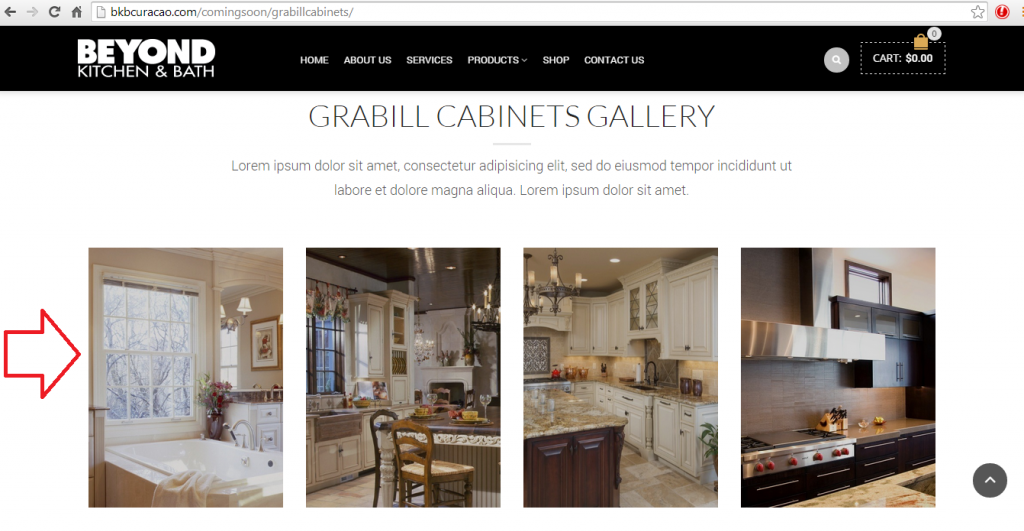
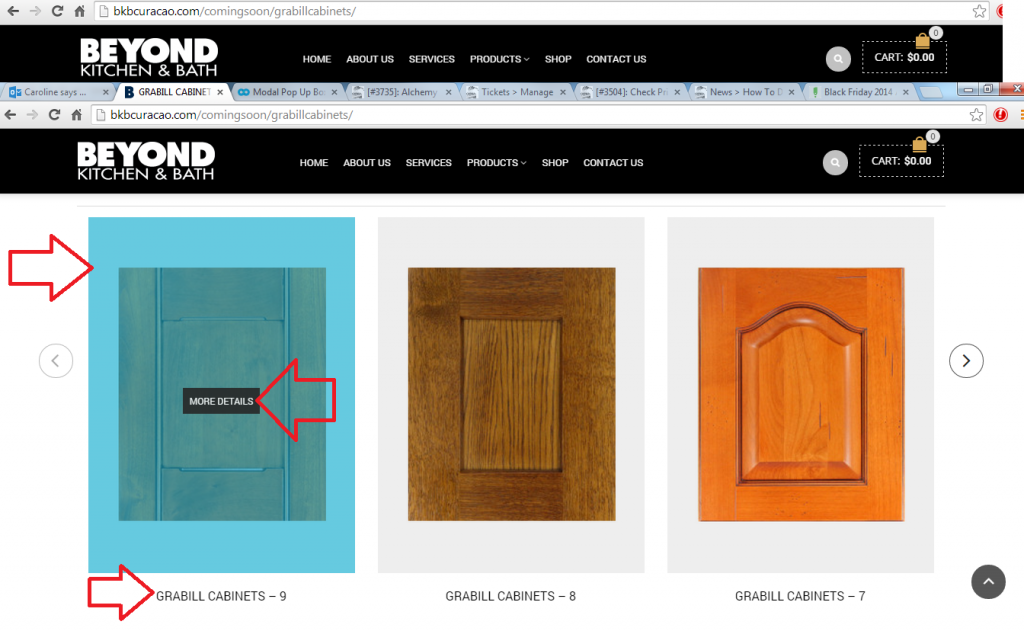
    With regards to the image gallery I would like the same options as below, for all my pages that have the image gallery. See a print screen how it looks at the moment ( http://i1340.photobucket.com/albums/o728/LibardoBarreto/JUNK/asdasd_zps4c1044fc.png )

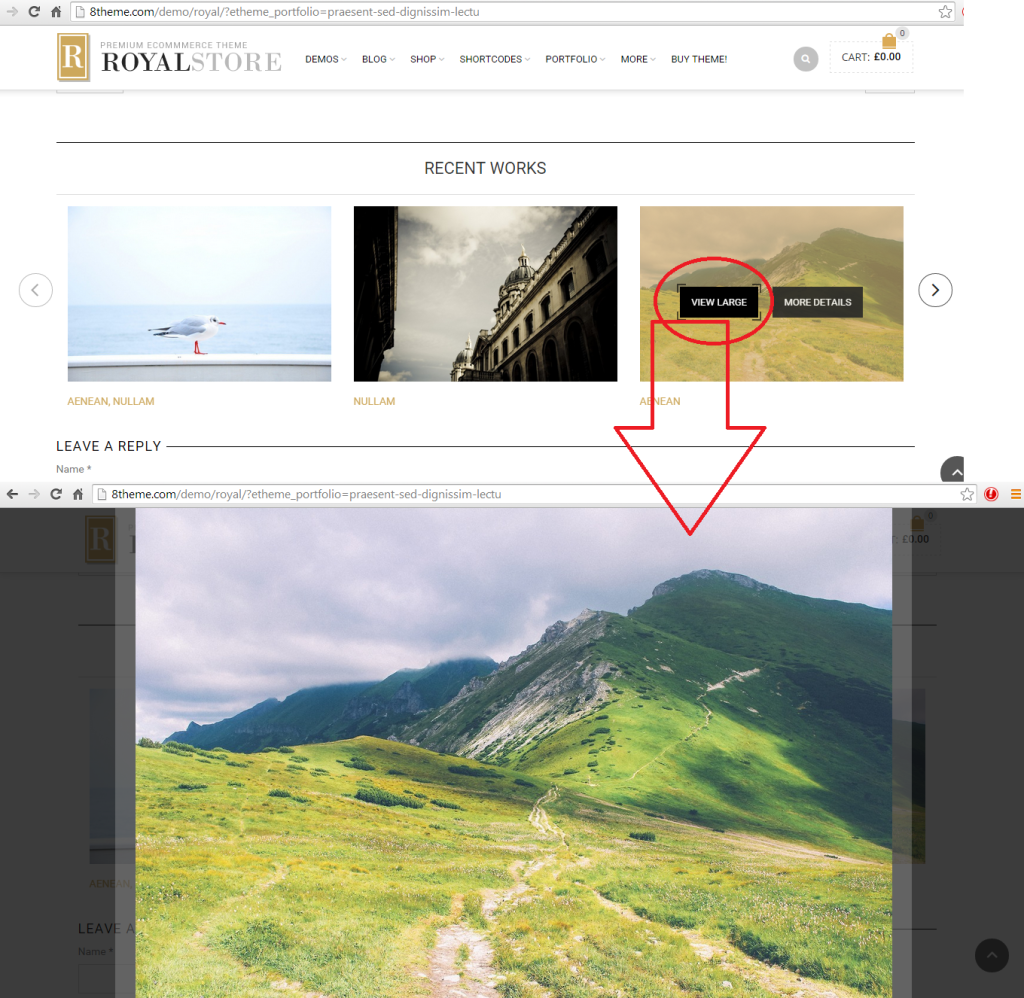
    This is how I would like it to be. When client howver there mouse over the image it will provide the View Large option which upon click it will open bigger:

    http://i1340.photobucket.com/albums/o728/LibardoBarreto/44444_zpsc69ooxyy.png

    See link and login credentials in private.

    Please, contact administrator
    for this information.
    Avatar: Libardo
    Libardo
    Participant
    February 25, 2015 at 16:36

    Hi Eva,

    Thanks I have read it however is there a easy way to create or edit the footer? I love the same concept as the image below, however I would only like to add my pictures in the Flickr widget and also logo, company information etc… Arent’s these already in place as standard which is already visible at the moment?

    http://i1340.photobucket.com/albums/o728/LibardoBarreto/JUNK/footer_zpsa8moxpbx.png

    Please, contact administrator
    for this information.
    Avatar: Libardo
    Libardo
    Participant
    December 5, 2014 at 13:26

    Dear Support,

    How can I put more then 1 of the info boxes on the same line? Now they go under each other.

    Awaiting your response.

    Cheers,

    Avatar: Libardo
    Libardo
    Participant
    December 4, 2014 at 16:07

    Hi Support,

    Can the same thing be done for Info List? I found it for Info Box though.

    Cheers,

    Avatar: Libardo
    Libardo
    Participant
    December 4, 2014 at 14:17

    Hi Support,

    Thanks for the screen shots. I indeed came to the presented page from Eva, after hitting Info Box in the VC composer I came to the same screen print as I mentioned in my first message : http://tinypic.com/r/de8qdv/8

    In that window there is no possibility to make a clickable link of the icon itself.

    Please advice,

    Cheers

    Avatar: Libardo
    Libardo
    Participant
    December 4, 2014 at 13:56

    Hi Support,

    Somehow I cannot get to the provided screen shot page.

    Please advice.

    Cheers,

    Avatar: Libardo
    Libardo
    Participant
    December 3, 2014 at 21:27

    Hi Eva,

    Sorry I still don’t get what you exactly mean. Where can IT’s editor be found?
    Can you guide me step by step?

    Cheers,

    Avatar: Libardo
    Libardo
    Participant
    December 3, 2014 at 19:26

    Hi Eva,

    Can you guide me into where i get that option?

    Cheers,

    Avatar: Libardo
    Libardo
    Participant
    December 3, 2014 at 13:56

    Dear Support,

    Find below the links to the image I am referring to:

    the first one is how it shows on the website:
    http://tinypic.com/r/xfukck/8

    The second is how the editor is in WP:
    http://tinypic.com/r/de8qdv/8

    So basically I can not make a link of the image / icon itself. The only thing I can do is choose the icon type and adapt the text below.

    How can I make it possible to make a link out of the icon / image?

    Cheers,

    Avatar: Libardo
    Libardo
    Participant
    November 21, 2014 at 23:43

    Good Day,

    Any update on this case?

    Avatar: Libardo
    Libardo
    Participant
    November 21, 2014 at 23:36

    Good Day,

    Any update on this case?
    Thanks,,

    Please note that I am still not receiving any e-mail notifications!!!! Check accordingly on your end….

    See private message

    Please, contact administrator
    for this information.
    Avatar: Libardo
    Libardo
    Participant
    November 21, 2014 at 18:55

    Good Day,

    The Theme is updated to the latest version which I recently got a notification that the theme has a update. So I have replace files.

    Please confirm what are the next steps to take.

    Avatar: Libardo
    Libardo
    Participant
    November 21, 2014 at 16:10

    Hi Eva,

    I am referring to this (Please see early post replies in private):

    http://i1340.photobucket.com/albums/o728/LibardoBarreto/JUNK/werwer_zps4f2e485b.png

    I would like to have these images static as in a way that when you hover your mouse there is no color shown or option to view large or more details for these images. On the other hand I would like for them to be vertical, width, height in the same row as these :

    http://i1340.photobucket.com/albums/o728/LibardoBarreto/JUNK/asdasd_zps4c1044fc.png

    In addition due that it is a Static Block option I dont see that there is a category is there a other way to categorize each image that is attached to each Static Block to show on each page? I would like to use this for other pages as well in which I would need to make a distinction in which product much be visible on which page.

    IF this is not the right way to achieve this, please let me know which other option exist to have it setup.

    Avatar: Libardo
    Libardo
    Participant
    November 21, 2014 at 15:03

    Hi Eva,

    Thanks. But how do I create that? Or can you create one in the Subzero Wolf page and and from there I will copy paste the rest to be the same?

    Avatar: Libardo
    Libardo
    Participant
    November 21, 2014 at 00:49

    I would also need to use the staticblock for some other pages. How to add categories or group?

    What I would like to accomplish with this request is that I have a standalone image ( No need to click or hover mouse effect)

    Just like this:

    http://i1340.photobucket.com/albums/o728/LibardoBarreto/JUNK/asdasd_zps4c1044fc.png

    At the moment the static blocks are shown as follow which I would like to have them as above (width/height) and also 4 images showing:

    http://bkbcuracao.com/comingsoon/grabillcabinets/

    Avatar: Libardo
    Libardo
    Participant
    November 21, 2014 at 00:31

    See in private

    Please, contact administrator
    for this information.
    Avatar: Libardo
    Libardo
    Participant
    November 21, 2014 at 00:18

    Only one thing. At the moment it shows the More Details which you provided the steps to change this but what I would like is when click on the image it shows large. How do this ?

    Meaning I would like the option ” View Large ” so when click on the image it shows a bigger size of the image.

    Avatar: Libardo
    Libardo
    Participant
    November 21, 2014 at 00:10

    THANKS EVA. It looks perfect. Going to do this for the rest as well.

    Avatar: Libardo
    Libardo
    Participant
    November 20, 2014 at 19:43

    Hi Eva,

    Just wanted to check if you had a chance to look into my last request?
    Thanks..

    Avatar: Libardo
    Libardo
    Participant
    November 20, 2014 at 16:18

    Hi Eva,

    You need to look into the following page at the bottom:

    http://bkbcuracao.com/comingsoon/kohler/

    I’m using now Post Slider in order to get the Arrows as navigation. I would like to know the following questions:

    – I would like to hide the next in red circle.
    – The size of the thumbnail should be 450×600 and same style as the post grid above it.
    – How do I change the blue color? Can I use the same code:

    .teaser_grid_container .post-thumb .zoom >i {
    background-color: #0026FF !important;
    }

    – I would also like to have a link to View Large instead of More Details. Do I still need to go here:

    <span>More details</span>

    – I have also set to show 4 thumbnails but currently is 3. How do I fix this?

    Avatar: Libardo
    Libardo
    Participant
    November 20, 2014 at 14:49

    ….

    Please, contact administrator
    for this information.
    Avatar: Libardo
    Libardo
    Participant
    November 20, 2014 at 14:41

    Thanks Eva.

    I tried to add a reply in case# #24608 but seems like the case is closed. So I am replying in here ..

    I’m using now the Posts Slider as recommended, but seems to have some problem with some things here:

    – I would like to hide the next in red circle.
    – The size of the thumbnail should be 450×600 and same style as the post grid above it.
    – How do I change the blue color? Can I use the same code:

    .teaser_grid_container .post-thumb .zoom >i {
    background-color: #0026FF !important;
    }

    – I would also like to have a link to View Large instead of More Details. Do I still need to go here:

    <span>More details</span>

    – I have also set to show 4 thumbnails but currently is 3. How do I fix this?

    P.S the link is in private.

    Thanks..

    Avatar: Libardo
    Libardo
    Participant
    November 20, 2014 at 02:07

    Hi Eva,

    Is there a way to repeat/loop the video once clicked on the ” Click Here To View Video “? Instead of showing Youtube thumbnails at the end of the video.

    http://i1340.photobucket.com/albums/o728/LibardoBarreto/JUNK/fgdfg_zps8eeb0040.png

    Avatar: Libardo
    Libardo
    Participant
    November 20, 2014 at 02:06

    Hi Eva,

    The button looks fantastic. However how can we make it the same as this one?

    http://i1340.photobucket.com/albums/o728/LibardoBarreto/JUNK/hfghfgh_zpsc7d89727.png

    http://i1340.photobucket.com/albums/o728/LibardoBarreto/JUNK/gdfgdfg_zpsc32b32a9.png

    I want to have it the same width, height, white frame, color.

    Please let me know..

    Avatar: Libardo
    Libardo
    Participant
    November 20, 2014 at 01:32

    Hi Eva,

    I tried to add a reply in case# #24608 but seems like the case is closed. So I am replying in here ..

    I’m using now the Posts Slider as recommended, but seems to have some problem with some things here:

    – I would like to hide the next in red circle.
    – The size of the thumbnail should be 450×600 which is at the moment but still not showing as should.
    – How do I change the blue color? Can I use the same code:

    .teaser_grid_container .post-thumb .zoom >i {
    background-color: #0026FF !important;
    }

    – I would also like to have a link to View Large instead of More Details. Do I still need to go here:

    <span>More details</span>

    – I have also set to show 4 thumbnails but currently is 3. How do I fix this?

    P.S the link is in private.

    Thanks..

    Please, contact administrator
    for this information.
    Avatar: Libardo
    Libardo
    Participant
    November 20, 2014 at 01:16

    Hi Eva,

    Yes for all my replies I select the “Notify me of follow-up replies via email” but still I dont get notifications.

    Avatar: Libardo
    Libardo
    Participant
    November 18, 2014 at 17:27

    Also if >> ” a pdf document you need use Call to Action element instead of Modal Box.” can you also add the same button as the modal box for the Call to Action in the last row?

    Thanks..

    Avatar: Libardo
    Libardo
    Participant
    November 18, 2014 at 17:25

    Hi Eva,

    Thanks. What I refer to “when I add the modal box other pages it does not show as the one above.” is that if you see this page “http://www.bkbcuracao.com/comingsoon/kohler&#8221; and this one “http://bkbcuracao.com/comingsoon/subzero-wolf/&#8221; you will noticed both has the same layout but still this one “http://bkbcuracao.com/comingsoon/kohler&#8221; does not show the modal box as should. Its not align to the left.

    Also can you check this >>> I seem not to get e-mail notification when you post a reply. Can you please check this?

    Avatar: Libardo
    Libardo
    Participant
    November 18, 2014 at 02:32

    In addition I also want to add that when I add the modal box other pages it does not show as the one above. Please check page in private vs the one above. Could you please assist by correcting this?

    Thanks Eva.

    Please, contact administrator
    for this information.
    Avatar: Libardo
    Libardo
    Participant
    November 18, 2014 at 02:13

    Hi Eva,

    Could you please check once more? The Modal Box button white frame disappear again. Also is it possible to use the modal box to link it to a document for download? for instance I would like to link a catalog pdf to it. This way both modal box button on this page will stay the same.

    Please, contact administrator
    for this information.
  • 1 2 3 14 15 16 17 18 19
    Viewing 450 results - 421 through 450 (of 563 total)
Viewing 30 posts - 421 through 450 (of 563 total)
We're using our own and third-party cookies to improve your experience and our website. Keep on browsing to accept our cookie policy.