Website with blank space at the bottom - by louisacforsyth

This topic has 16 replies, 3 voices, and was last updated 10 years, 8 months ago ago by Robert Hall

  • Avatar: louisacforsyth
    louisacforsyth
    Participant
    March 20, 2015 at 10:30

    Hoping you can help, some of our existing pages and any new one we want to create, are showing up a large blank space and it looks awful.

    Before it was working perfectly and now we have this problem, with the blank white space on some page/product footers. We cannot finish our site without this sorted.

    https://www.dropbox.com/s/unakdibmfnbdger/Legenda%20-White%20page2.png?dl=0
    https://www.dropbox.com/s/nnpqt7bu8h4ib33/Legenda%20-White%20page.png?dl=0

    The website is http://www.bagaceous-designs.com

    Please can you let us know how to rectify this, we have tried just about everything and nothing we have done has solved it.

    We’ve just updated the Legenda and all the plugins and it still has the same issues with the footer.

    We have just found that it is an issue with the plugins, maybe could be the visual composer and mailchimp for wordpress lite. We have de activated and re activated all plugins and we can see that when both are activated this problem happens. If we only have one of these two plugins activated (either or) it does not happen.

    Many thanks ahead.

    15 Answers
    Avatar: Robert Hall
    Robert Hall
    Participant
    March 20, 2015 at 10:36

    Hello,

    Please provide us with wp-admin access in Private Content.

    Regards,
    Robert Hall.

    Avatar: louisacforsyth
    louisacforsyth
    Participant
    March 20, 2015 at 17:43

    See private

    Please, contact administrator
    for this information.
    Avatar: Eva
    Eva Kemp
    Participant
    March 20, 2015 at 18:15

    Hello,

    As I see both MailChimp and Visual Composer plugins are activated. I don’t see the issue you described:
    https://s3.amazonaws.com/fvd-data/notes/168674/1426871547-Plbiet/screen.png

    Have you resolved it?

    Regards,
    Eva Kemp.

    Avatar: louisacforsyth
    louisacforsyth
    Participant
    March 21, 2015 at 13:32

    Hello,

    The truth is that I was working with the two plugins and do not know how, but the problem was fixed.

    However, I have other problems with the page that I want to fix. But I want to work one by one.

    a) I want that in the ckeckout page the customers can see the photographs of the products that they have purchased.

    b) The pop-up spot on mobile devices is too large and can not be closed, so it blocks access to the page.

    c) In mobile devices the page is misplaced and is very difficult to see as it is.

    d) Doing an analysis of the page through the server I see I have several major errors that I can not correctable. See private.

    Please, contact administrator
    for this information.
    Avatar: Eva
    Eva Kemp
    Participant
    March 21, 2015 at 17:54

    Hello,

    a) Checkout page is configured by Woocommerce. If you want to customize it you need contact their support.
    b) The pop up window can be closed. There is a “close” icon:
    http://storage3.static.itmages.com/i/15/0321/s_1426956090_2104112_596b94c9bd.png
    c) Please specify what the page is that is difficult to see. I’ve checked home page and it’s shown fine.
    d) Concerning the error “Fatal error: Call to undefined function addfilter()” you can try this suggestion https://wordpress.org/support/topic/fatal-error-call-to-undefined-function-add_filter . Other errors are referred to plugins and you need contact their authors.

    Thank you.
    Regards,
    Eva Kemp.

    Avatar: louisacforsyth
    louisacforsyth
    Participant
    March 27, 2015 at 20:16

    Hello,

    Much of the above incidents have already been solved, but next week the website will be releases and want to fix all errors.

    1. On the checkout page displays an error “State / County is a required field”, when after select payment method (paypal), turns to the website and change the country. I know it’s not very common, but it is possible that the page does not refresh well.

    2. On the Home Page I am using Revolution Slider plugin. But only one image is used. The plugin slows down the loading of the website and also a have a gray area before the image appears. So I want to put a fixed image in the header, but do not know how. Is it possible to remove the Revolution Slider plugin?
    How do I put the same image http://www.bagaceous-designs.com as a fixed image?

    Thank You

    Avatar: louisacforsyth
    louisacforsyth
    Participant
    March 28, 2015 at 12:21

    Could you answer my previous message, please: # 52913

    Thank You

    Avatar: louisacforsyth
    louisacforsyth
    Participant
    March 29, 2015 at 10:41

    there anybody out there?!!!!!!!!!

    Avatar: Eva
    Eva Kemp
    Participant
    March 29, 2015 at 12:18

    Hello,

    Sorry for a delay.

    1. Please clarify your issue with more details. Show us screenshots for better understanding.
    2. If you’re using single slide you can find the solution in the documentation for Revolution Slider plugin:
    http://revolution.themepunch.com/documentation/#settings-single-slide

    Thank you.
    Regards,
    Eva Kemp.

    Avatar: louisacforsyth
    louisacforsyth
    Participant
    March 29, 2015 at 12:56

    Thanks for the reply.

    Sorry to say that the option does not exist in the configuration of the plugin.

    I had seen the manual, but in the current version there is no such option.

    I have installed the version 4.6.5.

    Please take a look and see does not exist.

    So what can I do?

    Avatar: Eva
    Eva Kemp
    Participant
    March 30, 2015 at 09:00

    Hello,

    I’ve edited Slider settings in “Loop and Progress” box and set “Loop Single Slide” to Off.
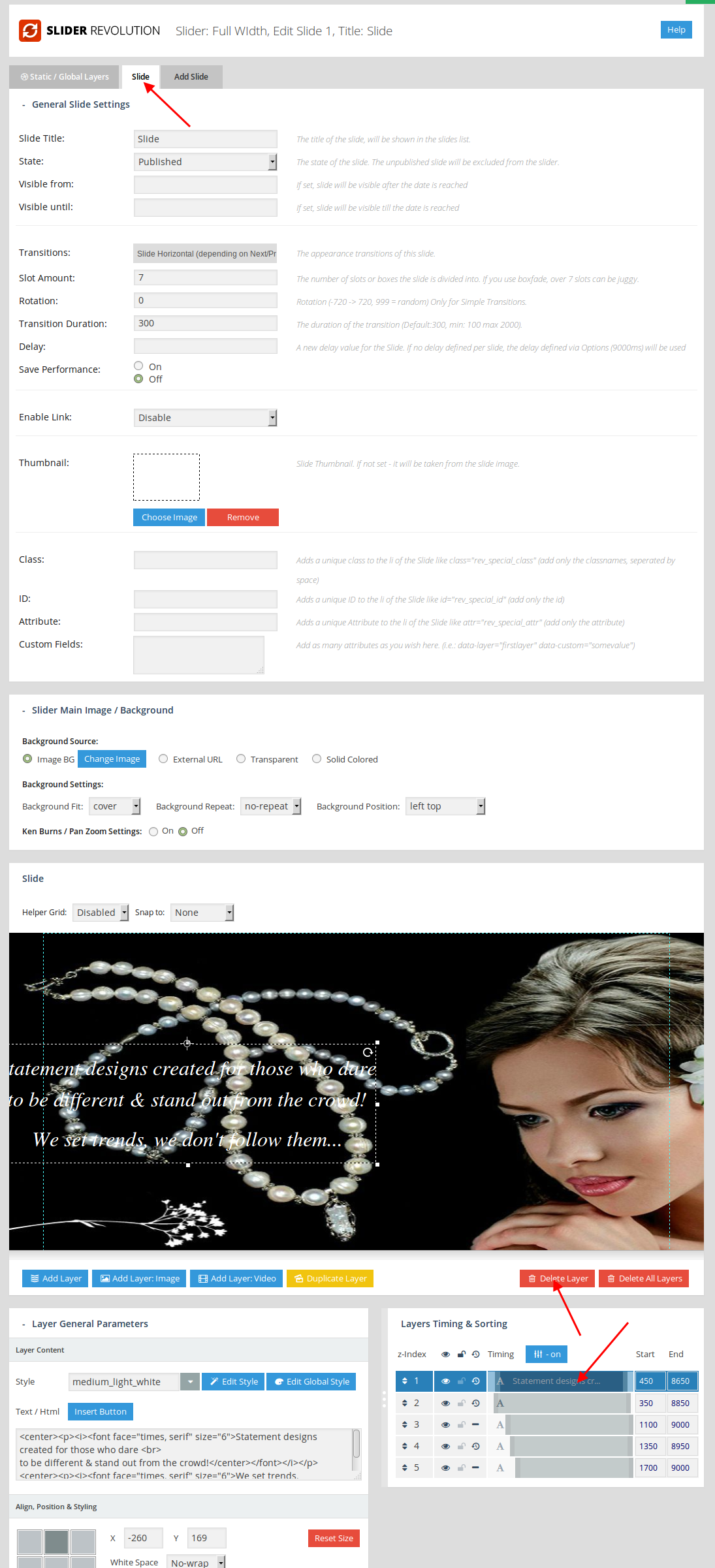
    Also I’ve created a static layer to make it stop on the first slider. Edit a slide > Static/Global Layer tab. You can remove the second layer from “Slide” tab as now 2 layers are shown: one is static and the other one isn’t.
    Please check.

    Regards,
    Eva Kemp.

    Avatar: louisacforsyth
    louisacforsyth
    Participant
    March 30, 2015 at 10:51

    Thanks for the reply.

    The setup I had was exactly you indicate me.

    I have only one slider and do not understand your last sentence: “You can remove the second layer from “Slide” tab as now two layers are shown: one is static and the other one is not”.

    Can you clarify your words.

    Thanks

    Avatar: Eva
    Eva Kemp
    Participant
    March 30, 2015 at 12:28

    Hello,

    Now you have 2 layers on Static/Global Layer tab and Slide tab and your slider is shown this way:
    https://s3.amazonaws.com/fvd-data/notes/168674/1427714722-yn48Vi/screen.png
    Go to Slider settings and remove one layer:
    https://s3.amazonaws.com/fvd-data/notes/168674/1427714858-4IHE8Z/screen.png
    but keep static layer.

    Regards,
    Eva Kemp.

    Avatar: louisacforsyth
    louisacforsyth
    Participant
    March 30, 2015 at 18:07

    Thanks

    I fixed it

    Avatar: Robert Hall
    Robert Hall
    Participant
    March 30, 2015 at 18:09

    Hello,

    You’re welcome!
    If you have any questions please feel free to contact us.

    Regards,
    Robert Hall.

  • Viewing 16 results - 1 through 16 (of 16 total)

The issue related to '‘Website with blank space at the bottom’' has been successfully resolved, and the topic is now closed for further responses

We're using our own and third-party cookies to improve your experience and our website. Keep on browsing to accept our cookie policy.