
Hi,
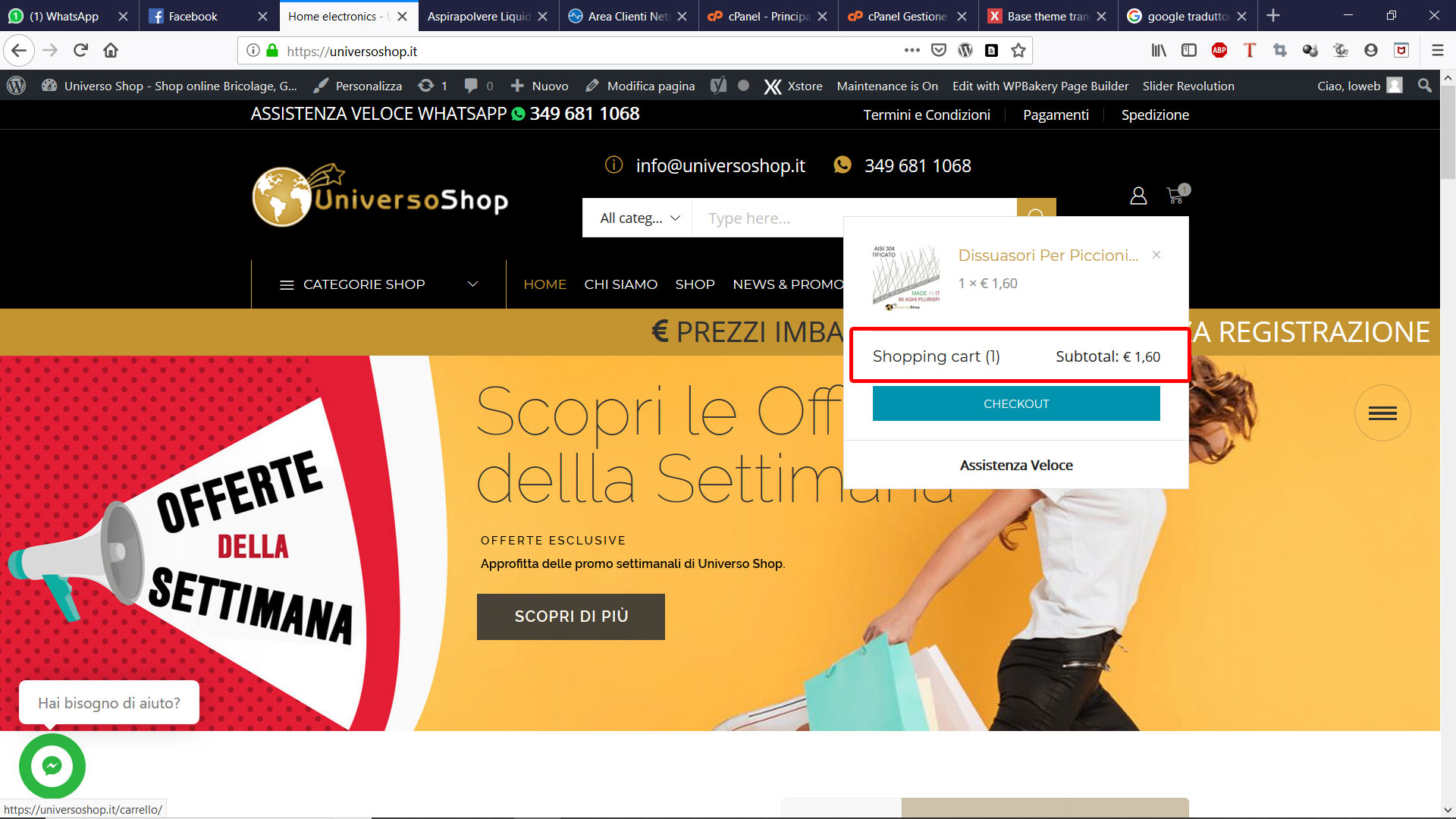
how can I translate the mini cart. I’m translating with loco but can’t find the strings in the attached photo.
Thank you
This topic has 7 replies, 3 voices, and was last updated 6 years, 4 months ago ago by Olga Barlow
Hi,
how can I translate the mini cart. I’m translating with loco but can’t find the strings in the attached photo.
Thank you

Hello,
Make sure that your translation files are up to date https://www.8theme.com/documentation/xstore/theme-translation/translation-files-update/
Sync translation, translate the necessary strings and check the frontend again (remove the product and re-add to cart).
Regards
I have the same problem. The site has 2 languages. The inscriptions in the mini cart are not translated. I have created an additional page for a second language for checkout and cart, but the links redirect to the default language page.
Example default: /checkout
Example RU: ru/checkout
Regardless of the selected language redirects to the default language.
Hello, @aleskerov.alekper
What plugin do you use to create a multilingual site: WPML, Polylang, qTranslate?
Regards
I use Polylang
Thank you I resolved
Hello, @aleskerov.alekper
Could you, please go to Appearance > Themes > install and activate Storefront theme. Check if cart widget works fine with the default theme. In case you have the same problem then contact Polylang plugin author to fix the issue. In case with the Storefront theme cart widget works fine but you get the problem again once enable XStore then create the individual topic for your problem and provide us with Dashboard and FTP access to your site. Because this topic was started by another person and the problem of that person is not the same as you have.
Regards
The issue related to '‘Translation mini cart’' has been successfully resolved, and the topic is now closed for further responses










