Static Block Menu Issue - by Matiasvf - on WordPress WooCommerce support

This topic has 2 replies, 2 voices, and was last updated 5 years, 5 months ago ago by Olga Barlow

  • Avatar: Matiasvf
    Matiasvf
    Participant
    July 1, 2020 at 14:03

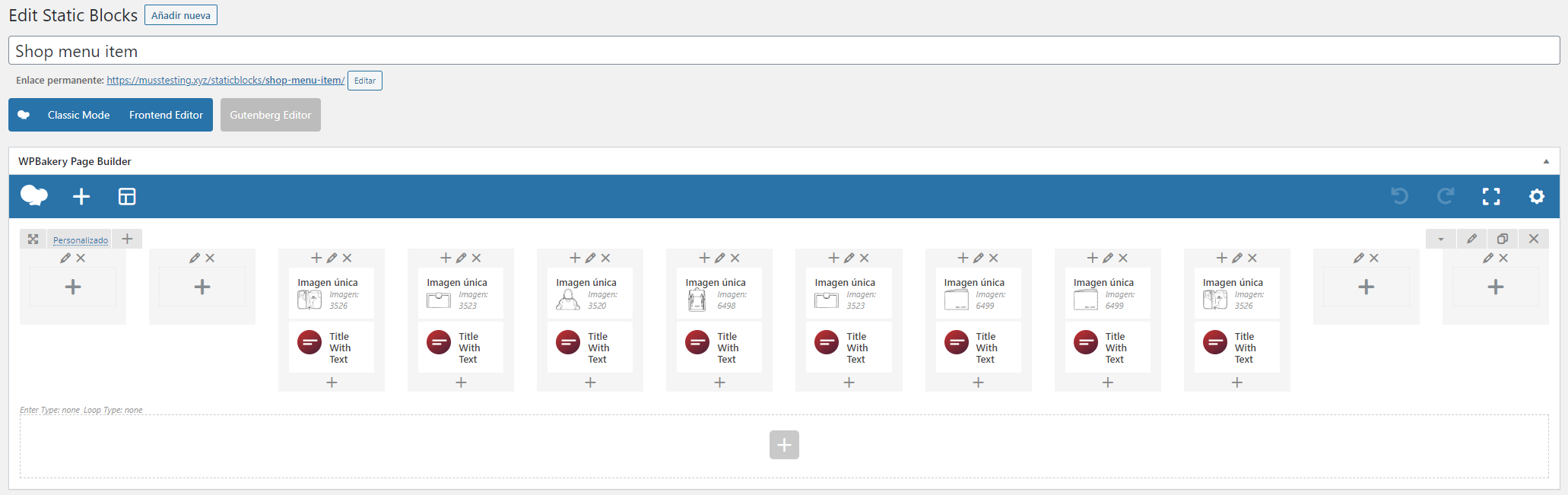
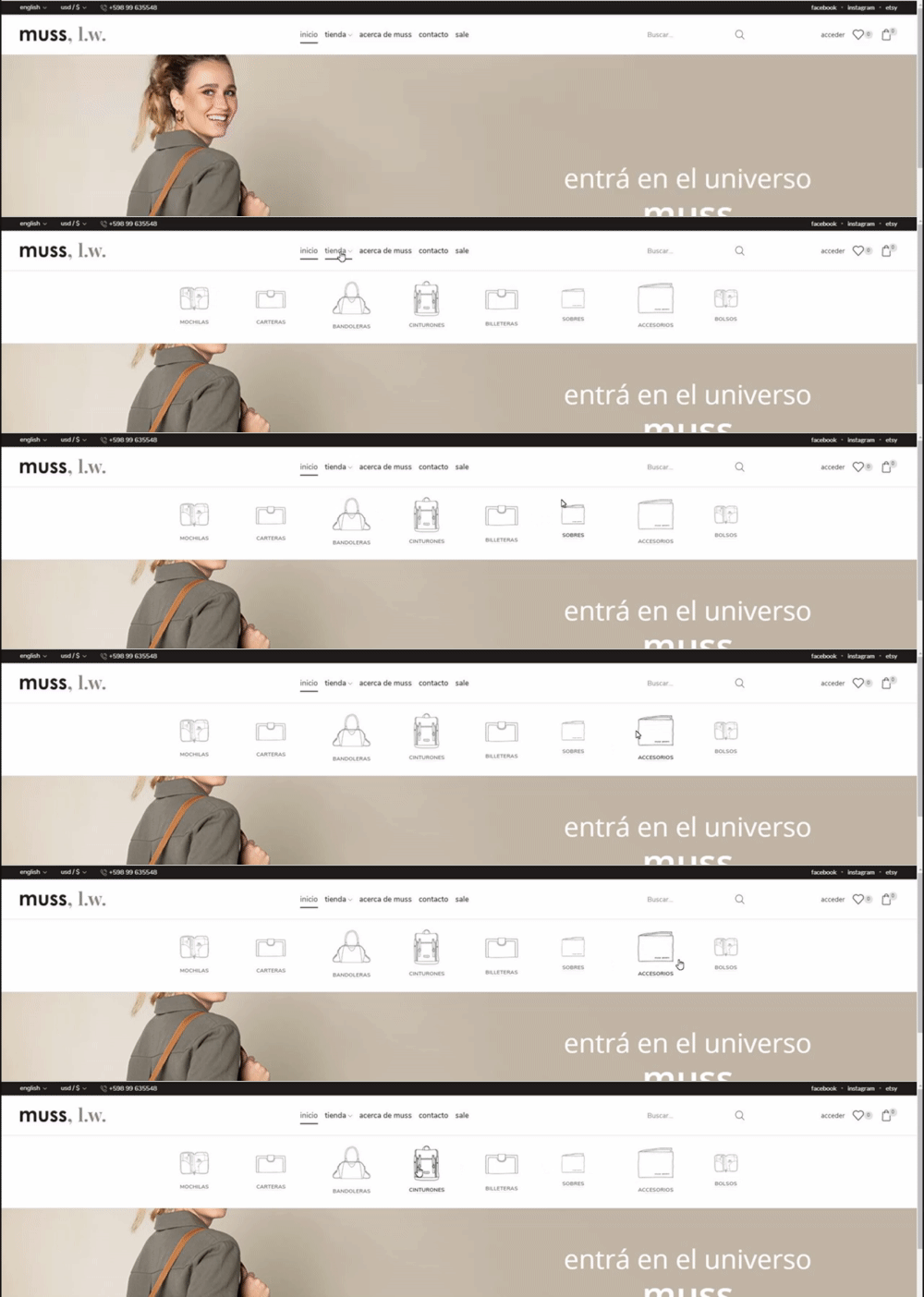
    1 – As you can see the Static Block is made by columns with images (all same size) and a title. But the problem is that it displays all the images of different sizes and the titles not aligned. I want all the images to be the same size and the titles aligned on the center and bottom of the image. Also I want them to be responsive, to resize correctly depending on the size of the screen.

    https://i.gyazo.com/242321db01bfe08006735175c4684b87.png
    https://i.gyazo.com/ff9178ac46840c2be8cf163722f3f170.gif

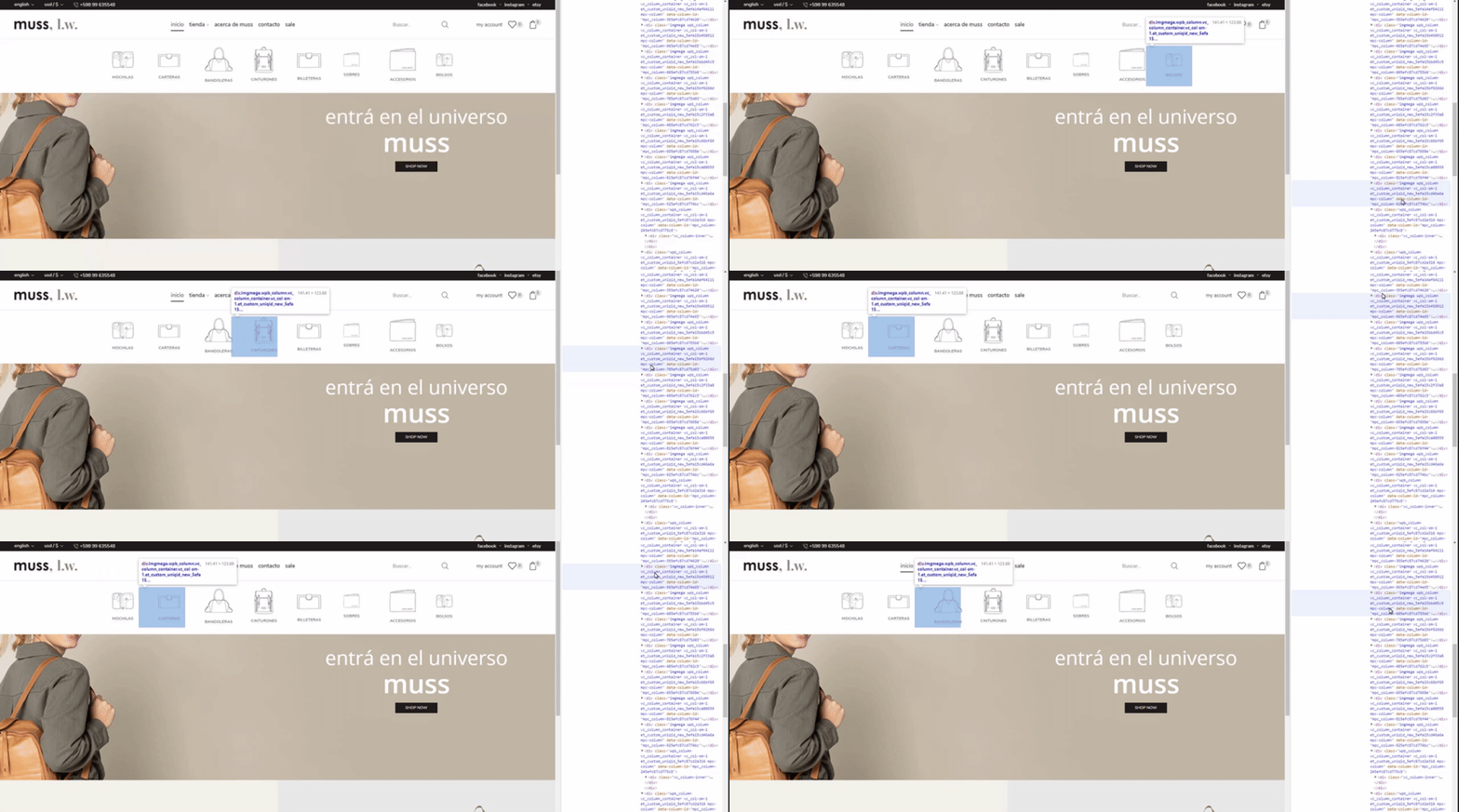
    2 – Also, as you can see, when I resize the window the columns get shifted and not adapted correctly. That makes it hard to touch the images.

    https://i.gyazo.com/73f1260a7b7c357ba3a39ed2cb6c8a1c.gif

    Thank you.

    Please, contact administrator
    for this information.
    1 Answer
    Avatar: Olga Barlow
    Olga Barlow
    Participant
    July 1, 2020 at 15:38

    Hello,

    Margin 50px that you set for the columns gave you that issue. I have removed the margin and set the image size 85×85. Check the mega-menu now.

    Regards

  • Viewing 2 results - 1 through 2 (of 2 total)

The issue related to '‘Static Block Menu Issue’' has been successfully resolved, and the topic is now closed for further responses

We're using our own and third-party cookies to improve your experience and our website. Keep on browsing to accept our cookie policy.