Social Icons - by Libardo - on WordPress WooCommerce support

This topic has 25 replies, 3 voices, and was last updated 10 years, 4 months ago ago by Eva Kemp

  • Avatar: Libardo
    Libardo
    Participant
    April 16, 2015 at 02:40

    ITEM #1 (See In Private)

    Hi Support,

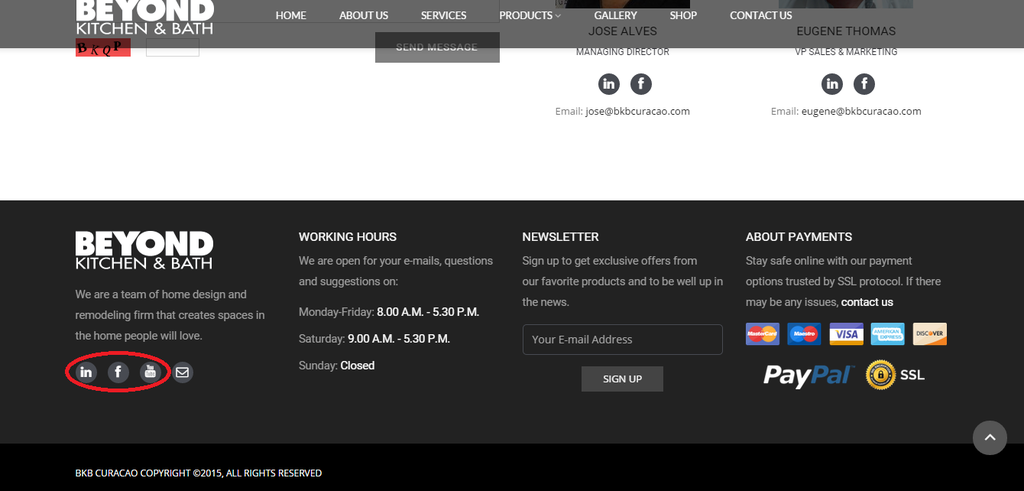
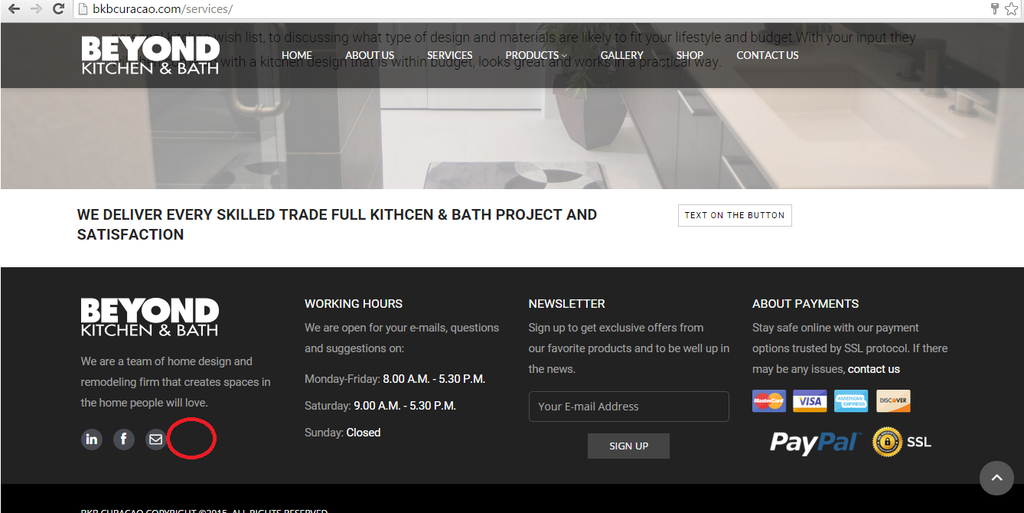
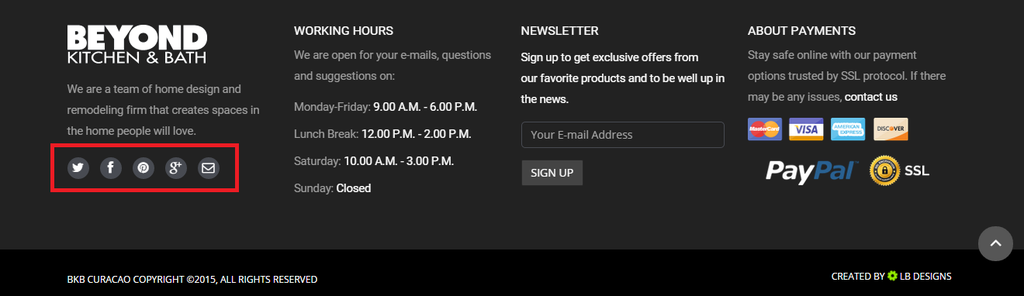
    When I click on the icons it does not go to the correct Page:

    http://i1340.photobucket.com/albums/o728/LibardoBarreto/2_zpsefzdb8jh.png

    IT needs to be as follow:

    – Facebook : https://www.facebook.com/CuracaoBKB
    – Linkedin: https://www.linkedin.com/company/bottelier-kitchen-&-bath-n-v-
    – Youtube: https://www.youtube.com/CuracaoBKB

    Also please inform how to change the links for the future.
    ============================================================================
    ITEM #2 (See In Private)

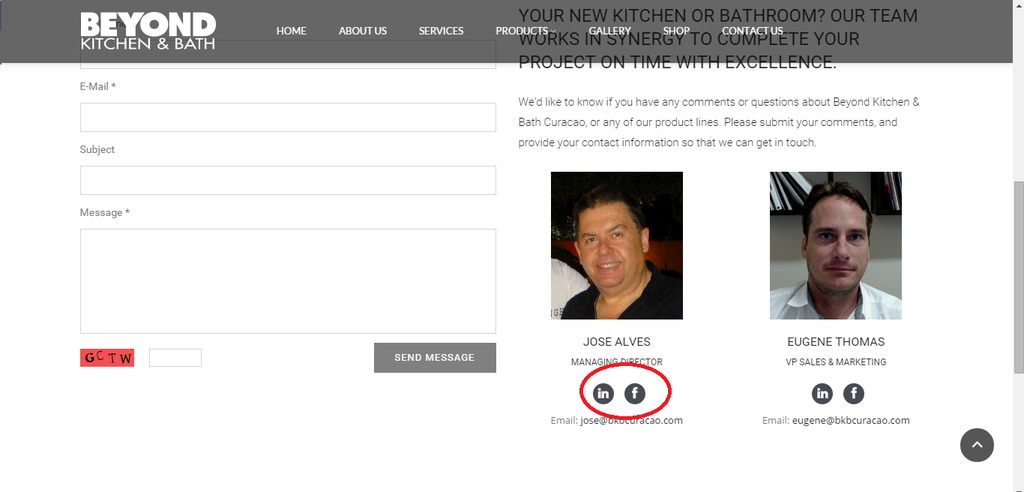
    When I click on the icons it does not go to the correct Page:

    http://i1340.photobucket.com/albums/o728/LibardoBarreto/6_zpsrrt0pvqv.png

    Also please inform how to change the links for the future.
    ============================================================================
    ITEM #3 (See In Private)

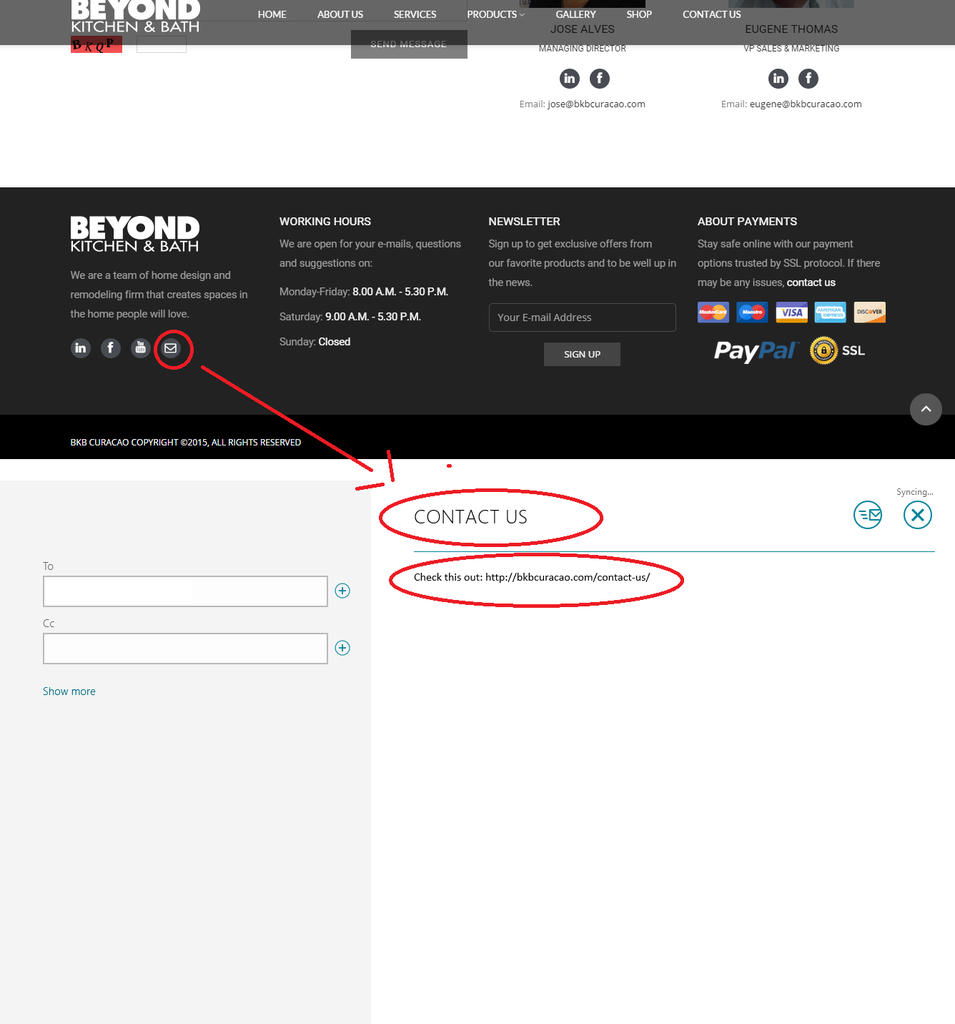
    When I click on the E-Mail Friend can the subject always be ( Welcome To Beyond Kitchen & Bath )? And the content should be ( Check this page out: http://www.bkbcuracao.com )

    http://i1340.photobucket.com/albums/o728/LibardoBarreto/3_zpsaiwmyqgt.png
    ============================================================================
    ITEM #4 (See In Private)

    When I click on the E-Mail Friend can the subject always be ( Welcome To Beyond Kitchen & Bath )? And the content should be ( Check this page out: http://www.bkbcuracao.com )

    http://i1340.photobucket.com/albums/o728/LibardoBarreto/7_zpsxy08mede.png
    ============================================================================
    ITEM #5 (See In Private)

    Hi Support,

    When I click on the icons I would like for it to open a new tab-page with the content of the link. If the client clicks on Facebook they will get facebook page of the company.

    http://i1340.photobucket.com/albums/o728/LibardoBarreto/5_zpsfowvz2qm.png

    Please, contact administrator
    for this information.
    24 Answers
    Avatar: Eva
    Eva Kemp
    Participant
    April 16, 2015 at 10:34

    Hello,

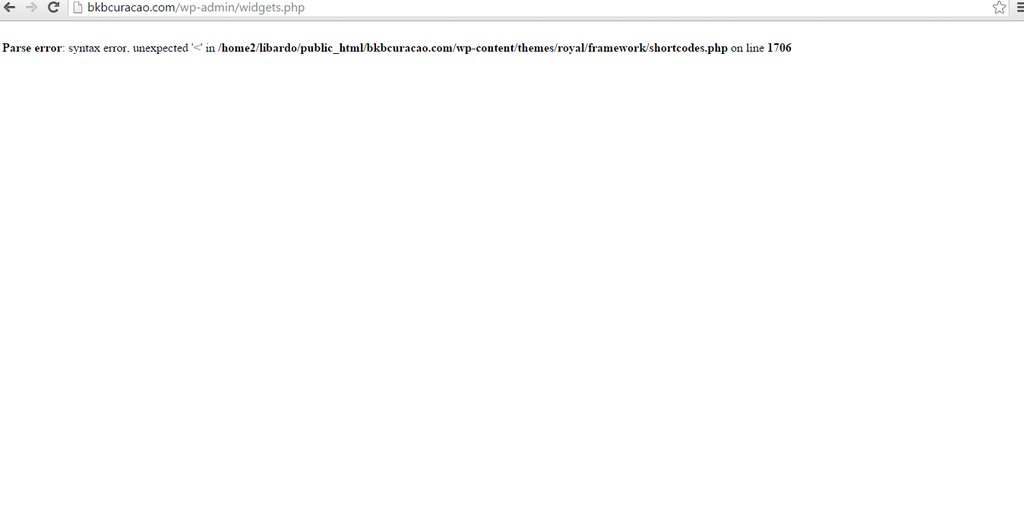
    1./2. You need edit the links in the file wp-content/themes/royal/framework/shortcodes.php (find the section “! Share This Product” on line 1704), for example to change Facebook link edit the code <a href="http://www.facebook.com/sharer.php?u='.$permalink.'&images='.$image.'" class="'.$tooltip_class.'" title="'.__('Facebook', ETHEME_DOMAIN).'" target="_blank"> and replace http://www.facebook.com/sharer.php?u='.$permalink.'&images='.$image.' with your Facebook link.

    3./4. You should also edit the file file wp-content/themes/royal/framework/shortcodes.php (find the section “! Share This Product” on line 1704), the code <a href="mailto:enteryour@addresshere.com?subject='.$post_title.'&body=Check%20this%20out:%20'.$permalink.'" class="'.$tooltip_class.'" title="'.__('Mail to friend', ETHEME_DOMAIN).'" target="_blank">

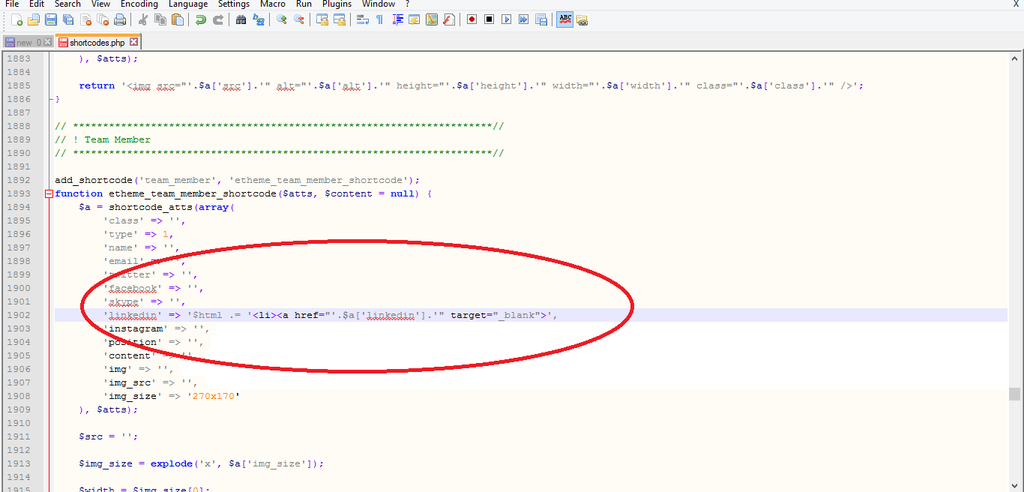
    5. Edit the file edit the file file wp-content/themes/royal/framework/shortcodes.php (section “! Team Member” on line 1897), edit the code for social media links, for example LinkedIn:
    $html .= '<li><a href="'.$a['linkedin'].'"> add the following code target="_blank", so it’ll be $html .= '<li><a href="'.$a['linkedin'].'" target="_blank">

    Thank you.
    Regards,
    Eva Kemp.

    Avatar: Libardo
    Libardo
    Participant
    April 17, 2015 at 00:20
    Avatar: Libardo
    Libardo
    Participant
    April 17, 2015 at 00:45

    Please see in private.
    Please change make the changes above for both files.

    Please, contact administrator
    for this information.
    Avatar: Libardo
    Libardo
    Participant
    April 17, 2015 at 01:24

    Hi Eva,

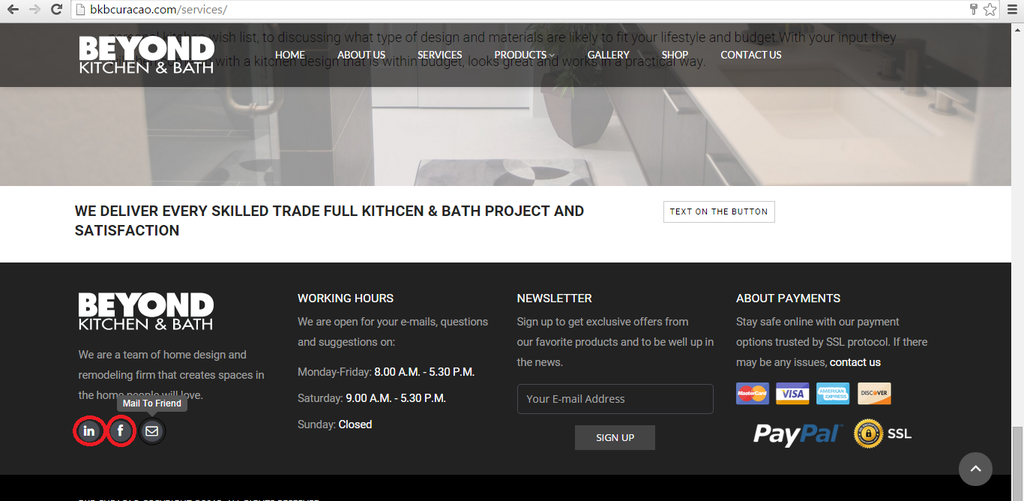
    I also noticed that the Youtube Icon is not showing anymore. Can you also include the code in both files for me?

    http://i1340.photobucket.com/albums/o728/LibardoBarreto/gfgdfg_zpspfvwamxo.png

    Also when I hover my mouse over the Mail To Friend is showing correctly but when I hover on Facebook or Linkedin is not showing. Can you also add this for me for both files and for youtube icon?

    http://i1340.photobucket.com/albums/o728/LibardoBarreto/bvbbfd_zpsnupan49g.png

    Avatar: Eva
    Eva Kemp
    Participant
    April 17, 2015 at 09:35

    Hello,

    Do you want when clicking on “Mail” icon to redirect to some page and not open mail client to send email?
    Please provide us with FTP credentials.

    Thank you.
    Regards,
    Eva Kemp.

    Avatar: Libardo
    Libardo
    Participant
    April 17, 2015 at 13:22

    Hi Eva,

    I would like to when clicking on “Mail” icon to open mail client to send email.
    See in private.

    Please also see #57579

    Please, contact administrator
    for this information.
    Avatar: Brian Johnson
    Brian Johnson
    Member
    April 17, 2015 at 13:33

    Hello

    MS Outlook is opened new email window for me after clicking on this icon. Please specify if you have any issues with certain browser.

    With best regards
    Brian Johnson

    Avatar: Libardo
    Libardo
    Participant
    April 17, 2015 at 20:00

    Can you give me a update on # 57579 and #57586 ? This is regarxing ticket above.

    PLEASE READ BEFORE POINT YHAT IT IS A ERROR IN MS OUTLOOK. I am not frequenting any error. Please read once more these ticket or the whole history of the ticket to understand.

    Avatar: Eva
    Eva Kemp
    Participant
    April 19, 2015 at 19:43

    Hello,

    I’ve edited shortcodes.php file and the share links for the site http://bkbcuracao.com/ .
    Please clear browser cache and check footer. Also I’ve edited the code for facebook and linkedin links for Team Member element.

    Regards,
    Eva Kemp.

    Avatar: Libardo
    Libardo
    Participant
    April 20, 2015 at 02:18

    Hi Eva,

    The social icons and when I click on them looks good and they work perfect! However the Youtube icon on http://www.bkbcuracao.com is not showing correctly. Can you check this?

    http://i1340.photobucket.com/albums/o728/LibardoBarreto/rf4_zpstrs6znif.png

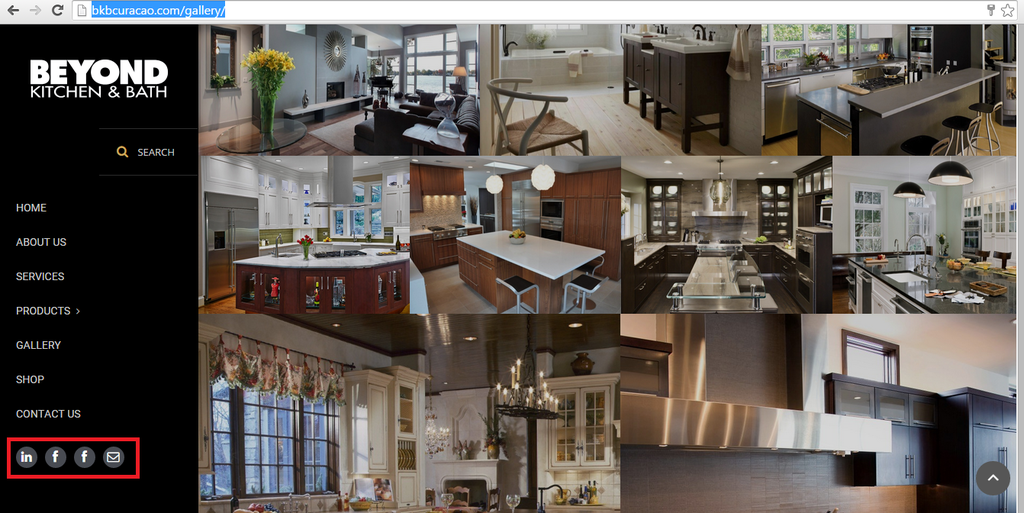
    I also needed the same which was done in the shortcodes.php file for http://bkbcuracao.com/gallery/, Which is why 2 FTP account were provided in my early post reply.

    http://i1340.photobucket.com/albums/o728/LibardoBarreto/334_zpsh1wp3bst.png

    See in private.

    Please, contact administrator
    for this information.
    Avatar: Libardo
    Libardo
    Participant
    April 20, 2015 at 04:28

    Hi Eva,

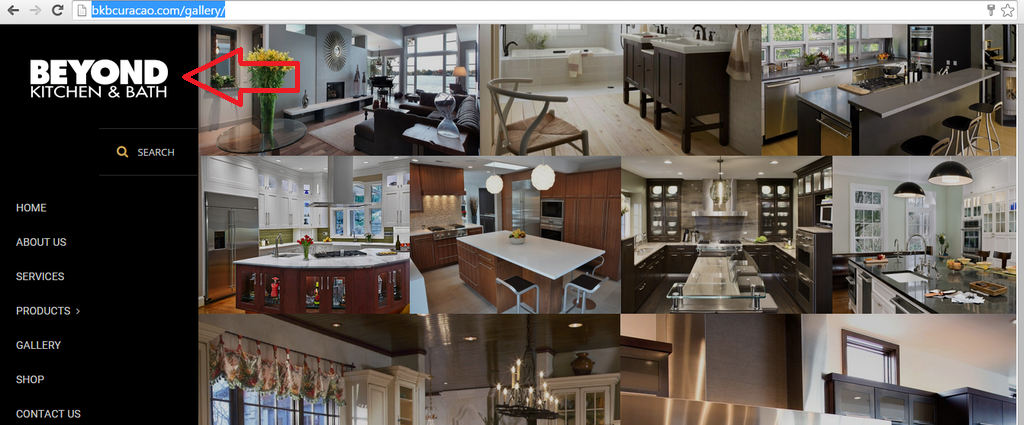
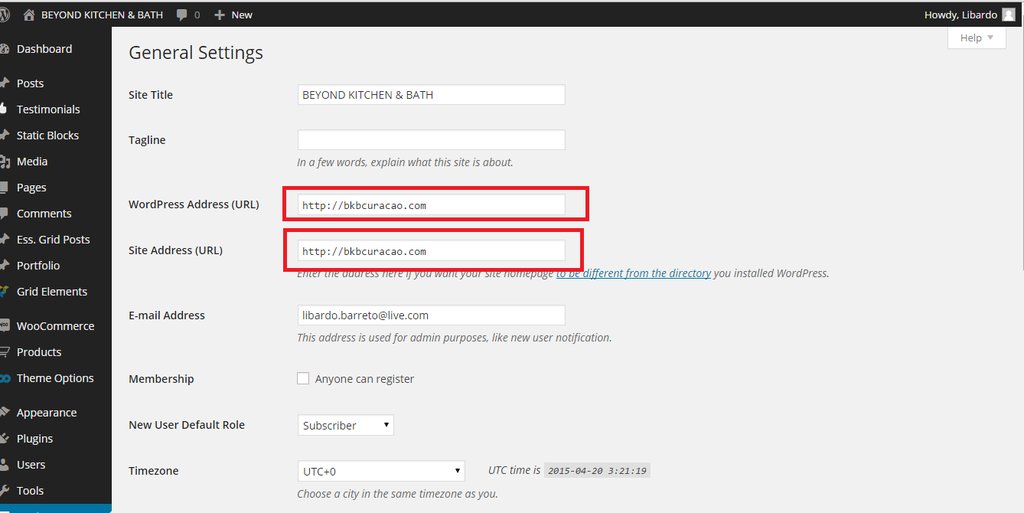
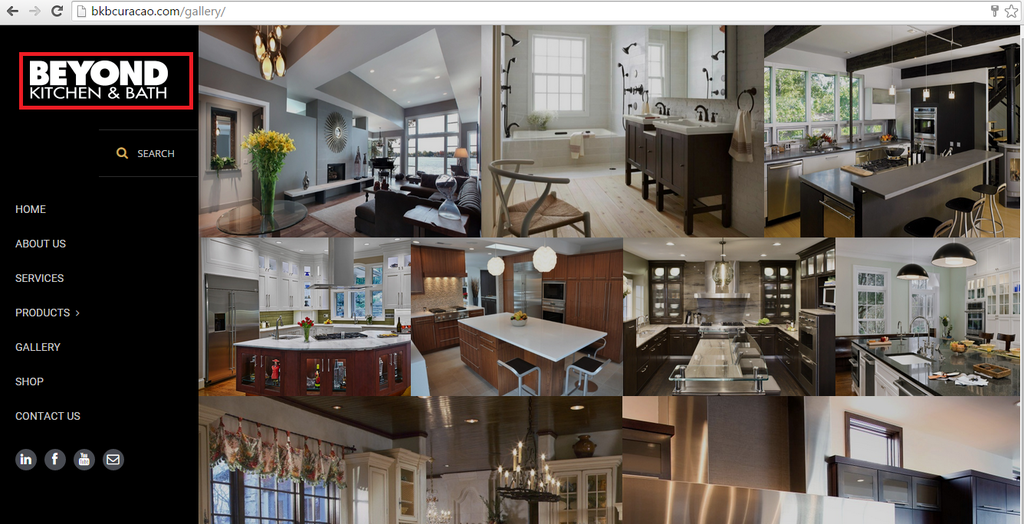
    I accidentally change the WordPress Site to bkbcuracao.com/gallery and the Site Address to bkbcuracao.com thinking which when the customers click on the BKB logo on bkbcuracao.com/gallery they will be redirected to the page of bkbcuracao.com

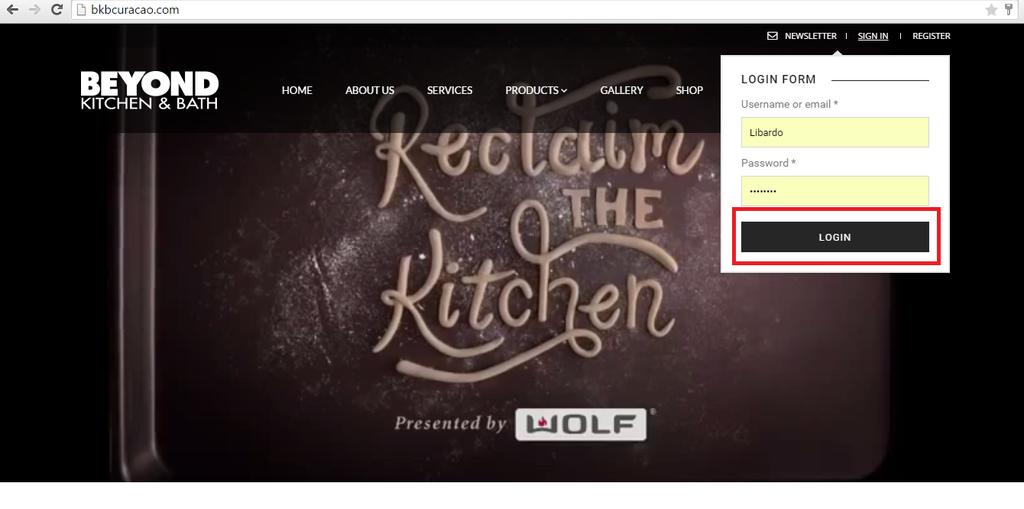
    Now we have some problem logging in. IS there a way to get out of this and have access again to bkbcuracao.com/gallery/wp-admin?

    I think even the owners can be paranoid some times (lol)

    http://i1340.photobucket.com/albums/o728/LibardoBarreto/fsdgsfg_zpswi7cgzul.png

    http://i1340.photobucket.com/albums/o728/LibardoBarreto/fsdfsdf_zpsldyrewd9.png

    Avatar: Eva
    Eva Kemp
    Participant
    April 20, 2015 at 12:12

    Hello,

    I’ve added this code in custom.css file for youtube icon for the site http://bkbcuracao.com/

    .menu-social-icons .ico-youtube:before {
      content: "\f167";
      font-family: FontAwesome;
    }
    
    .menu-social-icons .ico-youtube {
      display: block;
      width: 28px;
      height: 28px;
    }

    Please check it.
    Also I’ve edited shortcodes.php file for the site bkbcuracao.com/gallery. Check links now.
    You need also add the code above to custom.css file for bkbcuracao.com/gallery to make youtube icon shown.

    To change address for bkbcuracao.com/gallery you need edit your database. You’d better ask your host to change it.

    Regards,
    Eva Kemp.

    Avatar: Libardo
    Libardo
    Participant
    April 21, 2015 at 03:46

    Good Day Eva,

    IS there a way to link this logo to the http://www.bkbcuracao.com website? At the moment is pointing to http://www.bkbcuracao.com/gallery

    I tried to look into the setting and also check online but couldnt get something yet…

    http://i1340.photobucket.com/albums/o728/LibardoBarreto/rwetwt_zps0zi01wvl.png

    Avatar: Eva
    Eva Kemp
    Participant
    April 21, 2015 at 13:20

    Hello,

    This can be changed in wp-admin panel > Settings > General.
    This is WordPress issue and not the theme. You’d better look for some suggestions on WordPress forums.

    Thank you.
    Regards,
    Eva Kemp.

    Avatar: Libardo
    Libardo
    Participant
    April 23, 2015 at 02:05

    Hi Eva,

    ITEM 1

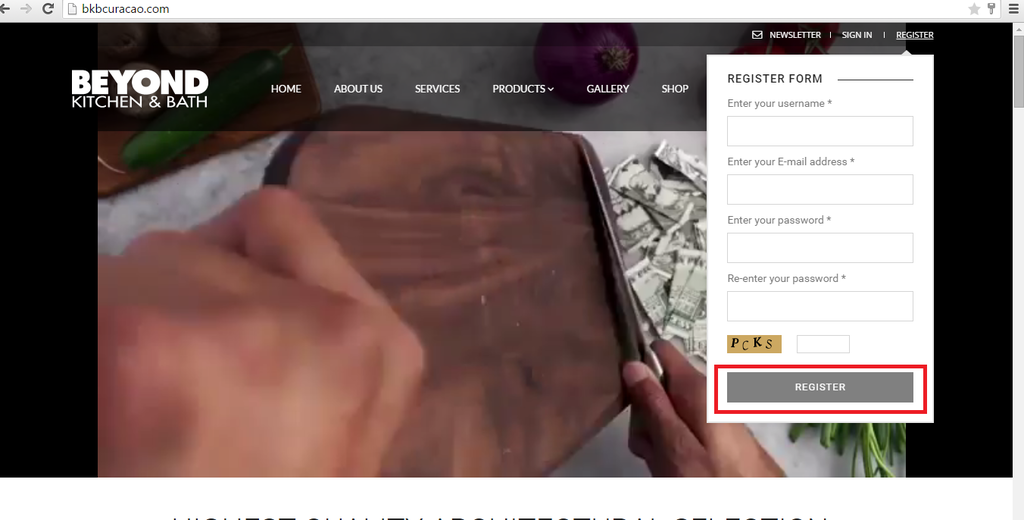
    – Could you change this RED image to the one below GOLD image as Register Form?

    *** This one needs to be changed
    http://i1340.photobucket.com/albums/o728/LibardoBarreto/hgdfgdf_zpsfalbrwsr.png

    http://i1340.photobucket.com/albums/o728/LibardoBarreto/fdfsdf_zpsexj6hbme.png

    ITEM 2

    – Can you change the color of the button of SIGN IN to the One of REGISTER button? the color should be the lighter grey.

    *** This one needs to be changed
    http://i1340.photobucket.com/albums/o728/LibardoBarreto/gfdgfdg_zpsd4yny6xe.png

    http://i1340.photobucket.com/albums/o728/LibardoBarreto/gfdg_zpsomye8atp.png

    Avatar: Eva
    Eva Kemp
    Participant
    April 23, 2015 at 09:42

    Hello,

    1. The background color for captca on Contact page should be edited with some image editor as it’s loading from the image wp-content/themes/royal/framework/inc/really-simple-captcha/tmp/2125917590.png.

    2. Add this code in custom.css file:

    .login-link .login-popup input[type=submit] {
      background-color: #808080 !important;
    }

    Regards,
    Eva Kemp.

    Avatar: Libardo
    Libardo
    Participant
    April 23, 2015 at 18:07

    Thanks Eva.

    Where do I find the captcha image for this one:

    http://i1340.photobucket.com/albums/o728/LibardoBarreto/hgdfgdf_zpsfalbrwsr.png

    Avatar: Eva
    Eva Kemp
    Participant
    April 23, 2015 at 20:15

    Hello,

    I’ve edited shortcodes.php file to change background color for captcha of the contact form.
    Please check.

    Regards,
    Eva Kemp.

    Avatar: Libardo
    Libardo
    Participant
    April 24, 2015 at 18:06

    Ok thanks I will check this

    Avatar: Eva
    Eva Kemp
    Participant
    April 24, 2015 at 21:05

    Hello,

    You’re welcome.

    Regards,
    Eva Kemp.

    Avatar: Libardo
    Libardo
    Participant
    July 20, 2015 at 19:34

    Hi Eva,

    I believe after we done the Theme update the social icons were also updated and the links where eliminated.

    http://i1340.photobucket.com/albums/o728/LibardoBarreto/SOCIAL_zpsh8w1jnuv.png

    Can you add to the Child Theme folder the necessary CSS codes for the following:

    Facebook needs to link to : https://www.facebook.com/CuracaoBKB

    Twitter needs to link to :https://twitter.com/bkbcuracao

    Youtube needs to link to : https://www.youtube.com/channel/UCQdfUZZx3mOKWCjH0yRBKzg

    Google Plus needs to link to : https://plus.google.com/b/111868212816836744092/111868212816836744092/videos?pageId=111868212816836744092

    E-Mail needs to link to : http://bkbcuracao.com/contact-us/

    Please, contact administrator
    for this information.
    Avatar: Eva
    Eva Kemp
    Participant
    July 21, 2015 at 09:24

    Hello,

    I’ve added this code in functions.php of the child theme:

    function remove_parent_functions() {
    remove_shortcode('share', 'etheme_share_shortcode');
    add_shortcode('share', 'etheme_share_shortcode_child');
    } 
    
    add_action('init','remove_parent_functions');
    
    function etheme_share_shortcode_child($atts, $content = null) {
    extract(shortcode_atts(array(
    		'title'  => '',
    		'text' => '',
    		'tooltip' => 1,
    		'class' => ''
    	), $atts));
    	global $post;
    	if(!isset($post->ID)) return;
        $html = '';
    	$permalink = get_permalink($post->ID);
    	$tooltip_class = '';
    	if($tooltip) {
    		$tooltip_class = 'title-toolip';
    	}
    	$image =  etheme_get_image( get_post_thumbnail_id($post->ID), 150,150,false);
    	$post_title = rawurlencode(get_the_title($post->ID)); 
    	if($title) $html .= '<span class="share-title hidden-xs">'.$title.'</span>';
    	$html .= '
    		<ul class="menu-social-icons '.$class.'">
    			<li>
    				<a href="https://www.linkedin.com/company/bottelier-kitchen-&-bath-n-v-" class="'.$tooltip_class.'" title="'.__('LinkedIn', ETHEME_DOMAIN).'" target="_blank">
    					<i class="ico-linkedin"></i>
    					<svg width="38" height="38" xmlns="http://www.w3.org/2000/svg" class="circle">
    							<circle cx="19" cy="19" r="18" fill="rgba(255,255,255,0)" stroke="#000000"></circle>
    					</svg>
    				</a>
    			</li>
    
                   <li>
                        <a href="https://twitter.com/bkbcuracao" class="'.$tooltip_class.'" title="'.__('Twitter', ET_DOMAIN).'" target="_blank">
                            <i class="ico-twitter"></i>
                            <svg width="38" height="38" xmlns="http://www.w3.org/2000/svg" class="circle">
                                    <circle cx="19" cy="19" r="18" fill="rgba(255,255,255,0)" stroke="#000000"></circle>
                            </svg>
                        </a>
                    </li>
       
       			<li>
    				<a href="https://www.facebook.com/CuracaoBKB" class="'.$tooltip_class.'" title="'.__('Facebook', ETHEME_DOMAIN).'" target="_blank">			
    				<i class="ico-facebook"></i>					
    				<svg width="38" height="38" xmlns="http://www.w3.org/2000/svg" class="circle">							
    				<circle cx="19" cy="19" r="18" fill="rgba(255,255,255,0)" stroke="#000000"></circle>
    					</svg>
    				</a>
    			</li>
    			<li>
    				<a href="https://www.youtube.com/CuracaoBKB" class="'.$tooltip_class.'" title="'.__('Youtube', ETHEME_DOMAIN).'" target="_blank">					
    				<i class="ico-youtube"></i>					
    				<svg width="38" height="38" xmlns="http://www.w3.org/2000/svg" class="circle">							
    				<circle cx="19" cy="19" r="18" fill="rgba(255,255,255,0)" stroke="#000000"></circle>
    					</svg>
    				</a>
    			</li>
    			<li>
    				<a href="mailto:eugene@bkbcuracao.com?subject=Welcome To Beyond Kitchen and Bath &body=Check%20this%20out:%20'.$permalink.'" class="'.$tooltip_class.'" title="'.__('Mail To Friend', ETHEME_DOMAIN).'" target="_blank">
    					<i class="ico-envelope"></i>
    					<svg width="38" height="38" xmlns="http://www.w3.org/2000/svg" class="circle">
    							<circle cx="19" cy="19" r="18" fill="rgba(255,255,255,0)" stroke="#000000"></circle>
    					</svg>
    				</a>
    			</li>
    		</ul>
    	';
    	return $html;
    }

    Please check share icons now.

    Regards,
    Eva Kemp.

    Avatar: Libardo
    Libardo
    Participant
    July 21, 2015 at 13:40

    Thanks Eva … and welcome back :D:D:D:D fiewww

    I will check and let you know.

    Avatar: Eva
    Eva Kemp
    Participant
    July 21, 2015 at 15:48

    Hello,

    You’re welcome.

    Regards,
    Eva Kemp.

  • Viewing 25 results - 1 through 25 (of 25 total)

You must be logged in to reply to this topic.Log in/Sign up

We're using our own and third-party cookies to improve your experience and our website. Keep on browsing to accept our cookie policy.