Register/Sign In/Shopping Cart - by Libardo

This topic has 40 replies, 3 voices, and was last updated 10 years, 4 months ago ago by Eva Kemp

  • Avatar: Libardo
    Libardo
    Participant
    April 22, 2015 at 02:55

    Hi Eva,

    Can you please assist with the following:

    ITEM 1

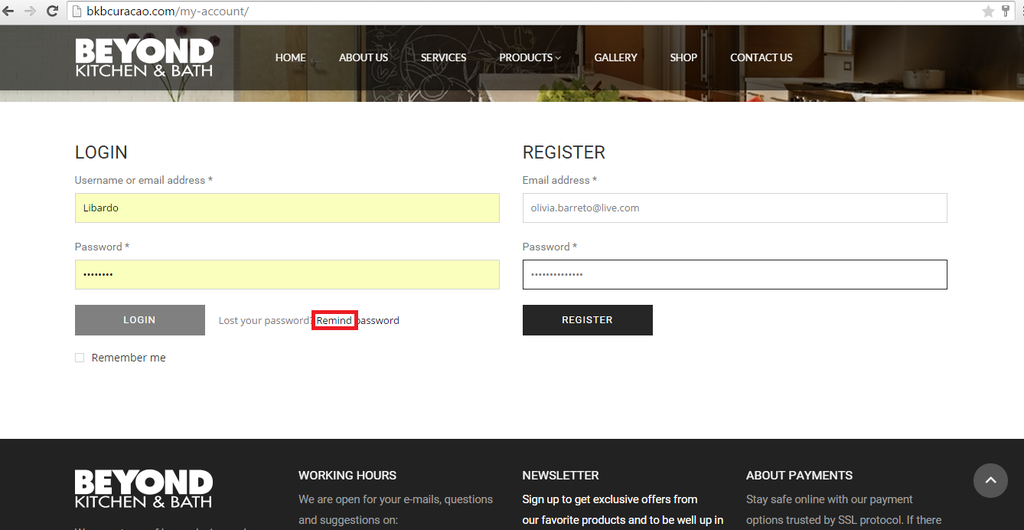
    – IS there a way to erase the ” Remind Password ” text and only leave ” Lost your password “? This is when the client can login or register.

    http://i1340.photobucket.com/albums/o728/LibardoBarreto/gg5_zpsoj39jahf.png

    ITEM 2

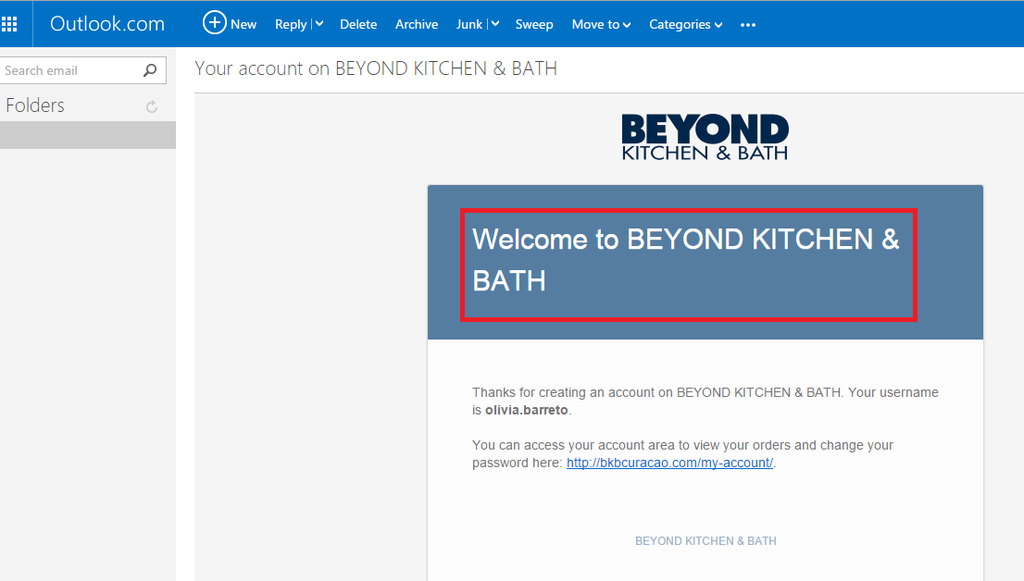
    – When I register I get a e-mail notification. Is there a way to center this text in the e-mail?

    http://i1340.photobucket.com/albums/o728/LibardoBarreto/ffsf_zpszqi0np7f.png

    ITEM 3

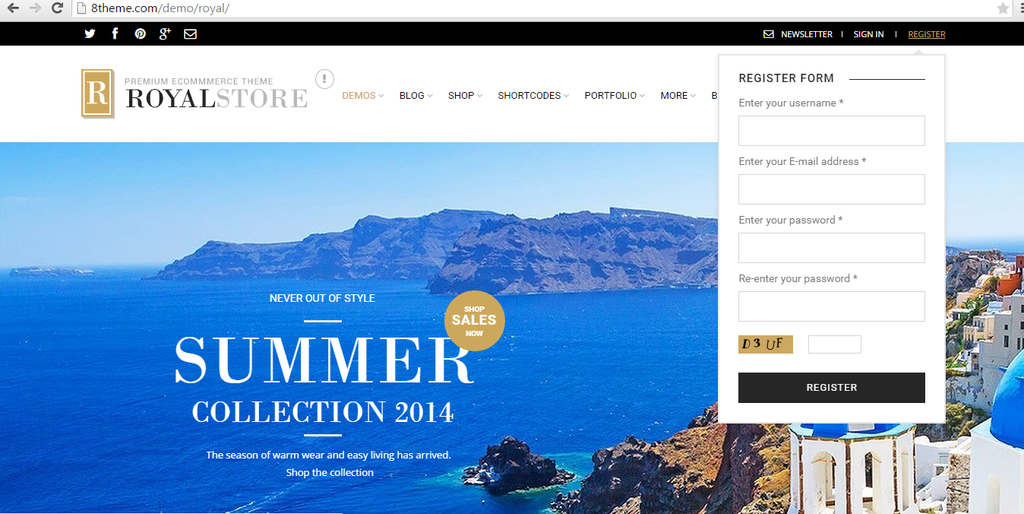
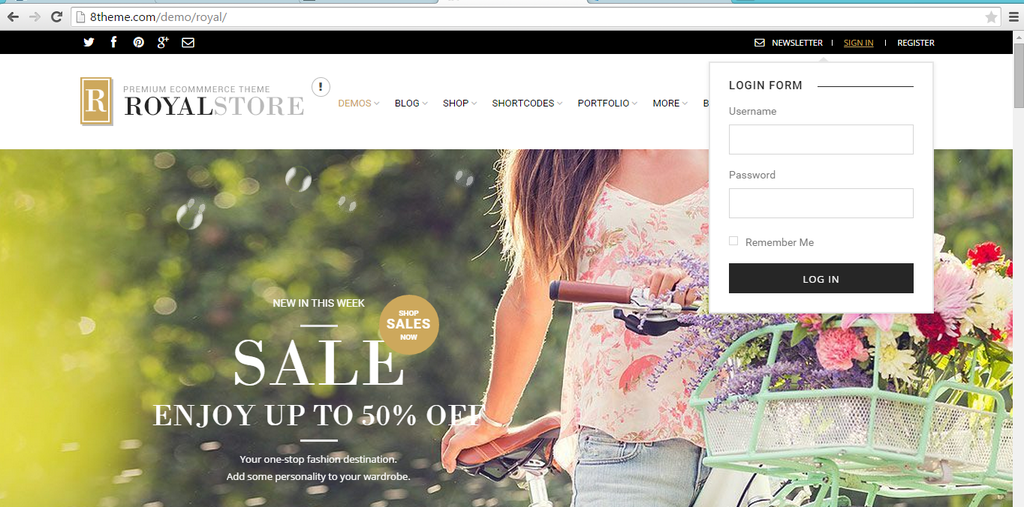
    – IS there a way disable the clicking on Sign In/Register button? Reason for asking is due that I would only like to hover the mouse and then can fill the information.

    http://i1340.photobucket.com/albums/o728/LibardoBarreto/dfsdf_zpswenz4hkc.png

    http://i1340.photobucket.com/albums/o728/LibardoBarreto/gfhg_zpsulscpe20.png

    ITEM 4

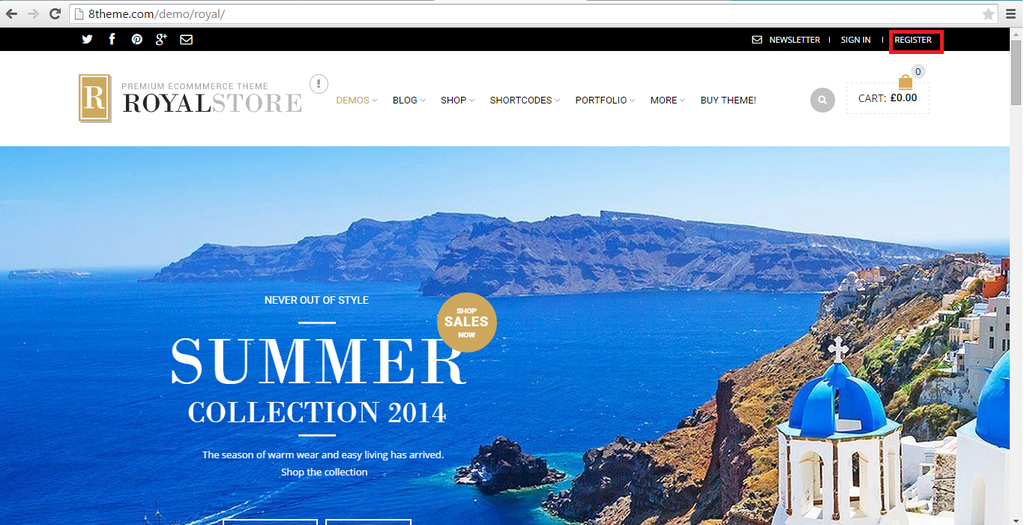
    – At the moment the ” Register ” button is not showing is there a way to enable this again? I tried via the theme options and also look for any CSS code in the CSS menu/pages but couldn’t find anything that can link to register except enable the top bar icons which is enabled but still is not showing.

    http://i1340.photobucket.com/albums/o728/LibardoBarreto/gfgfd_zpsvul4ccvt.png

    ITEM 5

    – How to remove the shopping cart from all pages? And how to enable the shopping cart again for all pages? I tried to look into the CSS code and found this:

    .shopping-container{
    display:none;
    }

    However when I remove it still the shopping cart won;t appear. This code is currently added in all the pages.

    ITEM 6

    – Is there a way to change the shopping cart logo/icon?

    ITEM 7

    – Is there a way to change the color of the shopping cart logo/icon?

    Please, contact administrator
    for this information.
    39 Answers
    Avatar: Eva
    Eva Kemp
    Participant
    April 22, 2015 at 09:43

    Hello,

    1. You can change the text in the file wp-content/themes/royal/woocommerce/myaccount/form-login.php (line 43).

    2. It’s aligned to center, you can check it in the file wp-content/themes/royal/framework/theme-functions.php (line 1626), the style is style="display:block; text-align:center;.

    3. You can remove links for Sign In and Register in the file wp-content/themes/royal/framework/theme-functions.php (lines 1051, 1091) and remove the code <?php echo get_permalink( get_option('woocommerce_myaccount_page_id') ); ?> on line 1051 and <?php echo $reg_url; ?> on line 1091.

    4. Please read how to create registration page:
    https://www.8theme.com/demo/docs/royal/#!/4_registration_page

    5. Did you make any changes in the original theme files?

    6. The icon can be changed only with some image editor as it’s loaded from the image wp-content/themes/royal/images/sprite/icons.png.

    7. This also needs to be changed with image editor (Photoshop, for example).

    Regards,
    Eva Kemp.

    Avatar: Libardo
    Libardo
    Participant
    April 22, 2015 at 13:49

    Hi Eva,

    Thanks.

    For ITEM 2 + 3 it looks good. I have remove the codes and looks good as should. Now I only wanted to know if it is possible to put a stop action when click on Sign In, Register? Meaning right now when I click on one of them it will just refresh the page. Is there a way to just don’t do no action? Like for example I click on Products menu it does not do nothing but when I hover my mouse on it it will show a drop down menu.
    Avatar: Eva
    Eva Kemp
    Participant
    April 22, 2015 at 15:59

    Hello,

    I’ve also removed href="" for “Sign In” in theme-functions.php file.
    Please check now.

    Thank you.
    Regards,
    Eva Kemp.

    Avatar: Libardo
    Libardo
    Participant
    April 22, 2015 at 17:47

    Hi Eva,

    Thanks. It looks good. Can you do it also for Register button?
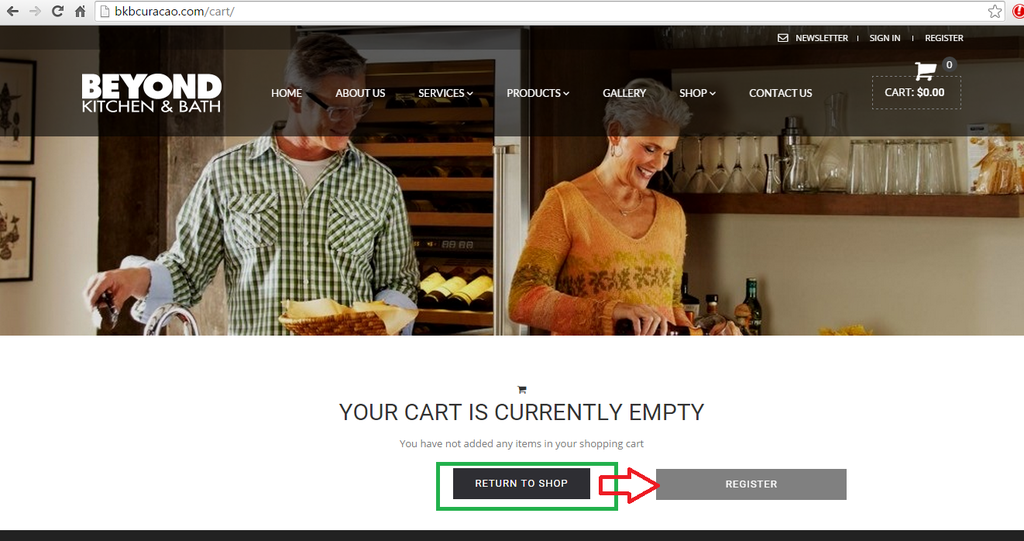
    I also follow the link but could not found the Membership menu

    =========================================================================
    First of all allow the registration. Navigate to Settings > General > Membership and mark Anyone can register. Then create Register Page and set the page template (under page attributes) to Custom Registration Page.
    =========================================================================

    Or is it possible to create this for me?
    Also how would I change the color of the Sign In / Register when I hover my mouse over these buttons? for example if I would like to change it to red instead of the black or grey color it turn into right now.

    Avatar: Eva
    Eva Kemp
    Participant
    April 22, 2015 at 19:20

    Hello,

    The same has been done for “Register” link.
    To enable registration go to wp-admin panel > Settings > General. I’ve already enabled it:
    http://storage4.static.itmages.com/i/15/0422/s_1429726404_7535090_af06e2657b.png
    Also I’ve created “Register” page in wp-admin > Pages. Now it’s shown in the header. Please check.
    To change hover color add this code in custom.css in Appearance > Editor:

    .top-bar a:hover {
      color: red;
    }

    Regards,
    Eva Kemp.

    Avatar: Libardo
    Libardo
    Participant
    April 22, 2015 at 20:31

    Thanks Eva.

    However Isn’t there a way to put MY ACCOUNT, REGISTER, SIGN IN, NEWS LETTER in the YELLOW box and the line in GREEN color below CONTACT US?

    http://i1340.photobucket.com/albums/o728/LibardoBarreto/fdd_zpspkjzzdvp.png

    Avatar: Eva
    Eva Kemp
    Participant
    April 23, 2015 at 10:41

    Hello,

    Please add this code in custom.css file:

    .mobile-nav-heading {
        border-bottom: none !important;
    }
    @media (max-width: 480px){.menu > li.lastItem {
        border-bottom: 1px solid #222 !important;
    }}

    Regards,
    Eva Kemp.

    Avatar: Libardo
    Libardo
    Participant
    April 24, 2015 at 01:26

    Hi Eva,

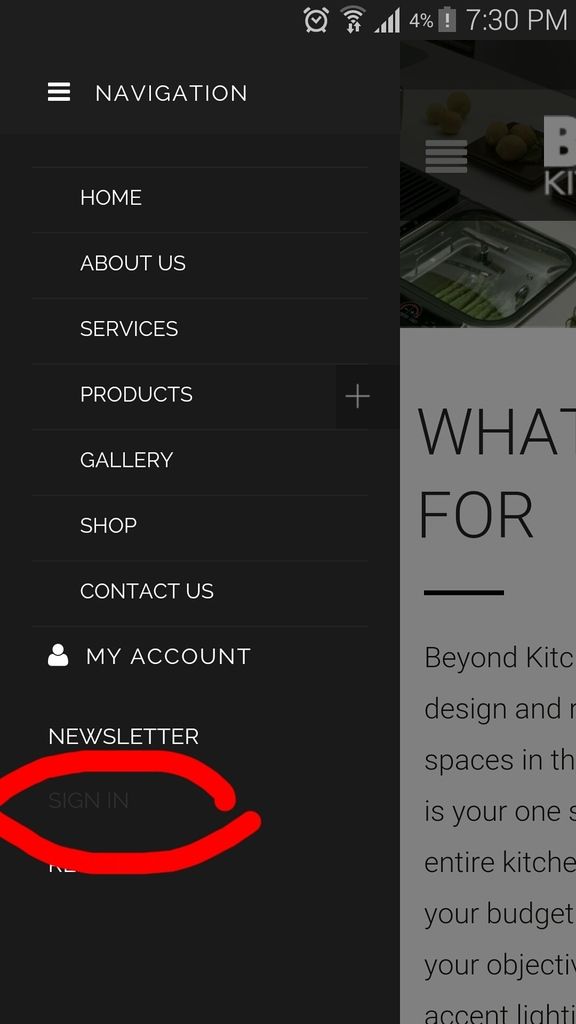
    Thanks. I also noticed that on mobile when I click on Sign In or Register or My account button nothing happen. Is there any code which I would need to include for this part?

    http://i1340.photobucket.com/albums/o728/LibardoBarreto/JUNK/Screenshot_2015-04-23-19-30-27_zpsaehfpjic_edit_1429834760897.png_zpsrfwskot3.jpeg

    Avatar: Eva
    Eva Kemp
    Participant
    April 24, 2015 at 10:31

    Hello,

    The reason for it we removed links for “Sign In” and “Register” buttons per your request.
    To make them clickable we need to put links back in the code.
    Please let us know how you’d like to proceed.

    Regards,
    Eva Kemp.

    Avatar: Libardo
    Libardo
    Participant
    May 10, 2015 at 04:38

    Hi Eva,

    I would like to put the links back in the code. In addition:

    ITEM 1.)

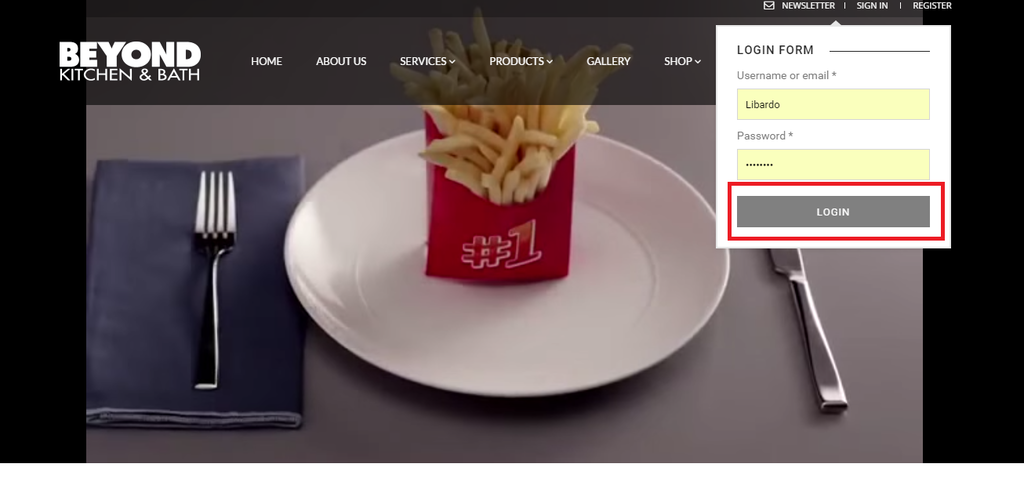
    When I hover my mouse over the login button it does not turn Black. When I hover my mouse over the Register button it does shows black. Is it possible to have both black when I hover my mouse?

    http://i1340.photobucket.com/albums/o728/LibardoBarreto/4546_zpsdb36vxjg.png

    http://i1340.photobucket.com/albums/o728/LibardoBarreto/6546456_zpsujgleu6n.png

    Avatar: Eva
    Eva Kemp
    Participant
    May 11, 2015 at 08:22

    Hello,

    Please add this code in custom.css file:

    .login-link .login-popup input[type=submit]:hover {
      background-color: black;
    }

    Regards,
    Eva Kemp.

    Avatar: Libardo
    Libardo
    Participant
    May 11, 2015 at 14:28

    Hi Eva,

    Thanks. We would like to also activate the links again based on:

    April 24, 2015 at 10:31 am#59409
    Hello,

    The reason for it we removed links for “Sign In” and “Register” buttons per your request.
    To make them clickable we need to put links back in the code.
    Please let us know how you’d like to proceed.

    Avatar: Eva
    Eva Kemp
    Participant
    May 11, 2015 at 14:37

    Hello,

    Did you change FTP credentials?
    I can’t connect via FTP.

    Regards,
    Eva Kemp.

    Avatar: Libardo
    Libardo
    Participant
    May 11, 2015 at 20:14

    Hi Eva,

    Thanks for letting me know. Please try again.

    Avatar: Libardo
    Libardo
    Participant
    May 11, 2015 at 22:14

    Hi Eva,

    I await on your confirmation if you went true with the FTP. In addition:

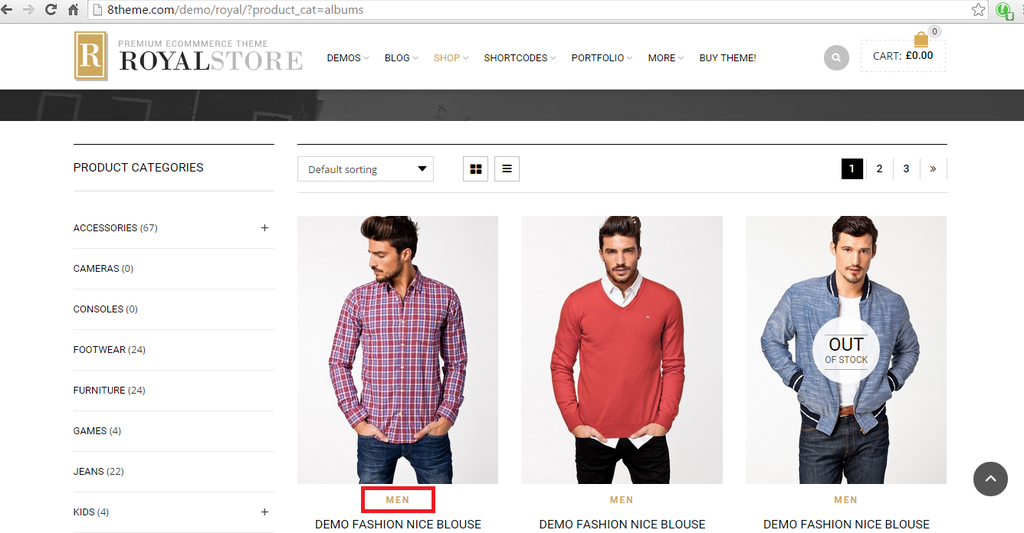
    ITEM 1.) Can you assist by adding this menu circle in red on the http://bkbcuracao.com/storebkb/ page?

    http://i1340.photobucket.com/albums/o728/LibardoBarreto/CART_2_zps4j6hm8ik.png

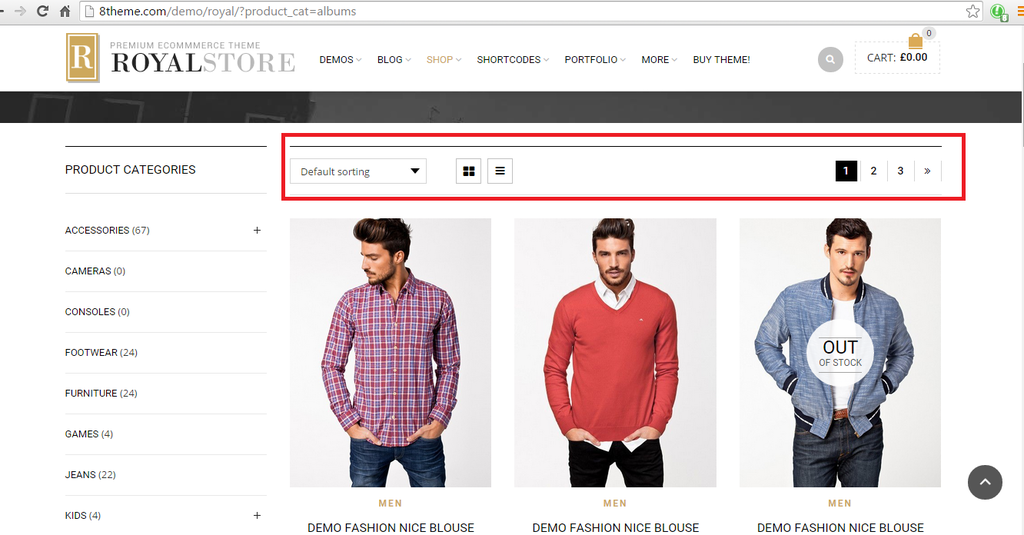
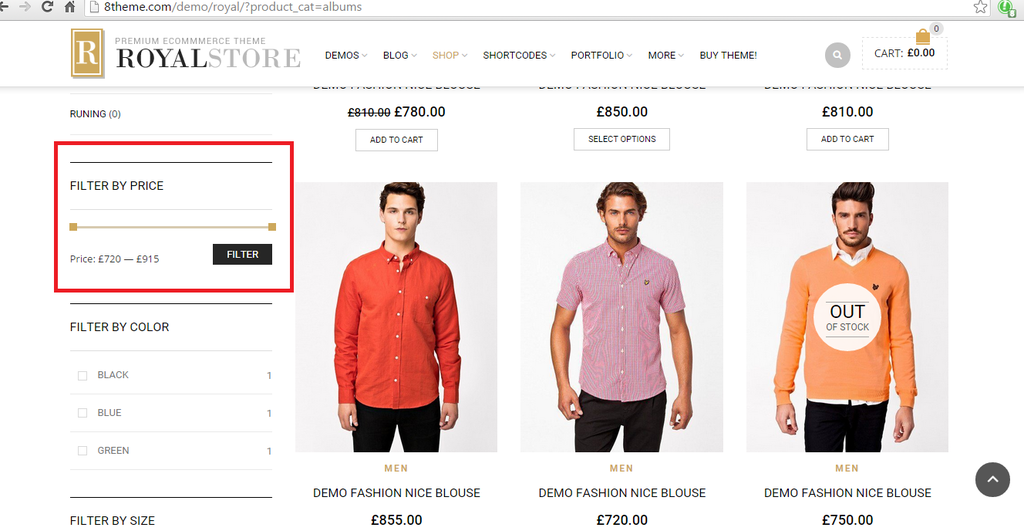
    ITEM 2.) Can you add the Filter Option to the http://bkbcuracao.com/storebkb/ page?

    http://i1340.photobucket.com/albums/o728/LibardoBarreto/CART_3_zpspxzufc83.png

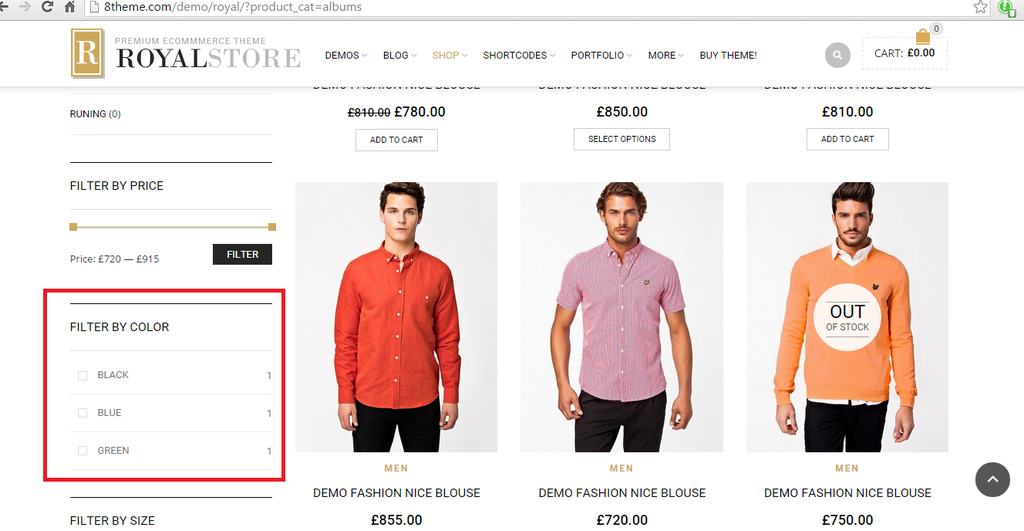
    ITEM 3.) Can you add the Color Option to the http://bkbcuracao.com/storebkb/ page?

    http://i1340.photobucket.com/albums/o728/LibardoBarreto/CART_4_zpseaopok3d.png

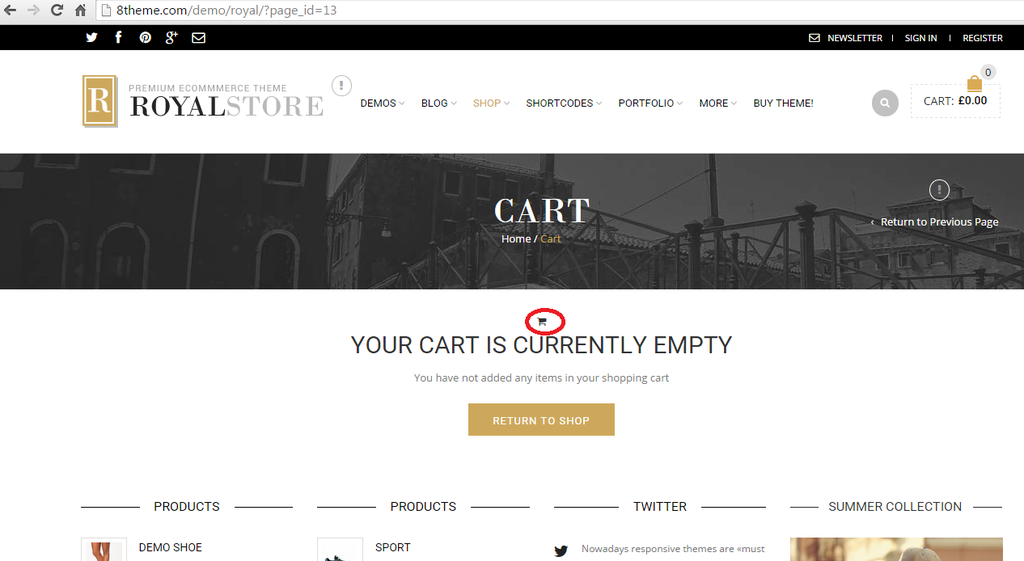
    ITEM 4.) Can you add the black shopping cart to the Cart & Checkout Page?

    http://i1340.photobucket.com/albums/o728/LibardoBarreto/CART_1_zpsc0q0gvmm.png

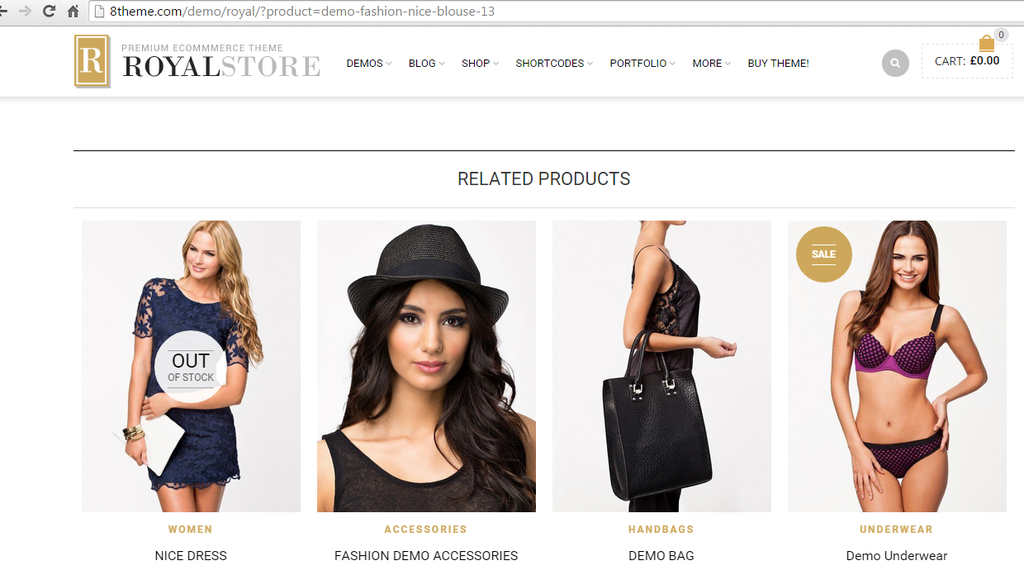
    ITEM 5.) Can you add at the bottom of the Products this option (Related Products)?

    http://i1340.photobucket.com/albums/o728/LibardoBarreto/CART_8_zpsrqyc3wur.png

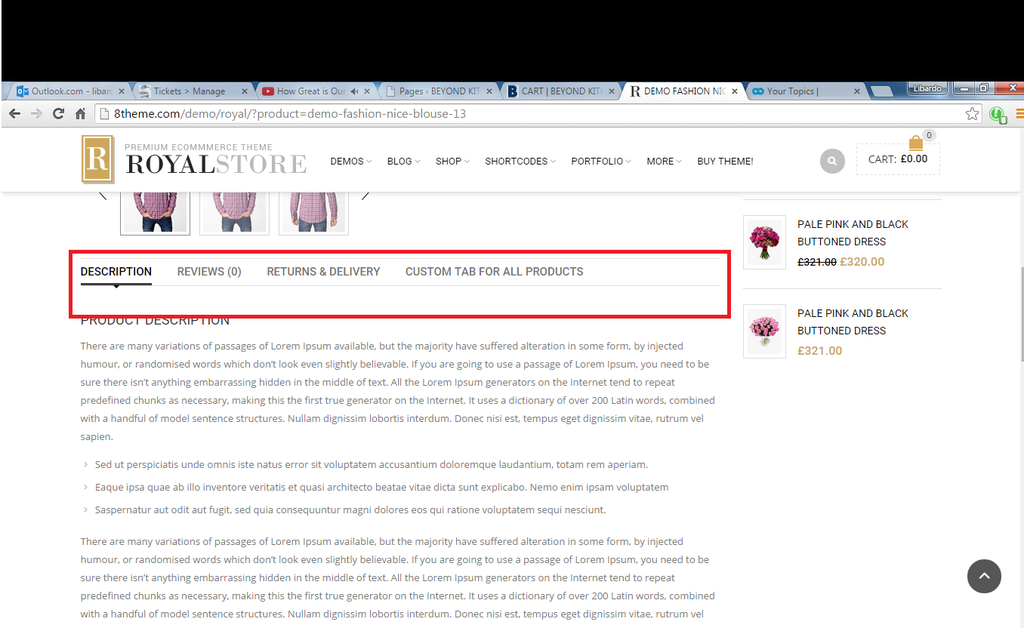
    ITEM 6.) Can you add this menu to the product page when you click on a product?

    http://i1340.photobucket.com/albums/o728/LibardoBarreto/CART_7_zps8tyoqyta.png

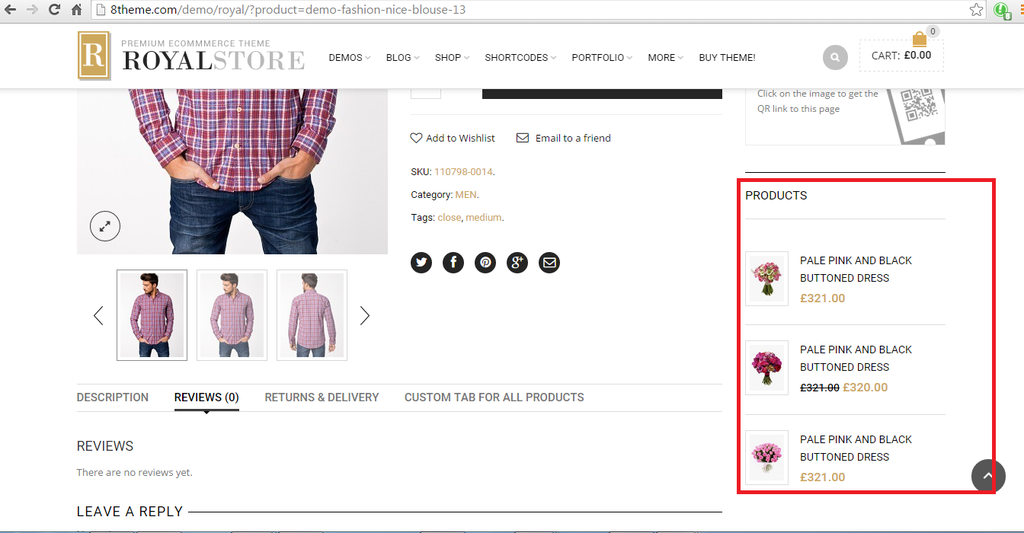
    ITEM 7.) Can you add the Products Widget when clicking on a product?

    http://i1340.photobucket.com/albums/o728/LibardoBarreto/CART_6_zpsde7ic0lh.png

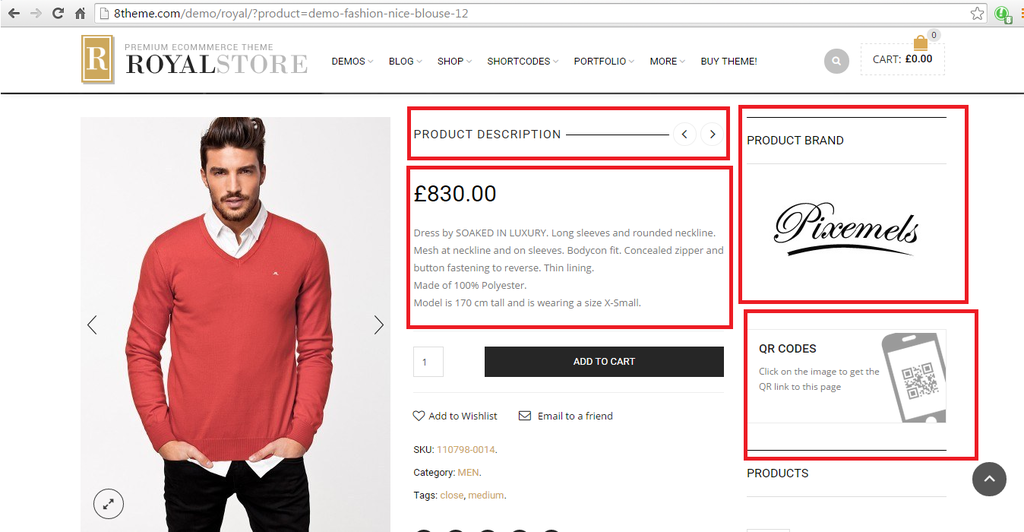
    ITEM 8.) Can the items circled in red be added the same for each product once you click on them?

    http://i1340.photobucket.com/albums/o728/LibardoBarreto/CART_5_zps3wa2egoe.png

    ITEM 9.) Can you let me know which image size is being used in the ROYAL DEMO page?

    http://i1340.photobucket.com/albums/o728/LibardoBarreto/Cart9_zpsw3en4sy7.png

    ITEM 10.) Can you let me know how to change the color of this text?

    http://i1340.photobucket.com/albums/o728/LibardoBarreto/cart10_zpsmqdamczd.png

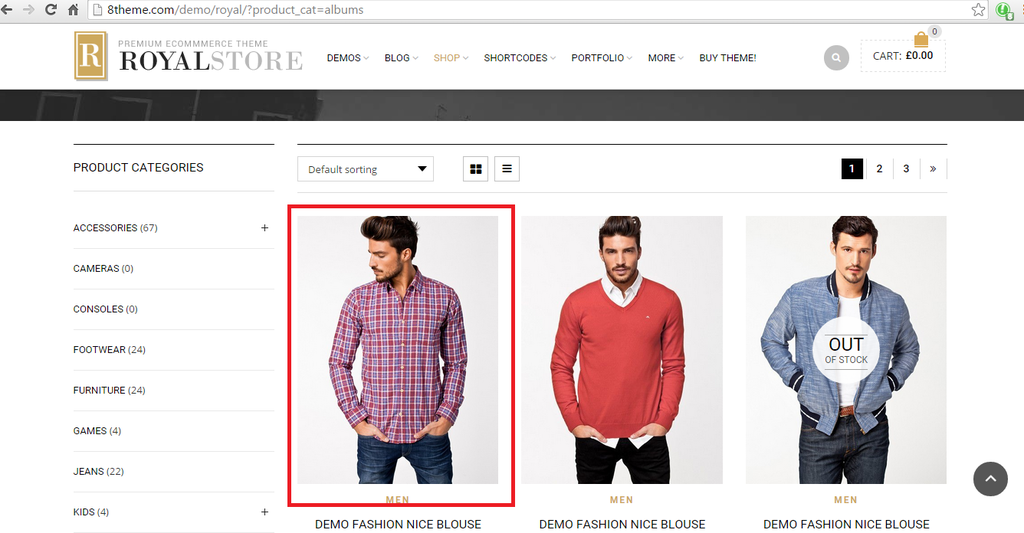
    All these DEMO images I got from https://www.8theme.com/demo/royal/?product_cat=albums

    Also if there are no options or was wondering to which image you would need to use just pick some randomly and I will check in afterwards to change these.

    Please, contact administrator
    for this information.
    Avatar: Eva
    Eva Kemp
    Participant
    May 12, 2015 at 08:30

    Hello,

    I’ve put links back. Please check.

    1. As I see that menu is already present on a page.

    2. Go to Theme Options > Products Page Layout and select layout with sidebar. Then go to Appearance > Widgets and drag Woocommerce Price Filter widget into Shop Sidebar area.

    3. Also in Appearance > Widgets add Woocommerce Layered Nav Filter widget into Shop Sidebar. Before you need create attributes with color. You can watch this video tutorial.

    4. I’ve added this code in custom.css to add cart icon:

    .icon-shopping-cart:before {
      content: "\f07a";
    }
    
    [class^="icon-"]:before, [class*=" icon-"]:before {
      font-family: FontAwesome;
      font-weight: normal;
      font-style: normal;
      display: inline-block;
      text-decoration: inherit;
    }

    Please check Cart page.

    5. Go to Theme Options > Single Products Page > Display related products > On.

    6. Add some description for your products in a product editor and tabs will appear.

    7. Go to Appearance > Widgets and add Woocommerce Products widget into Single Product Page Sidebar area and select Sidebar Position in Theme Options > Single Product Page.

    8. Add short description for a product in a product editor, mark it with brand label (you’ll see it on the right side of the editor), add 8theme-QR code widget into Single Product Page Sidebar area.

    9. Please read in the documentation what sizes to set:
    https://www.8theme.com/demo/docs/royal/#!/woocommerce

    10. To change color of product category use this code in custom.css file:
    .products-page-cats a {color: black !important}
    If you want to change product name color use this code:
    .products-grid .product-title {color: white !important}

    Regards,
    Eva Kemp.

    Avatar: Libardo
    Libardo
    Participant
    May 13, 2015 at 20:17

    Hi Eva,

    I’ve tried to add this code in the custom css file but still not working as should:

    .login-link .login-popup input[type=submit]:hover {
    background-color: black;
    }

    Avatar: Eva
    Eva Kemp
    Participant
    May 14, 2015 at 09:55

    Hello,

    I’ve edited the code.
    Please check now.

    Regards,
    Eva Kemp.

    Avatar: Libardo
    Libardo
    Participant
    July 20, 2015 at 17:47

    Good Day,

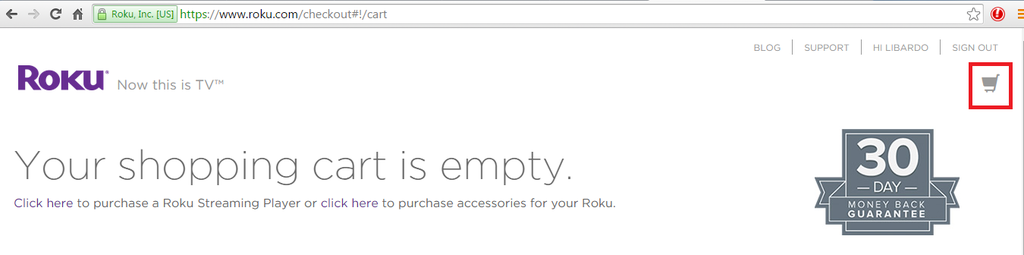
    Is it possible to change the current shopping cart icon to the one of Roku website? Also is there a way to leave it as option for me to change the color whenever needed?

    http://i1340.photobucket.com/albums/o728/LibardoBarreto/CRT_zpsamz8pffz.png

    http://i1340.photobucket.com/albums/o728/LibardoBarreto/CART_zpsmhygiepp.png

    Please, contact administrator
    for this information.
    Avatar: Jack Richardson
    Jack Richardson
    Support staff
    July 20, 2015 at 17:56

    Hello,

    Unfortunately there is no such possibility to get done what you want.
    Please take our apologies.

    Best regards,
    Jack Richardson.

    Avatar: Libardo
    Libardo
    Participant
    July 20, 2015 at 19:14

    Good Day,

    I normally get options from Eva. In this case no options where presented?? Please check this ticket history and you will notice that the icon was already once changed by Eva. So this IS possible to change. Please check internally once more before provide answers. This is just a shopping cart icon nothing difficult..

    Avatar: Eva
    Eva Kemp
    Participant
    July 21, 2015 at 09:13

    Hello,

    I’ve edited the code in your child style.css file:

    .ico-sum {
        width: 18px;
        height: 21px;
      /*  background: transparent url("https://www.8theme.com/demo/royal/wp-content/themes/royal/images/sprite/icons.png") no-repeat scroll 0px 0px; */
        display: block;
        top: 0px;
    }
    .cart-bag .ico-sum::before {
       content: "\f07a" !important;
        font-family: FontAwesome;
        font-size: 30px !important;
        top: -18px !important;
        left: -20px !important;
        border-color: transparent !important;
    }

    Please check cart icon now.

    Regards,
    Eva Kemp.

    Avatar: Libardo
    Libardo
    Participant
    July 21, 2015 at 13:42

    Hi Eva,

    Thanks. I’ve just checked and noticed that the shopping cart is not like the one of Roku website :((

    Is it possible to have the shopping cart just like the same as Roku?

    Also is there a way I can change the color at all times for something different?

    Avatar: Eva
    Eva Kemp
    Participant
    July 21, 2015 at 15:55

    Hello,

    roku.com site uses different font family and not FontAwesome that our theme does. So we can’t add the same icon as on this site. Sorry.
    To change color of the icon use this code in child style.css:

    .cart-bag .ico-sum::before {
        color: red !important;
    }

    Regards,
    Eva Kemp.

    Avatar: Libardo
    Libardo
    Participant
    July 21, 2015 at 16:05

    Good Day Eva,

    I have some request below which I would like to incorporate in our Child Theme. Can you please let me know how do I achieve the following or add the codes into the respective files and confirm the codes?

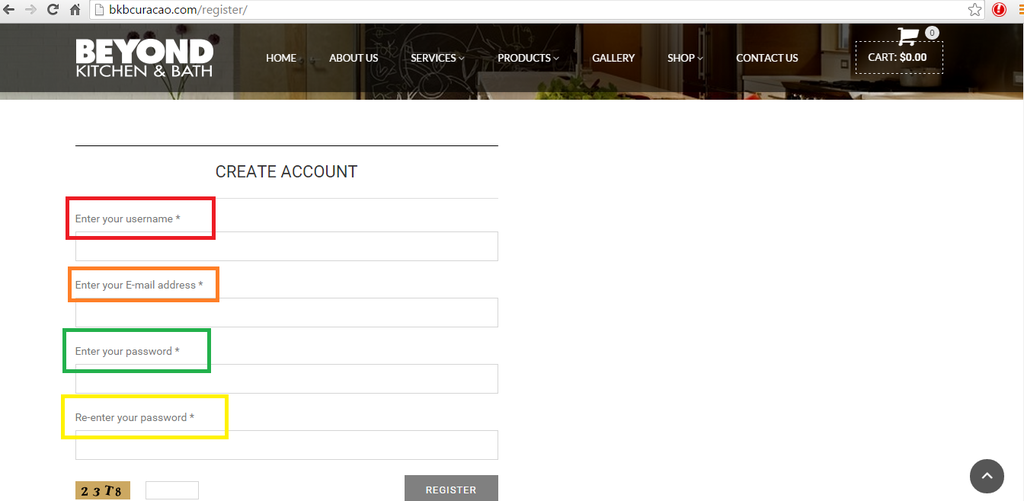
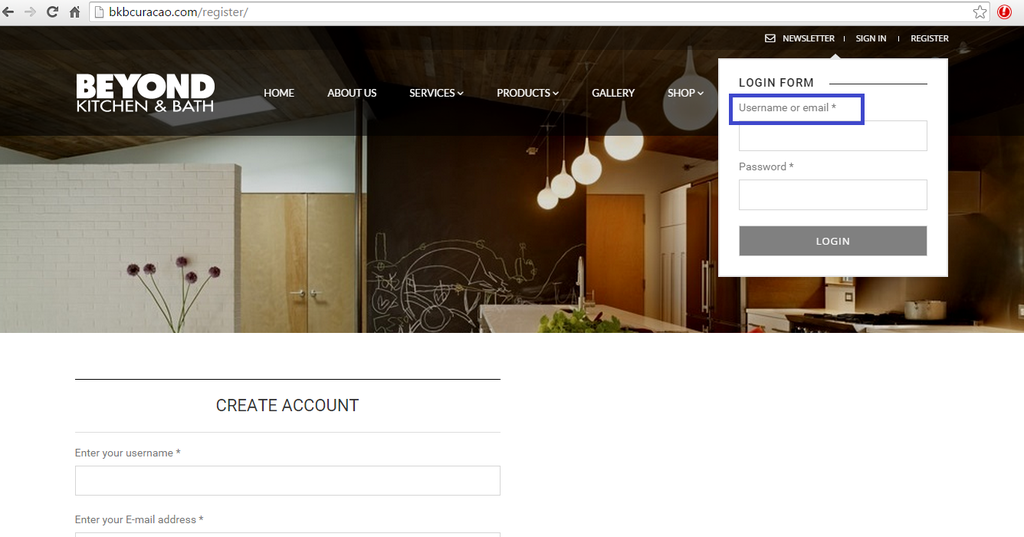
    1.) http://i1340.photobucket.com/albums/o728/LibardoBarreto/SSS_zpsewbxuvrq.png

    Color Red : Text needs to be ” Enter Your Username ”
    Color Orange : Text needs to be ” Enter Your E-Mail Address ”
    Color Green : Text needs to be ” Enter Your Password ”
    Color Yellow : Text needs to be ” Re-Enter Your Password ”

    2.) http://i1340.photobucket.com/albums/o728/LibardoBarreto/vvv_zps3xqavo6a.png

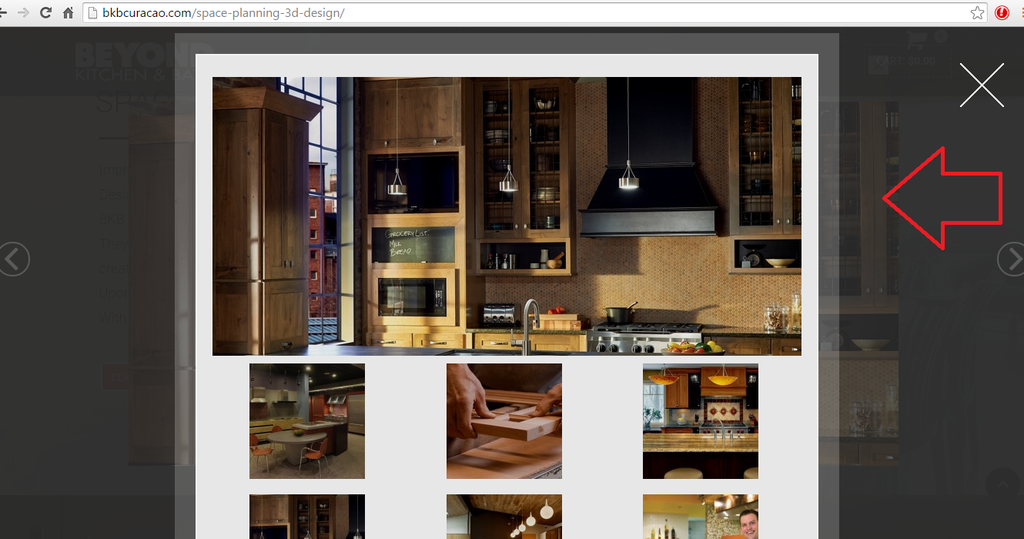
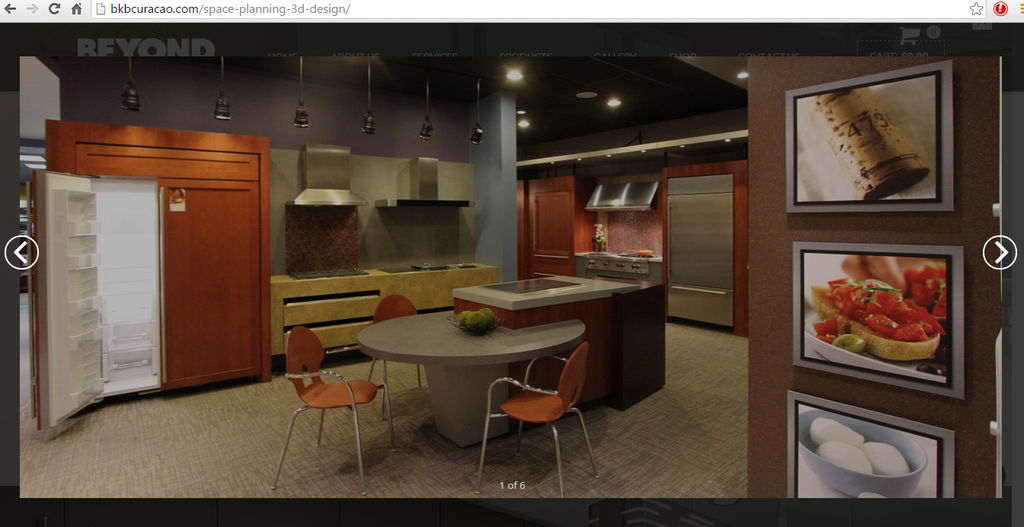
    The same issue we had before is showing once more that when I click on the projects image it shows in the background and when I close with the button ” X ” it still there:

    http://i1340.photobucket.com/albums/o728/LibardoBarreto/CVVVB_zps6mdnus6f.png

    3.) http://i1340.photobucket.com/albums/o728/LibardoBarreto/CVVG_zpsrsn5xxrl.png

    Can you change the dark into the light color? Once hover the mouse over the button we would like
    to show the darker color

    4.) http://i1340.photobucket.com/albums/o728/LibardoBarreto/BB_zpsjgxlm2tl.png

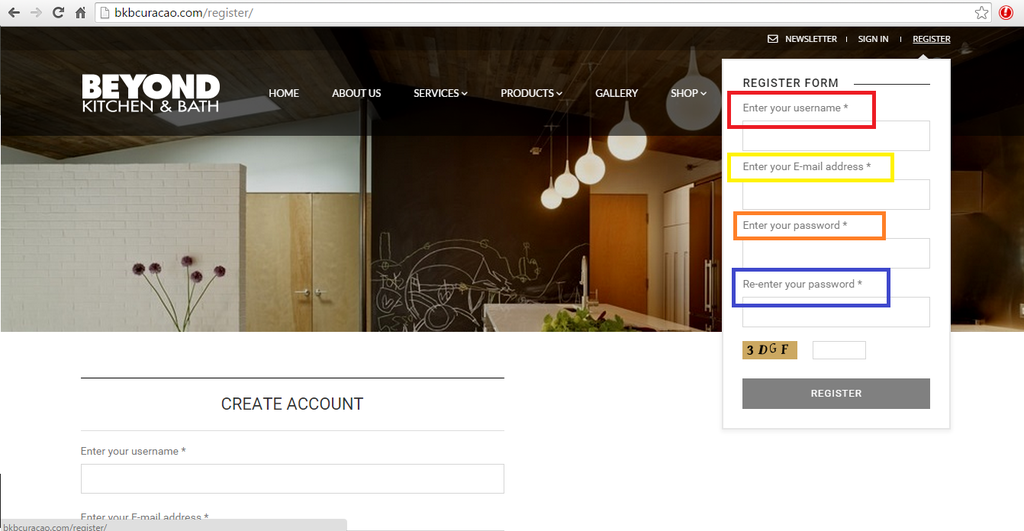
    Color Red : Text needs to be ” Enter Your Username ”
    Color Yellow : Text needs to be ” Enter Your E-Mail Address ”
    Color Orange : Text needs to be ” Enter Your Password ”
    Color Blue : Text needs to be ” Re-Enter Your Password ”

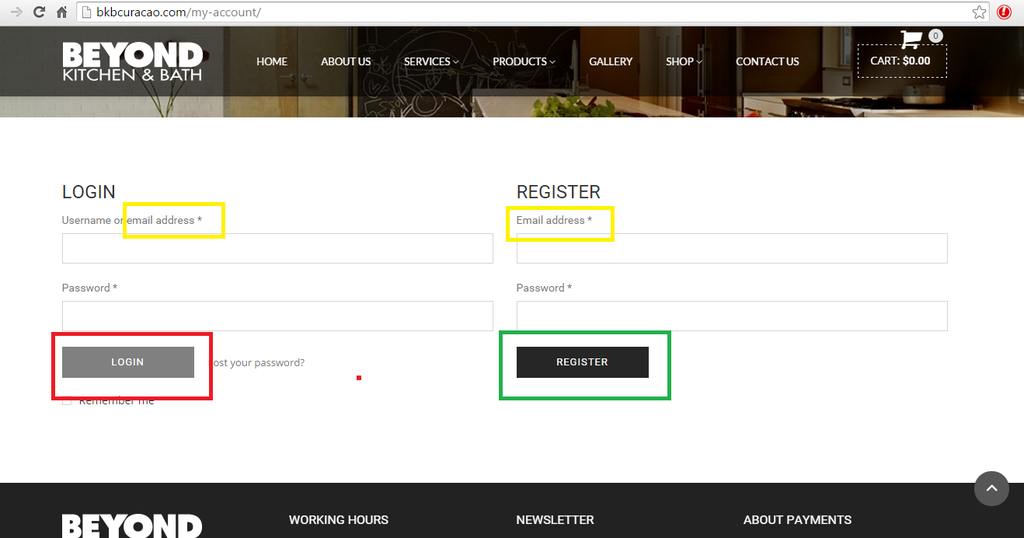
    5.) http://i1340.photobucket.com/albums/o728/LibardoBarreto/CC_zpsydjyoy0d.png

    Color Blue : Text needs to be ” Username or E-Mail ”

    6.) http://i1340.photobucket.com/albums/o728/LibardoBarreto/RR_zpsikppiqjo.png

    Color Yellow : Text needs to be ” E-Mail Address ”
    Color Dark Grey : Needs to be Light Grey and when hover mouse needs to show dark grey

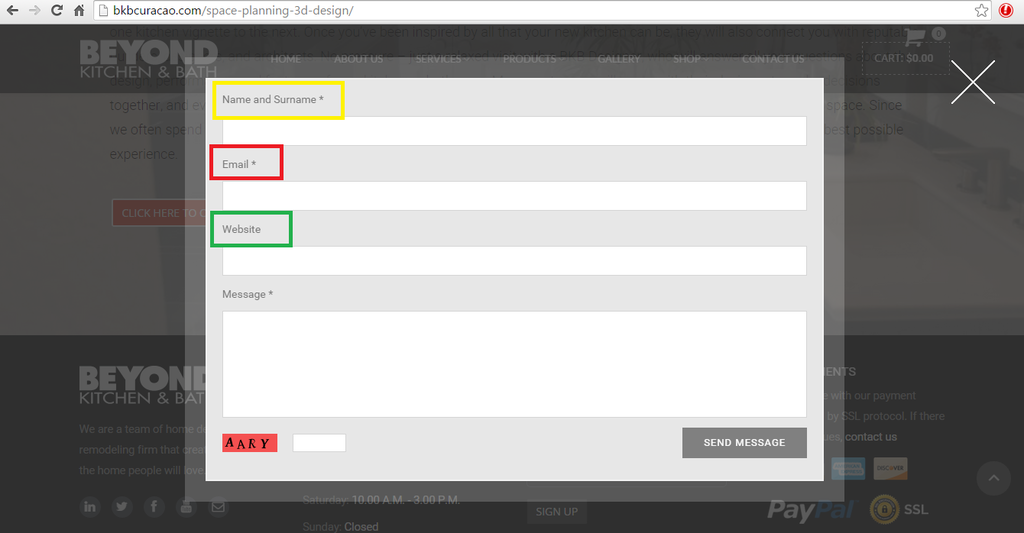
    7.) http://i1340.photobucket.com/albums/o728/LibardoBarreto/56Y_zpswqjam8iv.png

    Color Yellow : Text needs to be ” Name and Surname ”
    Color Red : Text needs to be ” E-Mail Address ”
    Color Green : Text needs to be ” Telephone ”

    Please, contact administrator
    for this information.
    Avatar: Libardo
    Libardo
    Participant
    July 21, 2015 at 16:32

    Hi Eva,

    Also how do I change the shopping icon to something else? For example if we would like to check how this icon looks what needs to be replaced or edit?

    http://fortawesome.github.io/Font-Awesome/icon/cart-arrow-down/

    The code for the color is good. I was able to change the color:

    .cart-bag .ico-sum::before {
    color: red !important;
    }

    Note:
    Also in case none of the icons is what we are looking for .. what code needs to be replaced for us to change back to the old icon and change this icon color if we would like?

    Avatar: Eva
    Eva Kemp
    Participant
    July 21, 2015 at 16:53

    Hello,

    1. Sorry, but there is no possibility to set different colors for different labels. Only one color can be set for all texts.

    2. I checked the page “SPACE PLANNING & 3D DESIGN” and the projects that are visible when click on the button “Click here to see our projects” and I didn’t see any issues. Lightbox window is closed successfully.

    3. Add this code in child style.css:

    .btn.filled.active {
       background-color: #808080 !important;
    }
    .btn.filled.active:hover {
       background-color: black !important;
    }

    4./7. It can’t be done as for the 1st query you asked.

    5. Color can be changed only for “Username or email” and “Password” labels. Shall we provide you with the code?

    6. Add this code in style.css of your child theme:

    .register .button {
       background-color: #808080 !important;
    }
    .register .button:hover {
       background-color: #2e2e33 !important;
    }

    Yellow color can be set for both labels:

    .login-form form .form-row label, .register-form form .form-row label {
      color: yellow !important;
    }

    Regards,
    Eva Kemp.

    Avatar: Libardo
    Libardo
    Participant
    July 21, 2015 at 17:19

    Hi Eva,

    Also how do I change the shopping icon to something else? For example if we would like to check how this icon looks what needs to be replaced or edit?

    http://fortawesome.github.io/Font-Awesome/icon/cart-arrow-down/

    The code for the color is good. I was able to change the color:

    .cart-bag .ico-sum::before {
    color: red !important;
    }

    Note:
    Also in case none of the icons is what we are looking for .. what code needs to be replaced for us to change back to the old icon and change this icon color if we would like?

    Avatar: Libardo
    Libardo
    Participant
    July 21, 2015 at 17:24

    Hi Eva,

    1./4./7. Sorry, but there is no possibility to set different colors for different labels. Only one color can be set for all texts.

    I would not like to change the colors but the text. I am just illustrating with colors what I would like to change.

    Kindly let me know how to achieve point 1 , 4, 5, 6 and 7. Also for the space-planning-3d-design page please try to click randomly true all the pictures. You will notice that the problem is still there. This we had it before and you have fixed it. But after the upgrade was done this seems to be the problem again.

  • 1 2
    Viewing 30 results - 1 through 30 (of 40 total)

You must be logged in to reply to this topic.Log in/Sign up

We're using our own and third-party cookies to improve your experience and our website. Keep on browsing to accept our cookie policy.