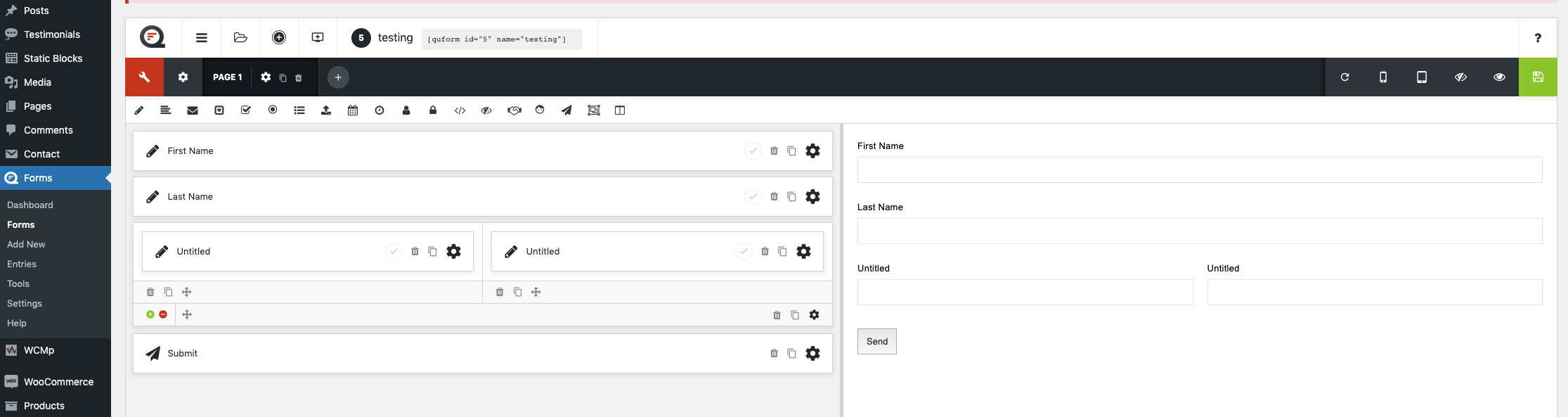
Hello
I am using Quform I want to make First Name and Last Name like this (https://monosnap.com/direct/kznyY7sxYeFMIghg7dxZVYcxwGKpRz)
How to do?
Regards
Abhijeet
This topic has 9 replies, 3 voices, and was last updated 4 years, 6 months ago ago by Abhijeet
Hello
I am using Quform I want to make First Name and Last Name like this (https://monosnap.com/direct/kznyY7sxYeFMIghg7dxZVYcxwGKpRz)
How to do?
Regards
Abhijeet
Hey Rose
I have try Coloum layout but it’s not working.
Hello,
Here is what I can see on your site – https://i.gyazo.com/3d8a8463b8ab296b11900cee87bfa253.png Try to clear the cache of the browser.
Regards
Hey Rose
I have check in another browser and clear cache the browser but it not showing in 2 Column. Image – https://prnt.sc/13fjyai. What to do?
Hello,
Try to change Zoom in your browser to 80% – http://prntscr.com/13flg6n
Have you added the form on a page? Check how it looks on the frontend.
Regards
Thanks Rose It’s work?
Can you tell how to add phone number in form.
Hello,
You are welcome.
Use text element. I have imported an example of the form with different types of fields. Check that. Also, keep in mind that you can find examples of different forms here https://www.quform.com/examples and you can import from using import option.
Regards
Thanks Olga
The issue related to '‘Quform’' has been successfully resolved, and the topic is now closed for further responses