Menu display issue - by fredwerk - on WordPress WooCommerce support

This topic has 14 replies, 4 voices, and was last updated 10 years, 7 months ago ago by Robert Hall

  • Avatar: fredwerk
    fredwerk
    Participant
    April 27, 2015 at 17:34

    Hi,

    Under the English version, I have the menu displayed correctly: https://www.dropbox.com/s/1ikhea1gurze66k/EN%20-%20TA%20Scotland%20%7C%20Extranet.png?dl=0

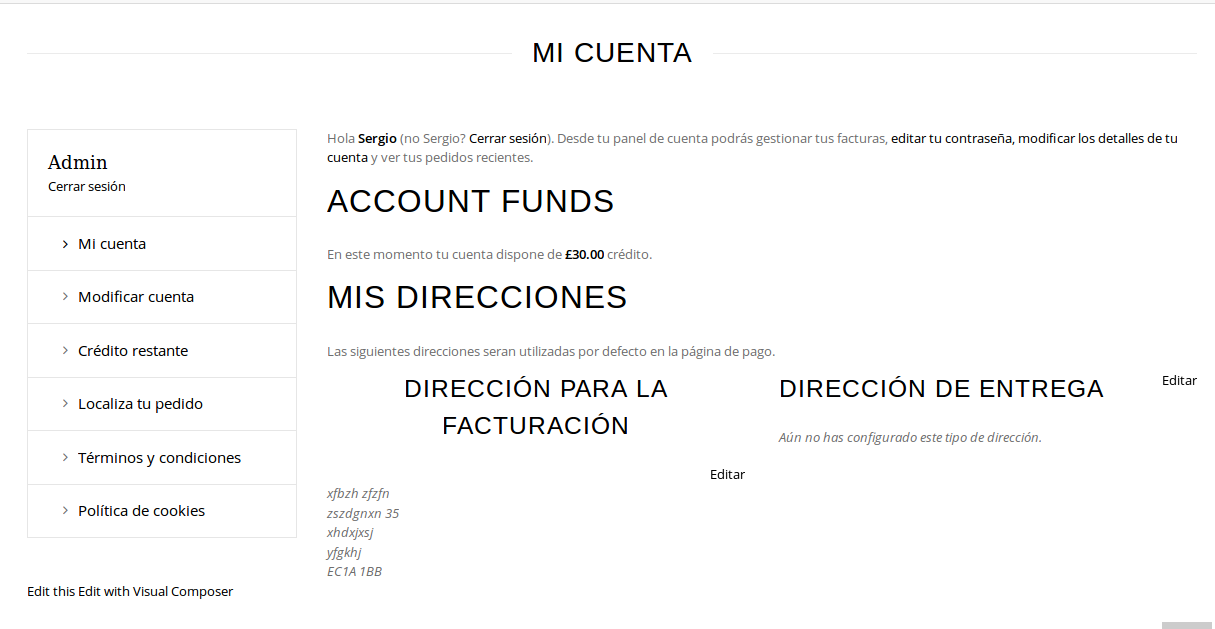
    However under the Spanish version, the menu has moved down: https://www.dropbox.com/s/jk907qbzf8sgins/ES%20-%20TA%20Scotland%20%7C%20Extranet.png?dl=0

    The Italian version is fine.

    Could you help out so I can have the Spanish menu properly aligned, just like the English one?

    Many thanks,

    13 Answers
    Avatar: Robert Hall
    Robert Hall
    Participant
    April 27, 2015 at 18:26

    Hello,

    Please provide us with link to the page and wp-admin access in Private Content.

    Regards,
    Robert Hall.

    Avatar: fredwerk
    fredwerk
    Participant
    April 27, 2015 at 18:58

    Hi,

    Please see the Private section.

    Many thanks,

    Please, contact administrator
    for this information.
    Avatar: Eva
    Eva Kemp
    Participant
    April 27, 2015 at 19:19

    Hello,

    Do you mean “Edit” link near Billing Address section?

    Regards,
    Eva Kemp.

    Avatar: fredwerk
    fredwerk
    Participant
    April 27, 2015 at 19:22

    Hi,

    The issue is with the MENU on the right side of the Logo.

    You can see on the screenshots that the English version is fine however the Spanish version, the menu is lower, not aligned.

    Avatar: Brian Johnson
    Brian Johnson
    Member
    April 28, 2015 at 10:59

    Hello

    Please check these screenshots from Opera browser:
    1. Englis version – http://prntscr.com/6z31sc.
    2. Spanish version – http://prntscr.com/6z322j.

    Main menu looks fine. Please specify what issue you are expiriencing with menu element

    With best regards
    Brian Johnson

    Avatar: fredwerk
    fredwerk
    Participant
    April 30, 2015 at 20:25

    Hi,

    Please check the Spanish page: http://queverenedimburgo.com/extranet/?lang=es

    Your screenshot shows the Italian page and this page is fine, but not the Spanish.

    Cheers,

    Avatar: Eva
    Eva Kemp
    Participant
    May 1, 2015 at 19:21

    Hello,

    Sorry, but I don’t see any issues:
    https://s3.amazonaws.com/fvd-data/notes/168674/1430504458-rRlXlB/screen.png

    Could you please specify what are they?

    Thank you.
    Regards,
    Eva Kemp.

    Avatar: fredwerk
    fredwerk
    Participant
    May 4, 2015 at 08:06
    Avatar: Eva
    Eva Kemp
    Participant
    May 4, 2015 at 13:41

    Hello,

    Please take our apologies for misunderstanding.
    I’ve added this code in custom.css file:

    .menu-main-menu-spanish0-container {
      float: right !important;
      margin-top: -80px !important;
    }

    Please clear browser cache and check the menu.

    Thank you.
    Regards,
    Eva Kemp.

    Avatar: fredwerk
    fredwerk
    Participant
    May 6, 2015 at 14:49

    Hi,

    I have checked under Chrome and it id not make any difference.

    Avatar: Robert Hall
    Robert Hall
    Participant
    May 6, 2015 at 14:55

    Hello,

    I’ve just checked in Chrome browser and it’s looking fine. Please see screenshot: http://prntscr.com/726ekh

    Regards,
    Robert Hall.

    Avatar: fredwerk
    fredwerk
    Participant
    May 6, 2015 at 14:58

    Hi,

    I checked again now and it looks fine. Not sure why it didn’t look ok in the first check as I did refresh and cleared cache.

    Many thanks,

    Avatar: Robert Hall
    Robert Hall
    Participant
    May 6, 2015 at 15:02

    You’re welcome!

    Regards,
    Robert Hall.

  • Viewing 14 results - 1 through 14 (of 14 total)

The issue related to '‘Menu display issue’' has been successfully resolved, and the topic is now closed for further responses

We're using our own and third-party cookies to improve your experience and our website. Keep on browsing to accept our cookie policy.