
Link on My Account page not working - by east_ikebukuro

This topic has 3 replies, 2 voices, and was last updated 4 years, 9 months ago ago by east_ikebukuro

  • Avatar: east_ikebukuro
    east_ikebukuro
    Participant
    March 10, 2021 at 06:34

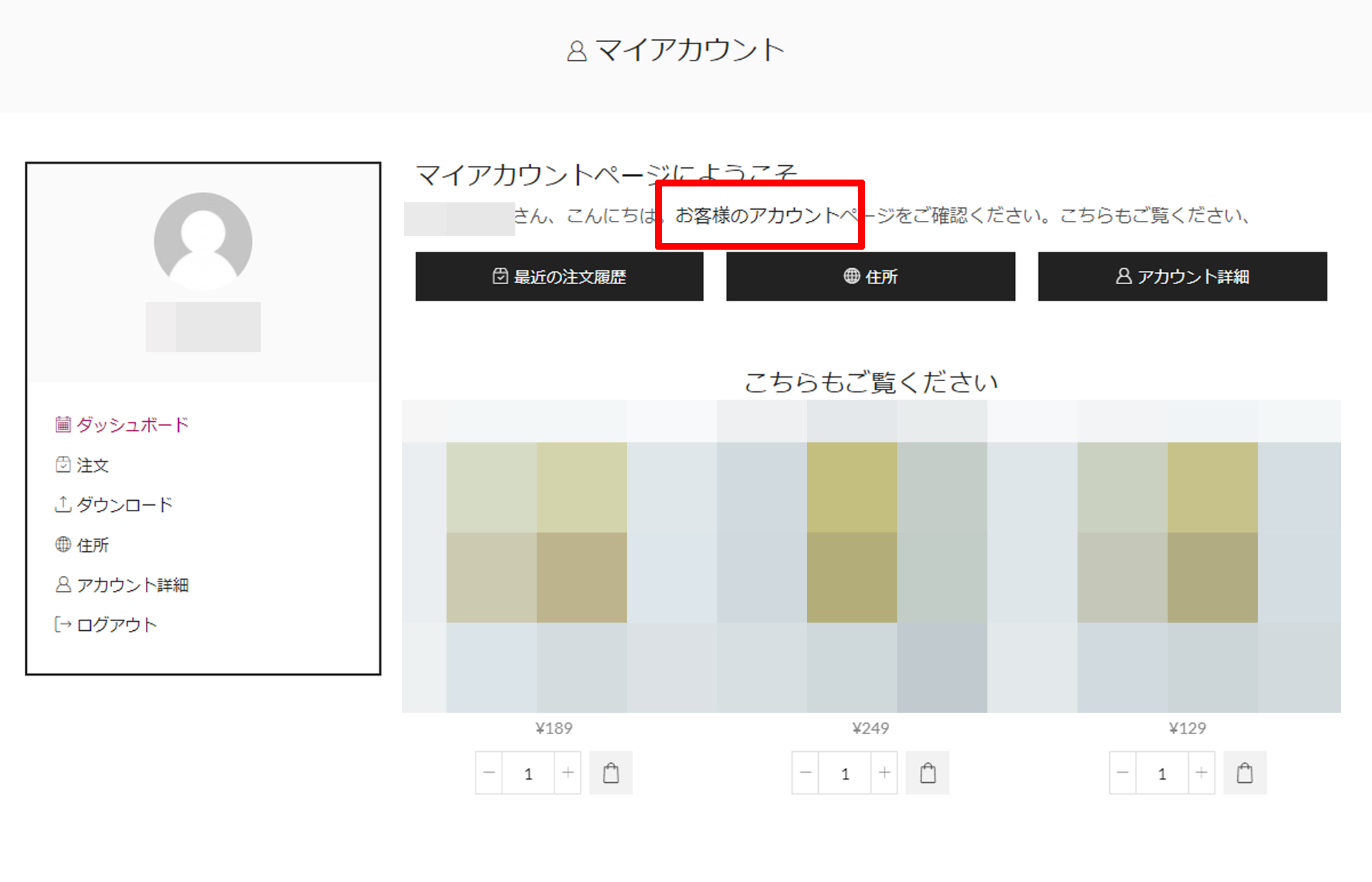
    On “My Account” page link for “your account” is
    https://example.com/my-account-3/dashboard

    but this is not working and will be 404 not found.
    How can I change this url? or I want to delete this whole sentence if possible, because I don’t need this.Link on My Account page not working
    2 Answers
    Avatar: Rose Tyler
    Rose Tyler
    Support staff
    March 10, 2021 at 09:52

    Hello,

    Thanks for the notice. It will be fixed in the next theme update.
    Download dashboard.php file from this page – https://dropmefiles.com/vZE3g and reupload it via FTP into wp-content/themes/xstore/woocommerce/myaccount folder.

    This whole sentence can be removed via re-writing this file via child theme, or just by adding the next code in Theme Options > Theme custom CSS > Global custom CSS:

    .woocommerce-account .woocommerce-MyAccount-content p:first-of-type {
        display: none;
    }
    .woocommerce-account .MyAccount-dashboard-buttons {
        margin-top: 30px !important;
    }

    Regards

    Avatar: east_ikebukuro
    east_ikebukuro
    Participant
    March 10, 2021 at 11:53

    I made them disappear with your code. thanks.

  • Viewing 3 results - 1 through 3 (of 3 total)

The issue related to '‘Link on My Account page not working’' has been successfully resolved, and the topic is now closed for further responses

We're using our own and third-party cookies to improve your experience and our website. Keep on browsing to accept our cookie policy.










