How to insert the DEMO of Product Tab - by buzzchan525

This topic has 14 replies, 2 voices, and was last updated 4 years, 4 months ago ago by buzzchan525

  • Avatar: buzzchan525
    buzzchan525
    Participant
    July 29, 2021 at 07:38

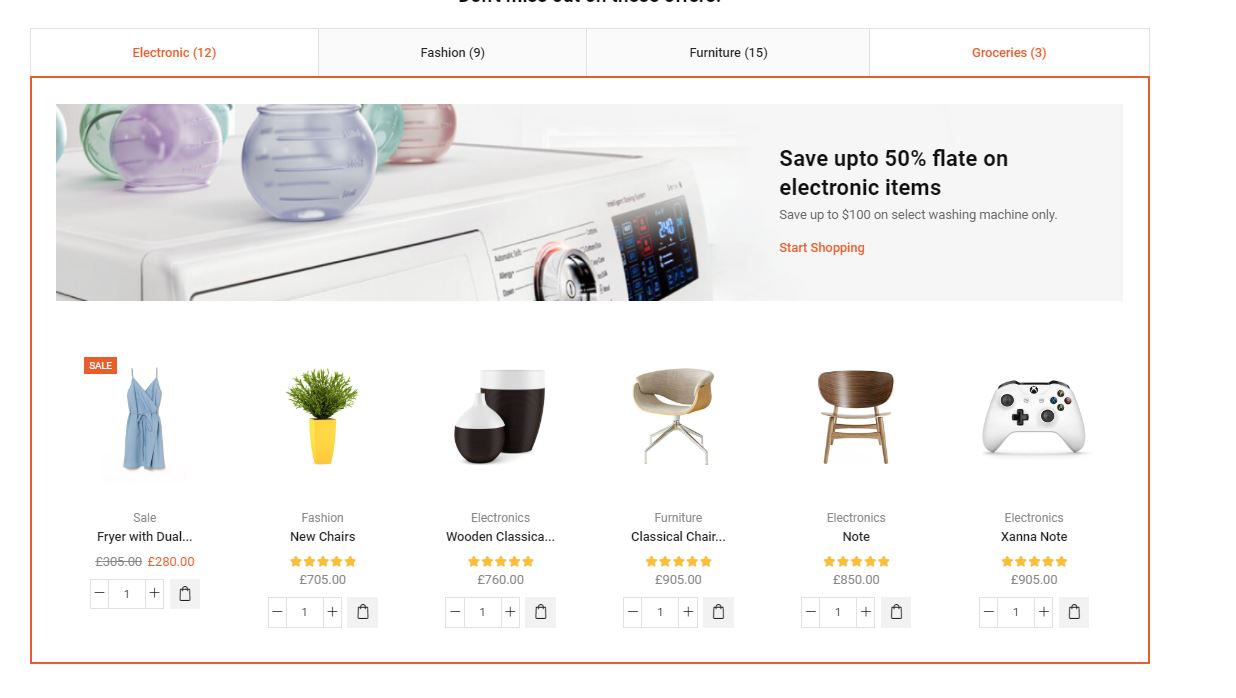
    https://upload.cc/i1/2021/07/29/vjhm9P.jpg
    i want to add this DEMO of Product Tab on my homepage. How to?
    Thank you

    13 Answers
    Avatar: Rose Tyler
    Rose Tyler
    Support staff
    July 29, 2021 at 08:29

    Hello,

    This section contains a few static blocks that are used as content of tabs. Create a few static blocks with the desired content, then edit the Home page using Elementor and add Tabs element and Choose prebuilt static blocks – https://gyazo.com/31ea8773301db0d8b81125163a5a5750 , here are more settings, custom clas and custom CSS was used also
    https://gyazo.com/aca1ef62cc40cba8d67f0746947e1cdd

    .custom-tabs .et-tab-nav {
        border-top: 2px solid #e1e1e1;
        border-left: 2px solid #e1e1e1;
        flex: 1;
    }
    .custom-tabs .et-tab-nav:last-child {
        border-right: 2px solid #e1e1e1;
    }
    .custom-tabs .et-tabs-nav ul {
        margin: 0;
    }
    @media only screen and (max-width: 767px) {
        .custom-tabs .et-tab-nav {
            border: 2px solid #e1e1e1;
            width: 100%;
        }
    }

    https://gyazo.com/cac91a37d67b5671a02ee4cba5717e7f

    Regards

    Avatar: buzzchan525
    buzzchan525
    Participant
    July 29, 2021 at 08:45

    Can u help me to create one static blocks for me for example?
    thank you

    Avatar: buzzchan525
    buzzchan525
    Participant
    July 29, 2021 at 10:28

    Thank you for your helping

    Please contact administrator
    for this information.
    Avatar: Rose Tyler
    Rose Tyler
    Support staff
    July 29, 2021 at 12:23

    I’ve added “Custom tab” static block. Please check

    Regards

    Avatar: buzzchan525
    buzzchan525
    Participant
    July 29, 2021 at 15:57

    https://fivedbuy.com/
    can you see my tab at the bottom? how to set it exactly with your DEMO?
    thank you

    Avatar: Rose Tyler
    Rose Tyler
    Support staff
    July 30, 2021 at 09:09

    Please clear cache and check – https://gyazo.com/2c7f06afc9ae0bbf5106877dd29ff800

    Regards

    Avatar: buzzchan525
    buzzchan525
    Participant
    July 30, 2021 at 13:00

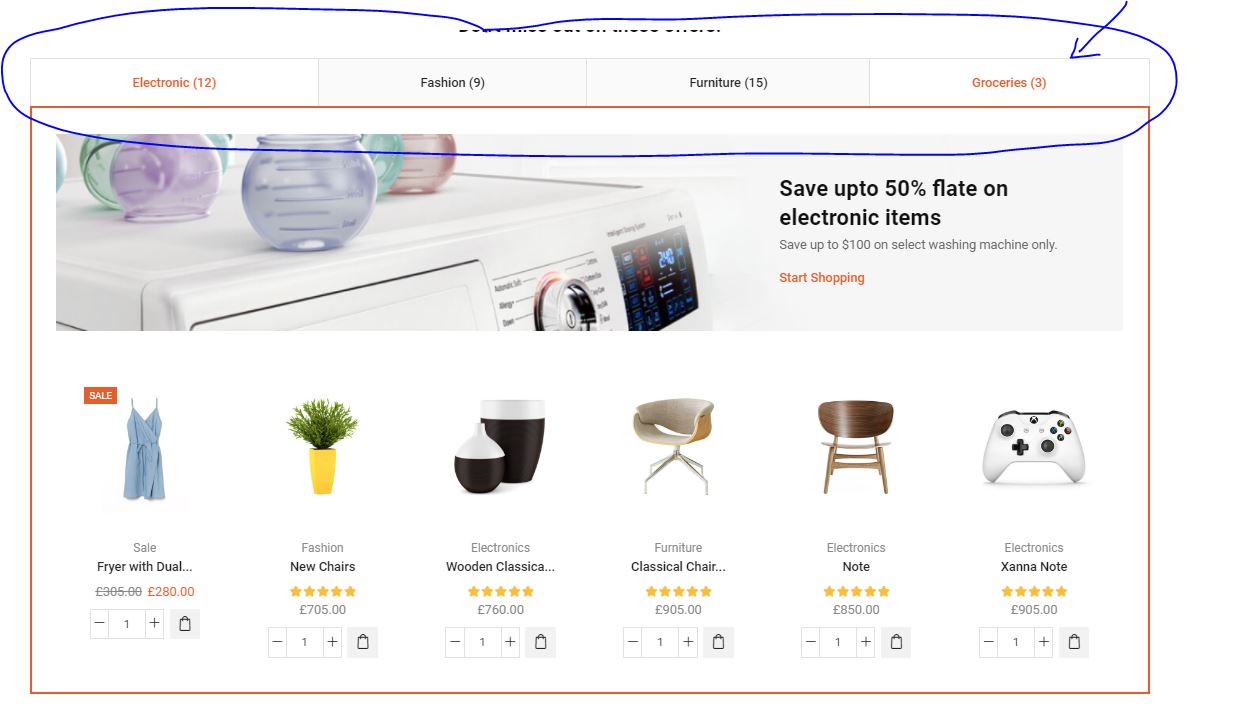
    i want my tab bar same with the picture below, now i am not like this, have space between lift and right
    https://upload.cc/i1/2021/07/30/qVRvWs.jpg
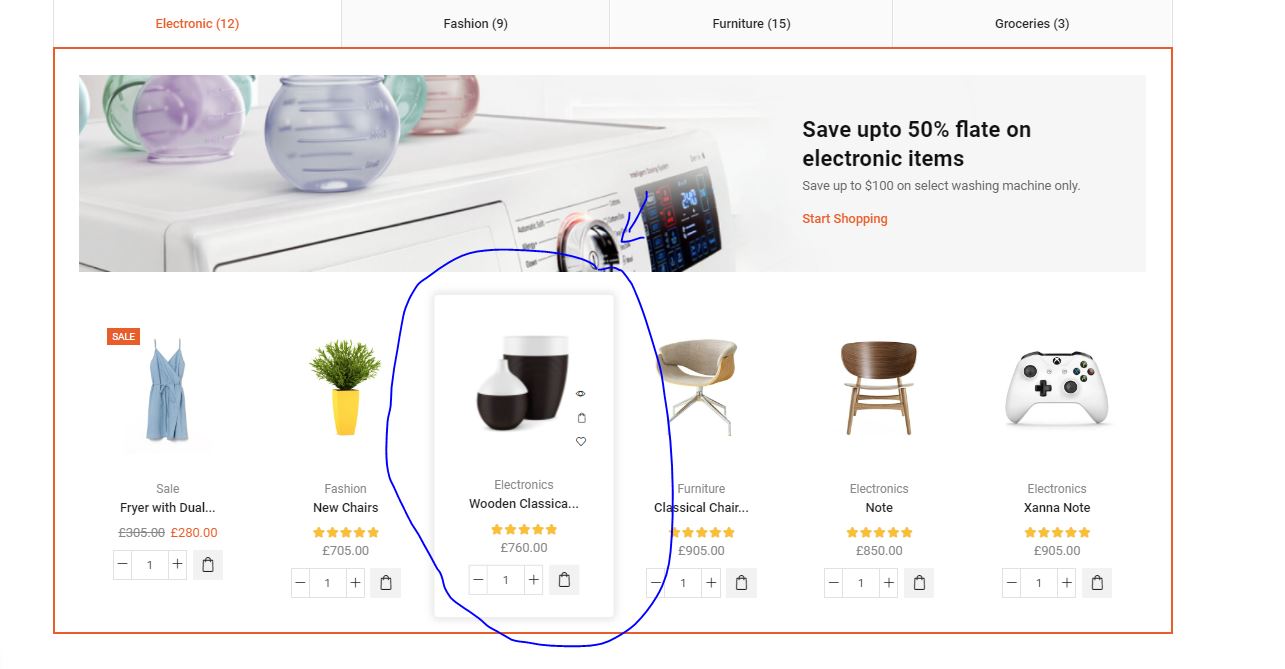
    Also, when u put the cursor on the product, that will pop up the frame like picture below
    https://upload.cc/i1/2021/07/30/ZwpcSl.jpg

    thank you

    Avatar: Rose Tyler
    Rose Tyler
    Support staff
    July 30, 2021 at 13:16

    1/ Check now
    2/ For products in these tabs or for all products on the site?

    Regards

    Avatar: buzzchan525
    buzzchan525
    Participant
    July 30, 2021 at 13:21

    2 : can only this tab ?

    Avatar: Rose Tyler
    Rose Tyler
    Support staff
    July 30, 2021 at 14:18

    I’ve added custom CSS code https://gyazo.com/b6398fcafa57047a1e470a69ec327088

    Regards

    Avatar: buzzchan525
    buzzchan525
    Participant
    July 31, 2021 at 06:21

    thank you so much

    Avatar: Rose Tyler
    Rose Tyler
    Support staff
    July 31, 2021 at 06:58

    Hello,

    You’re welcome!

    Regards

    Avatar: buzzchan525
    buzzchan525
    Participant
    July 31, 2021 at 08:10

    Your team are very helpful… thank you

  • Viewing 14 results - 1 through 14 (of 14 total)

The issue related to '‘How to insert the DEMO of Product Tab’' has been successfully resolved, and the topic is now closed for further responses


We're using our own and third-party cookies to improve your experience and our website. Keep on browsing to accept our cookie policy.