Firefox not showing logo - by fredwerk - on WordPress WooCommerce support

This topic has 6 replies, 3 voices, and was last updated 10 years, 11 months ago ago by Eva Kemp

  • Avatar: fredwerk
    fredwerk
    Participant
    January 13, 2015 at 15:23

    Hi,

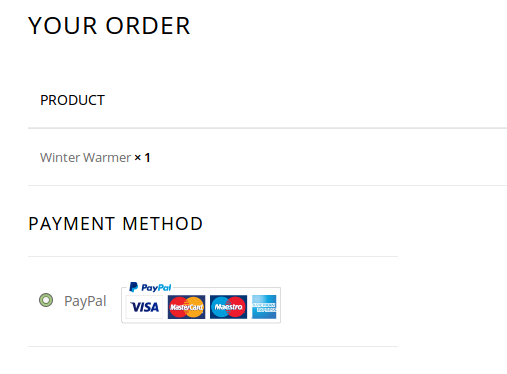
    On the checkout page https://shop.theaberdeengreenschool.org/checkout/ when using latest version of Chrome, I can see the PayPal logo however I cannot see it with latest version of Firefox, and instead I get “PayPal Acceptance Mark” in text.

    Thanks for checking,

    5 Answers
    Avatar: Robert Hall
    Robert Hall
    Participant
    January 13, 2015 at 15:35

    Hello,

    I’ve checked your site with Firefox and Paypal logo is showing.
    Look at screenshot please: http://prntscr.com/5ryulh

    Regards,
    Robert Hall.

    Avatar: fredwerk
    fredwerk
    Participant
    January 13, 2015 at 15:36

    I have Firefox version 35 from the beta channel, do you think this could be the issue?

    Avatar: Eva
    Eva Kemp
    Participant
    January 13, 2015 at 19:42

    Hello,

    Sorry, but I don’t see the issue you described:

    Could you please show a screenshot of the problem?

    Thank you.
    Regards,
    Eva Kemp.

    Avatar: fredwerk
    fredwerk
    Participant
    January 13, 2015 at 19:45
    Avatar: Eva
    Eva Kemp
    Participant
    January 14, 2015 at 09:59

    Hello,

    We’ve checked Checkout page with the latest version of Firefox and haven’t seen such issue.
    Could you please check it with another ISP?

    Thank you.
    Regards,
    Eva Kemp.

  • Viewing 6 results - 1 through 6 (of 6 total)

The issue related to '‘Firefox not showing logo’' has been successfully resolved, and the topic is now closed for further responses

We're using our own and third-party cookies to improve your experience and our website. Keep on browsing to accept our cookie policy.