FEW LITTLE THINGS TO ADD - by fairplay - on WordPress WooCommerce support

This topic has 76 replies, 5 voices, and was last updated 10 years, 6 months ago ago by Jack Richardson

  • Avatar: Eva
    Eva Kemp
    Participant
    May 4, 2015 at 13:14

    Hello,

    I’ve added this code to change footer background color:

    .footer.footer-bottom-2 {
     background-color: #53b9e6;
    }

    Please clear browser cache and check.
    Could you please clarify how you want the logo to be displayed?
    Show us screenshots for better understanding.

    Thank you.
    Regards,
    Eva Kemp.

    Avatar: fairplay
    fairplay
    Participant
    May 4, 2015 at 15:07

    Hey Eva, i just want the logo and menu to be same position in both menus fixed menu which scrolls down with me and top menu on top of the page. I aligned logo in same position i now have to align also text of menu to be same. With which command can i do that?

    Also can i somehow change color of top header where menu is ?

    And also can you please tell me how to change color of font in footer?

    Avatar: Eva
    Eva Kemp
    Participant
    May 4, 2015 at 15:54

    Hello,

    Please add this code in style.css file of your child theme:

    .header-type-3 .main-nav .menu > li.current-menu-item > a {
        text-decoration: overline !important;
    }

    To change header background color use this code:

    .header-type-3 .main-nav {
     background-color: blue !important;
    }

    and for the footer:

    .footer.footer-bottom-2 {
        color: black !important;
    }

    Regards,
    Eva Kemp.

    Avatar: fairplay
    fairplay
    Participant
    May 4, 2015 at 16:12

    hey Eva i don’t understand what is first code used for:

    Please add this code in style.css file of your child theme:

    .header-type-3 .main-nav .menu > li.current-menu-item > a {
    text-decoration: overline !important;
    }
    please write for every code what use is for Thanks.

    Also text in top page menu and text in scroll down menu are still not aligned in same parametre, is that even possible to align perfectly?

    Avatar: Eva
    Eva Kemp
    Participant
    May 4, 2015 at 18:31

    Hello,

    This code

    .header-type-3 .main-nav .menu > li.current-menu-item > a {
    text-decoration: overline !important;
    }

    is used to make active menu item overlined as in fixed header and not underlined.
    As I see the menu text is aligned correctly. Please show screenshots what you want to change.
    This code

    .footer.footer-bottom-2 {
        color: black !important;
    }

    changes font color in footer.

    This code

    .header-type-3 .main-nav {
     background-color: blue !important;
    }

    changes background color in the header.

    Regards,
    Eva Kemp.

    Avatar: fairplay
    fairplay
    Participant
    May 5, 2015 at 21:23

    Hey Eva where is written something on how to set Blog posts in particular page? And also how to change that blog name to NEWS or any other head title?

    What i did now is on the page “NEWS” i have inserted with visual composer 4 rows and in each row i put in single blog post from VC. How do i set up so that i will have or Blog Grid or Blog default or Blog timeline, where do i define that?

    Also how do i setup in Blog Grid that my posts go down indefinitely without ending?

    Also how do i setup so that below the blog post there would be some Leave a reply form?

    Avatar: fairplay
    fairplay
    Participant
    May 6, 2015 at 09:26

    Also my contact form says “undefined” when i try to fill it myself. What do i have to do so when someone sends me email that it will send email to my inbox?

    Avatar: Eva
    Eva Kemp
    Participant
    May 6, 2015 at 11:45

    Hello,

    Create a page “News” and select it in wp-admin > Settings > Reading > Posts page.
    Then you can select blog layout in Theme Options > Blog Layout.
    Sorry but there is no such feature to make posts go down indefinitely without ending.
    To have “Leave a reply” form you need enable comments in Settings > Discussion.
    The issue with contact form has been fixed.
    Please clear browser cache and check.

    Regards,
    Eva Kemp.

    Avatar: fairplay
    fairplay
    Participant
    May 6, 2015 at 12:47

    Here in Legenda documentation is said that Grid Layout can have function Ajay infinite post loading:

    Blog Layout
    Blog page layout: select layout which is suited for your blog;
    AJAX Infinite Posts Loading: allows you to load more posts without reloading page. (for Grid Layout only!;

    Also i would like to make some pictures with frames like this in your demo page:
    http://i59.tinypic.com/15fmy3o.jpg

    Because i now have like this: http://i60.tinypic.com/o6cykz.jpg
    and is very unprofessional.

    please help.

    Avatar: Eva
    Eva Kemp
    Participant
    May 6, 2015 at 15:28

    Hello,

    As I see border is shown for posts:
    https://s3.amazonaws.com/fvd-data/notes/168674/1430922487-oxlC8T/screen.jpeg
    Please check it again.
    Also I’ve published posts that were in drafts to be able to view them on blog page.

    Regards,
    Eva Kemp.

    Avatar: fairplay
    fairplay
    Participant
    May 6, 2015 at 15:49

    Hey Eva,

    yes but i wanted those posts already when you click on News. Now people have to click news then calendar is shown and on calendar they have to search for posts. Can i get rid of that calendar and just show those posts on first page when people click on news?

    Also where do i insert correct email for contact us section so i get peoples questions directly on that email?

    Avatar: Eva
    Eva Kemp
    Participant
    May 6, 2015 at 16:22

    Hello,

    That calendar is added in the editor of “News” page. Go to wp-admin panel > Pages > edit News page and remove the content.
    Do you mean “contact us” section at the bottom of the page? If so you need go to wp-admin panel > Chat Console > Options > Offline Messages > fill your email address in the field “Where should offline messages go?”.

    Regards,
    Eva Kemp.

    Avatar: fairplay
    fairplay
    Participant
    May 6, 2015 at 17:16

    No i want without calendar.

    I want those post to be exactly like this when people click on NEWS:

    https://s3.amazonaws.com/fvd-data/notes/168674/1430922487-oxlC8T/screen.jpeg

    So when they click on news i want those tabs to be there like on this picture.

    Avatar: Eva
    Eva Kemp
    Participant
    May 6, 2015 at 19:50

    Hello,

    You have 2 pages “News” and I’ve set the one that is in your menu as “Posts page” in Settings > Reading. Also I’ve removed “Posts Grid” element from the page.
    Please check it now.

    Regards,
    Eva Kemp.

    Avatar: fairplay
    fairplay
    Participant
    May 6, 2015 at 21:48

    Why can’t i add Read More button to the posts?

    I am trying but cant add it :/ Also how to make so that all post will be in same dimensions and not one higher or shorter then the others ?

    Avatar: fairplay
    fairplay
    Participant
    May 7, 2015 at 07:30

    Ok i have found the solution! No problem! You have to add in the text READ MORE tag you have it in the bar.

    Avatar: Robert Hall
    Robert Hall
    Participant
    May 7, 2015 at 07:37

    Hello @fairplay,

    So, is your issue solved?

    Regards,
    Robert Hall.

    Avatar: fairplay
    fairplay
    Participant
    May 7, 2015 at 22:04

    1. Hey i have now english edition of the page. I would like to make also German language and Slovenian language. Do i have to now first download from FTP files and then edit it poeditor ? I have now 2 different files in my FTP en_GB.po and default.po I would like to translate first to German language everything that i added visible to the site like footer and tabs + pages translations.
    Which files has now all those words for translation? Because i have now downloaded from FTP en_GB and uploaded it into poeditor but editor found just general words like “Opps! Page not found” or “Return to home page” ..so this kind of stuff. Where is file where i have all my current visible data so i can translate?

    Also how can i change color of Hidden Top Area?

    Thanks,S

    Avatar: Eva
    Eva Kemp
    Participant
    May 8, 2015 at 08:26

    Hello,

    If you want to have multilingual site you need use WPML plugin http://wpml.org/ . It’s fully compatible with the theme.
    You can change background color for the hidden top panel area using this code in custom.css:

    .top-panel {
     background-color: white !important;
    }

    Regards,
    Eva Kemp.

    Avatar: fairplay
    fairplay
    Participant
    May 8, 2015 at 10:00

    why do i see so much languages on my side above menu ? i want there just two.

    Is WPML free software to use?

    Avatar: Eva
    Eva Kemp
    Participant
    May 8, 2015 at 10:56

    Hello,

    Unfortunately WPML isn’t free. You have to buy it.
    You can remove that languages adding empty Text widget into “Place in header top bar” area in Appearance > Widgets.

    Regards,
    Eva Kemp.

    Avatar: fairplay
    fairplay
    Participant
    May 8, 2015 at 11:31

    Hey Eva,

    I want there languages to be seen but just English and Germany not all of them, where do i change that?

    Avatar: Eva
    Eva Kemp
    Participant
    May 8, 2015 at 11:58

    Hello,

    As I told you need use WPML plugin to have multilingual site. Also you can refer to this article for alternative solutions:
    https://managewp.com/create-multilingual-wordpress-site

    Thank you.
    Regards,
    Eva Kemp.

    Avatar: fairplay
    fairplay
    Participant
    May 11, 2015 at 12:28

    Can you please tell me how to put all buttons that work into my own color. For example i have a button JOIN OUR TEAM in the About Section, and always when people hover over it the color is green. How to make it my own color?
    Also color of question and answer table (STEP1, STEP2, STEP3) is also green when i hover over it with my mouse in section of DIY 3D PRINTER KIT on my site. How to change that?

    Also Contact form is now just on right side of the page. How to make it over whole width of the page?
    This is in CONTACT FROM section of my site.

    Avatar: Eva
    Eva Kemp
    Participant
    May 11, 2015 at 13:11

    Hello,

    You can change color for those buttons in Theme Options > Color Scheme > Main Color.
    I’ve added this code in CSS block of VC editor:
    http://storage3.static.itmages.com/i/15/0511/h_1431346227_3412766_88562e7375.png

    Please check Contact page now.

    Regards,
    Eva Kemp.

    Avatar: fairplay
    fairplay
    Participant
    May 11, 2015 at 15:01

    Thanks a lot.

    1.Above actual contact form it is with letters written, “Contact form” How to make those letters bigger or smaller or whatever typography i want?

    2. I need a form to be aligned with text above it (which is not part of contact form), how to do that?

    3. Also on Azurefilm Home page or 3D Filament i have some heading and below that i have additional heading text. For example in 3D Filament i have this under slider:

    PRINTING FILAMENT REELS
    AzureFilm plastic filament reels for 3D printers

    How to change size of both headings? I would need in particular case to just change size of text in gray below big heading so this one: “AzureFilm plastic filament reels for 3D printers

    Avatar: Eva
    Eva Kemp
    Participant
    May 11, 2015 at 15:34

    Hello,

    1. Use this code in style.css of your child theme:

    .contact-form-title {
        font-size: 15px !important;
    }

    2. I’ve added this code in CSS block of VC editor in the “CONTACT US” page:

    .row-fluid .span8 {
        width: 100%;
    }

    Please check.

    3. To change font size for subtitle use this code in style.css of your child theme:

    .subtitle {
     font-size: 25px !important;
    }

    Regards,
    Eva Kemp.

    Avatar: fairplay
    fairplay
    Participant
    May 11, 2015 at 18:23

    Hey Eva, that that code still doesnt make contact form in alignment with text.

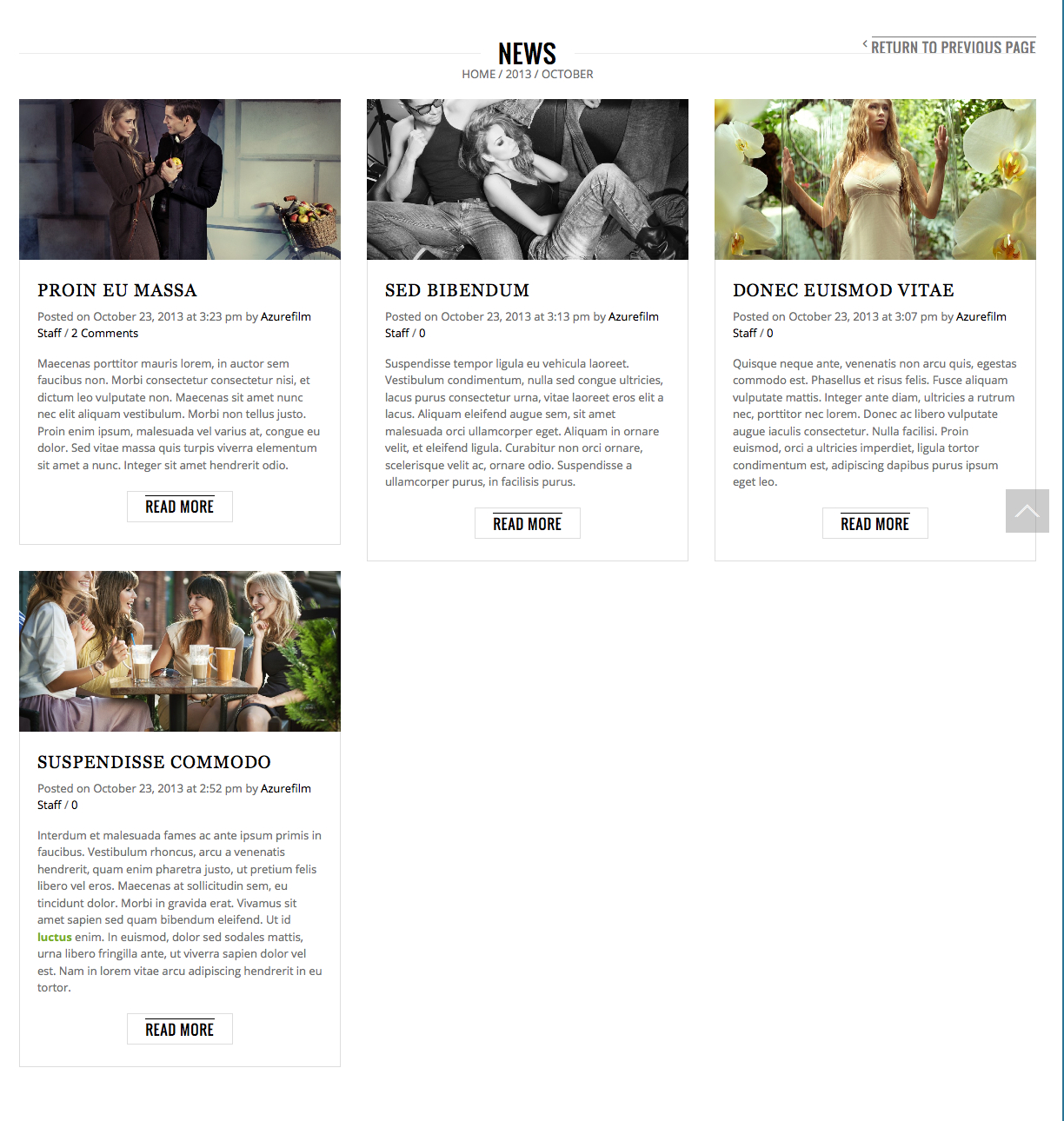
    Also tell me this why in news when you to on post it show this with 0 at the end, where does that 0 come from and how to put it away?
    Posted on May 5, 2015 at 2:53 pm by AzureFilm Staff / News / 0

    Avatar: Eva
    Eva Kemp
    Participant
    May 11, 2015 at 18:40

    Hello,

    Please check Contact page now. Is it fine?
    The “0” number shows how many comments a post has.
    If you don’t want to show it add this code in style.css of the child theme:
    .post-comments-count {display: none;}

    Regards,
    Eva Kemp.

    Avatar: fairplay
    fairplay
    Participant
    May 15, 2015 at 10:38

    Hello, now is fine.

    Can you tell me if i can change those stars color in the contact us form?

    At the end of every word there is this * (star) which is now red, can u make it my own color?

    Name and Surname *

    Email *

    Website

    Message *

    Thanks,S

  • 1 2 3
    Viewing 60 results - 31 through 60 (of 76 total)

You must be logged in to reply to this topic.Log in/Sign up

We're using our own and third-party cookies to improve your experience and our website. Keep on browsing to accept our cookie policy.