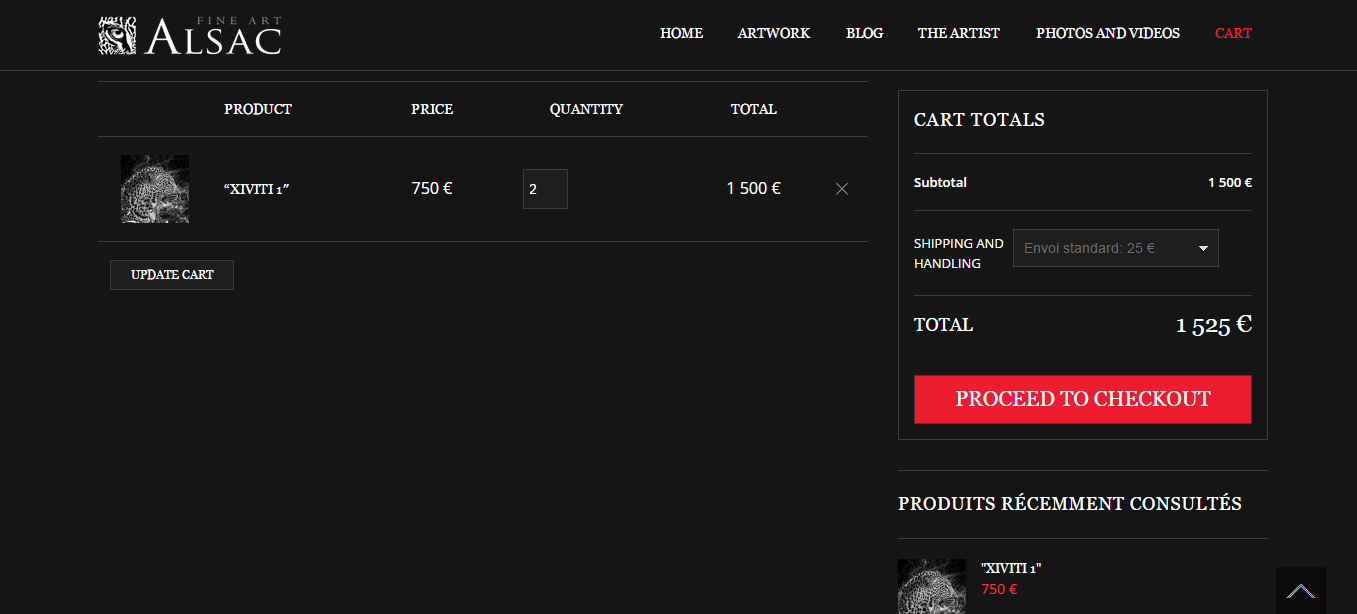
Chekout button disappeared from cart page

This topic has 7 replies, 4 voices, and was last updated 10 years, 5 months ago ago by Jack Richardson

  • Avatar: alsacs
    alsacs
    Participant
    July 22, 2015 at 17:54

    hello,

    Since the updating of the theme to V2.8,
    the button “Checkout” has disapperead from the “Cart page”

    http://www.stephane-alsac.com/en/cart/

    can you tell me how tu put it back

    thanks

    6 Answers
    Avatar: Jack Richardson
    Jack Richardson
    Support staff
    July 22, 2015 at 20:28

    Hello,

    Please delete “woocommerce” folder in the directory wp-content/themes/legenda/ and reupload it from a new theme package that you downloaded.

    Best regards,
    Jack Richardson.

    Avatar:
    Inactive
    July 23, 2015 at 02:35

    Worked, Alsacs?

    Avatar: alsacs
    alsacs
    Participant
    July 23, 2015 at 08:48

    Yes , worked !!

    thank you

    Avatar: stan
    Stan Russell
    Participant
    July 23, 2015 at 08:54

    Hello alsacs,

    we have checked your Cart page and Checkout button is displayed correct:

    Is your problem solved?

    Regards,
    Stan Russell.

    Avatar: alsacs
    alsacs
    Participant
    July 23, 2015 at 11:19

    YES

    Avatar: Jack Richardson
    Jack Richardson
    Support staff
    July 23, 2015 at 11:22

    Hello @alsacs,

    You’re welcome.

    Best regards,
    Jack Richardson.

  • Viewing 7 results - 1 through 7 (of 7 total)

The issue related to '‘Chekout button disappeared from cart page’' has been successfully resolved, and the topic is now closed for further responses


We're using our own and third-party cookies to improve your experience and our website. Keep on browsing to accept our cookie policy.