A few questions - by adierel - on WordPress WooCommerce support

This topic has 34 replies, 3 voices, and was last updated 10 years, 10 months ago ago by Eva Kemp

  • Avatar: adierel
    adierel
    Participant
    January 8, 2015 at 12:13

    Hi
    I have a number of questions:
    1. as you’ll see on my home page http://studiokaftor.com/kidsshop/ there is a big gap between the end of the menu and the slider (I want the gap to be like it appears in the toys demo) how can I achieve this?
    2. I have 2 footers I only want one (I want the top footer to stay and the bottom I want to erase
    3. in the contact page form I want to translate the fields – how do I do this?
    4. still in the contact page I want the form to be under the text
    5. in the item page i don’t need all the social icons – I only need facebook and maybe one more, how can I delete all the rest and where exactly do I enter the account name?
    6. on a single item page I want the sidebar to appear on the right, then in the middle the description and on the left the item picture. Is this possible. if not I’d like for the side bar to be on the right (tried to fix this in theme options but it is still on the left).

    Thanks!
    Adi

    Please, contact administrator
    for this information.
    33 Answers
    Avatar: Robert Hall
    Robert Hall
    Participant
    January 8, 2015 at 15:03

    Hello,

    1) Please add this code into custom.css file:

    .page-heading{
    display:none;
    }

    2) Do you want delete this footer? http://prntscr.com/5px2nj
    3) You can do this by editing themes\legenda\contacts.php file.
    4) Please add this code into custom.css file and don’t forget clear cache your site and browser:

    .contact-page-custom .row-fluid .span8{
    width:100% !important;
    }
    .contact-page-custom .row-fluid .span4{
    float:right !important;
    }

    5) Try to add this code:

    .share-twitter,
    .share-email,
    share-pintrest,
    share-google{
    display:none;
    }

    6) Did you made some CSS, PHP changes in default theme files?

    Regards,
    Robert Hall.

    Avatar: Eva
    Eva Kemp
    Participant
    January 8, 2015 at 15:34

    Hello,

    1. I’ve added margin-top value in Revolution Slider > Settings > Position box.
    Now there is no big space between slider and menu.
    2. I’ve disabled Footer demo blocks in Theme Options > General > Show footer demo blocks > Off.
    3. You can translate contact form in .po file in wp-content/themes/legenda/languages directory.
    4. Sorry, but there is no such option in the theme.
    5. To remove other social media icons add this code in custom.css file:

    .icon-google-plus:before, .icon-pinterest:before, .icon-envelope:before, .icon-twitter:before {
        display: none;
    }

    To add your link to social icons edit the file wp-content/themes/legenda/framework/shortcodes.php (find the section “! Share This Product”).
    6. Please provide us with FTP credentials as well to check the issue with sidebar.

    Thank you.
    Regards,
    Eva Kemp.

    Avatar: adierel
    adierel
    Participant
    January 12, 2015 at 08:44

    Hey,
    First of all great support and I love the theme!

    3. I have tried both to edit the contact.php (attached) and both to edit the po file (see: http://screencast.com/t/xlOpfFaAGKs
    and they don’t work… what am I doing wrong?
    5. I removed the icons that I dont need. now I want to enter mt facebook account name:
    https://www.facebook.com/pages/ChuChick/1609529365937471

    or just ChuChick
    I we

    Please, contact administrator
    for this information.
    Avatar: Eva
    Eva Kemp
    Participant
    January 12, 2015 at 10:52

    Hello,

    3. I’ve opened the file /home2/adierel/public_html/studiokaftor.com/kidsshop/wp-content/themes/legenda/languages/he_IL.po and haven’t seen the translation for contact form text. Please check it yourself and edit it.
    5. To enter facebook link you need edit the file wp-content/themes/legenda/framework/shortcodes.php (find the section “! Share This Product” and there you’ll see social icons code).
    6. Please try to use this code in custom.css file:

    .product-info .span5, .product-info .product_meta {
        float: left !important;
    }

    Thank you.
    Regards,
    Eva Kemp.

    Avatar: adierel
    adierel
    Participant
    January 12, 2015 at 18:49

    Hey
    3. ok – got it
    5. I still dont understand where I need to enter the fb link: https://www.facebook.com/pages/ChuChick/1609529365937471
    do I need put it between the” ”
    6. this didn’t work

    Please, contact administrator
    for this information.
    Avatar: Eva
    Eva Kemp
    Participant
    January 12, 2015 at 20:03

    Hello,

    I’ve added the code in custom.css to remove all social media icons except of facebook icon and added your facebook link in framework/shortcodes.php file.
    Concerning the issue with sidebar a conflict is created by WordPress Language plugin.
    Please try to disable it and you’ll see that the sidebar moves to the right on a single product page.

    Thank you.
    Regards,
    Eva Kemp.

    Avatar: adierel
    adierel
    Participant
    January 12, 2015 at 20:22

    Hey
    I didnt say it up to this point but your theme is great and the same goes for the support:) so frist of all thanks!
    1. about the sidebar – I will check this/
    2. on the bottom footer I need the american express icon next to the paypal and there are 2 pictures that aren’t seen correctly: http://screencast.com/t/aEnOHudeLUkV

    3.in the middle column of the footer http://screencast.com/t/BnPZYHTs4M
    where there are suppose to be links, how do I actually link these words?

    Thanks!

    Avatar: Eva
    Eva Kemp
    Participant
    January 12, 2015 at 21:02

    Hello,

    2. In Static Block > Footer block edit the 3rd element and remove the links for mastercard.png, visa.png and discover.png as all 3 icons are added in one image – [template_url]/images/assets/paypal.png. Please check the link http://www.chuchick.com/wp-content/themes/legenda/images/assets/paypal.png
    3. To add links edit the same static block and select the 2nd element, you’ll see the code href="#" replace # with your link.

    Thank you.
    Regards,
    Eva Kemp.

    Avatar: adierel
    adierel
    Participant
    January 13, 2015 at 15:19

    ok great!

    Thanks:)))

    Avatar: Eva
    Eva Kemp
    Participant
    January 13, 2015 at 15:31

    Hello,

    You’re welcome.

    Regards,
    Eva Kemp.

    Avatar: adierel
    adierel
    Participant
    January 13, 2015 at 16:27

    I have 3 more questions:)
    1. on the toys demo homepage you have the 3 banners that are regular color and when you hover they get darker. how do I achieve this? because in the visual composer I just have the darker version+border and I want the lighter version+border
    2. how do I control this: http://screencast.com/t/Mao8BWqTYqsk
    a. if I want to remove it
    b. translating it will be with the po file?
    3. in the single product page – the sizing chart- I want it to open in a different tab

    Thanks!

    Avatar: Eva
    Eva Kemp
    Participant
    January 13, 2015 at 19:39

    Hello,

    1. I’ve changed banners styles to the light one. Please check. Also you need update Visual Composer plugin. We can provide you with the archive. Give us your email address where we can send it.
    2. a. You can disable the plugin Screets Live Chat.
    b. To change strings of chat box into your language go to Chat Console > Options > Messages tab.
    3. Unfortunately there is no such option to open size guide in a separate tab. Sorry.

    Regards,
    Eva Kemp.

    Avatar: adierel
    adierel
    Participant
    January 14, 2015 at 09:35

    Hey!
    1. yes I saw but I wanted like the ones on the toys demo with a border. the lighter one has non just the darker one has the border
    yes please send me the new version to : kaftordesign@gmail.com
    2. ok
    3. can the size chart open it’s own page: http://www.chuchick.com/size-table
    and not as a picture inside a browser – because it gets the user out of the site like this: http://www.chuchick.com/wp-content/uploads/2013/10/size-table2.png

    Thanks!

    Avatar: Eva
    Eva Kemp
    Participant
    January 14, 2015 at 13:06

    Hello,

    1. As you can see the border is included in image: https://www.8theme.com/demo/legenda/wp-content/uploads/2014/03/banner1.jpg , so you can also edit your pictures with some image editor.
    I’ve sent Visual Composer plugin to your email address. Please check.
    3. I’ve disabled Lightbox in Woocommerce > Settings > General Options and now size guide image is opened in lightbox viewer, but you need change image background as now it’s shown as transparent. Please check and clear your browser cache.

    Thank you.
    Regards,
    Eva Kemp.

    Avatar: adierel
    adierel
    Participant
    January 14, 2015 at 16:56

    great Eva thanks!!

    Avatar: Eva
    Eva Kemp
    Participant
    January 14, 2015 at 17:30

    Hello,

    You’re welcome.

    Regards,
    Eva Kemp.

    Avatar: adierel
    adierel
    Participant
    January 15, 2015 at 12:39

    Eva hi
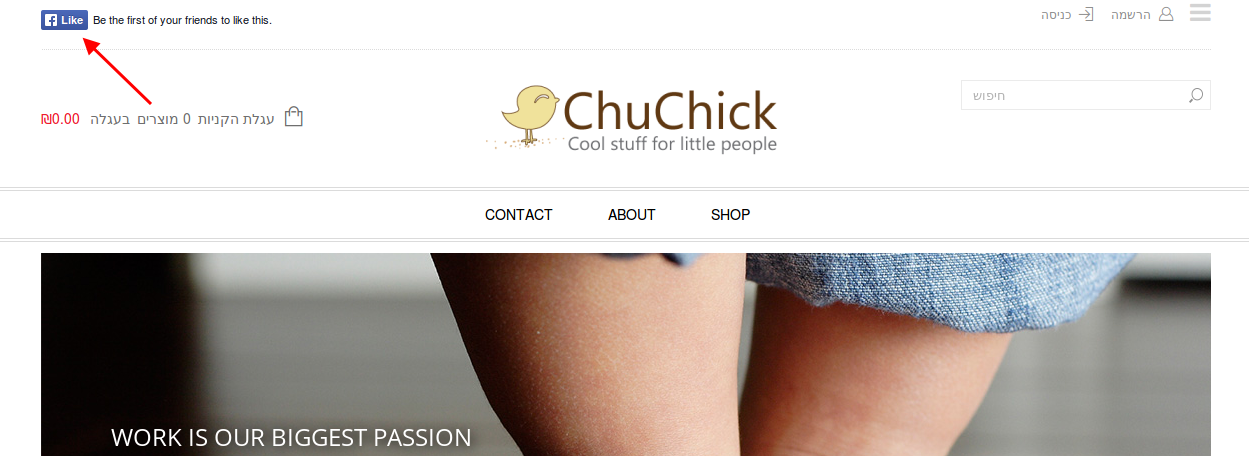
    I have a question: can I put a check us on facebook +icon in the header (where the login is but on the left side)?

    Avatar: Robert Hall
    Robert Hall
    Participant
    January 15, 2015 at 13:26

    Hello @adierel,

    You can create Static Block->Add row->select Facebook like. After that navigate to Appearance->Widgets-> Place in header top bar->drag 8theme – Static Block to this sidebar area and select your created block with facebook.

    Regards,
    Robert Hall.

    Avatar: adierel
    adierel
    Participant
    January 15, 2015 at 17:38

    Hey
    I tried this but it didn’t work

    Avatar: Eva
    Eva Kemp
    Participant
    January 15, 2015 at 19:13

    Hello,

    I don’t see the created static block. Are you using any widget to add facebook social icon?

    Thank you.
    Regards,
    Eva Kemp.

    Avatar: adierel
    adierel
    Participant
    January 15, 2015 at 20:51

    I have created static block: http://screencast.com/t/a5dKU6KPX

    and I am not using any other widget for this purpose.

    Avatar: Eva
    Eva Kemp
    Participant
    January 15, 2015 at 22:56

    Hello,

    You disabled languages area in Theme Options > Header. I’ve enabled it and added static block to “Place in header top bar” widget area.
    Please check the site top bar now.

    Thank you.
    Regards,
    Eva Kemp.

    Avatar: adierel
    adierel
    Participant
    January 18, 2015 at 09:08

    Hey Eva,
    I have checked this and cleared cache – and dont see it http://screencast.com/t/hVvqWfGk3f

    Avatar: adierel
    adierel
    Participant
    January 18, 2015 at 12:06

    oh and another issue:)
    no emails concerning orders are received not to me and to my customers

    Avatar: Eva
    Eva Kemp
    Participant
    January 19, 2015 at 11:35

    Hello,

    Please try to check with some other browser:

    Is the email correct in Woocommerce > Settings > Emails tab?
    Also ask your host to check server mail logs whether emails were sent from the site.

    Thank you.
    Regards,
    Eva Kemp.

    Avatar: adierel
    adierel
    Participant
    January 20, 2015 at 21:24

    Hey
    ok so it was a hosting issue.
    about the social – what browser are you using (I switched and still don’t see it)

    Avatar: Eva
    Eva Kemp
    Participant
    January 20, 2015 at 22:23

    Hello,

    Again you had “languages area” disabled in Theme Options > Header. I’ve enabled it.
    Please check it now and clear browser cache.

    Thank you.
    Regards,
    Eva Kemp.

    Avatar: adierel
    adierel
    Participant
    January 29, 2015 at 11:13

    Hey me again:)
    ok so now i have paypal as a gateway. the problem is that I want to automatically send paying customers to thank you page.
    so I talked to paypal and they said that the only solution for this is to do buttons for express checkout. and that I would have to integrate these buttons instead of the existing buttons.
    so: will you be able to help me out here (this is criticle for me because later on I’d like to put a conversion facebook code in the thank you page). and if this isn’t possible do you know of any other solution?

    THanks!
    Adi

    Avatar: Eva
    Eva Kemp
    Participant
    January 29, 2015 at 11:23

    Hello,

    This requires additional customization and is a paid service.
    You can contact us https://www.8theme.com/contact-us/ and our specialists will look into your request.

    Thank you.
    Regards,
    Eva Kemp.

  • 1 2
    Viewing 30 results - 1 through 30 (of 34 total)

The issue related to '‘a few questions’' has been successfully resolved, and the topic is now closed for further responses

We're using our own and third-party cookies to improve your experience and our website. Keep on browsing to accept our cookie policy.