Upgrade Vs Existing Version - by Libardo

This topic has 29 replies, 2 voices, and was last updated 10 years, 5 months ago ago by Eva Kemp

  • Avatar: Libardo
    Libardo
    Participant
    June 24, 2015 at 20:50

    Hi Support,

    After upgrade to the latest version of the Theme V2 I noticed that all my changes which I’ve made in the file attached is not showing anymore as should on the website.

    Can you please adapt the changes in the file attached on the website? I tried to replace the header.php with the new one and got errors on the website. So Please go ahead and do these for me.

    Please, contact administrator
    for this information.
    28 Answers
    Avatar: Eva
    Eva Kemp
    Participant
    June 25, 2015 at 08:30

    Hello,

    You didn’t provide your site name.
    Also please clarify what changes need to be made and for which files.
    Did you create backup before updating the theme?
    Please restore it for now and create a child theme http://codex.wordpress.org/Child_Themes and copy all modified files into there. After that you can update the theme without losing the changes.

    Regards,
    Eva Kemp.

    Avatar: Libardo
    Libardo
    Participant
    June 25, 2015 at 15:02

    Hi Eva,

    Yes I have a backup of the old directory “royal” which contains all the files in it. Now would you like for me to leave the new royal file and then include all the files which I have attached in my previous post in the royal-theme folder?

    Can you please and upload the files in the royal-child folder for me? This is new for me so I would not want to do any mistake in the process.

    Please, contact administrator
    for this information.
    Avatar: Libardo
    Libardo
    Participant
    June 25, 2015 at 15:27

    Hi Eva,

    Please see in private.

    Please, contact administrator
    for this information.
    Avatar: Eva
    Eva Kemp
    Participant
    June 25, 2015 at 16:54

    Hello,

    I’ve created a child theme for you and moved the files you attached in the previous post into wp-content/themes/royal-child directory. CSS changes has been moved to style.css file in royal-child directory.
    I’ve activated child theme in Appearance > Themes.

    Please check your site now.

    Regards,
    Eva Kemp.

    Avatar: Libardo
    Libardo
    Participant
    June 25, 2015 at 17:45

    Hi Eva,

    Thanks. However after you have done the changes have you also took a look at the site?

    – There is no Footer ..
    – The shopping cart icon is a different color which I had before
    – When I scroll down the header menus are scrambled
    – The page http://bkbcuracao.com/storebkb/ is also missing some widgets which were active on the left hand side of the page
    – Also when I go to Appearance – Themes I see 2 Royal Themes excluding the Child Theme. Is this normal?

    Can you check these?

    Also if I would like to make any changes to / content-grid.php / functions.php / header.php I would need to make the changes in the Chile Theme/Folder?

    Avatar: Libardo
    Libardo
    Participant
    June 25, 2015 at 17:54

    In addition to my reply above ..

    – The language menu needs to be disabled
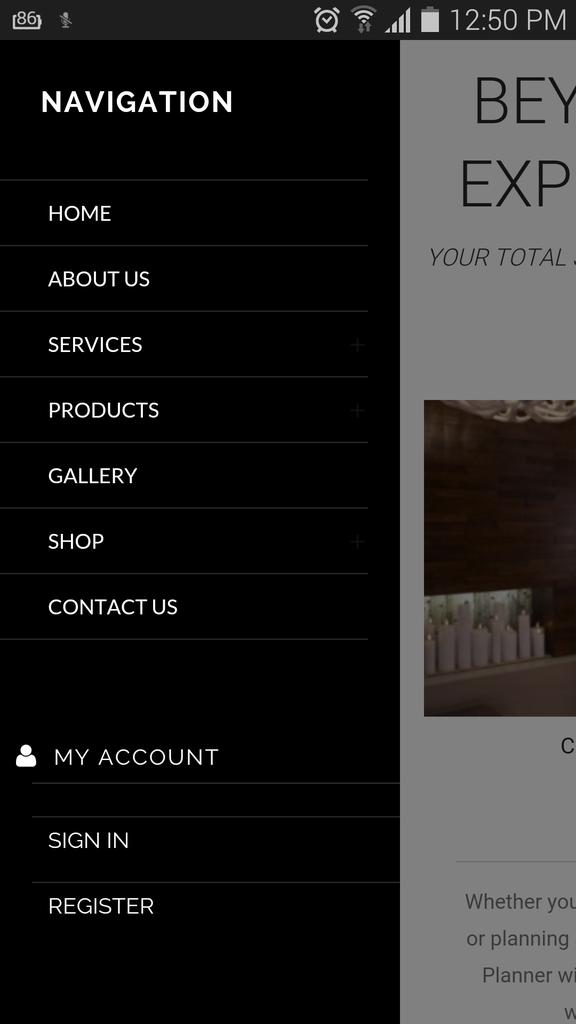
    – The My Account menu has a double line on the mobile menu ( http://i1340.photobucket.com/albums/o728/LibardoBarreto/Screenshot_2015-06-25-12-50-38_zpsykrqo2i6.png )
    – The ” + ” sign is not showing on the mobile menu ( http://i1340.photobucket.com/albums/o728/LibardoBarreto/Screenshot_2015-06-25-12-50-38_zpsykrqo2i6.png )

    Avatar: Eva
    Eva Kemp
    Participant
    June 26, 2015 at 10:53

    Hello,

    I’ve re-added widgets for child theme. Now footer is shown.
    I’ve added this code in style.css to fix the issue with menu in fixed header:

    .fixed-header-area .header-logo {
        width: 20% !important;
        padding: 20px 0px !important;
    }
    
    .fixed-header-area .collapse {
       width: 100% !important;
    }

    If you want to make any changes to the files / content-grid.php / functions.php / header.php you should copy them to child theme directory in the same hierarchy as they are added in the parent theme.

    Languages menu is removed from the top bar.

    To remove second border line in mobile menu add this code in style.css of the child theme:

    .mobile-nav .links {
       border-top: none !important;
    }

    To make plus icon shown edit the file wp-content/themes/royal/images/small-plus.png with image editor and move it to child theme directory and write the code in the child style.css:

    .mobile-nav li .open-child::after {
        background-image: url("http://path_to_your_edited_image");
    }

    Regards,
    Eva Kemp.

    Avatar: Libardo
    Libardo
    Participant
    June 26, 2015 at 13:25

    Thanks Eva. I would like into this today

    Avatar: Libardo
    Libardo
    Participant
    June 26, 2015 at 13:46

    Hi Eva,

    All the changes are good except the ” + ” sign. Please see in private.

    Please, contact administrator
    for this information.
    Avatar: Libardo
    Libardo
    Participant
    June 26, 2015 at 13:53

    Hi Eva,

    In addition to my reply above, the shopping cart icon is also showing in color Black we would like to change this color to something else. Can you provide me with the steps for this?

    Also is it possible to align all times for mobile and table for the logo to be in the middle?

    http://i1340.photobucket.com/albums/o728/LibardoBarreto/WIW_zpsuaycczn1.png

    Avatar: Eva
    Eva Kemp
    Participant
    June 26, 2015 at 14:18

    Hello,

    To change cart icon color add this code in child style.css:

    .cart-bag .ico-sum, .cart-bag .ico-sum::before {
        background-color: white !important;
    }

    I’ve edited the code for plus icon to:
    .mobile-nav li .open-child::after { background-image: url("http://bkbcuracao.com/wp-content/themes/royal-child/wp-content/themes/royal/images/small-plus.png") !important;}

    Regards,
    Eva Kemp.

    Avatar: Libardo
    Libardo
    Participant
    June 26, 2015 at 14:30

    Hi Eva,

    In addition to my reply above, the shopping cart icon is also showing in color Black we would like to change this color to something else. Can you provide me with the steps for this?

    Also is it possible to align all times for mobile and table for the logo to be in the middle?

    http://i1340.photobucket.com/albums/o728/LibardoBarreto/WIW_zpsuaycczn1.png

    Also I’ve just checked on my mobile and still the + Sign and the Shopping Cart color does not reflect. Please check ..

    Avatar: Eva
    Eva Kemp
    Participant
    June 26, 2015 at 14:52

    Hello,

    To change cart icon color add this code in child style.css:

    .cart-bag .ico-sum, .cart-bag .ico-sum::before {
        background-color: white !important;
    }

    To align logo add this code in child style.css:

    @media (max-width: 480px) {.header-logo {
      margin-left: 30px !important;
    }}

    Regards,
    Eva Kemp.

    Avatar: Libardo
    Libardo
    Participant
    June 26, 2015 at 15:04

    Thanks Eva.

    Also I’ve just checked on my mobile and still the + Sign and the Shopping Cart color does not reflect. Please check ..

    Avatar: Eva
    Eva Kemp
    Participant
    June 26, 2015 at 15:20

    Hello,

    I’ve edited your code in child style.css. Please clear browser cache and check now.

    The code that was added is:

    .mobile-nav li .open-child::after { background-image: url("http://bkbcuracao.com/wp-content/themes/royal-child/wp-content/themes/royal/images/small-plus.png") !important;}
    
    .cart-bag .ico-sum, .cart-bag .ico-sum::before, .cart-bag .ico-sum::after { background-color: #FF8426 !important;}
    
    @media (max-width: 480px) {.header-logo {margin-left: 20px !important;}}
    
    .cart-bag .ico-sum::before {
        border-color: #FF8426 !important;
    }

    Regards,
    Eva Kemp.

    Avatar: Libardo
    Libardo
    Participant
    June 26, 2015 at 15:20

    Hi Eva,

    ======================================================================================
    After adding this code the logo is showing extra small when I scroll down:

    .cart-bag .ico-sum, .cart-bag .ico-sum::before {
    background-color: white !important;
    }

    http://i1340.photobucket.com/albums/o728/LibardoBarreto/Screenshot_2015-06-26-10-11-30_zpsupprjs74.png

    ======================================================================================
    In addition I also tried to use this code but the icon shows black instead of orange:

    .cart-bag .ico-sum, .cart-bag .ico-sum::before {
    background-color: FF8426 !important;
    }

    Can you please check why?
    ======================================================================================

    Avatar: Libardo
    Libardo
    Participant
    June 26, 2015 at 15:23

    Hi Eva,

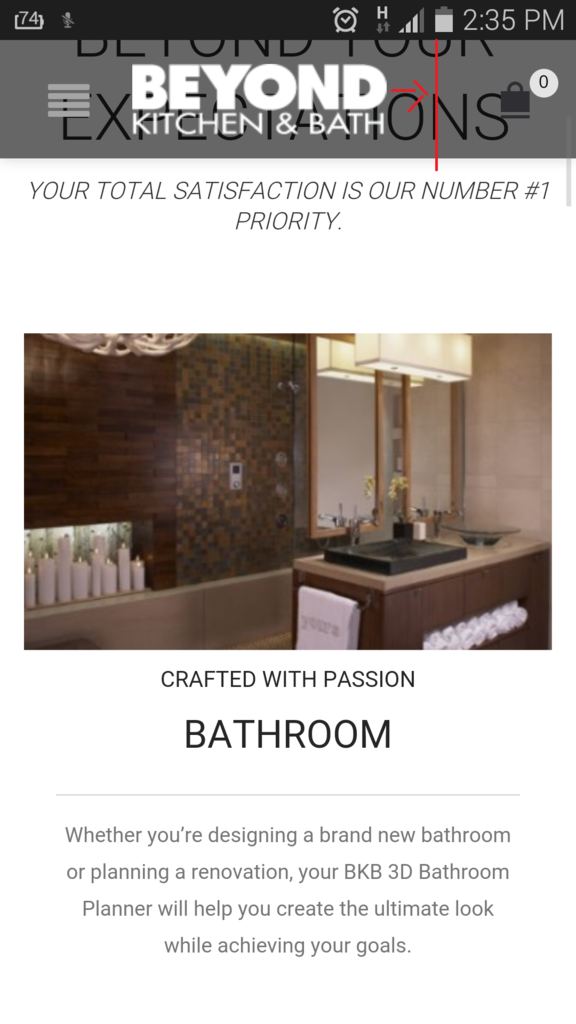
    I noticed you changed the color for me to orange. Thanks. I checked and still look a bit strange .. is it possible to have the color as it was before the latest upgrade? If so can you adjust this for me?

    Also after adding this code the logo is showing extra small when I scroll down:

    .cart-bag .ico-sum, .cart-bag .ico-sum::before {
    background-color: white !important;
    }

    http://i1340.photobucket.com/albums/o728/LibardoBarreto/Screenshot_2015-06-26-10-11-30_zpsupprjs74.png

    Avatar: Eva
    Eva Kemp
    Participant
    June 26, 2015 at 19:14

    Hello,

    I’ve added this code in style.css of the child theme to fix the issue with fixed header logo:

    @media (max-width: 480px) {.fixed-header-area .header-logo img {
        max-width: 200px;
        margin-left: -50px !important;
        width: 150px;
    }}

    Please check it now.

    Please clarify what color you want the cart icon to be displayed (the dark one?)?

    Regards,
    Eva Kemp.

    Avatar: Libardo
    Libardo
    Participant
    June 26, 2015 at 19:46

    Hi Eva,

    We would like for the shop cart icon to be this color/style:

    http://i1340.photobucket.com/albums/o728/LibardoBarreto/SHOP_zpshwatpuu8.png

    Also Can you please check the + sign which is still not showing White + Sign. I’ve edit it and place it in the correct Child Folder but still not showing as should.

    Please check once more.

    Avatar: Eva
    Eva Kemp
    Participant
    June 27, 2015 at 08:28

    Hello,

    Please don’t replace the whole code. I edited it and you changed it again.
    I’ve edited it again and now plus icons are shown:
    http://storage2.static.itmages.com/i/15/0627/h_1435389648_2662046_fda0263ce2.png
    Also I’ve added this code to change cart icon:

    .ico-sum {
        width: 18px;
        height: 21px;
        background: transparent url("https://www.8theme.com/demo/royal/wp-content/themes/royal/images/sprite/icons.png") no-repeat scroll 0px 0px;
        display: block;
        top: 0px;
    }
    .cart-bag .ico-sum::before {
       display: none !important;
    }

    Please check.

    Regards,
    Eva Kemp.

    Avatar: Libardo
    Libardo
    Participant
    June 29, 2015 at 17:35

    Hi Eva,

    I also noticed that all the Products Pages has a white space at the bottom. How do I erase this?
    Please check in private.

    Please, contact administrator
    for this information.
    Avatar: Eva
    Eva Kemp
    Participant
    June 29, 2015 at 18:53

    Hello,

    I’ve added this code in child style.css:

    .page-content {
      margin-bottom: 0px !important;
    }

    Please clear browser cache and check the pages.

    Regards,
    Eva Kemp.

    Avatar: Libardo
    Libardo
    Participant
    July 1, 2015 at 13:25

    Good Day Eva,

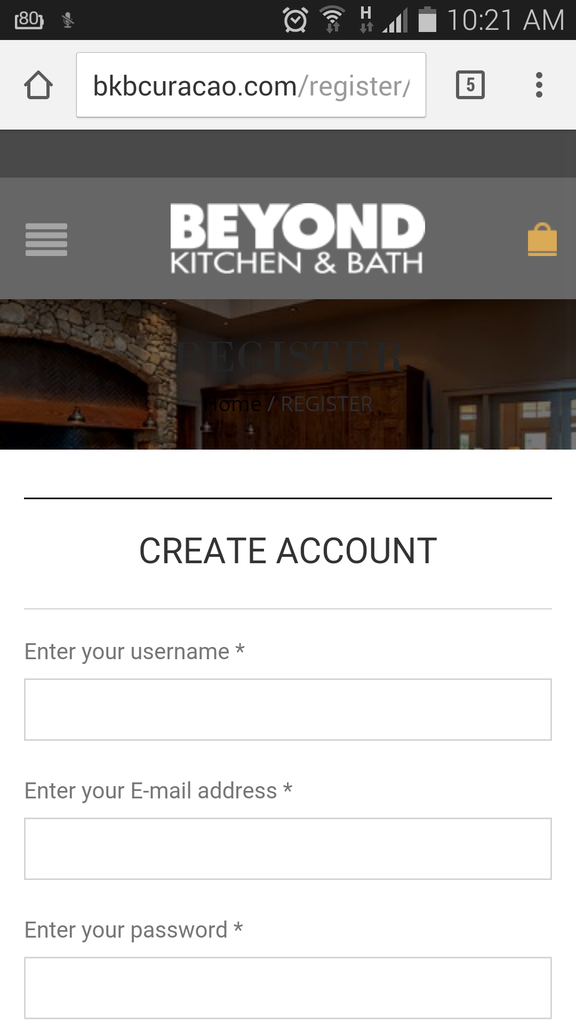
    For this page it still shows the header menu grey. Can you make it just like the other ones? This is for mobile and tablet and desktop:

    >>> http://bkbcuracao.com/register

    http://i1340.photobucket.com/albums/o728/LibardoBarreto/Screenshot_2015-06-27-10-21-22_zpsg2j2fio1.png

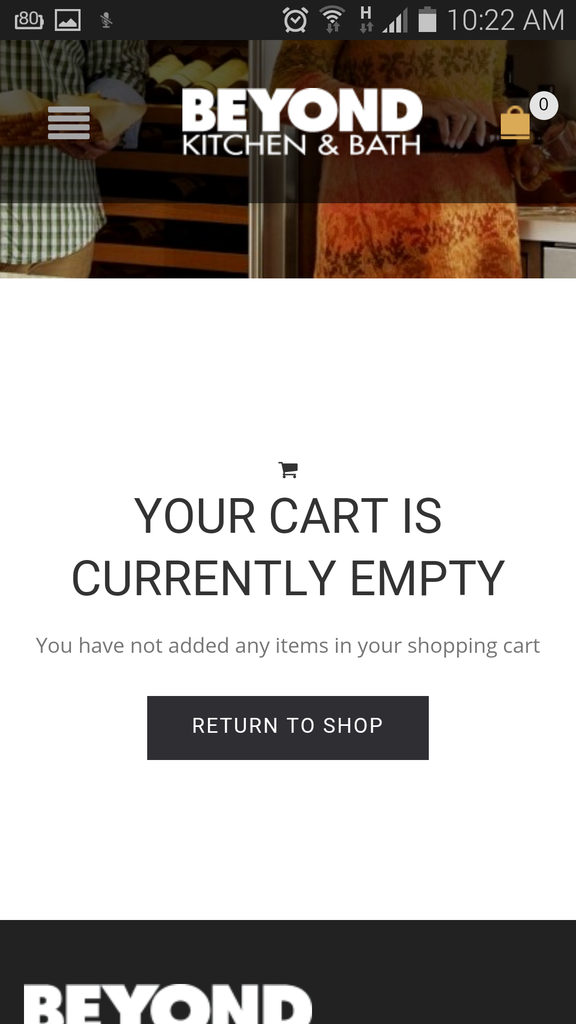
    Also can you check for me if the shopping cart icon (colored black) is in the child theme? This is already showing on the website but just want to make sure once there is a new update for it to stay there ..

    http://i1340.photobucket.com/albums/o728/LibardoBarreto/Screenshot_2015-06-27-10-22-11_zpstu7bjbrt.png

    Please, contact administrator
    for this information.
    Avatar: Eva
    Eva Kemp
    Participant
    July 1, 2015 at 15:48

    Hello,

    The cart icon is added in style.css file of your child theme:

    .icon-shopping-cart:before {
      content: "\f07a";
    }

    So you won’t lose it.

    Concerning the Register page please provide us with FTP credentials.

    Regards,
    Eva Kemp.

    Avatar: Libardo
    Libardo
    Participant
    July 1, 2015 at 16:02

    Hi Eva,

    Please try again..

    Avatar: Eva
    Eva Kemp
    Participant
    July 1, 2015 at 16:57

    Hello,

    I’ve edited the file et-registration.php in the line 13 and added this code:

    <?php if ($page_heading != 'disable' && ($page_slider == 'no_slider' || $page_slider == '')): ?>
    	
    	<div class="page-heading bc-type-<?php echo esc_attr( etheme_get_option('breadcrumb_type') ); ?>">
    		<div class="container">
    			<div class="row">
    				<div class="col-md-12 a-center">
    					<h1 class="title"><span><?php the_title(); ?></span></h1>
    					<?php etheme_breadcrumbs(); ?>
    				</div>
    			</div>
    		</div>
    	</div>
    
    <?php endif ?>
    
    <?php if($page_slider != 'no_slider' && $page_slider != ''): ?>
    	<div class="page-heading-slider">
    		<?php echo do_shortcode('[rev_slider_vc alias="'.$page_slider.'"]'); ?>
    	</div>
    <?php endif; ?>

    The file has been moved to child theme folder.

    Please check registration page now.

    Regards,
    Eva Kemp.

    Avatar: Libardo
    Libardo
    Participant
    July 1, 2015 at 17:01
    Avatar: Eva
    Eva Kemp
    Participant
    July 1, 2015 at 17:31

    Hello,

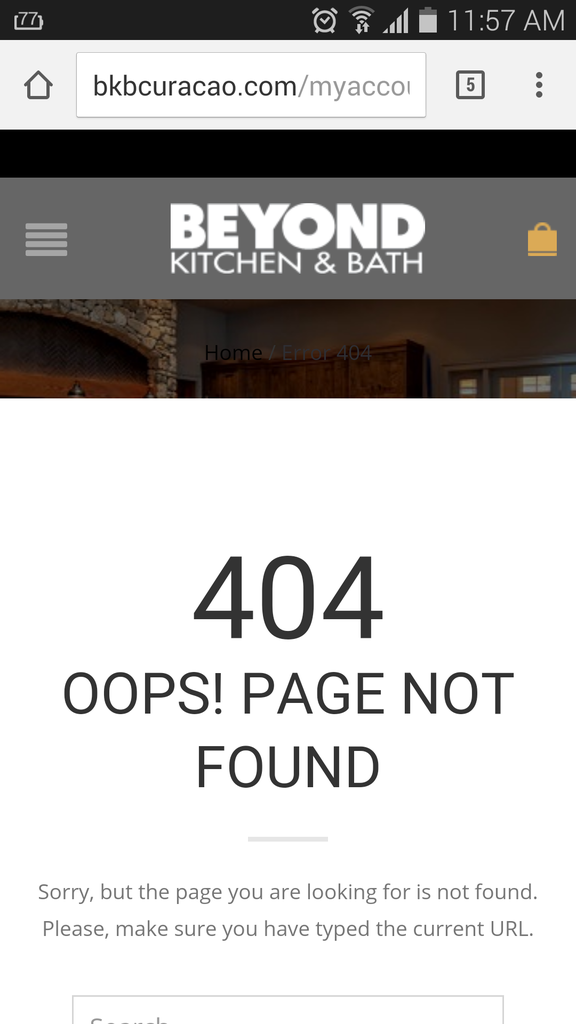
    Sorry, but it can’t be done for 404 page because it’s not loading the page from wp-admin panel and slider can’t be added in there.

    Regards,
    Eva Kemp.

  • Viewing 29 results - 1 through 29 (of 29 total)

You must be logged in to reply to this topic.Log in/Sign up

We're using our own and third-party cookies to improve your experience and our website. Keep on browsing to accept our cookie policy.