Further question regarding CSS in Question previously asked

This topic has 24 replies, 4 voices, and was last updated 10 years, 8 months ago ago by Brian Johnson

  • Avatar: Lily
    Lily
    Participant
    March 10, 2015 at 12:36

    Hi,

    I have a questions regarding the CSS previous given to me by yourself.

    I would have used this question to continue (see Replay from Robert #45438) , but I have already posted a follow on question there.

    This is the CSS provided

    .product-info .single_add_to_cart_button{
    background:f00;
    color:#fff;
    }

    .wishlist-btn-container.with-styles .add_to_wishlist{
    margin-top: 0px;
    border: 1px solid #000;
    padding: 10px 30px;
    margin-left: 10px;
    text-transform: uppercase;
    font-size: 12px;
    }

    .etheme_add_to_cart_button{
    background:f00;
    color:black;

    }

    .variations_button .button{
    font-size: 15px;
    padding: 8px 32px;
    }

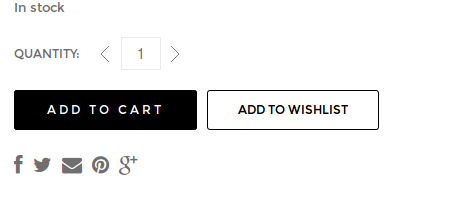
    And it works well, but it is sort of independent of each other (ie Wishlist and Add to Cart (single and Options pages), which is fine, gives greater flexibility, but what it means I cannot get the:

    Add to Cart – Single Product Page
    Add to Wishlist – Single Product page
    Add to Cart – Variable product page
    Add to Wishlist

    I can’t the boxes the same size in relation to each other, and to each page.

    Please, contact administrator
    for this information.
    23 Answers
    Avatar: Eva
    Eva Kemp
    Participant
    March 10, 2015 at 16:04

    Hello,

    Please try to use this code in custom.css file:

    .single-product-page .product-info .single_add_to_cart_button {
        font-size: 12px !important;
        font-family: Montserrat !important;
    }

    Could you please clarify what boxes you meant in the page of the product “square-cufflinks-with-cross-stitch”?

    Thank you.
    Regards,
    Eva Kemp.

    Avatar: Lily
    Lily
    Participant
    March 11, 2015 at 19:12

    Hi,

    Thanks I have added the CSS you sent over.

    On the cufflinks page, there is a difference in Font and the ‘Add to Cart’ box compared to Wishlist box.

    I have attached screenshots for you to view each page.

    Please, contact administrator
    for this information.
    Avatar: Eva
    Eva Kemp
    Participant
    March 12, 2015 at 09:54

    Hello,

    Please add this code in custom.css file:

    .single-product-page .product-info .single_add_to_cart_button {
      border-radius: 3px;
    }
    .single-product-page .product-info .variations_form .button {
        font-family: Montserrat !important;
        font-size: 12px !important;
        border-radius: 3px;
        padding-bottom: 10px;
        padding-top: 10px;
    }

    Thank you.
    Regards,
    Eva Kemp.

    Avatar: Lily
    Lily
    Participant
    March 14, 2015 at 17:19

    Hi,

    Many thanks for that.

    1) The ‘Add to Cart’ is still a different size on Variable Products, see URL below
    2) The Add to cart and Add to Wishlist still jumps up and down on Variable products. See URL below
    3) For some reason the Add to Wishlist has disappeared on this product – See URL below. This maybe not be connected and may be connected to the Wishlist List plugin confilct

    Please, contact administrator
    for this information.
    Avatar: Eva
    Eva Kemp
    Participant
    March 16, 2015 at 13:19

    Hello,

    1. The buttons are similar:
    https://s3.amazonaws.com/fvd-data/notes/168674/1426507941-9eKa5W/screen.png
    They seem different to you because of different background color.

    2. Try to disable 3rd-party plugin and check it again.

    3. Please update Woocommerce plugin to the latest version and don’t forget to create a back up before update!

    Thank you.
    Regards,
    Eva Kemp.

    Avatar: Lily
    Lily
    Participant
    March 17, 2015 at 10:21

    Hi

    1) I will have to check at the moment I have errors after updating theme.

    2) I updated theme, but I am still missing

    legenda/woocommerce/cart/cart-totals.php
    legenda/woocommerce/cart/cart.php
    legenda/woocommerce/checkout/thankyou.php
    legenda/woocommerce/emails/email-footer.php
    legenda/woocommerce/emails/email-header.php
    legenda/woocommerce/emails/plain/customer-reset-password.php
    legenda/woocommerce/order/order-details.php

    I cannot find updated versions of these in the theme folder, after downloading from Themeforest.

    Can you let me know where I might find them?

    Avatar: Eva
    Eva Kemp
    Participant
    March 17, 2015 at 13:46

    Hello,

    You can delete the file legenda/woocommerce/cart/cart-totals.php.
    Other files has been fixed.

    Please check.

    Regards,
    Eva Kemp.

    Avatar: Lily
    Lily
    Participant
    March 17, 2015 at 14:32

    Sorry what do you mean? Delete using FTP? the file is not needed in woocommerce/cart on live server?

    Avatar: Lily
    Lily
    Participant
    March 17, 2015 at 14:34

    As in system status it is still out of date?
    legenda/woocommerce/cart/cart-totals.php version 2.1.0 is out of date. The core version is 2.3.6

    So confused as to why I would want to delete?

    Avatar: Robert Hall
    Robert Hall
    Participant
    March 17, 2015 at 14:38

    Hello,

    This file is from the old version and need to remove it.

    Regards,
    Robert Hall.

    Avatar: Lily
    Lily
    Participant
    March 17, 2015 at 21:20

    ok I will delete it from my site

    Avatar: Eva
    Eva Kemp
    Participant
    March 17, 2015 at 21:22

    Hello,

    Please note you should remove the file in the directory wp-content/themes/legenda/woocommerce/cart and not in wp-content/plugins.

    Thank you.
    Regards,
    Eva Kemp.

    Avatar: Lily
    Lily
    Participant
    March 18, 2015 at 16:00

    Hi,

    I have updated all theme elements and deleted the file you mentioned.

    Both boxes on single products and variable products appear to be ok now…Thank you.

    But on Variable Products, the ‘Add to Cart’ and ‘Add to Wishlist’ still jump up and down as previously mentioned.

    I was using Chrome. Example URL below.

    Please, contact administrator
    for this information.
    Avatar: Eva
    Eva Kemp
    Participant
    March 19, 2015 at 12:28

    Hello,

    We recommend you to update the theme to the latest version 2.6.3 which is compatible with the latest Woocommerce version.
    Also update required plugins https://www.8theme.com/download-plugins/ .

    Create a back up of your files and database before update!

    Thank you.
    Regards,
    Eva Kemp.

    Avatar: Lily
    Lily
    Participant
    March 26, 2015 at 23:56

    Hi,

    I have finally managed to complete all updates, and still there is issue with Quantity and Add to Cart’ Jumping up and down.

    Please, contact administrator
    for this information.
    Avatar: Eva
    Eva Kemp
    Participant
    March 27, 2015 at 09:45

    Hello,

    As I see your Legenda theme is still 2.4.1 version and not 2.6.3.
    Please watch our tutorial how to update theme:
    https://www.youtube.com/watch?v=KdWESIIPU1k

    Thank you.
    Regards,
    Eva Kemp.

    Avatar: Lily
    Lily
    Participant
    March 27, 2015 at 09:48

    Well I never got any notifications!!! I will download form Themeforest the new version

    Avatar: Eva
    Eva Kemp
    Participant
    March 27, 2015 at 10:42

    Hello,

    Ok, let us know if there are further issues.

    Regards,
    Eva Kemp.

    Avatar: Lily
    Lily
    Participant
    March 27, 2015 at 10:47

    Hi,

    Yes I have updated theme and the issues I have listed still remain with now further issues!!

    But I would like this issue to be fixed. I am unable to ‘Add to Cart’ from a simple product

    Avatar: Eva
    Eva Kemp
    Participant
    March 27, 2015 at 14:57

    Hello,

    I’ve reuploaded woocommerce folder and now “Add to Cart” button is working.
    Please clear browser cache and check again.

    Thank you.
    Regards,
    Eva Kemp.

    Avatar: Lily
    Lily
    Participant
    March 28, 2015 at 09:06

    Many thanks for that.
    you’ve been a great help

    Avatar: Robert Hall
    Robert Hall
    Participant
    March 28, 2015 at 09:14

    Hello,

    You’re welcome!

    Regards,
    Robert Hall.

    Avatar: Brian Johnson
    Brian Johnson
    Member
    March 28, 2015 at 09:19

    You are welcome!

    With best regards
    Brian Johnson

  • Viewing 24 results - 1 through 24 (of 24 total)

The issue related to '‘Further question regarding CSS in Question previously asked’' has been successfully resolved, and the topic is now closed for further responses

We're using our own and third-party cookies to improve your experience and our website. Keep on browsing to accept our cookie policy.