The problem is with the side block with registration and login

This topic has 8 replies, 2 voices, and was last updated 1 months, 3 weeks ago ago by Luca Rossi

  • Avatar: Kamil
    Kamil
    Participant
    October 22, 2025 at 14:27

    Hey, we’re having trouble registering new users. The problem only affects mobile devices, i.e., phones; on computers, everything is fine. If someone tries to register on a desktop (i.e., they have the full view), everything is fine. However, if someone wants to register using the sidebar (which is the only one on phones), they have to double-click. The first time they click the registration button, nothing happens; only the second time does it work. This could also be related to the logout problem. If someone clicks “log out” on the sidebar, they’re redirected to their user account and have to click “log out” a second time.

    Files is visible for topic creator and
    support staff only.
    7 Answers
    Avatar: Justin
    Luca Rossi
    Support staff
    October 22, 2025 at 15:40

    Dear @Kamil,

    We recommend that you disable all third-party plugins that are not included with XStore (https://www.8theme.com/documentation/xstore/plugins/included-plugins/). After doing so, please clear your browser’s cache and check again. It is possible that one of these additional plugins is causing the issue.

    Let us know the results.

    Avatar: Kamil
    Kamil
    Participant
    October 23, 2025 at 11:13

    Hey, that didn’t help.

    Also, something strange happens during registration. After entering my email address and clicking the registration button, the page refreshes, but nothing changes – I have to click the registration button a second time, and then my account is registered and automatically logged in.

    Avatar: Justin
    Luca Rossi
    Support staff
    October 24, 2025 at 05:18

    Hello Kamil,

    Could you please resend the new password to us?
    The account in the private content area is no longer working.

    Thank you for your assistance.

    Best regards,
    The 8Theme Team

    Please contact administrator
    for this information.
    Avatar: Kamil
    Kamil
    Participant
    October 24, 2025 at 08:25

    Hi, sure, i am sending this right now.

    Please contact administrator
    for this information.
    Avatar: Justin
    Luca Rossi
    Support staff
    October 24, 2025 at 09:44

    Hello Kamil,

    We have temporarily disabled the LiteSpeed Cache plugin.

    Could you please check it again?

    Thank you for your cooperation.

    Best regards,
    The 8Theme Team

    Avatar: Kamil
    Kamil
    Participant
    October 24, 2025 at 10:08

    Hey, tests have shown that something seems to be working better, but I would really appreciate it if you could re-enable the LS cache plugin – it’s very important to us.

    Avatar: Justin
    Luca Rossi
    Support staff
    October 26, 2025 at 06:40

    Hello Kamil,

    We have noticed that the LiteSpeed Cache plugin has been reactivated.

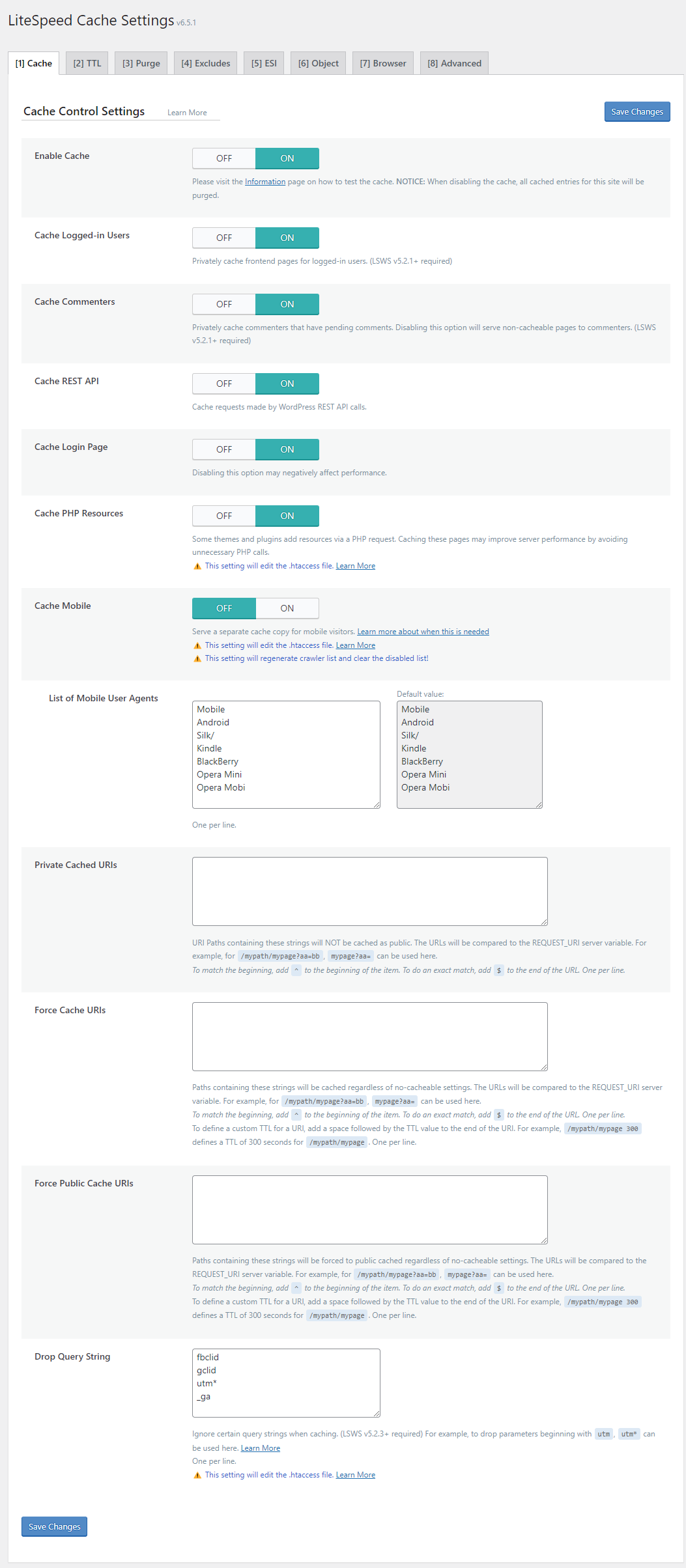
    We kindly recommend disabling the Cache for Logged-In Users and Mobile Cache options:
    https://docs.litespeedtech.com/lscache/lscwp/images/cache01.png

    We hope this information is helpful.

    Best regards,
    The 8Theme Team

  • Viewing 8 results - 1 through 8 (of 8 total)

You must be logged in to reply to this topic.Log in/Sign up

We're using our own and third-party cookies to improve your experience and our website. Keep on browsing to accept our cookie policy.