
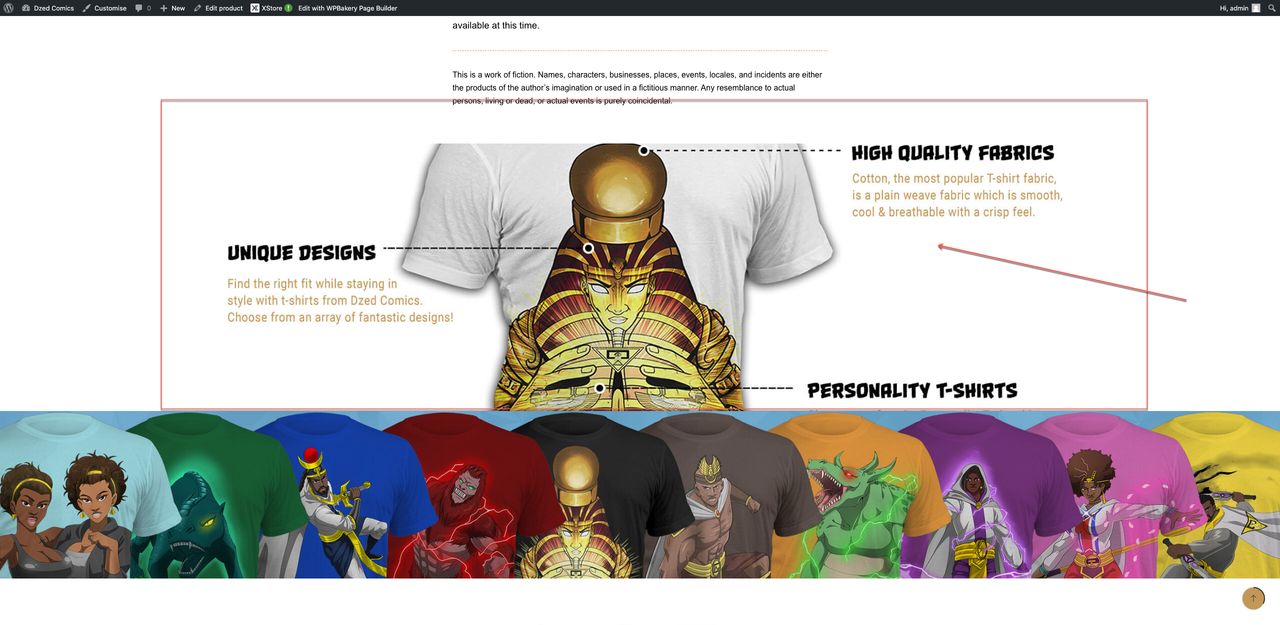
Image in row REDUCTION - by queenb123 - on WordPress WooCommerce support

3 replies2 participantsUpdated by Rose Tyler

  • Avatar: queenb123
    queenb123
    Participant

    Hi is there a to reduce the image size here:

    sssss

    http://sacred.amulets.dzedcomics.co.uk/product/shirttttssss/

    please note the image is sitting in a row/coulmn – i have tried paddings and margins and nothing seems to work!

    Logins in private area – (please keep this secure as my site was hacked and it took me 2 days to rebuild everything.)

    Many thanks!

    Please, contact administrator
    for this information.

    3 Answers

    Avatar: Rose Tyler
    Rose Tyler
    Support staff

    Hi,

    You have set this image as background for row, so you can add a custom class https://prnt.sc/xtf7nh and custom CSS code –

    .custom-row-bg {
        background-size: 500px !important;
    }

    Or remove the image for the row and set it for column – https://prnt.sc/xtfaxv

    Regards

    Avatar: queenb123
    queenb123
    Participant

    Hi,

    Many thanks,

    But i tried everything you said and nothing works!

    Avatar: Rose Tyler
    Rose Tyler
    Support staff

    Hi,

    You are right, please change the code to:

    .single-product .custom-row-bg {
        background-size: 800px !important;
    }

    Regards

You must be logged in to reply to this topic.Log in/Sign up