Sale Pop - by Trada Media - on WordPress WooCommerce support

This topic has 4 replies, 2 voices, and was last updated 5 years, 1 months ago ago by Trada Media

  • Avatar: Trada Media
    Trada Media
    Participant
    October 6, 2020 at 14:22

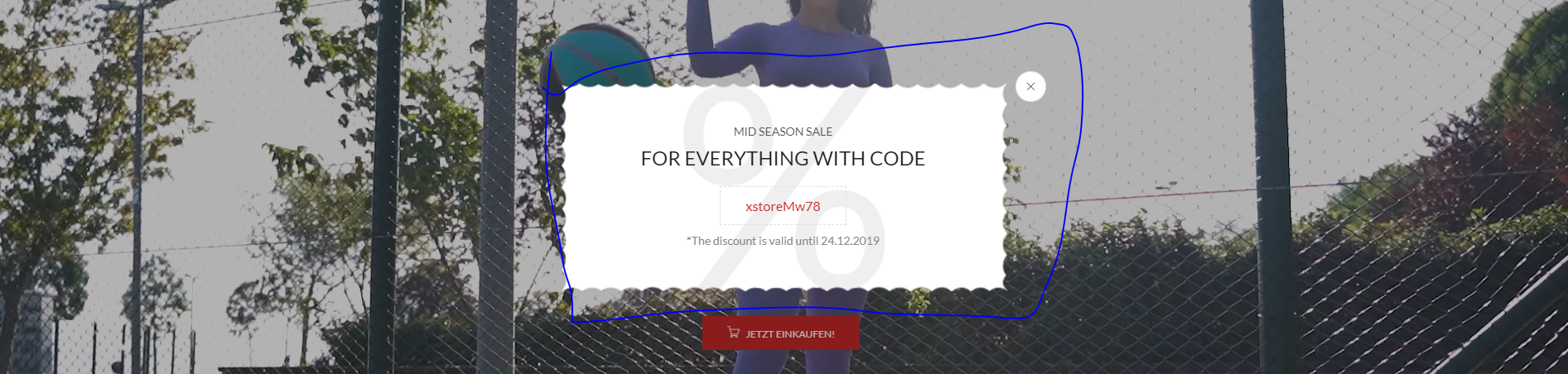
    Hi. I want disable the sale popup. How can i disable it? https://s12.directupload.net/images/201006/rjrh23xm.png

    Thanks

    3 Answers
    Avatar: Olga Barlow
    Olga Barlow
    Participant
    October 6, 2020 at 17:49

    Hello,

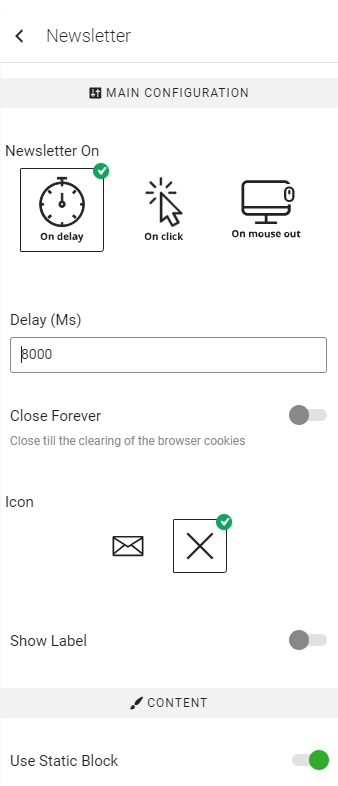
    Go to Theme Options > Header builder > edit the top right connection block and remove the Newsletter element.

    Regards

    Avatar: Trada Media
    Trada Media
    Participant
    October 26, 2020 at 13:51

    I cannot disable it! Can you please send me a tutorial. https://s12.directupload.net/images/201026/ri67b2rb.png

    Avatar: Trada Media
    Trada Media
    Participant
    October 26, 2020 at 14:22

    It solved. Thanks.

  • Viewing 4 results - 1 through 4 (of 4 total)

The issue related to '‘Sale Pop’' has been successfully resolved, and the topic is now closed for further responses


We're using our own and third-party cookies to improve your experience and our website. Keep on browsing to accept our cookie policy.