

Change Add to Cart Style - by domainsfeatured@hotmail.com

3 replies3 participantsUpdated by Rose Tyler

  • Hi there,

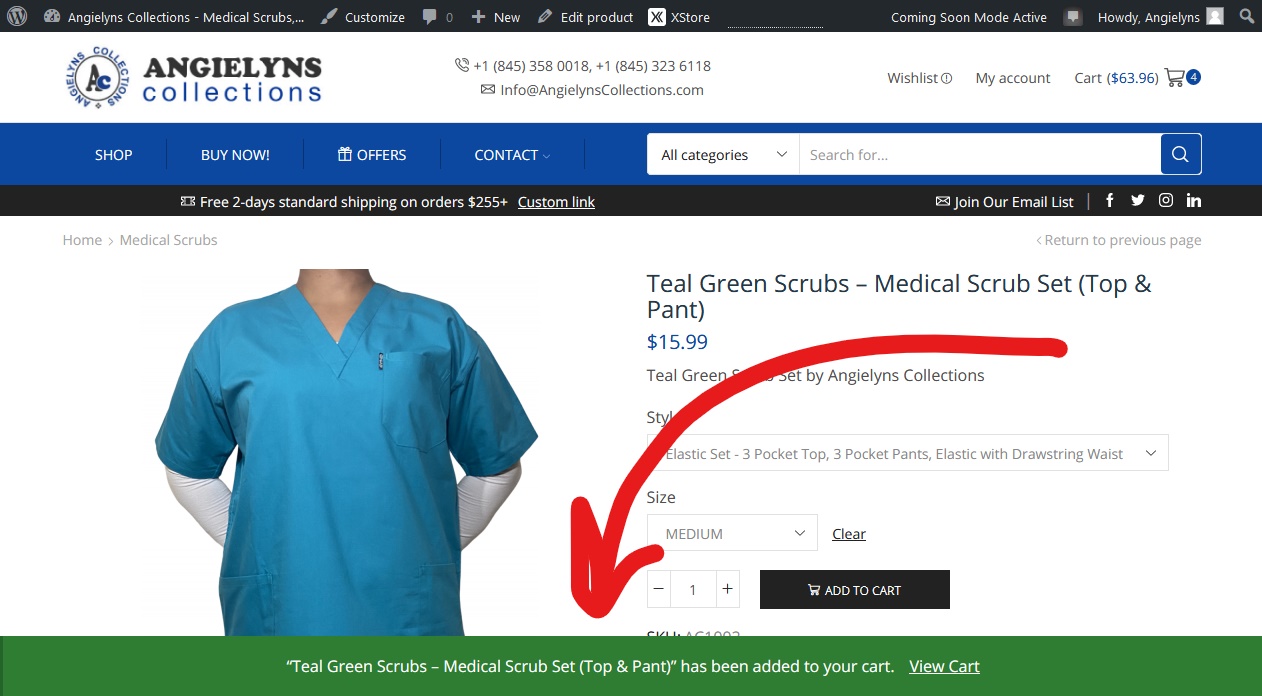
    My current add to cart goes like this:
    current

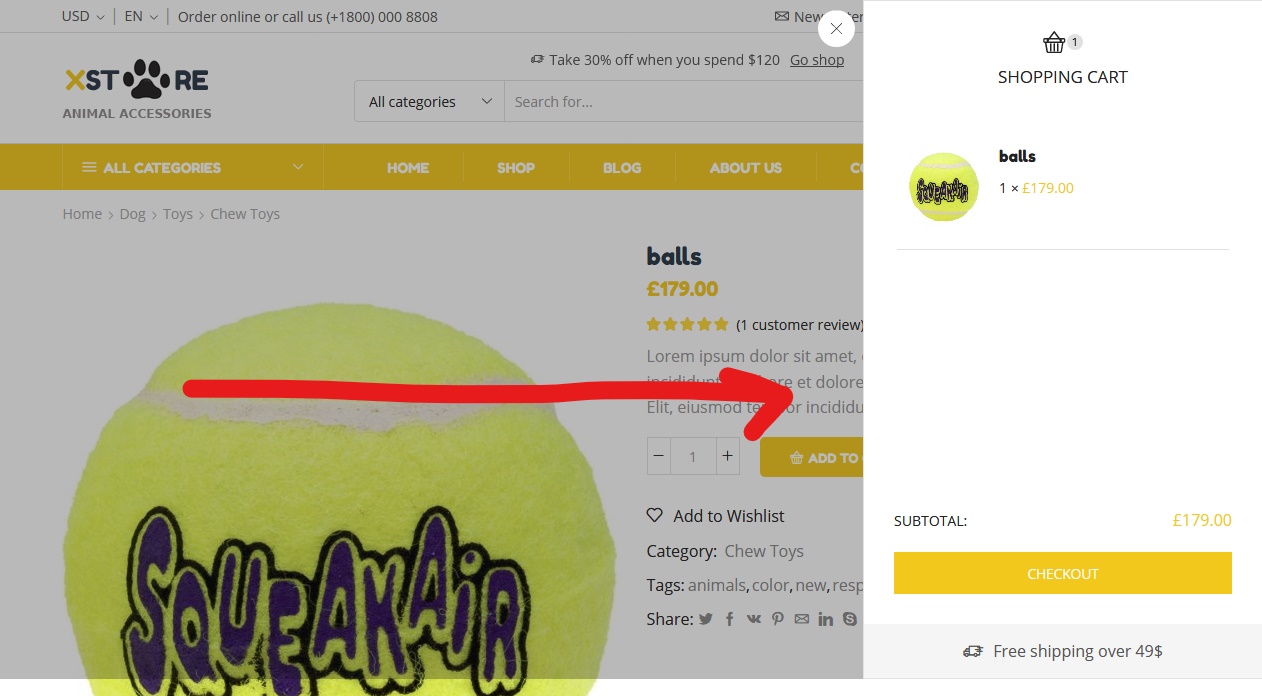
    But, I want to have this add to cart style:
    desired

    How can I implement that add to cart style? I even switched to the animal theme so that I could have that feature, and completely styled it and now it’s still has the bottom add to cart style.

    3 Answers

    Avatar: John Holden
    John Holden
    Participant

    Hi,

    – Go to Theme Options > Woocommerce (Shop) > Shop > Shop Page Layout > Product Added Notification turn it off

    – Go to Theme Options > Woocommerce (Shop) > Shop > Single Product Page > Single Product Layout > AJAX Add To Cart For Simple Products turn it on

    Regards,
    Hung PD

    Is there a way to enable the Ajax add to cart for Variable Products?

    Avatar: Rose Tyler
    Rose Tyler
    Support staff

    Hello,

    We don’t have Ajax add to cart for the variable products in our theme. You may try third-party plugins to add the Ajax add to cart for the variable products https://wordpress.org/plugins/woocommerce-ajax-add-to-cart-for-variable-products/ or https://wordpress.org/plugins/woo-ajax-add-to-cart/

    Regards

You must be logged in to reply to this topic.Log in/Sign up