Good morning, I want to create a menu with a changing image when you go through each menu link, just like your example menu in the first home menu. How can I do that?
This topic has 22 replies, 2 voices, and was last updated 8 years ago ago by Rose Tyler
Good morning, I want to create a menu with a changing image when you go through each menu link, just like your example menu in the first home menu. How can I do that?
Hello,
Such menu request additional customization, please provide wp-admin and FTP access in Private Content.
Regards
OK
Hello,
Please provide also FTP access.
Regards
Ok i send, http://www.sofaralia.com/wp-admin
Hello,
I’ve uploaded Eight Theme Menu image dropdown plugin. Please check menu now http://prntscr.com/hk8evy
You need to place the necessary images into folder displayed on screenshot width menu item id http://prntscr.com/hk8fga Menu item id you can find using dev tool http://prntscr.com/hk8fyd
Regards
Ok!! Thanks, you are a Machine!!! yeahhh!!
You’re welcome! 🙂
Regards
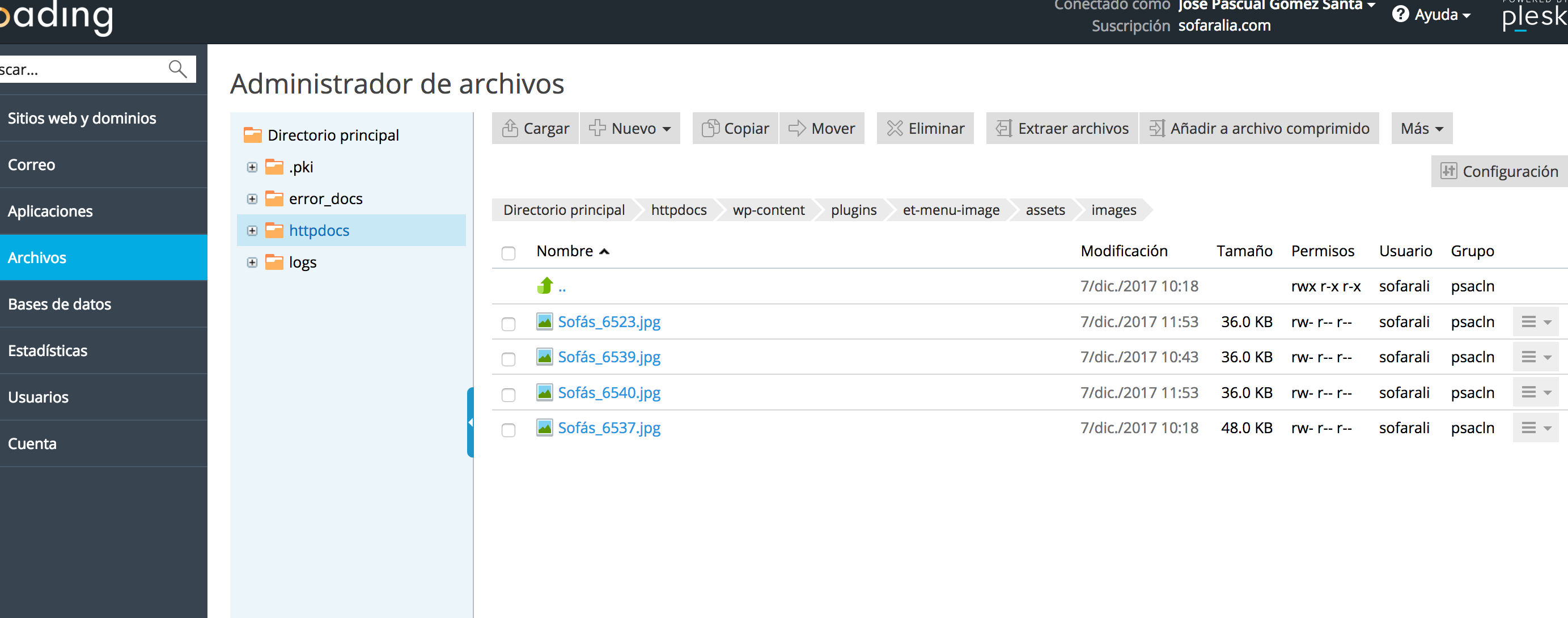
Sorry, but the plugin Eight Theme Menu image dropdown, is a plugin that is managed from the backoffice? Or from FTP ?, I have uploaded an image called Sofás_6539 to the folder, from where I have to link it now?
You need to upload images for menu links into appropriate folder via FTP.
Let us know if you need any further assistance.
Regards
Yes, I have uploaded an image to that folder via FTP, but how do I link it?
http://sofaralia.com/capturas-pantalla/subida-imagen-menu.png
You need to upload images for all menu items and set names of images with appropriate menu item id, like 6537 – Sistema Extraible: https://prnt.sc/hk8fyd https://prnt.sc/hk8fga
Regards
I have named the new image that I have uploaded as Sofás_6539, but I have no other place to name it? Or where do I refer to the ID? I have only uploaded one image, do I have to upload all of them?
You need to upload all images. Ids of menu items you can find using dev tool https://gyazo.com/b05b8986b8b1e3dff159bc807227c4fa + https://gyazo.com/0a91617b18e779a827642782d7dc8360
Regards
Right, I have it clear, I already know the ID of the different links, and I upload the image as Sofás_IDnumber but they are not displayed, you can see in the screenshot the images that I have uploaded.
http://sofaralia.com/capturas-pantalla/imagenes-sofas-menu-2.png
Please use these IDs:
1 column – 6534 and 6537, 6538
2 – 6535 and 6539, 6540
3 – 6536 and 6541
Feel free to ask if you have any questions.
Regards
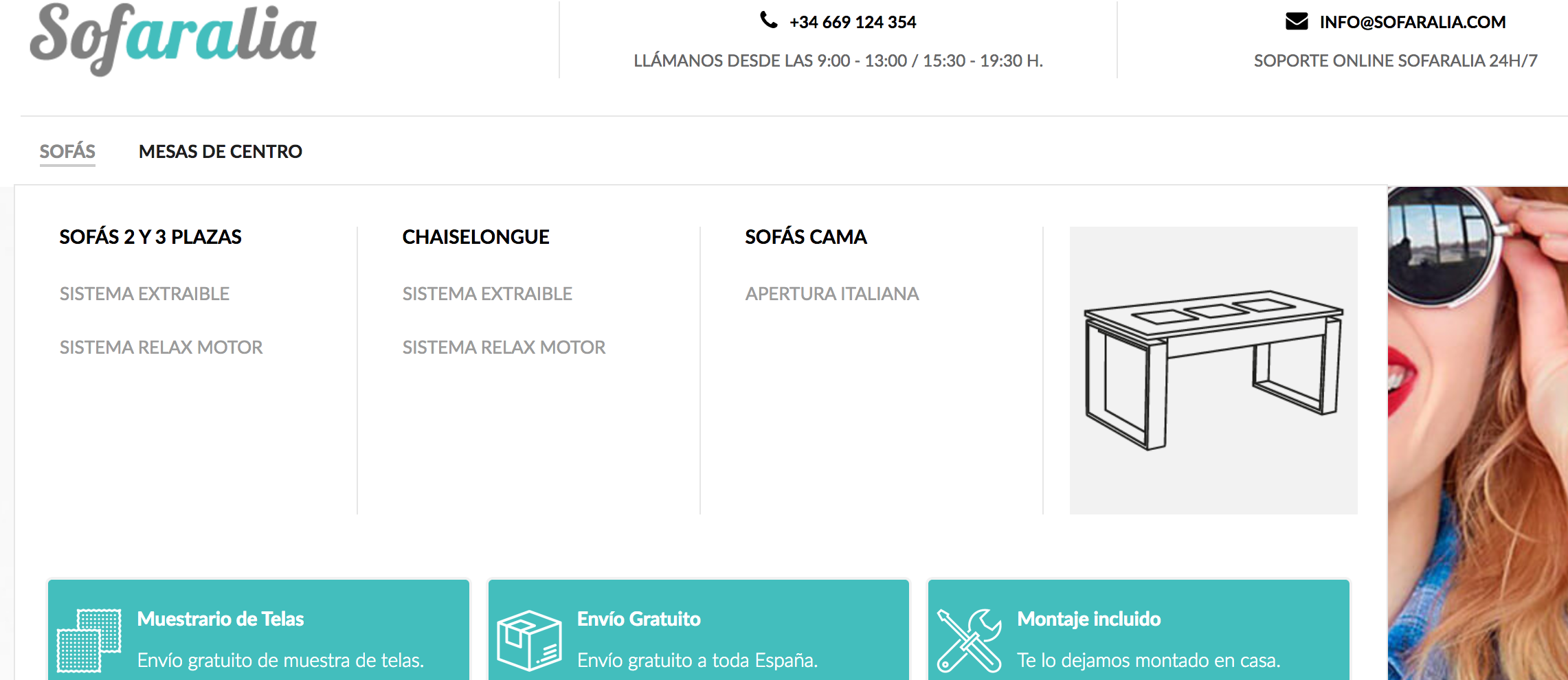
Ok, it’s fixed, I do not know why it did not come out, I copied the text of the image that you uploaded, I pasted it calling it the same and I replaced the number and it worked, but writing the same name manually I did not take it , I do not know why, one last doubt, the image that shows the first in the parent category of Sofas, how can I change it? You see a table with the gray background, that I want to change it. Attachment screenshot.
http://sofaralia.com/capturas-pantalla/captura-pantalla-1.png
You may change it in menu settings http://prntscr.com/hkpvot
Regards
Ok, now yes! thank you very much for your help!
You’re welcome!
Feel free to ask if you have any other questions.
Regards
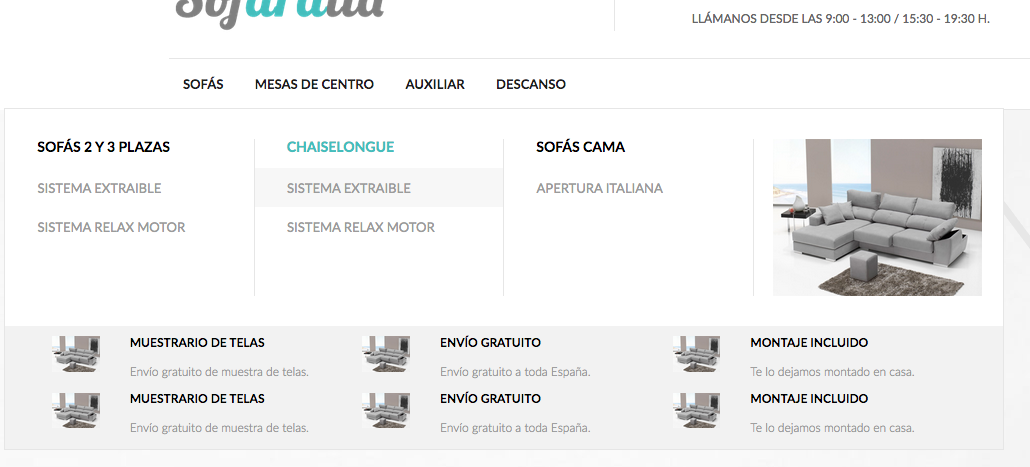
Hello, I have a small problem with this menu … can you check what I send you in the image?
If you see every time I go through a link, I change all the images, how can I change the ones below?
http://sofaralia.com/capturas-pantalla/captura-pantalla-14-12.png
Oh I see, the code to change image works for all images in menu, so I would recommend you to change structure of menu, for example, please see screenshots from our demo: http://prntscr.com/hnuw4d > http://prntscr.com/hnuwop > http://prntscr.com/hnuwxi > http://prntscr.com/hnux9x > http://prntscr.com/hnuxlf
Regards
You must be logged in to reply to this topic.Log in/Sign up